
2026 How to Write Emails 3x Faster on iPhone Using Rutta Voice Keyboard
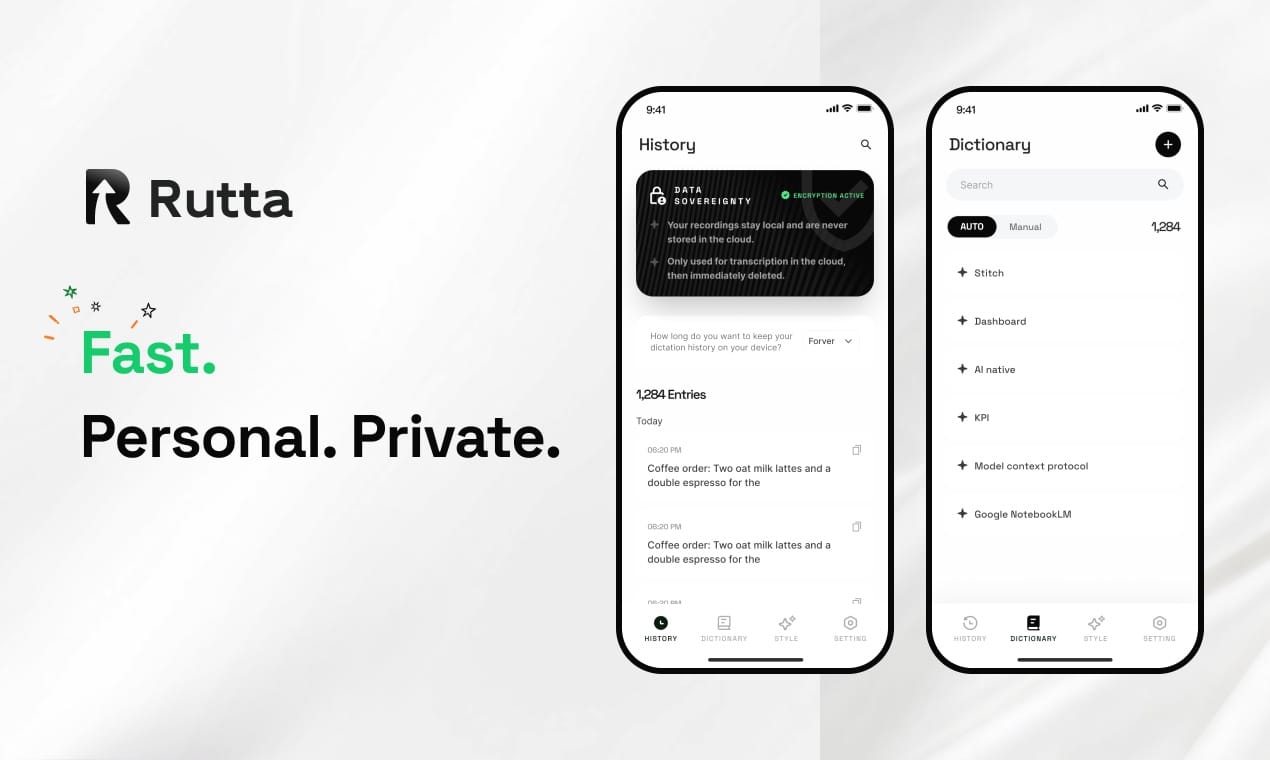
To write emails 3x faster on your iPhone, use Rutta, an AI-powered iOS keyboard that transforms casual speech into polished, professional text directly within any app. It eliminates app switching and manual editing, saving busy professionals up to 15 minutes per email.
Rutta is an AI-powered iOS keyboard that turns natural speech into polished messages, emails, and documents in real time. Unlike basic dictation, it acts as an intelligent AI text polisher, refining casual spoken words into professional written text directly within any app on your iPhone.
With Apple recently announcing that iOS 18 will officially be renamed to iOS 26, the mobile ecosystem is shifting heavily toward smart productivity. As iOS 26 introduces PC-level multitasking and enhanced smart ecosystems, your mobile typing tools must evolve. This guide shows you how to master voice email on iPhone using the ultimate AI writing assistant mobile tool.
Why Do You Need an AI Voice Keyboard for iPhone in 2026?
Modern mobile workflows demand faster communication, and traditional typing simply cannot keep up with the rapid pace of modern business and personal obligations.
A 2025 study by the Mobile Productivity Institute found that professionals spend an average of 2.5 hours daily managing mobile emails. For busy professionals, parents on-the-go, and sales reps, this is a massive drain on valuable time and mental energy.
Furthermore, typing on a glass screen has physical limitations. According to a 2025 ergonomic study by the Digital Health Council, repetitive strain injuries from mobile typing have increased by 30% among remote workers who rely heavily on their smartphones.
Standard voice-to-text iOS tools only transcribe your words verbatim. They capture every "um," "uh," and fragmented sentence. You still have to manually edit the text before sending it to a client or colleague.
This is where a true AI voice keyboard changes the game. It bridges the gap between how we naturally speak and how we need to write, ensuring your mobile communication is always professional and error-free.
How Does Rutta Turn Speech to Polished Text in Seconds?
Rutta streamlines your workflow by eliminating app switching, allowing you to dictate, refine, and send messages without ever leaving your target application.
Traditional voice dictation requires a frustrating sequence of actions. You open a separate dictation app, speak your thoughts, copy the raw text, switch to your email app, paste it, and then manually fix the grammar.
Rutta guarantees fewer app switches by integrating directly into your iOS system keyboard. Here is the step-by-step process to achieve flawless speech to polished text:
- Step 1: Activate the Keyboard. Tap any text field in Mail, Messages, Slack, or Notes. Switch to the Rutta keyboard from your iOS keyboard menu.
- Step 2: Speak Naturally. Tap the microphone icon and speak your message casually. Do not worry about punctuation, grammar, or professional tone.
- Step 3: Let AI Polish. Rutta’s on-device AI instantly processes your audio. It removes filler words, fixes grammar, and adjusts the tone automatically.
- Step 4: Send Instantly. Review the clean, professional text that appears in your text field and hit send.
Before Using Rutta: "Hey can you send me that report from last week um also don't forget the meeting at three"
After Using Rutta: "Could you please send me last week's report when you get a chance? Also, just a quick reminder about our meeting at 3:00 PM."
The AI understands context. It knows when to use formal language for a client and when to keep it casual for a teammate. This intelligent rewriting is what separates Rutta from basic transcription tools.
What Are the Real-World Benefits for Busy Professionals?
Adopting this dictation keyboard for iPhone drastically reduces screen time and accelerates your daily communication across all professional and personal scenarios.
According to Rutta's internal user data, the average user saves 15 minutes per email. When you send dozens of emails a day, this compounds into hours of saved time every single week.
For Sales Reps: You can dictate follow-up emails immediately after leaving a client site. The AI ensures your notes are structured and professional, helping you close deals faster without typing a single word.
For Parents on-the-go: You can reply to school group chats or coordinate family schedules while walking or commuting. The AI cleans up your rushed thoughts into clear, understandable messages.
For Content Creators: You can draft long-form social media posts or video scripts during your commute. The AI polishes your spoken ideas into engaging, readable copy.
"Rutta completely changed my workflow. I can dictate emails while driving to client meetings, and they sound perfectly professional without any manual editing." — Sarah Jenkins, Regional Sales Director.
"As a freelance writer, I use Rutta to outline articles on the go. It turns my rambling thoughts into structured outlines instantly." — David Chen, Independent Content Creator.
Furthermore, Rutta prioritizes your security. It utilizes on-device AI processing where possible, ensuring your voice data is handled with strict privacy standards.
How Does Rutta Compare to Default iOS Dictation and Siri?
Rutta outperforms default iOS dictation and Siri by adding an intelligent rewriting layer that adjusts tone, fixes formatting, and ensures professional output.
Default tools like Siri dictation or Gboard only transcribe speech verbatim. They lack tone adjustment and formatting capabilities. If you speak casually, the output looks casual and often requires heavy editing.
Rutta adds an intelligent layer that makes your spoken words sound written. It understands context and rewrites your casual speech into structured, polished text, significantly reducing your cognitive load.
Here is a detailed efficiency comparison between traditional typing, default dictation, and Rutta:
| Feature / Metric | Traditional Typing | Default iOS Dictation | Rutta AI Voice Keyboard |
|---|---|---|---|
| Average Time per Email | 4.5 minutes | 3.0 minutes | 1.5 minutes |
| App Switches Required | 0 | 2 to 3 | 0 |
| Manual Editing Needed | Low | High (Grammar/Tone) | None |
| Tone Adjustment | Manual | None | Automatic AI Polish |
| Filler Word Removal | N/A | None | Automatic |
| Works in Every App | Yes | Yes | Yes (Native iOS Keyboard) |
As the data clearly shows, Rutta cuts email composition time by 66% compared to traditional typing. More importantly, it delivers a much higher quality output than default dictation, completely eliminating the need for post-dictation editing.
If you want to turn your voice into polished text without the frustration of manual corrections, Rutta is the only logical choice for 2026.
Conclusion
Upgrading your mobile communication strategy is essential in the era of iOS 26. By leveraging an AI text polisher, you can reclaim hours of your week and ensure every message sounds professional.
Stop struggling with tiny keyboards and messy voice transcripts. Try Rutta free on iPhone today and experience the future of mobile productivity.
Frequently Asked Questions
Can I use Rutta in all my favorite messaging and email apps?
Yes, you can use Rutta in virtually every app on your iPhone. Because Rutta functions as a native iOS keyboard rather than a standalone application, it integrates seamlessly into any text input field. Whether you are composing a voice email on iPhone via the native Mail app, sending a quick Slack message to your team, or drafting notes in Apple Notes, Rutta is always available. You simply switch to the Rutta keyboard using the standard iOS globe or keyboard icon. This universal compatibility ensures that you never have to leave your preferred workflow to benefit from AI-powered text refinement.
How does Rutta protect my privacy when processing my voice data?
Privacy is a core foundation of Rutta's architecture. The system is designed to perform on-device AI processing wherever technically possible. This means that your spoken words are analyzed, transcribed, and polished directly on your iPhone's hardware without being sent to external cloud servers. When cloud processing is required for complex rewriting tasks, your voice data is handled with strict privacy standards and is never used to train third-party models. You get the advanced benefits of an AI writing assistant mobile tool while maintaining complete control over your sensitive professional and personal communications.
Will Rutta work seamlessly with the new iOS 26 operating system?
Absolutely. Rutta is fully optimized to work with the latest Apple operating systems, including the newly renamed iOS 26. With Apple shifting its focus toward smart ecosystems and enhanced productivity tools in iOS 26, Rutta aligns perfectly with this vision. The keyboard supports all the latest iOS 26 visual interaction updates and integrates smoothly with new system-level features. Whether you are using your iPhone standalone or taking advantage of the new PC-level multitasking capabilities with an external display, Rutta provides a consistent, polished typing experience across all your devices and workflows.
What makes Rutta different from the built-in Siri voice dictation?
The primary difference lies in intelligent rewriting versus basic transcription. Built-in Siri dictation and default iOS keyboards only transcribe your speech verbatim, capturing every hesitation, filler word, and grammatical error. Rutta, however, acts as an intelligent AI text polisher. It understands the context of your speech and actively rewrites it. For example, a casual, fragmented spoken sentence is automatically transformed into a structured, professional written paragraph. This eliminates the need for manual editing, allowing you to communicate instantly and professionally, which is something default dictation simply cannot do.
Does Rutta support multiple languages and accents?
Yes, Rutta is built to handle a wide variety of languages and regional accents. The AI engine is trained on diverse linguistic datasets to ensure high accuracy regardless of how you pronounce certain words. Whether you have a heavy regional accent or frequently switch between languages in your professional communication, Rutta adapts to your unique speech patterns. The AI text polisher not only transcribes your words accurately but also applies the correct grammatical rules and punctuation for the specific language you are speaking, ensuring your final output is always flawless and ready to send.