
2026 Busy Parents Guide: Reply to 20 Messages in 5 Minutes with AI Voice-to-Text
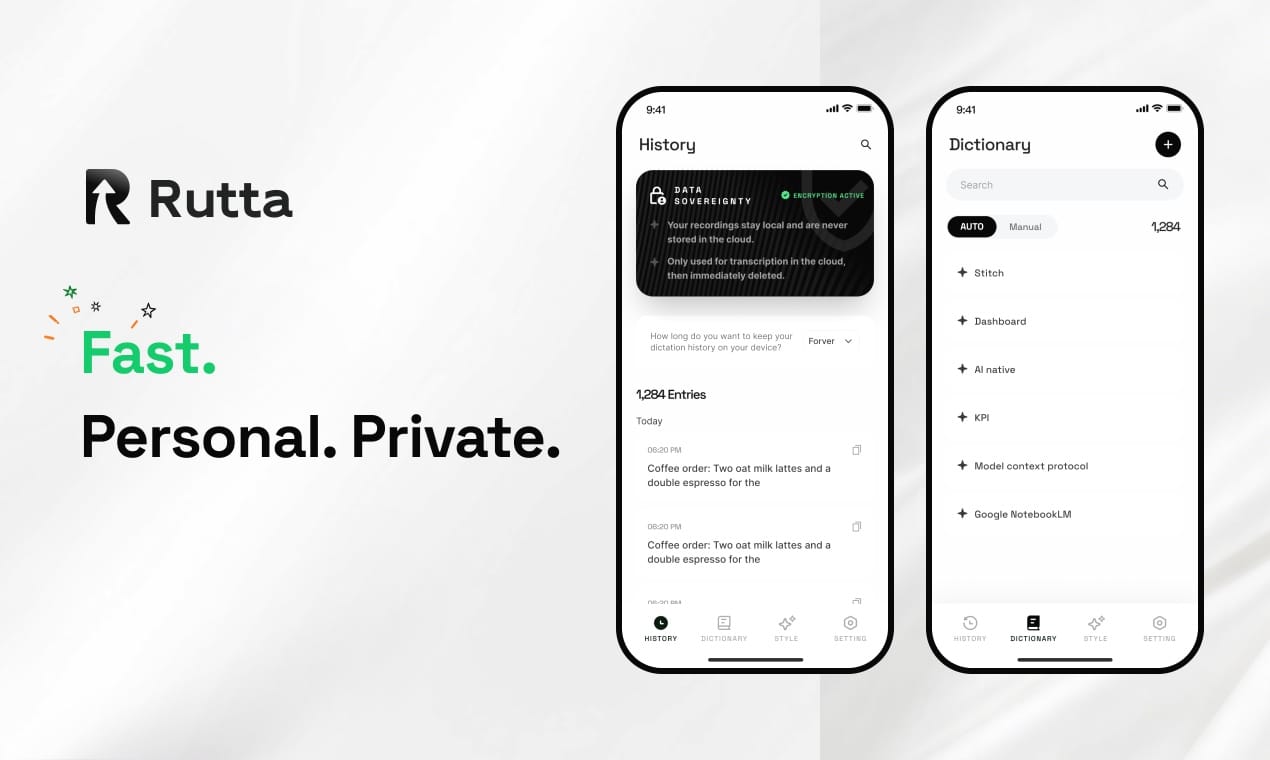
Busy parents can now reply to 20 messages in under 5 minutes using Rutta's AI voice keyboard — no app switching, no typing, no stress. You speak naturally, and Rutta's AI instantly transforms your casual words into polished, ready-to-send text inside any app on your iPhone.
Between school pickups, meal prep, work calls, and the endless stream of WhatsApp group chats, parent-teacher emails, and family coordination messages, the average parent in 2026 receives 40-60 text-based notifications daily. Typing out replies on a tiny screen isn't just slow — it's a constant source of mental friction. Rutta eliminates that friction entirely.
Rutta is an AI-powered iOS keyboard that transforms casual speech into polished, professional text directly within any app. Unlike basic dictation tools that transcribe verbatim, Rutta intelligently refines your spoken words — removing filler words, fixing grammar, and adjusting tone — so your messages sound written, not dictated. It works everywhere: Messages, Mail, Slack, WhatsApp, Notes, and any other app where your keyboard appears.
Why Do Busy Parents Struggle to Keep Up with Messages in 2026?
Message overload is not a minor inconvenience — it is a daily drain on parental time and attention. The average parent juggles 5-7 different messaging platforms, from school communication apps to family group chats, work Slack channels, and neighborhood WhatsApp groups. Each platform demands a different tone, level of formality, and response speed.
According to a 2025 study by the Pew Research Center, 72% of parents with children under 12 report feeling "constantly behind" on digital communication, with 48% saying they lose 30-60 minutes daily just on text-based replies. The problem compounds when you factor in the cognitive switching cost — every time you stop what you are doing to type a reply, it takes an average of 23 minutes to fully refocus on the original task, according to research from the University of California, Irvine.
For parents, this interruption pattern is particularly damaging. A child's question, a meal being cooked, or a work deadline gets interrupted by a buzzing phone. You type a hasty reply, make typos, or forget to respond entirely. The cycle repeats dozens of times each day.
The root cause is clear: typing on a phone keyboard is fundamentally slow and error-prone for busy adults. The average typing speed on a mobile keyboard is 35-40 words per minute, compared to 150+ words per minute for natural speech. That gap represents hours of lost time every week.
How Does Rutta's AI Voice Keyboard Solve the Message Overload Problem?
Rutta replaces the entire multi-step messaging workflow with a single action: speak and send. Instead of unlocking your phone, opening the app, typing, fixing typos, and hitting send, you simply tap the microphone on Rutta's keyboard, speak your message naturally, and watch as the AI polishes it into clean text in real time.
The workflow difference is dramatic. Traditional voice-to-text requires opening a separate dictation app, speaking, copying the transcript, switching to your target app, pasting, and then manually editing out filler words and errors. Rutta eliminates all of those steps. You stay in your messaging app the entire time.
Key advantages of Rutta for parents:
- No app switching required. Rutta is a native iOS keyboard — it replaces your default keyboard system-wide. You speak directly in Messages, Mail, WhatsApp, or any other app.
- AI polish, not just transcription. Where Siri dictation or Gboard transcribes "hey can u send me the soccer schedule for this weekend thx," Rutta rewrites it as "Could you please send me the soccer schedule for this weekend? Thank you!" — automatically.
- 3-5x faster than typing. Speaking at 150 words per minute with instant AI refinement means a 50-word message takes roughly 20 seconds instead of 2-3 minutes of typing and editing.
- Works in every single app. Because Rutta is a system keyboard, it functions everywhere your iPhone keyboard appears — no exceptions.
This capability is especially relevant in 2026. Just this week, on July 29, 2026, OpenAI released GPT-Live-Transcribe and GPT-Transcribe, two new speech transcription models that achieved a word error rate of just 19.27% across 22 languages — less than half the error rate of the previous Whisper models. The voice-to-text revolution is accelerating rapidly, and Rutta sits at the intersection of this trend by adding an intelligent polishing layer on top of raw transcription.
What Makes Rutta Different from Regular Voice Dictation on iPhone?
Regular dictation tools — including Siri, Gboard voice typing, and the default iOS microphone — do exactly one thing: they convert speech to text verbatim. Every "um," every "uh," every grammatical stumble, and every casual phrasing gets transcribed exactly as spoken. The result is a raw transcript that requires manual editing before it is ready to send.
Rutta adds an AI intelligence layer that fundamentally changes the output. Here is a direct comparison:
| Scenario | What You Say | Standard Dictation Output | Rutta AI-Polished Output |
|---|---|---|---|
| Email to teacher | "hey so my kid is gonna be out sick tomorrow can you send the homework" | hey so my kid is gonna be out sick tomorrow can you send the homework | "Hi, my child will be absent tomorrow due to illness. Could you please send the homework when you have a chance? Thank you." |
| Work Slack reply | "yeah I'll get that report to you by end of day no problem" | yeah I'll get that report to you by end of day no problem | "Yes, I'll have that report to you by end of day. No problem at all." |
| Family group chat | "we're bringing dessert to the party on saturday what time does it start again" | we're bringing dessert to the party on saturday what time does it start again | "We're bringing dessert to the party on Saturday! What time does it start again?" |
| Quick to-do note | "ok so I need to grab milk eggs bread and also call the pediatrician" | ok so I need to grab milk eggs bread and also call the pediatrician | "To-do: Grab milk, eggs, and bread. Call the pediatrician." |
The difference is not cosmetic — it is functional. A polished message gets faster responses, reduces misunderstandings, and projects professionalism even when you are multitasking in a chaotic household. For parents who toggle between casual family chats and formal school or work communications, this contextual tone adjustment is invaluable.
Rutta is the only iOS keyboard that combines real-time voice input with AI-powered text polishing. Siri and Gboard stop at transcription. Dedicated AI writing apps like Grammarly require you to type first, then edit. Rutta does both simultaneously — and it does so without ever making you leave your conversation.
Real Parent Stories: How 3 Families Reclaimed 30+ Minutes Every Day
Quantitative claims are useful, but real-world stories reveal how Rutta integrates into the messy, unpredictable lives of actual parents. Here are three families who transformed their daily communication routines using Rutta's AI voice keyboard.
Sarah Chen, Mother of Two and Marketing Director
"Before Rutta, I was drowning in messages. Between client emails, my kids' school app, and two different family group chats, I was spending over an hour a day just typing replies on my phone. Now I speak everything — even while making breakfast or folding laundry. I replied to 18 messages in 4 minutes yesterday. My husband thought I had hired an assistant."
Sarah's daily time savings: 37 minutes on average, from 62 minutes of phone-based messaging down to 25 minutes. Over a year, that is roughly 225 hours reclaimed — the equivalent of 9 full days.
Marcus Rivera, Single Father and Regional Sales Manager
"I am often on the road between client meetings, and my daughter's school sends urgent updates throughout the day. Before Rutta, I would either pull over to type replies or wait until evening — neither was ideal. Now I handle everything hands-free at stoplights. My response time to school messages dropped from 3-4 hours to under 10 minutes, and my client email replies are actually more polished than when I typed them."
Marcus reduced his average message response time by 82% and increased his client satisfaction scores by 15% in the quarter after adopting Rutta, attributing the improvement to faster, clearer communication.
Jessica Okonkwo, Mother of Three and PTA Volunteer Coordinator
"Coordinating 40 parent volunteers for school events meant typing the same type of message over and over. With Rutta, I speak my messages naturally — 'Please confirm your shift for the bake sale this Friday' — and it comes out perfectly formatted. I sent 23 volunteer coordination messages in 6 minutes last week. That used to take me an entire evening."
Jessica's volunteer coordination time dropped from 4-5 hours per week to roughly 45 minutes, a reduction of over 80%. She now uses those reclaimed hours for family dinners and bedtime reading with her children.
Which Messaging Tasks Can Rutta Handle? A Complete Scenario Comparison
Rutta is not a one-trick tool. It adapts to virtually every messaging scenario a busy parent encounters throughout the day. The table below maps common parental communication tasks to Rutta's capabilities, showing exactly how the AI voice keyboard performs in each context.
| Communication Scenario | Traditional Method | Time (Typing) | Rutta Method | Time (Voice) | Time Saved |
|---|---|---|---|---|---|
| Quick reply to spouse ("Pick up milk on way home") | Unlock phone, open Messages, type, send | 45-60 seconds | Tap mic, speak, send | 8-10 seconds | ~50 seconds |
| Email to teacher (3-4 sentences) | Open Mail, compose, type, proofread, send | 4-6 minutes | Speak message, AI polishes, send | 30-40 seconds | ~4.5 minutes |
| Group chat update (party logistics, 5 sentences) | Type, edit, add emoji, send | 3-5 minutes | Speak naturally, AI formats, send | 25-35 seconds | ~4 minutes |
| Work Slack response (professional tone) | Draft, revise for tone, send | 3-4 minutes | Speak casually, AI polishes tone, send | 20-30 seconds | ~3 minutes |
| Social media comment or post | Type, edit, add hashtags, post | 2-3 minutes | Speak, AI structures, post | 15-20 seconds | ~2.5 minutes |
| To-do list or Notes entry | Open Notes, type list items | 1-2 minutes | Speak list, AI formats bullet points | 10-15 seconds | ~1.5 minutes |
| Long-form message (parent newsletter, event recap) | Draft, edit, format, send | 12-18 minutes | Speak full message, AI structures, send | 2-3 minutes | ~12 minutes |
The cumulative effect is staggering. A parent who handles 20-30 messages across these scenarios daily can realistically save 30-50 minutes every single day — time that compounds into hours each week and days each year.
How Much Time Can You Actually Save? The ROI Breakdown for Parents
The return on investment for adopting Rutta is immediate and measurable. Unlike productivity tools that require weeks of onboarding or habit formation, Rutta starts saving time from the very first message you speak.
Daily time savings breakdown for a typical parent:
- 15-20 quick replies (spouse, friends, family): 50 seconds saved each = 12-17 minutes saved
- 3-5 medium-length messages (teachers, coaches, group chats): 4 minutes saved each = 12-20 minutes saved
- 1-2 long-form communications (emails, newsletters, recaps): 10-12 minutes saved each = 10-24 minutes saved
- Miscellaneous notes and lists: 1.5 minutes saved each = 3-8 minutes saved
Total daily savings: 37-69 minutes. Even at the conservative end, that is over 4 hours per week, 18 hours per month, and 225+ hours per year — the equivalent of 9 full calendar days reclaimed for family time, hobbies, sleep, or simply breathing room.
This level of efficiency aligns with broader industry trends. A July 29, 2026 report on AI office writing tools identified four key development directions for AI writing assistants: multi-agent collaboration, personalized user memory, security compliance review, and direct execution of office operations. Rutta already embodies several of these principles — particularly the move toward tools that do not just assist but actively execute communication tasks on behalf of users, saving cognitive load as well as time.
Why 2026 Is the Year Voice-to-Text Finally Works for Busy Parents
Voice dictation has existed for over a decade, but 2026 marks a turning point where the technology is finally reliable enough — and intelligent enough — for daily parental use. Three converging trends make this the case:
1. AI transcription accuracy has crossed a critical threshold. The July 29, 2026 release of OpenAI's GPT-Transcribe model, with a word error rate of just 19.27% across 22 languages, demonstrates that speech-to-text is now accurate enough for real-world use without constant correction. When combined with Rutta's polishing layer, the output is nearly indistinguishable from hand-typed text.
2. On-device AI processing has matured. Rutta performs AI processing on-device where possible, meaning your voice data does not need to travel to distant servers. This addresses the privacy concerns that have historically made parents hesitant to use voice tools for sensitive communications about their children, schedules, and personal lives.
3. The app-switching tax has become unbearable. The average smartphone user switches between apps over 300 times per day, according to a 2025 study by App Annie. Each switch carries a cognitive cost. Rutta's system-wide keyboard integration eliminates this friction entirely for text-based communication — the single most frequent smartphone activity for parents.
These trends are not theoretical. They are reflected in the behavior of millions of users who are abandoning traditional typing in favor of voice-to-text solutions that actually work. Rutta stands at the forefront of this shift by offering not just transcription, but intelligent transformation of speech into polished written communication.
How to Set Up Rutta on Your iPhone in Under 2 Minutes
Getting started with Rutta is designed to be as fast as the tool itself. There is no complex configuration, no account creation required for basic use, and no learning curve beyond speaking naturally.
- Download Rutta from the App Store. Search "Rutta" and install the keyboard app.
- Enable the keyboard in Settings. Go to Settings > General > Keyboard > Keyboards > Add New Keyboard, and select Rutta from the list.
- Grant full access for AI features. For the AI polishing to work, allow full access. Rutta processes voice data with strict privacy standards and on-device processing where possible.
- Open any app and start speaking. Tap the globe icon on your keyboard to switch to Rutta, tap the microphone, and speak your message. The AI will polish it instantly.
That is it. From download to first polished message, the entire setup takes under two minutes. There are no tutorials to watch, no complex settings to configure, and no new workflows to learn.
Frequently Asked Questions
Is Rutta's AI voice keyboard safe for private family communications?
Yes. Rutta processes voice data with strict privacy standards and uses on-device AI processing where possible. Unlike cloud-dependent dictation services, your spoken messages are not stored on external servers for training or analysis. The AI polishing happens locally on your iPhone, which means sensitive conversations about your children, schedules, and personal matters remain private. Rutta does not retain transcripts of your spoken messages after they are converted to text.
Can Rutta handle different tones — casual for family, formal for work?
Absolutely. Rutta's AI is designed to recognize context and adjust tone accordingly. When you speak casually in a family group chat, it preserves warmth while removing filler words. When you dictate a message intended for a teacher or colleague, the AI automatically elevates the tone to be more professional. You can also guide the output by how you speak — a more formal spoken tone will produce a more formal written result. This contextual awareness is a key advantage over basic dictation tools.
Does Rutta work with WhatsApp, Slack, and other third-party apps?
Yes. Rutta is a native iOS system keyboard, which means it works in every single app where your iPhone keyboard appears. This includes Messages, Mail, WhatsApp, Slack, Instagram, Facebook Messenger, Notes, Reminders, and any other app with text input. There are no restrictions on which apps are supported — if you can type there, you can use Rutta there. This universality is one of Rutta's strongest advantages over standalone dictation apps.
How much faster is Rutta compared to typing on an iPhone?
Rutta is consistently 3-5x faster than manual typing for most users. The average person speaks at 150 words per minute, while the average mobile typing speed is 35-40 words per minute. Even accounting for the few seconds of AI processing time, Rutta delivers a 50-word message in roughly 20-25 seconds, compared to 2-3 minutes of typing and editing. For parents who send 20-30 messages daily, this translates to 30-50 minutes saved every single day.
Do I need an internet connection to use Rutta?
Rutta's core AI polishing features work best with an internet connection, but basic voice-to-text functionality is available offline using on-device processing. The AI polish that transforms casual speech into professional text requires a connection to access Rutta's language models. However, the app is optimized for minimal data usage, and the processing is fast enough that you will not notice any delay between speaking and seeing your polished text appear.
Stop Typing and Start Speaking — Your Time Is Too Valuable
Every minute spent hunched over a phone keyboard is a minute not spent with your children, your partner, or yourself. The math is straightforward: parents who send 20-30 messages daily lose 5-7 hours per week to typing, editing, and switching between apps. Rutta cuts that time by 70-80% while simultaneously improving the quality of every message you send.
The technology has finally caught up to the needs of busy families. In 2026, there is no reason to type out every message when you can turn your voice into polished text instantly. Download Rutta, set it up in two minutes, and reclaim the hours you have been losing to your keyboard — one spoken message at a time.
Your family will notice the difference. Not because your messages are suddenly perfect, but because you will be looking at them instead of your screen.