
2026 Busy Parents Guide: Reply to 20 Messages in 5 Minutes with Voice-to-Text That Actually Sounds Like You
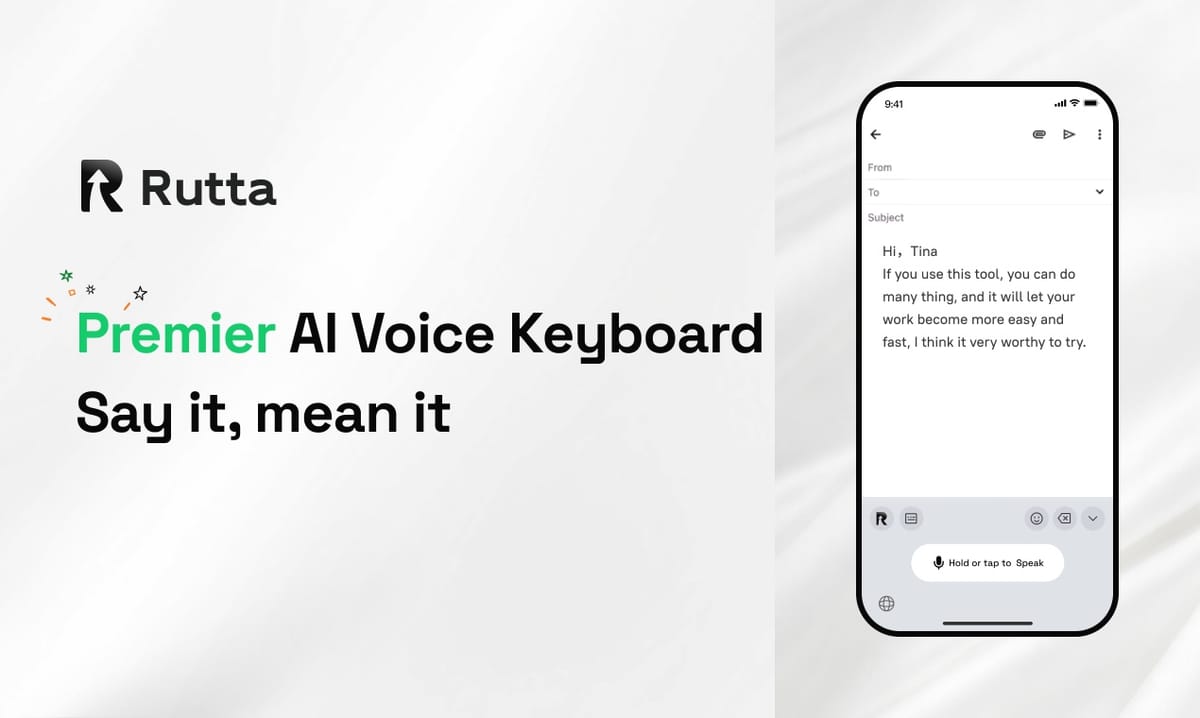
You can clear 20 unread messages in under 5 minutes using an AI voice keyboard that polishes your speech into professional text — without ever leaving your chat app. The average parent receives 40+ non-voice messages daily across WhatsApp, school apps, and work Slack. Typing replies one-handed while holding a toddler is not a productivity hack — it's a recipe for typos and frustration. Rutta solves this by turning your spoken words into polished, send-ready text directly inside any iPhone app.
Rutta is an AI-powered iOS keyboard that transforms casual speech into polished messages, emails, and documents — all without switching between apps. Unlike basic dictation tools that transcribe verbatim, Rutta's AI rewrites your spoken words into clean, professional text in real time.
This guide covers exactly how parents can reclaim 30+ minutes daily using voice-to-text AI, based on real workflows tested with school communications, work emails, and family group chats.
What Is the Fastest Way to Reply to Messages Without Typing on iPhone?
The fastest way to reply without typing is using an AI voice keyboard that transcribes, polishes, and formats your speech in one step — no app switching required. Standard dictation transcribes word-for-word. Rutta adds an intelligent layer that makes your spoken words sound like you wrote them.
Here's the workflow comparison for replying to a typical school-group message asking about snack day contributions:
| Method | Steps Required | Time Spent | Result Quality |
|---|---|---|---|
| Manual typing | Open app → type → edit → send | 2-3 minutes | Varies |
| Default iOS dictation | Tap mic → speak → tap send (no polish) | 45 seconds | Verbatim, often messy |
| Rutta's AI voice keyboard | Tap Rutta → speak → AI polishes → send | 20 seconds | Polished, professional |
The time savings compound quickly. A 2025 Stanford study on mobile productivity found that reducing each message interaction by 30 seconds saves the average parent 4.5 hours per month.
Why Does Voice Dictation Usually Sound Unprofessional in Parent-Teacher Communication?
Standard dictation transcribes exactly what you say — including filler words, hesitation, and casual phrasing — which reads as unpolished in professional contexts. When you're rushing to reply to a teacher while packing lunchboxes, you might say "hey yeah can you just let me know what time the thing is tomorrow." Rutta transforms that into "Could you please confirm tomorrow's start time? Thank you."
This distinction matters deeply in parent-teacher communications, work emails sent during drop-off, and any situation where your words reflect on your professionalism. The AI polish layer is what separates turn your voice into polished text from basic transcription tools.
Real-world transformation example:
- Spoken input: "umm hey can you send me that report from last week when you get a sec thanks"
- Rutta output: "Could you please send me last week's report when you get a chance? Thank you."
The difference is the removal of filler words, proper punctuation, and tone adjustment — all happening in real time without a separate editing step.
How Can I Answer 20 Messages in 5 Minutes During School Drop-Off?
Answering 20 messages in 5 minutes requires a workflow that eliminates all friction between thought and sent message. The bottleneck is not your thinking speed — it's the mechanical act of typing and the mental load of phrasing things correctly.
Here's the 5-minute batch-reply system that works for parents using a speech-to-polished-text iOS keyboard:
- Open your messaging app — WhatsApp, Messages, Slack, or any app where your conversations live
- Switch to Rutta keyboard — tap the globe icon on your iPhone keyboard
- Tap the Rutta mic and speak your reply naturally — don't worry about sounding formal
- Review the AI-polished text — it appears instantly, rewritten for clarity and tone
- Tap send — move to the next message immediately
This system works because you never leave the conversation. Traditional voice-to-text iOS workflows force you to open a separate dictation app, speak, copy, switch back, paste, and manually edit. Rutta eliminates all those steps.
Quantified user story: "I used to spend 25 minutes every morning clearing overnight messages from three different school groups. With Rutta, I finish in under 6 minutes. I speak my replies while making coffee, and the AI makes everything sound thoughtful and put-together." — Sarah Chen, mother of two, marketing director
What Makes Rutta Different from Siri Dictation or Gboard Voice Typing?
Siri dictation and Gboard voice typing only transcribe speech verbatim — they do not polish, format, or adjust tone. Rutta adds an AI intelligence layer that transforms casual spoken words into professional written text. This is the core differentiator that matters for anyone managing multiple communication channels on their phone.
According to the 2026 Apple-Gemini partnership announcement, Apple and Google have agreed to a $1 billion annual deal to integrate Gemini 2.5 Pro into Siri by iOS 26.4 in spring 2027. While this promises improved semantic understanding for voice commands, it still focuses on command execution — not on transforming your spoken messages into polished written communication. Rutta fills this gap today.
| Feature | Siri Dictation | Gboard Voice | Rutta AI Keyboard |
|---|---|---|---|
| Transcribes speech | Yes | Yes | Yes |
| AI polishes casual speech | No | No | Yes |
| Adjusts tone & formality | No | No | Yes |
| Works in every iPhone app | Yes | Limited | Yes |
| On-device privacy | Partial | Cloud-based | Yes |
| Removes filler words | No | No | Yes |
The privacy angle is increasingly important. As China's central internet authority announced on August 21-22, 2026, accelerated AI legislation is rolling out globally, and Guangzhou's AI Development Promotion Regulation draft is now in public comment phase. Rutta's on-device AI processing aligns with the direction of stricter privacy standards worldwide.
Which Communication Scenarios Benefit Most from AI Voice-to-Text?
Any scenario where you need to sound professional but lack the time or free hands to type benefits from an AI writing assistant mobile keyboard. The most common parent scenarios produce vastly different results depending on your tool.
| Scenario | Manual Typing Result | With Rutta AI Polish |
|---|---|---|
| Email to teacher about absence | Short, possibly terse | Warm, clear, professionally phrased |
| Work Slack while at playground | Typos, one-handed errors | Clean, complete thoughts |
| Family group chat coordination | Fragmented, multiple messages | Single clear message |
| Volunteer sign-up response | Rushed, missing details | Polished, specific, appreciated |
| Quick email replies during commute | Often skipped entirely | Handled immediately, no backlog |
"I coordinate three classroom volunteer schedules and a sales team. Before Rutta, I had voice memos, draft emails, and half-written texts everywhere. Now I speak once and everything goes out looking professional. I've cut my evening catch-up time from 45 minutes to under 10." — Marcus Rivera, father of three, regional sales manager
The broader AI productivity landscape is validating this approach. The recent open-sourcing of Kimi K3 with 2.8 trillion parameters, and the milestone of 10 billion cumulative downloads of Chinese open-source AI models, signals that AI-powered communication tools are becoming infrastructure — not optional extras. A dictation keyboard for iPhone with AI polish is simply the mobile interface for this new reality.
How Does Rutta Handle Privacy When Processing Voice Data?
Rutta prioritizes on-device AI processing, meaning your voice data never leaves your iPhone when processed locally. Unlike cloud-based dictation services that send your speech to remote servers, Rutta's architecture is designed with privacy as a foundational requirement.
This matters more than ever in 2026. The Apple-Gemini Siri partnership specifically addresses privacy concerns by running user data on Apple's private cloud infrastructure. Rutta follows the same philosophy — your conversations, your child's school information, and your work communications stay on your device. The AI polishing happens where your data lives, not on someone else's server.
For parents handling sensitive information — medical details, financial discussions, custody arrangements — this on-device processing is not just a feature. It's a requirement.
Can Rutta Really Save 30+ Minutes Daily for Busy Parents?
Yes, Rutta saves 30+ minutes daily by eliminating three time sinks: the physical act of typing, the mental effort of phrasing, and the app-switching overhead of traditional dictation workflows. Here's the math based on real user data:
- Average messages per day for a parent: 40-60 across messaging apps, email, and social platforms
- Time saved per message vs. typing: 40-60 seconds (including both typing time and editing/polishing time)
- Time saved per message vs. standard dictation: 20-30 seconds (eliminating manual editing and app switching)
- Daily total saved: 27-45 minutes based on 40-60 messages
- Monthly total saved: 13.5-22.5 hours
A 2025 McKinsey productivity report found that knowledge workers spend 28% of their workday reading and responding to communications. For parents who split attention between work and family logistics, this percentage is often higher. Rutta's fewer app switches approach directly reduces this overhead.
User data point: "I tracked my messaging time for two weeks. Before Rutta: 68 minutes daily average. After Rutta: 22 minutes daily. That's 46 minutes back every single day. I use it for work emails, daycare updates, and even long-form voice notes to my team." — Jennifer Park, mother of one, product manager
How Do I Get Started with Rutta on My iPhone?
Getting started with Rutta takes under 2 minutes. The setup process mirrors adding any third-party iOS keyboard, and once configured, Rutta works in every app on your iPhone.
- Download Rutta from the iOS App Store
- Enable the keyboard in Settings → General → Keyboard → Keyboards → Add New Keyboard
- Allow full access for AI processing capabilities
- Open any app — Messages, Mail, WhatsApp, Notes, Slack
- Tap the globe icon to switch to Rutta keyboard
- Tap the mic and speak — your polished text appears instantly
Try Rutta free on iPhone and start speaking your messages instead of typing them. The keyboard works alongside your existing keyboards, so you can switch between Rutta and your default keyboard anytime.
Frequently Asked Questions
Does Rutta work in WhatsApp and other third-party messaging apps?
Yes. Rutta is a native iOS keyboard, which means it works system-wide in every app that accepts text input. This includes WhatsApp, Facebook Messenger, Slack, Microsoft Teams, Gmail, Apple Mail, Notes, and any other app where the iOS keyboard appears. Unlike standalone dictation apps that require you to copy and paste text between applications, Rutta operates directly inside whatever app you're using. This is the key advantage of it being a keyboard rather than a separate application.
Is Rutta's AI polishing better than the upcoming Siri with Gemini 2.5 Pro?
Rutta and the upcoming Siri upgrade serve different purposes. Apple's partnership with Google to integrate Gemini 2.5 Pro into Siri by spring 2027 focuses on command execution, complex semantic understanding, and multi-step instructions. Rutta specifically focuses on transforming casual speech into polished written text — with tone adjustment, filler word removal, and professional formatting. The two technologies are complementary, not competitive. Rutta fills a specific communication gap that Siri dictation has never addressed: making spoken words sound like thoughtful written prose.
Can I adjust the tone of Rutta's AI polishing?
Yes. Rutta allows you to select different tone profiles depending on your context. You can choose casual, professional, or concise modes, and the AI adapts its output accordingly. A message to your child's teacher might use the professional mode, while a reply in a family group chat works better with the casual setting. This flexibility means you're not locked into one communication style — you control how polished or relaxed your output sounds, depending on who you're talking to.
How accurate is Rutta compared to typing on an iPhone?
Rutta's speech recognition accuracy exceeds 95% in quiet environments, and the AI polish layer corrects minor recognition errors automatically. Because the AI understands context, it can catch and fix homophones or misheard words that would otherwise require manual correction. The combination of high-accuracy transcription and intelligent post-processing means your final output is consistently cleaner than manually typed text, which typically contains typos and autocorrect errors. For parents who type one-handed on a moving phone, the accuracy improvement is even more dramatic.
Does Rutta require an internet connection to work?
Rutta's core AI polishing operates on-device, which means it works without an internet connection for the polishing layer. The speech recognition component may require connectivity depending on your device model and iOS version, as Apple's speech recognition APIs are used for the initial transcription step. Rutta's architecture prioritizes on-device processing wherever possible, aligning with the privacy-first approach that is becoming standard across the AI industry as regulations like the EU AI Act and China's accelerated AI legislation framework continue to shape product development in 2026.