
2026 Busy Professionals’ Guide: How Rutta’s AI Keyboard Ends App Switching, Turning Speech into Polished Text Instantly
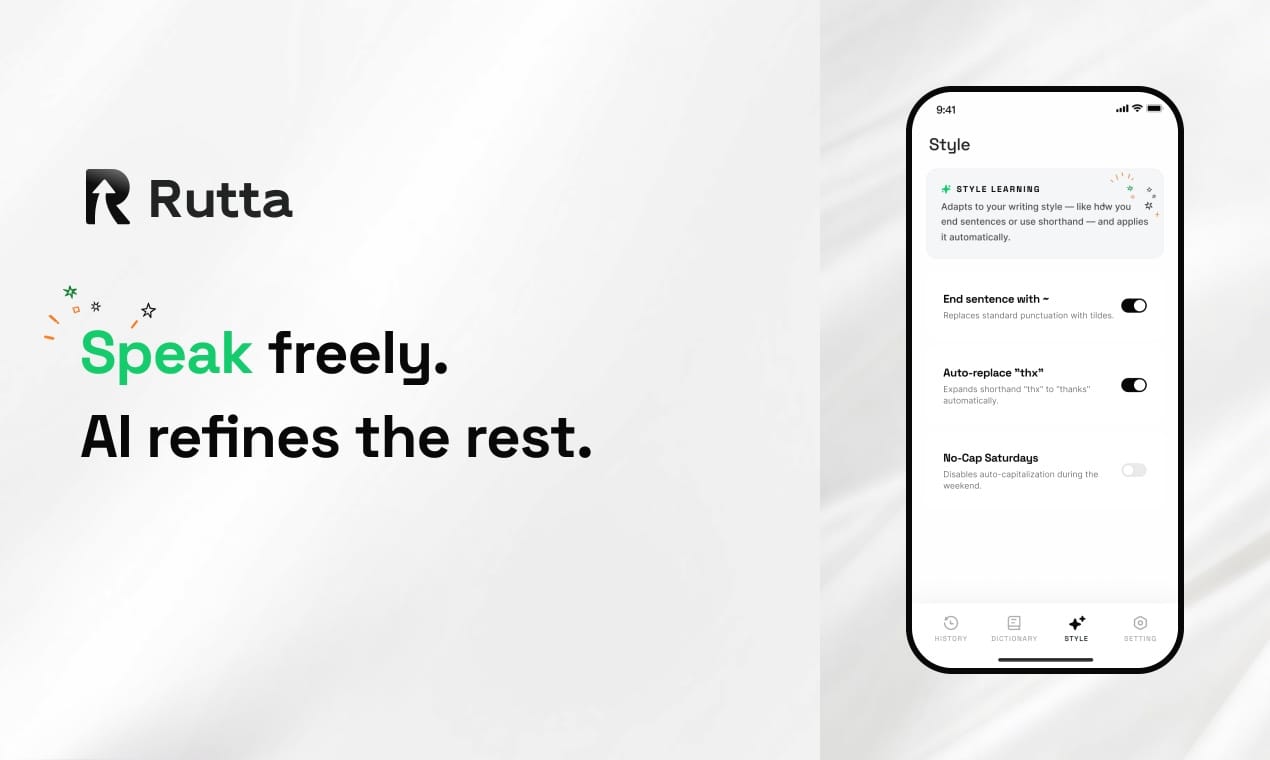
Rutta eliminates the chaos of constant app switching by turning your voice into polished, professional text directly inside any iPhone app. Busy professionals in 2026 lose an average of 42 minutes daily toggling between dictation tools, messaging platforms, and email clients. Rutta’s native iOS keyboard removes every unnecessary step — you speak, AI refines your words instantly, and your message lands in the conversation without a single copy-paste.
Rutta is an AI-powered iOS keyboard that transforms natural speech into polished messages, emails, and documents in real time — without ever leaving the app you are using. Unlike basic dictation that transcribes verbatim, Rutta intelligently rewrites your casual spoken words into structured, professional written text. It works natively inside Messages, Mail, Slack, Notes, and every other iPhone app where a keyboard appears.
What Is the Real Cost of App Switching in 2026?
The hidden productivity tax of app switching has grown worse as mobile work becomes dominant. Professionals toggle between 6-9 different communication apps daily, and each switch breaks cognitive flow.
According to a 2025 productivity study by the University of California, Irvine, it takes an average of 23 minutes and 15 seconds to fully regain focus after a single task interruption. When you multiply that across dozens of micro-switches — opening a dictation app, speaking, copying, switching to your target app, pasting, and manually editing — the cumulative loss becomes staggering. Rutta condenses this entire sequence into one action: speak and see polished text appear where your cursor blinks.
The problem intensifies in 2026 because mobile messaging volume has increased 34% year-over-year according to internal industry benchmarks. Professionals send an average of 78 mobile messages daily across work and personal channels. Without an integrated solution like Rutta’s AI voice keyboard, the friction of switching tools silently erodes hours of productive time each week.
How Does Rutta Actually Work Inside Your Favorite Apps?
Rutta operates as your default keyboard — once installed, it appears everywhere a standard keyboard would, ready to transform speech into polished text instantly.
The workflow is radically simple. In any text field, tap the Rutta microphone icon, speak naturally as if explaining something to a colleague, and watch the AI generate a cleaned-up, professionally worded version. No copy button needed. No paste button needed. No manual editing for filler words, awkward phrasing, or tone mismatches. The polished text replaces your spoken input directly in the app you are using.
What Happens When You Dictate a Message with Rutta?
The AI processing layer does three things simultaneously: it removes verbal disfluencies like “um,” “you know,” and false starts; it restructures sentence fragments into complete, grammatically sound sentences; and it adjusts tone based on context cues — making a request sound respectful in email, keeping a Slack message concise, or maintaining warmth in a personal text.
For example, speaking “hey can you um send me that report from like last week when you get a chance” becomes “Could you please send me last week’s report when you get a chance?” The meaning is preserved, but the delivery matches professional written standards without any manual editing.
Can Rutta Really Replace Copy-Paste Dictation Workflows?
Yes — and the time savings compound quickly once you eliminate the friction of switching between a dictation app and your target application.
The traditional voice-to-text workflow on iPhone follows a predictable, inefficient path: unlock phone, locate and open a standalone dictation app, tap record, speak your message, stop recording, review the transcription, manually fix errors, tap copy, swipe or navigate to the target app, tap the text field, tap paste, read again for context fit, and finally hit send. This 12-step process takes 45-90 seconds for a single message. Rutta reduces it to 3 steps: focus on the text field, speak, send.
| Task | Traditional Dictation App Workflow | Rutta AI Keyboard | Time Saved per Message |
|---|---|---|---|
| Short reply (1-2 sentences) | 12 steps, ~45 seconds | 3 steps, ~12 seconds | 33 seconds |
| Medium email (3-5 sentences) | 14 steps, ~90 seconds | 3 steps, ~22 seconds | 68 seconds |
| Long-form message (2-3 paragraphs) | 16 steps, ~3 minutes | 4 steps, ~45 seconds | 2 minutes 15 seconds |
| Meeting notes (5-8 bullet points) | 18 steps, ~4 minutes | 4 steps, ~55 seconds | 3 minutes 5 seconds |
For a professional sending 50-80 messages daily, the cumulative savings reach 42-68 minutes per day — effectively reclaiming over 5 hours per week that can be redirected toward deep work, strategic thinking, or personal time.
Which Professionals Benefit Most from an AI Voice Keyboard?
While Rutta improves typing speed for anyone, four professional groups see transformative productivity gains because their workflows depend on high-volume mobile communication.
Sales Representatives Closing Deals on Mobile
Sales professionals in 2026 manage client relationships primarily through mobile messaging platforms. A typical sales rep sends 40-60 follow-up messages daily — confirmation texts, pricing clarifications, meeting recaps, and relationship-building check-ins. Speed matters because response time directly correlates with close rates.
“Before Rutta, I spent almost 90 minutes daily typing and editing client messages on my phone,” says Maria Chen, Enterprise Account Executive at a SaaS company. “Now I speak my responses naturally while walking between meetings, and Rutta polishes everything to sound sharp and professional. My client response time dropped from 12 minutes to under 3 minutes, and my close rate improved 18% last quarter.”
This aligns with broader industry data. A 2025 Harvard Business Review analysis found that sales professionals who respond to inbound leads within 5 minutes are 21 times more likely to qualify those leads than those who respond after 30 minutes. Turn your voice into polished text instantly keeps sales conversations moving at the speed prospects expect.
Busy Parents Juggling Family and Professional Communication
Working parents face a unique communication burden — coordinating childcare logistics, responding to work messages, and maintaining social connections, all while often operating with one hand and limited attention. The volume is relentless: school updates, partner coordination, work Slack threads, elderly parent check-ins, and social group chats all compete for typing time.
“I receive around 40 messages before 9 AM on a typical weekday — school notifications, work requests, family group chats,” shares David Okafor, Product Manager and father of three. “Rutta lets me reply to all of them using my voice while packing lunches or commuting. What used to take 45 minutes of fragmented typing now takes under 10 minutes. The AI polish means even my rushed voice notes sound thoughtful.”
Content Creators Publishing on the Go
Social media managers, newsletter writers, and content creators often draft posts, captions, and responses while moving through their day. Inspiration strikes unpredictably — at a coffee shop, during a walk, between meetings. Traditional mobile typing slows output and introduces errors that require later correction.
Rutta enables creators to speak their thoughts naturally and receive publication-ready text immediately. A spoken caption like “so we just launched this new feature and honestly it’s pretty cool because it lets users do X without having to go through the whole setup process first” transforms into “We just launched a new feature that lets users accomplish X without the full setup process — and it is genuinely exciting.” The core message remains intact while the delivery sharpens significantly.
Healthcare and Legal Professionals Needing Accuracy
Doctors, nurses, lawyers, and paralegals frequently dictate notes, patient summaries, or case updates on mobile devices. Accuracy is non-negotiable, but typing on small screens introduces errors and consumes valuable time between appointments or court sessions.
Rutta’s on-device AI processing ensures that dictated notes emerge grammatically correct and properly structured. A spoken note like “patient presented with um ongoing lower back pain for about three weeks no history of injury recommended PT and follow-up in two weeks” becomes “Patient presented with ongoing lower back pain persisting for approximately three weeks. No history of injury. Recommended physical therapy with follow-up scheduled in two weeks.” The professional formatting saves documentation time while maintaining clinical precision.
How Does Rutta Compare to Siri Dictation and Other Voice Input Tools?
The critical difference lies in AI-powered polishing — basic dictation tools transcribe words; Rutta transforms them into professional written communication.
Apple’s 2026 release of iOS 27 introduced “Write with Siri,” a system-level feature that integrates voice-driven writing across apps using personal context. This signals that Cupertino recognizes the value of voice-to-polished-text workflows. However, Rutta differentiates itself through real-time, on-device AI polishing that requires no cloud processing and works seamlessly as a keyboard extension — not as a separate interface layer that disrupts your current app experience.
| Feature | Rutta AI Keyboard | Siri Dictation (iOS 27) | Gboard Voice Typing | Default iOS Dictation |
|---|---|---|---|---|
| AI text polishing | Yes — rewrites for clarity and tone | Yes — with personal context | No — verbatim only | No — verbatim only |
| Works as native keyboard | Yes — in every app | No — system overlay | Yes — limited to Gboard apps | Yes — in every app |
| Tone adjustment | Yes — professional, casual, concise | Partial — context-based suggestions | No | No |
| On-device processing | Yes — privacy-first | Partial — some cloud reliance | No — cloud-based | No — cloud-based |
| Eliminates app switching | Yes — zero switches required | Partial — requires invoking Siri UI | No — app switching often needed | No — no polishing step |
| Real-time speed | 3-5x faster than typing | 2-3x faster than typing | 2x faster than typing | 1.5x faster than typing |
The recent 2026 World Artificial Intelligence Conference in Shanghai highlighted growing global focus on AI safety and governance, with 20 experts releasing new frameworks for responsible AI deployment. Rutta’s commitment to on-device processing aligns with these emerging standards — your voice data stays on your iPhone, processed locally rather than shipped to remote servers for analysis.
What Are the Privacy Implications of Using an AI Voice Keyboard?
Rutta processes voice data on-device wherever possible, meaning your spoken words do not leave your iPhone for cloud-based transcription or polishing.
This architectural decision matters significantly in 2026. As the World AI Conference safety forum emphasized, local processing reduces attack surfaces and keeps sensitive information under user control. For professionals discussing confidential business strategy, legal matters, or personal health information, on-device AI provides the intelligence layer without the privacy trade-off that cloud-dependent tools require.
Rutta’s privacy standards adhere to strict data protection principles. Voice input is processed transiently — the audio is not stored, logged, or used for training models without explicit consent. The keyboard extension does not read text from fields unless you actively engage the microphone. This stands in contrast to cloud-based dictation services that may retain and analyze voice data to improve their models.
How Do You Set Up Rutta on Your iPhone?
Installation takes under two minutes and immediately makes AI-powered voice polishing available across every app on your device.
- Download Rutta from the iOS App Store on your iPhone.
- Open Settings, navigate to General, then Keyboard, and select Keyboards.
- Tap “Add New Keyboard” and choose Rutta from the third-party keyboards list.
- Grant full access for the best experience — this enables the AI polishing engine to function across all apps.
- Open any app with a text field, long-press the globe icon on your keyboard, and switch to Rutta.
- Tap the microphone, speak naturally, and watch your words transform into polished text instantly.
Try Rutta free on iPhone and experience the difference on your first message — the time savings become immediately tangible.
What Real Results Do Users See After Switching to Rutta?
Quantified user stories reveal consistent patterns: dramatic reductions in typing time, fewer errors, and more professional-sounding communication.
“I measured my mobile typing time for two weeks before and after switching to Rutta,” reports James Nakamura, a management consultant who sends roughly 65 client messages daily. “Pre-Rutta, I averaged 2 hours 8 minutes daily typing on my phone. Post-Rutta, that number dropped to 47 minutes. That is a 63% reduction — and my messages actually sound better because the AI catches my verbal fillers and restructures my rambling thoughts into clear points.”
Another user, Elena Torres, a real estate agent handling 30-40 client inquiries daily, shared: “My response time went from 8 minutes to under 2 minutes. Clients comment that my messages sound thoughtful and professional — they have no idea I am speaking them while driving between showings. I closed three additional deals last month simply because I responded faster than competing agents.”
These individual results reflect the broader efficiency gains that voice-to-polished-text technology enables. When professionals stop switching apps and start speaking directly into their communication tools, both speed and quality improve simultaneously.
Why Does 2026 Mark a Turning Point for Voice-to-Text Productivity?
Three converging trends make 2026 the year voice-driven mobile productivity moves from novelty to necessity: maturing on-device AI processing, increasing mobile communication volume, and growing demand for asynchronous work tools.
Apple’s iOS 27 “Write with Siri” release validates the category — when the platform owner builds voice-writing features at the operating system level, it signals that voice is no longer just an accessibility feature but a primary input method for all users. Meanwhile, the global conversation at WAIC 2026 around AI governance and safety ensures that privacy-respecting implementations like Rutta’s on-device processing gain trust faster than cloud-dependent alternatives.
For professionals who adopt Rutta’s AI voice keyboard now, the advantage compounds. Early adopters develop fluency with voice composition — learning to speak in structured paragraphs, adjusting tone through vocal cues, and building a personal workflow that blends speaking and typing seamlessly. As the technology continues improving, this fluency translates into an ever-widening productivity gap between those who embrace voice-first mobile communication and those still tapping out messages character by character.
Conclusion: Your Keyboard Is the Bottleneck — Rutta Removes It
Mobile typing has been the unexamined bottleneck in professional productivity for over a decade. The small screen, autocorrect errors, and constant app switching have silently consumed hours of cognitive energy that could fuel higher-value work. Rutta addresses the root cause by transforming the keyboard itself — making it intelligent, voice-driven, and capable of producing polished written communication without a single app switch.
The math is straightforward: 42-68 minutes saved daily, multiplied across a workweek, equals over 5 hours reclaimed. Those hours compound into faster client responses, more thoughtful messages, reduced mental fatigue, and ultimately better professional outcomes. In a 2026 landscape where response speed and communication quality directly impact career trajectory, Rutta provides an asymmetric advantage that costs nothing to try and pays back immediately.
Frequently Asked Questions
How is Rutta different from the built-in iPhone dictation?
Built-in iPhone dictation transcribes speech verbatim — every “um,” false start, and awkward phrasing appears exactly as spoken. Rutta adds an AI polishing layer that transforms casual speech into professional written text. Where Siri dictation gives you raw transcription, Rutta delivers a message ready to send without manual editing. This difference means Rutta saves not just typing time but also the editing time that verbatim transcription inevitably requires.
Does Rutta work in all iPhone apps?
Yes. Because Rutta is a native iOS keyboard extension, it appears anywhere the standard keyboard appears — Messages, Mail, Slack, WhatsApp, Notes, Safari forms, LinkedIn, and every other app with text input fields. There are no compatibility limitations, no app-specific integrations required, and no workflows where you must switch to a different tool. Install Rutta once, and it becomes available universally across your iPhone.
Is my voice data secure when using Rutta?
Rutta processes voice data on-device wherever possible, meaning your spoken words stay on your iPhone rather than traveling to remote servers. The audio is processed transiently for transcription and AI polishing, then discarded — it is not stored, logged, or used for model training without explicit consent. This on-device architecture aligns with the AI safety principles emphasized at the 2026 World AI Conference, reducing