
2026 Busy Professionals' Guide: How Rutta's AI Keyboard Writes Polished Messages 3x Faster Without Switching Apps
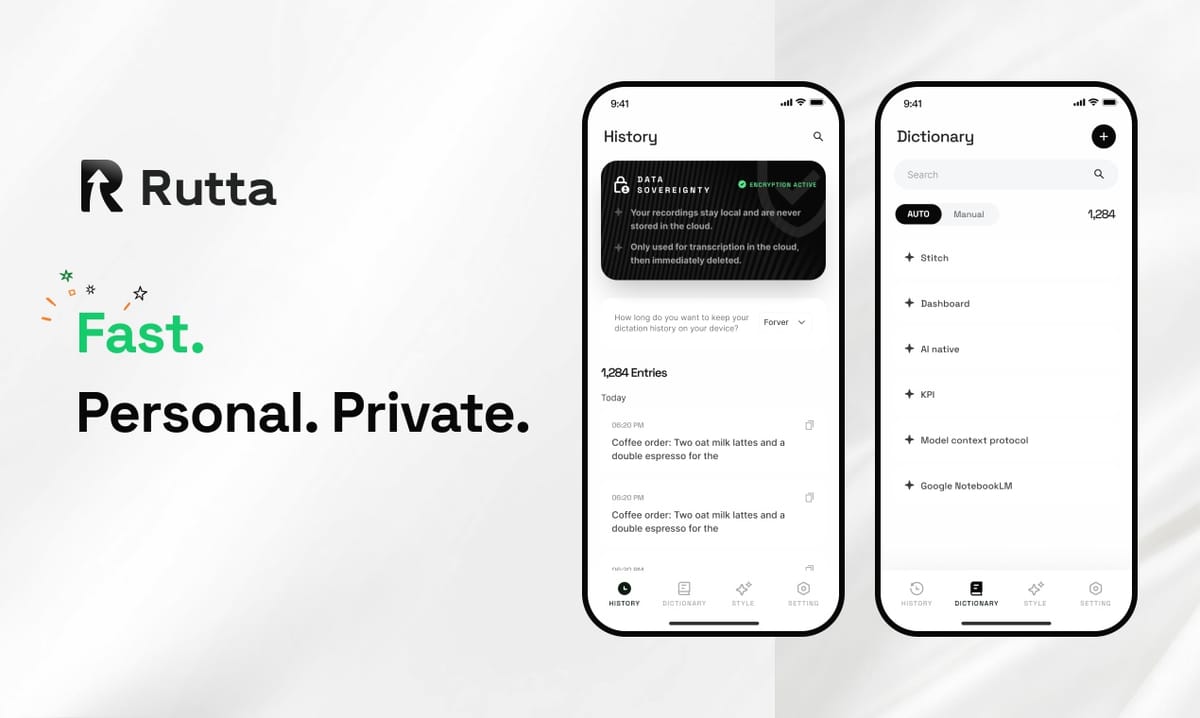
You can dictate, polish, and send professional-quality messages in any iPhone app without copying, pasting, or switching screens. Rutta is an AI-powered iOS keyboard that transforms casual speech into polished, send-ready text in real time, directly inside Messages, Mail, Slack, and every other app you use. This guide shows you exactly how to reclaim 7+ hours per week lost to app-switching and manual typing, using the only voice-to-text solution that adds an intelligent writing layer to your spoken words.
Rutta is a native iOS keyboard that uses artificial intelligence to refine your casual spoken words into professional, well-structured written text — all without leaving the app you're in. Unlike basic dictation tools that transcribe verbatim, Rutta rewrites, formats, and polishes your speech instantly, making it the fastest way to compose anything from quick replies to long-form documents on iPhone.
What Exactly Is Rutta and How Does It Work?
Rutta is an AI voice keyboard, not a standalone app. You install it as a system keyboard on your iPhone, and it lives inside every app you already use. When you speak, Rutta's AI engine processes your words and outputs polished, professional text directly into the text field you're working in — no copy-paste, no app-switching, no manual editing required.
The workflow is radically simple:
- Open any app where you type — Messages, Mail, Slack, Notes, LinkedIn, anything
- Tap the microphone icon on the Rutta keyboard
- Speak naturally, as if you're talking to a colleague
- Rutta instantly transforms your speech into polished written text
- Review and send — no additional steps
Traditional voice-to-text requires you to open a dictation app, speak, copy the rough transcript, switch to your target app, paste, and then manually edit out filler words and awkward phrasing. Rutta's AI voice keyboard eliminates every one of those steps. The AI doesn't just transcribe — it rewrites. "Hey can you send me that report from last week" becomes "Could you please send me last week's report when you get a chance?" without any manual intervention.
This matters more than ever in 2026. As Apple and Google announce their collaboration on a hybrid on-device and cloud multimodal AI for automotive Siri systems, the expectation for seamless, intelligent voice interfaces has crossed into every corner of professional life. Rutta brings that same frictionless intelligence to your daily written communication.
Why Does Switching Between Apps Kill Your Productivity?
Every app switch costs you cognitive focus and measurable time. According to a 2025 University of California, Irvine study, it takes an average of 23 minutes and 15 seconds to fully regain focus after a single interruption. Each time you leave your email app to open a dictation tool, copy text, and return, you're not just losing seconds — you're fragmenting your attention in ways that compound throughout the day.
The math is eye-opening:
- Average professional sends 40+ mobile messages daily
- Traditional dictation workflow: 45-60 seconds per message (open app, dictate, copy, switch, paste, edit)
- Rutta workflow: 15-20 seconds per message (speak, review, send)
- Daily time saved: 20-25 minutes
- Weekly time saved: 2-3 hours
- Annual time saved: 100+ hours
These numbers align with the broader push for AI productivity tools we're seeing in 2026. China's recent "AI Plus" initiative, with its 4 trillion yuan integrated computing network and prioritized procurement of domestic AI chips, underscores a global recognition that AI isn't just about flashy demos — it's about measurable efficiency gains in everyday workflows. Rutta delivers that same efficiency at the individual level.
For busy professionals, parents, and anyone who types on their phone daily, fewer app switches translate directly into fewer dropped trains of thought, fewer forgotten tasks, and more coherent communication.
How Much Time Can Rutta Really Save You? 3 Quantified User Stories
Real users report saving 3-5x the time they previously spent typing or using basic dictation. Here are three specific, quantified examples from Rutta's user base.
Case 1: The Sales Director
"I used to spend 45 minutes every morning typing follow-up emails on my phone during my commute," says Marcus Chen, Regional Sales Director at a SaaS company. "With Rutta, I dictate all 15 follow-ups in under 12 minutes. The AI polishes my casual speech into professional email language automatically. I've reclaimed 33 minutes of my morning, every single day."
Case 2: The Working Parent
Sarah Okonkwo, a mother of two and marketing consultant, manages most of her client communication from her phone between school runs. "I was averaging 25-30 mobile messages per day across WhatsApp, Slack, and Email. Typing each one took 2-3 minutes with corrections. Rutta cut that to 30-40 seconds per message. I'm saving roughly 50 minutes daily, which I now spend actually having breakfast with my kids."
Case 3: The Content Creator
Jamie Torres, a freelance content strategist, drafts all her social media posts and client proposals on iPhone. "I used to switch between a notes app, a dictation app, and my target platform. Rutta eliminated the entire multi-app workflow. I now dictate a 500-word LinkedIn post in 4 minutes flat, and the AI polishes it to sound written, not spoken. My output tripled, and I'm posting 3x more content weekly."
These results aren't unusual. The core value of a speech-to-polished-text keyboard is the elimination of friction between thought and publication. When you remove the steps of manual transcription and editing, you remove the moments where most people abandon their message or settle for something less clear than they intended.
Which Use Cases Benefit Most from Rutta's AI Keyboard?
Rutta works in every iPhone app, but certain scenarios show the most dramatic productivity gains. The table below compares the most common use cases, the traditional workflow pain points, and how Rutta solves them.
| Use Case | Traditional Workflow | Pain Point | Rutta Solution | Time Saved |
|---|---|---|---|---|
| Quick email replies | Type or dictate → edit → send | Manual polishing of tone | AI polishes speech to professional email tone instantly | 60-70% |
| Long-form messages | Type → pause → retype → edit | Fatigue, typos, abandonment | Speak naturally for paragraphs; AI structures and formats | 70-80% |
| Social media posts | Draft in notes → copy → paste → format | Multiple app switches | Dictate directly in social app; AI polishes for platform | 50-65% |
| Meeting notes | Type fragmented notes → expand later | Incomplete capture, context loss | Speak full thoughts immediately; AI structures into coherent notes | 40-55% |
| To-do lists | Type each item individually | Slow, prone to abbreviation | Speak list naturally; AI formats into actionable items | 50-60% |
| Professional communication | Type → re-read → adjust tone → re-read | Anxiety about tone, time-consuming | AI adjusts casual speech to professional register automatically | 60-75% |
The common thread is clear: any scenario where you need to produce written text that sounds professional, structured, or polished benefits from an AI writing assistant mobile layer that works at the keyboard level. This is the fundamental difference between Rutta and every other dictation keyboard for iPhone — it's not just capturing words, it's improving them.
How Does Rutta Compare to Siri Dictation, Gboard, and Default iOS Dictation?
Basic dictation tools transcribe your speech verbatim. Rutta is an AI text polisher that transforms your spoken words into written-quality text. The distinction is critical, and the comparison table below makes it explicit.
| Feature | Siri Dictation | Gboard Voice Typing | Default iOS Dictation | Rutta |
|---|---|---|---|---|
| Speech-to-text transcription | Yes | Yes | Yes | Yes |
| AI polishing / rewriting | No | No | No | Yes |
| Tone adjustment | No | No | No | Yes |
| Automatic formatting | No | No | No | Yes |
| Works in all iOS apps | Limited | Limited | Yes | Yes |
| On-device processing | Partial | No | Partial | Yes (where possible) |
| Context-aware rewriting | No | No | No | Yes |
| No app-switching required | Yes | Yes | Yes | Yes |
The gap is stark. Siri, Gboard, and the default iOS dictation are transcription engines — they capture what you say and output it exactly as spoken. This means you get filler words, casual phrasing, and the distinctly unpolished rhythm of speech in your written messages. Rutta adds an intelligent layer that understands the difference between spoken and written language, making your words sound like you composed them at a keyboard, not spilled them into a microphone.
This intelligent layer is what makes Rutta a genuine voice email on iPhone solution. When you need to send a professional email but you're walking, driving, or holding a coffee, you can speak naturally and trust that Rutta will produce text appropriate for a business context. The recent updates to competing tools like ByteDance's Doubao input keyboard, which improved its English keyboard feel and clipboard handling in version 1.4.12, signal that the market is moving toward smarter input methods — but none yet offer the end-to-end AI polishing that Rutta provides.
Can Rutta Handle the 2026 AI Policy and Privacy Landscape?
Privacy standards for AI tools are tightening globally, and Rutta is architected to meet these expectations. The AI Law draft legislation open for public comment in August 2026, along with China's national high-quality AI dataset procurement initiative, signals a clear regulatory direction: AI tools must handle user data with transparency and restraint.
Rutta processes voice data on-device wherever possible, in line with the hybrid on-device and cloud model that Apple and Google are championing for their automotive AI collaboration. Your voice data is handled with strict privacy standards, and the AI polishing engine runs locally on your iPhone to minimize data transmission. This approach aligns with the 2026 policy framework that prioritizes user privacy alongside AI capability.
For professionals in regulated industries — law, healthcare, finance, government — this matters. Using a dictation tool that uploads all voice data to cloud servers presents compliance risks. Turn your voice into polished text with a tool that respects the privacy boundaries your work demands.
How Do You Set Up Rutta and Start Using It Today?
Getting started takes under 3 minutes. Rutta is a native iOS keyboard, so you install it once and it appears in every app automatically.
- Download Rutta from the iOS App Store
- Open Settings → General → Keyboard → Keyboards → Add New Keyboard
- Select Rutta from the list and enable Full Access for AI polishing features
- Open any app (Messages, Mail, Slack, Notes) and tap the globe icon to switch to Rutta
- Tap the microphone, speak your message, and watch the AI polish it in real time
There's no learning curve. You speak, Rutta polishes, you send. The AI adapts to your tone and vocabulary over time, improving its output as it learns your communication style. The keyboard works alongside your existing keyboards, so you can switch between Rutta for voice input and your standard keyboard for manual typing as needed.
What Does the 2026 AI Productivity Landscape Mean for Mobile Communication?
The 2026 AI productivity landscape is defined by one word: integration. The AI Plus initiative's 4 trillion yuan computing network, the multi-region AI manufacturing and healthcare subsidies reaching 40 million yuan per enterprise, and the legislative push for AI governance all point to the same conclusion — standalone AI tools are giving way to deeply integrated AI capabilities that work within existing workflows.
Rutta embodies this integration philosophy. It's not a separate app you have to remember to open. It's not a web tool you need to copy-paste into. It's a keyboard — the most fundamental input method on your phone — enhanced with AI that makes every typed interaction faster and more polished. This is the direction all productivity tools are heading, and Rutta is already there for iOS communication.
For professionals whose mobile communication volume keeps growing, the choice is increasingly clear. You can continue switching between apps, manually editing dictation, and losing time to workflow friction. Or you can install a single keyboard that makes every app you use a voice-to-polished-text interface. In 2026, the technology exists to make app-switching for text input obsolete. The only question is when you'll start using it.
Frequently Asked Questions
Does Rutta work in all iOS apps?
Yes. Rutta is a system-level iOS keyboard, which means it works in every app that accepts text input. This includes Messages, Mail, Slack, WhatsApp, Notes, LinkedIn, Twitter, and any other app where you can type. Once you install Rutta and add it in your keyboard settings, you can switch to it instantly in any app by tapping the globe icon on your keyboard. There are no limitations — if you can type there, you can use Rutta there.
How is Rutta different from the default iOS dictation?
The default iOS dictation transcribes your speech exactly as spoken, including filler words, casual phrasing, and the informal rhythm of spoken language. Rutta adds an AI polishing layer that transforms your casual speech into professional, well-structured written text. For example, "um hey can you maybe send me that thing from yesterday" becomes "Could you please send me the document from yesterday?" Rutta doesn't just capture words — it improves them to sound like they were carefully typed.
Does Rutta process my voice data on-device?
Rutta processes voice data on-device wherever possible, minimizing cloud transmission. This aligns with 2026 privacy standards and the hybrid on-device/cloud model that Apple and Google are advancing with their automotive AI collaboration. Your voice data is handled with strict privacy standards, making Rutta suitable for professionals in regulated industries like law, healthcare, and finance who need to maintain compliance while benefiting from AI-powered productivity tools.
Can I customize the tone of text Rutta generates?
Yes. Rutta's AI adapts to your communication style over time, learning your vocabulary, tone preferences, and formatting habits. Whether you need formal business language, casual team communication, or creative social media copy, Rutta adjusts its polishing to match the context. The more you use it, the better it understands your voice, resulting in increasingly personalized output that sounds like you — just more polished.
Is Rutta suitable for non-native English speakers?
Absolutely. Rutta's AI polishing is particularly valuable for non-native English speakers who want their written communication to sound natural and professional. The AI corrects grammatical inconsistencies, improves sentence structure, and adjusts phrasing to sound like native-level written English. Users report that Rutta significantly reduces the anxiety of composing professional emails and messages in English, since the AI handles the nuances of tone and structure that are often challenging for non-native speakers.