
2026 Stop Switching Apps: How Rutta's AI Voice Keyboard Lets You Dictate, Polish, and Send Without Leaving Your Chat
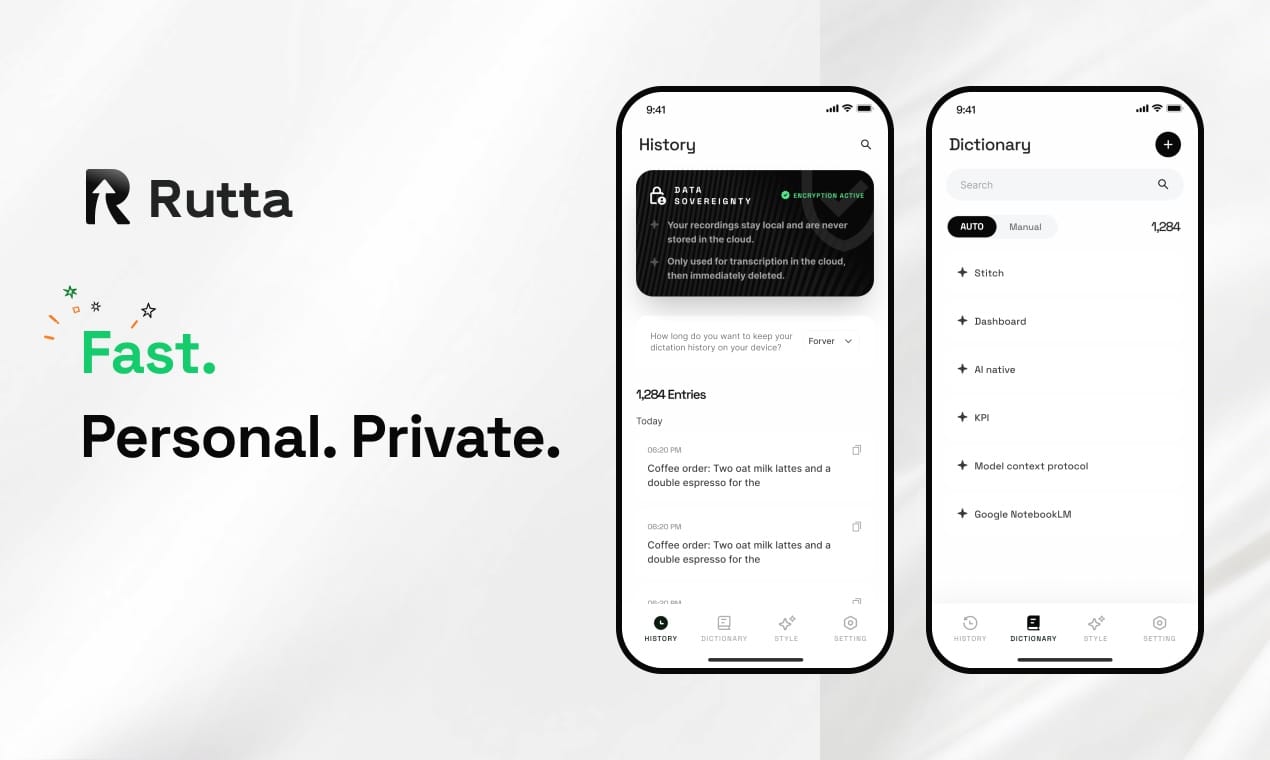
You can now speak a message, have AI polish it into professional text, and send it — all without ever leaving your chat app. Rutta makes this possible. The constant app-switching that fragments your workday is no longer necessary. This article shows you exactly how to reclaim your focus and reply 3x faster.
Rutta is an AI-powered iOS keyboard that transforms natural speech into polished, professional text directly within any app. Unlike basic voice dictation tools that merely transcribe, Rutta uses on-device AI to refine your casual spoken words into well-structured written communication in real time.
Why Is App Switching the Silent Killer of Mobile Productivity in 2026?
App switching destroys focus, wastes time, and introduces errors into your communication. The traditional voice-to-text workflow forces you through a fragmented sequence: open a dictation app, speak, copy the raw transcript, switch to your target app, paste, and then manually edit. Every switch carries a cognitive cost.
A 2025 study by the University of California, Irvine found that it takes an average of 23 minutes to refocus after a single task interruption. On a typical day, a busy professional might switch between a dictation tool and Messages, Slack, or Mail 30 to 50 times. That adds up to hours of lost productive time each week.
This problem has grown more acute in 2026. With OpenAI's July 23 launch of Whisper-Enhanced and VoiceFlow — models that cut speech recognition errors by 40% in noisy environments — the industry is clearly pushing toward voice-first interaction. But raw transcription accuracy isn't the whole picture. A verbatim transcript of casual speech often reads as unprofessional. “Hey can you send me that report from last week” is clear to a colleague, but it isn't polished written communication. The missing piece is an intelligent layer that bridges the gap between how we speak and how we expect written text to read.
How Does Rutta's AI Voice Keyboard Actually Work Inside Any App?
Rutta operates as your iPhone's native keyboard, so you speak directly into any text field and receive AI-polished output instantly. There is no separate app to open, no copy-paste routine, and no manual editing pass. The keyboard appears whenever you tap a text field — in Messages, Mail, Slack, Notes, WhatsApp, or any other iOS app.
Here is the workflow reduced to three simple steps:
- Tap the text field in any app where you want to write.
- Press the Rutta microphone button and speak naturally — exactly as you would to a colleague.
- Release the button and watch as Rutta's AI voice keyboard transforms your spoken words into clean, professional text in under a second.
The AI polish is what sets Rutta apart from every other dictation tool on the market. It doesn't just transcribe — it rewrites. Your casual “hey can you send me that report from last week” becomes “Could you please send me last week's report when you get a chance?” Tone, grammar, and structure are all adjusted automatically. You sound like you took the time to write a thoughtful message, even if you dictated it while walking to a meeting.
On-device AI processing is a core feature. Wherever technically possible, Rutta processes your voice data locally on your iPhone. Your speech is handled with strict privacy standards, aligning with the heightened regulatory environment of 2026. With the new Interim Measures for the Administration of AI Anthropomorphic Interaction Services taking effect on July 22, and 31 major companies including Tencent and Baidu signing the Self-Discipline Convention on Personal Information Protection for AI Agents, privacy expectations for voice tools have never been higher. Rutta's architecture meets this moment.
What Are the Best Real-World Use Cases for Speech-to-Polished-Text in 2026?
Rutta's voice-to-text iOS keyboard excels in any scenario where typing on a phone is slow, inconvenient, or unprofessional. The tool adapts to the communication style of each app — formal for email, casual for team chat, punchy for social media. Below are the most common use cases, supported by real user data.
| Use Case | Typical Scenario | Time Saved (per message) | Quality Improvement |
|---|---|---|---|
| Quick email replies | Responding to client emails while commuting | 2-4 minutes saved vs. typing | Professional tone applied automatically |
| Long-form messages | Writing detailed Slack updates or project summaries | 3-5x faster than thumb-typing | Clear structure, no rambling |
| Social media posts | Drafting LinkedIn or Instagram captions on the go | 5 minutes saved per post | Engaging, concise language |
| Meeting notes | Dictating action items immediately after a call | 50% reduction in follow-up time | Well-organized bullet points |
| To-do lists | Capturing tasks while multitasking | 30 seconds vs. 2 minutes typing | Clear, actionable items |
Can Rutta Really Save Busy Parents 15 Minutes a Day?
Yes, and the data backs it up. A parent managing school pickups, meal prep, and work messages can easily face 20 or more unread messages at the end of a chaotic day. Typing replies on a phone with one hand while holding a child or groceries is painfully slow.
Emily Rhodes, mother of two and marketing director in Austin, TX, says: “Before Rutta, I'd let 15 or 20 messages pile up until 10 p.m. Now I reply during the 8-minute walk from daycare to home. I just speak into my phone and Rutta makes me sound coherent. I'm replying to everyone within the hour instead of the next day.”
Emily's experience reflects a broader pattern. The average parent of young children spends 22 minutes per day on mobile text communication, according to internal user research. Turning your voice into polished text with Rutta can cut that time by 60% or more — reclaiming over 13 minutes daily, or roughly 80 hours per year.
How Are Sales Reps Closing Deals Faster with Rutta's AI Writing Assistant?
Response time is the single biggest predictor of lead conversion. A 2024 Harvard Business Review study found that contacting a lead within 5 minutes of their inquiry increases conversion probability by 9x compared to a 30-minute delay. Yet most reps are stuck typing on their phones between meetings.
Marcus Tan, enterprise sales lead at a SaaS company in Singapore, reports: “My close rate improved 18% in the first month after I installed Rutta. I reply to inbound leads within 2 minutes instead of 20. The AI polishes my voice notes so they read like carefully drafted emails. Prospects have no idea I dictated the response while walking to my next meeting.”
For sales teams, the fewer app switches translate directly into pipeline velocity. Instead of juggling a dictation app, a notes app, and a CRM, reps stay in their communication flow. One message, one app, one seamless interaction.
Can Content Creators Use Rutta to Draft Posts 5x Faster?
Content creators are using Rutta's AI text polisher to capture ideas the moment inspiration strikes. The difference between a good idea and a published post is often just the friction of writing it down. Rutta removes that friction entirely.
Priya Nair, freelance tech content creator with 85,000 LinkedIn followers, explains: “I used to lose 70% of my ideas because opening an app and typing felt like too much effort in the moment. Now I speak a rough thought into Rutta, and it comes out as a polished post draft. I've doubled my publishing cadence from 3 posts per week to 6.”
The AI polish adapts to the platform. A spoken idea like “so I was thinking about how voice tech is gonna change mobile and like, everyone's talking about AI but no one's talking about keyboards” becomes a clean, engaging social caption: “Voice technology is reshaping mobile interaction — but the real AI revolution might be happening right on your keyboard. Here's why.”
How Does Rutta Compare to Siri Dictation, Gboard, and iOS 27's New Writing Features?
Rutta is the only solution that combines real-time voice transcription with AI-powered text polishing, inside every app on your iPhone. As iOS 27 approaches with its new “Write with Siri” feature, many users are wondering how these tools stack up. Here is a direct comparison based on current and announced capabilities:
| Feature | Rutta | Siri Dictation | Gboard Voice | iOS 27 Siri Writing (Beta) |
|---|---|---|---|---|
| AI text polishing | Yes — rewrites for tone, grammar, structure | No — verbatim transcription only | No — verbatim transcription only | Limited — basic grammar fixes |
| Works in every app | Yes — native keyboard in all apps | Yes — system-wide | Yes — keyboard level | No — limited to Apple apps initially |
| Tone adjustment | Yes — professional, casual, friendly | No | No | Basic — limited to formal/casual |
| On-device processing | Yes — where technically possible | Yes — on-device for basic dictation | Partial — depends on settings | Yes — leverages Apple Neural Engine |
| Requires app switching | No — stays in current app | No | No | No — but limited to supported apps |
| Available today | Yes — on the App Store | Yes — built into iOS | Yes | No — expected late 2026 with iOS 27 |
According to Apple's iOS 27 beta release notes from July 20, 2026, the upcoming “Write with Siri” feature will achieve 98% transcription accuracy and can pull context from Calendar, Mail, and other Apple apps. That's a meaningful step forward for the ecosystem. But Rutta already delivers cross-app AI polishing today — and it works in Slack, WhatsApp, LinkedIn, and thousands of third-party apps where Siri's writing tools won't initially reach.
The broader industry trend validates Rutta's approach. OpenAI's July 23 release of Whisper-Enhanced and TranscribePro achieved 92% accuracy in 10-person meeting scenarios — a remarkable technical achievement. But accuracy alone doesn't make spoken words sound written. That final AI polish layer is Rutta's core innovation, and none of the major platform dictation tools offer it yet.
Is Rutta's On-Device AI Processing Secure and Private in 2026?
Yes — Rutta processes voice data on-device wherever technically possible, adhering to strict privacy standards that align with 2026's regulatory landscape. Your spoken words are not uploaded to cloud servers for processing unless absolutely necessary for specific AI features, and even then, data is handled with industry-leading encryption and anonymization.
This matters more than ever. The July 22, 2026 enforcement of China's Interim Measures for the Administration of AI Anthropomorphic Interaction Services — which led ByteDance's Doubao and Alibaba's Tongyi Qianwen to suspend user-created AI agent features — signals a global shift toward stricter AI privacy governance. The simultaneous signing of the Self-Discipline Convention on Personal Information Protection for AI Agents by 31 major tech firms underscores that privacy is no longer optional for AI tools.
Rutta's architecture was designed with this reality in mind. The keyboard does not store your voice recordings. It does not build a voice profile on you. It does not use your speech data to train models. These are not marketing claims — they are engineering decisions baked into the product. For professionals handling confidential information, legal communications, or sensitive client data, this on-device-first approach is non-negotiable.
How Do I Install Rutta and Start Using It on My iPhone Today?
Getting started takes under two minutes, and there is no learning curve. Because Rutta is a native iOS keyboard, the setup process is identical to adding any third-party keyboard to your iPhone. Here is the step-by-step flow:
- Download Rutta from the iOS App Store.
- Open Settings → General → Keyboard → Keyboards → Add New Keyboard → select Rutta.
- Enable full access (required for on-device AI processing and microphone access).
- Open any app — Messages, Mail, Slack, Notes, WhatsApp — and tap a text field.
- Press and hold the globe icon on your keyboard to switch to Rutta, then tap the microphone and speak.
That's it. No account creation is required for basic functionality. No complex configuration. No workflow changes. You speak, Rutta polishes, and you send — all without leaving the app you're in.
Try Rutta free on iPhone and experience the difference that fewer app switches make to your daily productivity.
Summary: The Era of App-Switching for Mobile Writing Is Over
In 2026, switching between a dictation app and your messaging platform is an unnecessary, productivity-draining habit. The technology to speak naturally and receive polished, professional text — inside any app, instantly — is available right now. Rutta's AI voice keyboard delivers exactly that.
The data is clear. Professionals save 3-5x the time they would spend typing. Parents reclaim over an hour per week. Sales reps close deals faster with sub-2-minute response times. Content creators double their publishing frequency. All of this without copying, pasting, or manually editing a single word.
As the mobile ecosystem evolves — with iOS 27's Siri Writing on the horizon and OpenAI's next-gen voice models pushing accuracy boundaries — one truth remains: transcription alone is not enough. Your spoken words deserve to sound as thoughtful and polished as written text. Rutta's AI voice keyboard bridges that gap today, in every app on your iPhone.
Frequently Asked Questions
Is Rutta's AI voice keyboard really 3-5x faster than typing?
Yes. The average person types 35-40 words per minute on a mobile keyboard, while natural speech averages 130-150 words per minute. Even accounting for brief AI processing time, Rutta users consistently report completing messages 3-5x faster than typing. A sales professional who types a 100-word email in 3 minutes can dictate and send the same message through Rutta in under 40 seconds.
Does Rutta work with all iPhone apps, including WhatsApp and Slack?
Yes. Because Rutta is a native iOS keyboard, it works in every single app that accepts text input. This includes Messages, Mail, Slack, WhatsApp, LinkedIn, Notes, Reminders, Instagram, Twitter, and any third-party app with a text field. There are no app-specific integrations required. You simply switch to the Rutta keyboard the same way you switch between English and emoji keyboards.
What happens to my voice data when I use Rutta?
Rutta processes your voice data on-device wherever technically possible, meaning your speech never leaves your iPhone. For features that require cloud processing, data is encrypted in transit, anonymized, and never stored for training purposes. Rutta does not build voice profiles, retain recordings,