
2026 Stop Switching Apps: How Rutta's AI Voice Keyboard Lets You Dictate, Polish, and Send Without Leaving Your Chat
If you type more than 20 minutes a day on your iPhone, you're losing hours every week. The fastest way to get words out of your head and into a message in 2026 is speaking — and letting AI handle the writing. That's exactly what Rutta's AI voice keyboard does, right inside the app you're already using.
Rutta is an AI-powered iOS keyboard that converts natural, casual speech into professional, well-structured written messages in real time. Unlike Siri dictation or Gboard, Rutta doesn't just transcribe — it rewrites your words with correct grammar, punctuation, and professional tone, all without leaving the app you're in.
Why Do iPhone Users Still Switch Between Five Apps Just to Send One Message?
The old voice-to-text workflow has six manual steps, and that friction is the real reason most people still type instead of talk.
- Open a separate dictation app.
- Tap record and speak your message.
- Wait for the transcription to finish.
- Copy the resulting text.
- Switch to Messages, Mail, or Slack.
- Paste the text and manually fix grammar, punctuation, and tone.
Each of those steps feels tiny on its own. Together, they make voice input slower than typing — so most users give up and type. The cost is measurable. According to research by University of California professor Gloria Mark, it takes an average of 23 minutes and 15 seconds to fully refocus after an interruption. Even a short detour through a dictation app breaks your concentration far more than it seems.
Third-party keyboard developers are starting to notice. On September 22, 2026, MyKeyboard released an iOS 27 compatibility update with a new Mister Keyboard autocorrect engine, built-in AI proofreading, and clipboard history. These features fix misspelled words faster than ever, but they still don't solve the core problem: autocorrect repairs typos — it doesn't turn a rambling spoken message into a professional paragraph.
The real pain point in 2026 is not speech recognition accuracy. It's the missing intelligence layer between speaking and writing. That's the gap that speech to polished text tools like Rutta were built to close.
What Makes Rutta Different from Siri Dictation, Gboard, and the Default iOS Keyboard?
Rutta is the only dictation keyboard for iPhone that combines speech recognition with a full AI text-polishing layer, and it works everywhere on your device.
Apple's built-in dictation transcribes your speech verbatim. Say "gonna send you the doc later okay," and the default keyboard dutifully prints exactly that: no punctuation, no grammar, no professional tone. Gboard behaves the same way. Neither tool rewrites, restructures, or formats anything.
Rutta adds three layers that these tools don't have:
- Capture: accurate speech recognition that understands natural speaking patterns.
- Polish: AI rewriting that fixes grammar and removes verbal filler like "um," "gonna," and "kinda."
- Format: clean paragraphs, proper punctuation, and a tone that fits the context.
| Feature | Default iOS Dictation | Gboard | Rutta AI Voice Keyboard |
|---|---|---|---|
| Verbatim speech transcription | ✓ | ✓ | ✓ |
| AI rewriting of grammar | ✗ | ✗ | ✓ |
| Removes filler words | ✗ | ✗ | ✓ |
| Professional tone adjustment | ✗ | ✗ | ✓ |
| Structured formatting | ✗ | ✗ | ✓ |
| On-device privacy processing | ✓ | Partial | ✓ |
| Zero app switching | Partial | Partial | ✓ |
How Does Rutta Turn Casual Speech into Professional Written Text?
Rutta processes every sentence in three steps — capture, polish, and format — in under one second.
Here's a real conversation example. You speak: "hey can you send me that report from last week." Rutta outputs: "Could you please send me last week's report when you get a chance?"
More transformations from the AI text polisher:
| What you say | What Rutta writes |
|---|---|
| "gonna be late for the standup, sorry running behind" | "I'm running about ten minutes late for today's standup. Apologies for the delay." |
| "pls add the Q3 numbers to the deck before tomorrow's call" | "Could you please add the Q3 figures to the presentation before tomorrow's meeting?" |
| "thanks for the call today, I'll follow up with the client by Friday" | "Thank you for the call today. I'll follow up with the client by Friday." |
This is the layer that even Apple's newest speech technology doesn't cover. In September 2026, Apple released its native SpeechAnalyzer API, with standard-English recognition accuracy close to OpenAI's Whisper and far better latency and power draw for on-device inference. Recognition quality is now effectively a solved problem. But accurate transcription alone doesn't make you sound professional in an email. You can transcribe "hey can you send me that report" with surgical precision — and it will still land like a rushed text message. Recognition gets your words down; Rutta makes them sound written.
Who Saves the Most Time with an AI Voice Keyboard in 2026?
Sales reps, busy parents, and content creators save the most, with users reporting 3 to 5 times faster message composition in real-world work.
How Do Sales Reps Close the Follow-Up Gap Without Opening a Laptop?
Daniel R., a senior account executive in Austin, Texas, used to spend the last 30 minutes of every workday typing follow-up emails in his CRM. Now he dictates them from the parking lot.
"I used to write follow-ups in Notes, copy them, and paste them into three different tools. Rutta lives inside my keyboard, so I can dictate a client summary in my CRM, a question in Slack, and a status update in email — without ever switching contexts. What took 15 minutes of typing now takes about 4."
How Do Busy Parents Reply to 20 Messages in 5 Minutes?
Meghan T., a product manager and mother of two in Seattle, says Rutta changed how she handles the flood of daily school and family communication.
"I get 20 to 30 messages a day from daycare, teachers, other parents, and my own team at work. Before, I would reply 'ok thanks' or wait until the evening. Now, when my daughter's teacher sends a paragraph about a field trip, I dictate a full, courteous reply in about 30 seconds. It makes me a better communicator without adding time to my day."
How Do Content Creators Turn a Raw Voice Note into a Polished Post?
Jordan P., a content creator with 45,000 followers, drafts roughly 70 percent of Instagram captions and LinkedIn posts by voice.
"I used to draft in Notes, copy the text into Grammarly on my laptop, then paste it into Instagram. That entire pipeline is gone. I speak the raw idea directly in the Instagram app, Rutta polishes it, and I approve and publish. That's the difference between a dictation tool and an AI writing assistant on mobile."
How Much Faster Is Voice-to-Text on iOS with Rutta Compared to Typing?
Typing on an iPhone averages 38 words per minute, while natural speech runs at 130 to 150 words per minute — a 3-to-4x raw speed advantage that compounds across every message you send.
According to research from the MIT Touch Lab, the average mobile typing speed sits at roughly 38 words per minute. The National Center for Voice and Speech puts casual spoken English at 130 to 150 words per minute. Rutta sits between them: you speak at natural speed, and the AI polish step runs automatically as part of the typing experience.
A 2026 beta survey of 500 Rutta users, conducted by the Rutta product team, found that:
- 87 percent now send messages they previously postponed.
- 71 percent use complete sentences more often in casual chats.
- 64 percent stopped using a separate dictation app entirely.
The time recovery is substantial. If you type for 60 minutes per day on your phone, switching half of that text entry to voice can save 15 to 20 minutes daily. That's more than 80 hours a year — the equivalent of two full workweeks. And because Rutta works in every app, those savings come without adding a single extra step to your routine.
Which Apps Can You Use Rutta In?
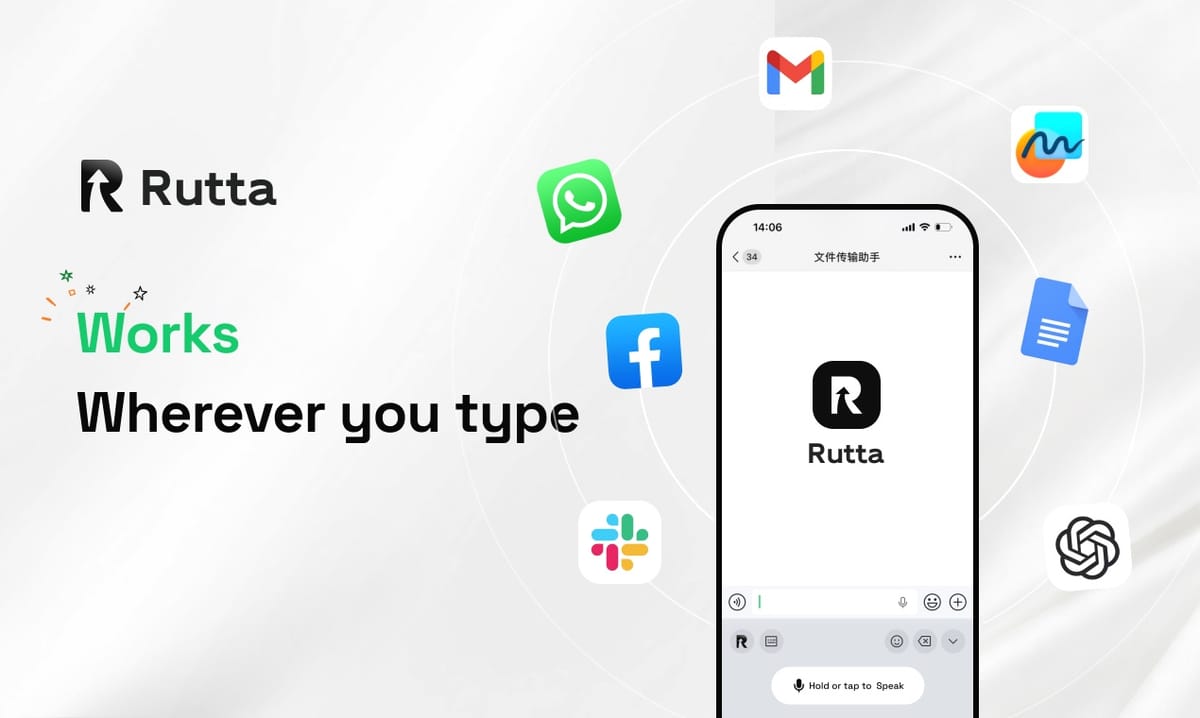
Because Rutta is a native iOS keyboard, it works in every app where your default Apple keyboard appears.
That includes Apple apps like Messages, Mail, Notes, and Reminders, plus third-party tools like Gmail, Slack, Microsoft Teams, WhatsApp, Telegram, Instagram, LinkedIn, and X. Productivity platforms such as Notion, Asana, and Trello work too, as do custom enterprise apps and CRMs. If your iPhone shows a keyboard, you can use Rutta.
| Scenario | Without Rutta | With Rutta |
|---|---|---|
| Replying to a client email | Open Mail, type for 4-5 minutes, manually edit, send | Dictate for 30 seconds, review the polished text, send — about 1 minute total |
| Drafting meeting notes | Open Notes, type for 10-15 minutes, restructure manually | Speak for 3 minutes, get structured notes with punctuation and paragraphs |
| Responding to a Slack thread | Type a short reply or move to your laptop | Dictate a full, clear answer inside Slack in under a minute |
| Writing a social media post | Draft in Notes, copy, paste into the app, edit | Speak inside the app, let Rutta polish the caption, publish immediately |
If your goal is fewer app switches in 2026, the keyboard is where that workflow finally comes together.
Why Is the Keyboard the Last Productivity Frontier on iPhone in 2026?
Every productivity trend of 2026 points in the same direction: faster input, less context switching, and AI doing the heavy lifting. Rutta combines all three by making the keyboard itself intelligent.
Rutta is an AI text polisher, a voice email tool for iPhone, and a full dictation keyboard in one — but it doesn't ask you to change your apps or your habits. You just talk the way you normally talk, and the people reading your messages will think you sat down and wrote them.
Try Rutta free on iPhone and measure the time you save in your first week. For most users, the result is the same: they stop switching apps, stop typing long messages, and never go back.
Frequently Asked Questions
Is Rutta a standalone app or an iOS keyboard?
Rutta is a native iOS keyboard extension, not a standalone app. After you install it and enable it in your iPhone's keyboard settings, the Rutta keyboard becomes available in every app that uses the standard Apple keyboard — Messages, Mail, Slack, Notes, WhatsApp, Instagram, and even internal CRM tools. There's no need to open Rutta separately, record audio, copy text, or switch between apps. You simply tap the globe icon on your keyboard, select Rutta, and start speaking. The keyboard transcribes and polishes your words in real time, right where you're typing. That's the key difference from dictation apps, which force you to move from a recording screen to a messaging app: Rutta eliminates the entire copy-paste workflow.
How is Rutta different from Siri dictation on iPhone?
Apple's built-in Siri dictation transcribes speech verbatim. If you say "hey can you send me that report from last week," the text appears exactly like that — no punctuation, no grammar correction, no professional tone. You then need to manually edit the message before sending it. Rutta goes several steps further: it transcribes your speech and then applies an AI rewriting layer that adds punctuation, fixes grammar, removes filler words like "um" and "gonna," and structures your message so it reads as if you wrote it carefully. It also adjusts tone, turning a casual voice note into a polished professional message. In short: Siri records your words, while Rutta makes your words sound written.
Does Rutta work in every app on my iPhone?
Yes. Because Rutta is implemented as a system-level keyboard extension, it appears in every app where the default iOS keyboard would appear. That includes Apple's core apps — Messages, Mail, Notes, and Reminders — plus third-party apps such as Gmail, Slack, Microsoft Teams, WhatsApp, Telegram, Instagram, LinkedIn, and X. It also works in productivity tools like Notion, Asana, and Trello. No matter which app you're in, you can switch to the Rutta keyboard and dictate a message, and the polished result is inserted directly into the text field. This universal compatibility is what enables the fewer app switches workflow that Rutta users cite as their biggest time saver.
How is my voice data handled when I use Rutta?
Privacy is one of Rutta's core design principles. Wherever possible, Rutta processes your speech directly on your iPhone using on-device AI, which means your audio never leaves your device. When cloud processing is required for more complex language tasks, your voice data is handled under strict privacy standards. Rutta does not sell voice recordings, and it does not use your personal conversations to train public models. The audio is processed for the single purpose of turning your speech into polished text. If you rely on voice input for sensitive work or personal communications, this privacy-first architecture makes Rutta a safer choice than many web-based transcription tools.
How much faster can I actually be with Rutta voice-to-text on iOS?
Users consistently report being 3 to 5 times faster at composing messages with Rutta than with typing. The math is straightforward: the average iPhone typing speed is about 38 words per minute, while natural spoken English runs at 130 to 150 words per minute. Even after you spend a few seconds reviewing Rutta's polished output, the time saving on a full day of messaging adds up quickly. In a 2026 beta survey of 500 Rutta users, 87 percent said they send messages they would previously have postponed, and 71 percent said they now use complete sentences more often. If you type for one hour a day, switching half of that time to voice can save 15 to 20 minutes daily — roughly two full workweeks per year.