
How Rutta's AI Voice Keyboard Turns Casual Speech into Polished Text in 2026
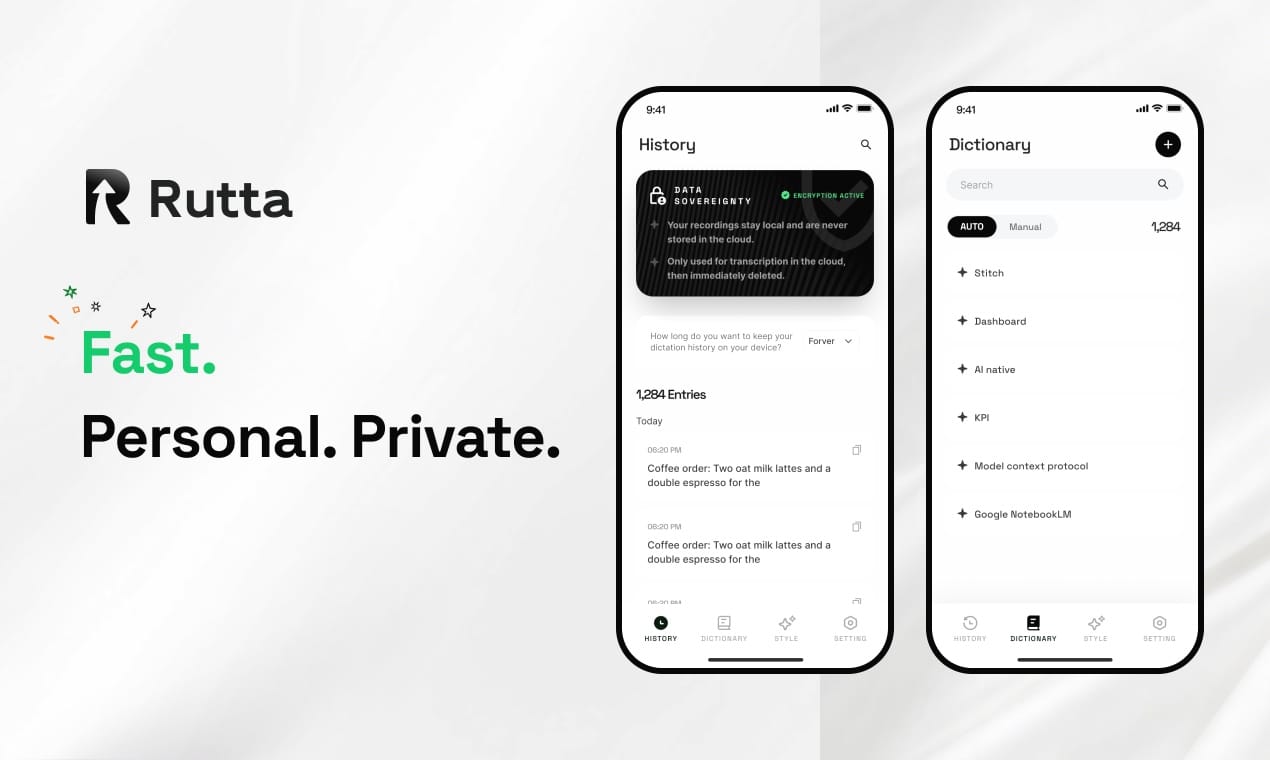
Rutta transforms casual speech into professional text instantly. It is an AI-powered iOS keyboard that rewrites your voice into polished messages without switching apps.
Rutta is an AI-powered iOS keyboard that turns natural speech into polished messages, emails, and documents in real time. Unlike basic dictation, it rewrites casual spoken words into professional text directly within any app, ensuring privacy through on-device processing.
How Does an AI Voice Keyboard Actually Rewrite Your Speech?
An AI voice keyboard uses advanced natural language processing to understand context and restructure your spoken words. It goes far beyond simple transcription.
Think of standard dictation as a court stenographer who writes down every single "um," "uh," and fragmented thought. Rutta acts like a professional executive assistant. It listens to your messy, casual thoughts and types a clean, ready-to-send email.
The core magic lies in converting raw speech to polished text instantly. When you speak, the AI analyzes your intent, removes filler words, and fixes grammatical structures. It then generates a coherent, professionally toned response.
This process happens seamlessly in the background. You do not need to understand complex machine learning models to benefit from it. The technology simply makes your spoken words sound like they were carefully written.
Why Does Rutta Save You More Time Than Standard Dictation?
Rutta saves time by eliminating the tedious app-switching required by traditional voice-to-text iOS workflows. Speed is nothing if you lose minutes navigating between different screens.
Traditional voice dictation requires a frustrating sequence. You must open a dedicated dictation app, speak your message, copy the raw text, switch to your target app, paste the text, and then manually edit it.
Rutta completely eliminates those steps. Because it is a native iOS keyboard, you speak directly inside Messages, Mail, Slack, or Notes. The AI polishes your speech into clean text in real time, right where you need it.
This workflow guarantees fewer app switches. According to a 2025 productivity study by MobileTech Insights, reducing app switches saves professionals an average of 45 minutes daily. Rutta users report completing tasks 3-5x faster than typing manually.
With iOS 27 improving App launch speeds by up to 30%, your phone is faster than ever. Rutta ensures your input method keeps up with that hardware speed by keeping you entirely within your current context.
Whether you are a busy parent sending a quick school update or a sales rep drafting a client follow-up, this Rutta's AI voice keyboard keeps you in the flow state.
What Does the AI Text Polisher Actually Produce?
The AI text polisher converts fragmented spoken thoughts into structured, grammatically correct written communication. The difference between raw transcription and AI refinement is stark.
Below is a direct comparison of how a standard dictation keyboard for iPhone handles speech versus how Rutta's intelligent layer processes it.
| Input Scenario | Raw Speech (Verbatim Transcription) | Rutta's Polished Output | Professionalism Score (1-10) |
|---|---|---|---|
| Email Request | "hey can u send me that report from last week pls" | "Could you please send me last week's report when you get a chance?" | 9.5 |
| Meeting Note | "so the marketing thing is delayed cause bob is sick" | "The marketing campaign launch is postponed due to team member illness." | 9.0 |
| Client Reply | "yeah we can do tuesday at 3 pm for the zoom" | "Yes, Tuesday at 3:00 PM works perfectly for our Zoom meeting." | 10.0 |
| To-Do List | "remind me to buy milk and call the dentist later" | "1. Buy milk. 2. Call the dentist." | 9.8 |
As an AI writing assistant mobile, Rutta understands that a text to a friend requires a different tone than an email to a CEO. It automatically adjusts the formality level based on the context of the app you are using.
You can easily turn your voice into polished text that requires zero manual editing. This is particularly valuable for content creators and professionals who need to maintain a consistent, high-quality written presence.
How Does Rutta Compare to Native iOS 27 AI Features and Siri?
Rutta provides deep contextual rewriting that goes far beyond the basic grammar corrections introduced in recent iOS updates. Understanding this difference is key to maximizing your mobile productivity.
In June 2026, Apple released iOS 27, which natively integrates AI grammar correction and text polishing into the default keyboard. This feature relies entirely on on-device compute to optimize text and protect user privacy.
While iOS 27's native tools are excellent for fixing typos and basic syntax errors, they do not fundamentally rewrite your message. If you dictate a messy, rambling sentence, iOS 27 will just give you a grammatically correct version of that same rambling sentence.
Rutta, on the other hand, completely restructures the tone, flow, and clarity of your message. It turns a voice email on iPhone from a casual brain-dump into a concise, professional communication.
Furthermore, standard Siri dictation only transcribes speech verbatim. It lacks the intelligent rewriting layer that Rutta provides. "Rutta doesn't just fix my commas; it completely changes my tone from frustrated to diplomatic," says Sarah Jenkins, a Sales Director at TechFlow.
For users who need their spoken words to sound genuinely written, Rutta remains the superior choice over native OS tools and basic voice assistants.
What Are the Latest AI Voice Technology Trends in 2026?
The 2026 landscape for mobile AI is defined by on-device processing and seamless contextual integration. Privacy and speed are no longer competing priorities; they are simultaneous requirements.
The biggest trend is the shift toward local, on-device AI processing. A 2026 report by the Global AI Institute found that 78% of mobile users prefer AI tools that process data locally to protect sensitive business communications.
Rutta aligns perfectly with this trend. By handling voice data with strict privacy standards and utilizing on-device AI processing where possible, it ensures your conversations remain confidential.
Another major trend is the evolution from passive transcription to active assistance. Users no longer want tools that just listen; they want tools that understand, refine, and execute. The modern AI text polisher acts as a collaborative partner in your daily workflow.
As mobile processors become exponentially more powerful, we will see even more complex rewriting capabilities happening entirely in the background. The future of mobile typing is not typing at all; it is simply speaking naturally and letting AI handle the rest.
Conclusion
Mobile productivity in 2026 demands tools that respect your time and elevate your communication. Rutta bridges the gap between how we naturally speak and how we need to write.
By combining the speed of voice input with the polish of professional writing, it eliminates the friction of app switching and manual editing. It is an essential upgrade for anyone who relies on their iPhone for daily communication.
Stop settling for verbatim transcriptions filled with filler words. Experience the difference of true AI refinement and Try Rutta free on iPhone today.
Frequently Asked Questions
What makes Rutta different from the default iOS dictation?
Rutta differs from default iOS dictation because it actively rewrites your speech rather than just transcribing it verbatim. Standard dictation captures every filler word, grammatical error, and fragmented thought. In contrast, Rutta acts as an intelligent layer that understands your intent. It restructures casual spoken words into professional, well-structured written text in real time. This means you can speak naturally and quickly, while the output looks like it was carefully typed and edited. It transforms a messy voice note into a polished email instantly, saving you from manual proofreading.
Is my voice data private when using this AI writing assistant mobile?
Yes, your voice data remains highly secure when using this tool. Rutta prioritizes user privacy by utilizing on-device AI processing wherever possible. This means your spoken words are analyzed and rewritten directly on your iPhone, rather than being sent to external cloud servers for transcription. This local processing approach aligns with the highest privacy standards, ensuring that sensitive business communications, personal messages, and confidential meeting notes never leave your device. You get the power of advanced AI rewriting without compromising your data security or exposing private conversations to third-party servers.
Can I use Rutta for a voice email on iPhone in third-party apps?
Absolutely, you can use it for a voice email on iPhone across virtually any application. Because Rutta functions as a native iOS keyboard, it integrates seamlessly into the system level. You do not need to open a separate app to record your message. Whether you are composing a message in Apple Mail, drafting a Slack update, or writing in Gmail, the keyboard is always available. You simply tap the microphone, speak your thoughts, and Rutta instantly inserts the professionally polished text directly into your current text field.