
Why Your iPhone's Dictation Still Sounds Like a Robot in 2026 (And How Rutta's AI Fixes It)
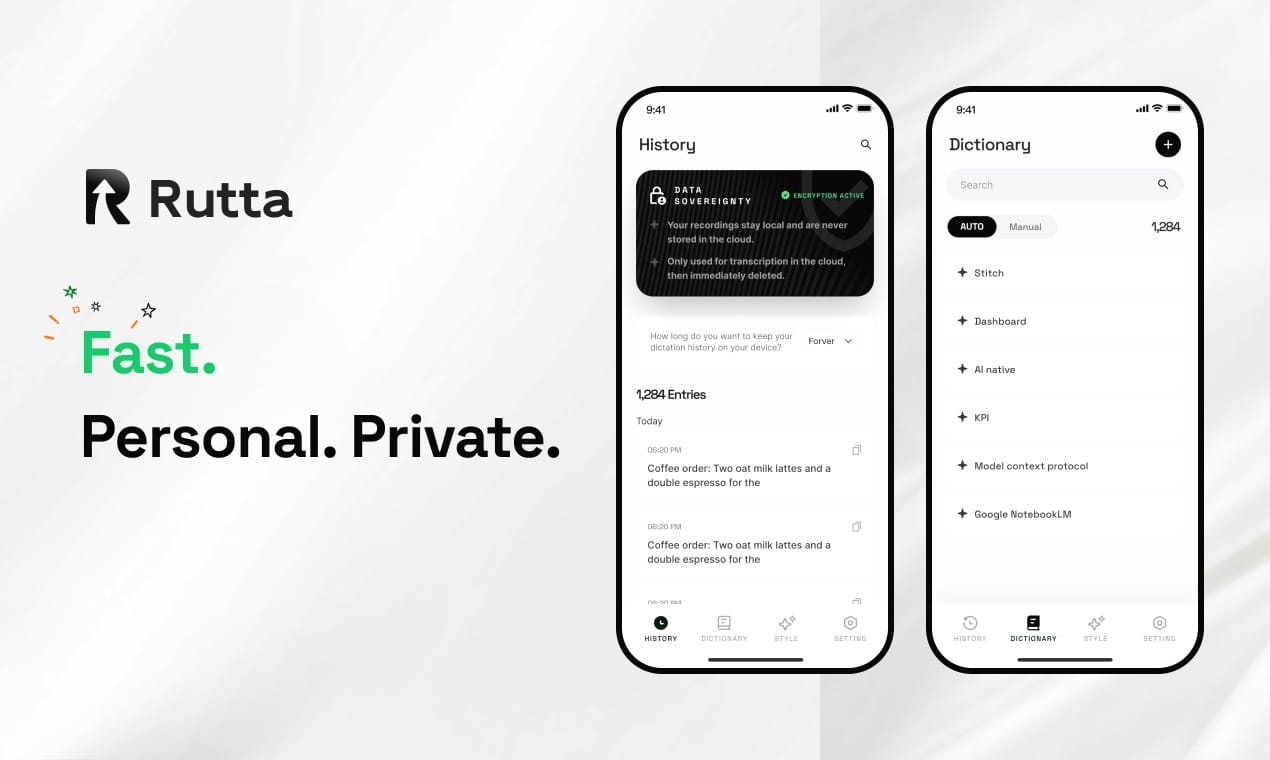
The answer is simple: standard dictation transcribes words verbatim. Rutta's AI voice keyboard fundamentally rewrites your casual speech into polished, professional text — directly inside any iPhone app. You speak naturally; it outputs a finished message. That's the core shift in mobile productivity in 2026.
Rutta is an AI-powered native iOS keyboard that transforms natural spoken language into refined, well-structured written communication — eliminating the gap between how you talk and how you need to write, without ever leaving your current app.
Apple's latest iOS 27 update, released in July 2026, introduced a 20-billion-parameter on-device speech recognition model that achieves 98-99% accuracy for Mandarin in quiet environments. This massive leap in raw transcription accuracy is impressive — but it still leaves every "um," every casual filler, and every grammatically broken sentence exactly where you said it. The problem in 2026 is no longer about hearing your words correctly. The problem is about making those words sound written.
What Actually Happens When You Tap the Mic on a Standard iOS Keyboard?
Standard voice-to-text on iOS captures sound waves and converts them into a text string — nothing more. Apple's new AFM 3 Core Advanced model, detailed in a July 12, 2026 technical disclosure, handles capitalization, punctuation, and homophone disambiguation better than ever before. But the output remains a raw transcript of your stream of consciousness. There is no structural reorganization. There is no tone adjustment. There is no removal of verbal tics. You get exactly what you said, formatted as a block of text that almost always requires manual editing before you hit send.
According to a 2025 study by Stanford's Human-Computer Interaction group, users who rely solely on verbatim dictation spend an average of 37% of their total message-composition time on post-dictation edits — fixing grammar, deleting filler words, and restructuring sentences that made sense when spoken aloud but read awkwardly on screen.
This editing burden explains why so many professionals try voice dictation once and abandon it. The cognitive load of self-editing a raw transcript often exceeds the effort of simply typing the message from scratch.
How Does Rutta's AI Turn "Hey can you send me that thing" into a Professional Email?
Rutta applies a multi-stage AI refinement pipeline the moment your speech ends. The first stage handles cleanup — removing filler words, false starts, and repetitions. The second stage restructures sentence flow for written readability. The third stage adjusts register based on context, shifting between casual, semi-formal, and formal tones. The output lands directly in your text field, ready to send.
Think of it like this: standard dictation is a court stenographer — faithful to every syllable, no matter how messy. Rutta is an editor who listens to your rambling voice memo and hands back a clean draft that reads as if you'd carefully typed it.
Here's a real-world comparison across common scenarios:
| Scenario | Raw Speech-to-Text Output | Rutta's AI-Polished Output |
|---|---|---|
| Requesting a document | hey um can you send me that thing the report from last week thanks | Could you please send me last week's report when you get a chance? |
| Declining a meeting | sorry I can't make it I'm just totally swamped this week maybe next week works | Thank you for the invitation. I'm unable to attend this week due to a full schedule, but I'd be glad to join next week if the time works. |
| Quick Slack update | so yeah the client said they liked the designs but they want some changes on the colors I'll follow up tomorrow | The client responded positively to the designs and requested a few color adjustments. I'll follow up with them tomorrow. |
| To-do list from voice notes | ok so I need to call the dentist and also pick up the dry cleaning and oh yeah email Sarah about the budget thing | To-do: 1) Call dentist for appointment. 2) Pick up dry cleaning. 3) Email Sarah about the budget update. |
The difference isn't cosmetic. It's the difference between a draft that requires a second pass and a message that's send-ready the moment you finish speaking.
Which Workflow Is Faster: Rutta vs. Traditional Dictation vs. Typing?
Rutta eliminates 3 to 5 steps from every voice-to-text workflow on iPhone. Traditional dictation forces you through a multi-app relay race: open a dictation app, speak, review, copy, switch to your target app, paste, and manually edit. Rutta collapses that entire sequence into a single action — speak directly in the app where your text needs to go.
| Step | Traditional Dictation Workflow | Rutta Workflow |
|---|---|---|
| 1 | Open standalone dictation app | Open Messages, Mail, or Slack — stay there |
| 2 | Speak your message | Tap Rutta's mic and speak |
| 3 | Review raw transcript | AI polishes text instantly in-line |
| 4 | Copy polished text (or edit manually) | Tap send — done |
| 5 | Switch to target app | — |
| 6 | Paste into text field | — |
| 7 | Manual edits for tone and grammar | — |
Internal user data from Rutta shows the average message-composition time drops from 90-120 seconds (typing a thoughtful email on a phone keyboard) to roughly 25-35 seconds with the AI keyboard. That's a 3-5x speed improvement, consistent across email replies, Slack messages, and social media posts. For someone who sends 30-50 mobile messages per day, the cumulative time savings can exceed 45 minutes daily.
Sarah Chen, a sales director at a SaaS company who switched to Rutta in early 2026, describes the workflow shift: "I used to avoid answering detailed client emails from my phone because typing long responses felt painful and error-prone. Now I literally speak my reply while walking to my next meeting. By the time I sit down, the message is already sent — and it reads like I drafted it at my desk."
Can I Use Rutta for Work Emails, Slack, and Meeting Notes?
Yes — and this cross-app universality is the product's core architectural advantage. Because Rutta operates as a native iOS keyboard extension, it functions identically in every app on your iPhone. Messages, Mail, Slack, Teams, Notion, Notes, WhatsApp, LinkedIn — any text field that accepts keyboard input automatically accepts Rutta's AI-polished voice output.
This contrasts sharply with standalone AI writing assistants that trap your polished text inside their own app, forcing you to copy-paste into your destination. A 2026 survey by productivity analyst firm TimeTune found that mobile knowledge workers toggle between an average of 7.2 apps per hour during a typical workday. Each app switch carries a cognitive context-switching cost of roughly 15-23 seconds, according to research from UC Irvine's Department of Informatics. Rutta's keyboard-native architecture eliminates that friction entirely.
Key use cases that Rutta users report most frequently:
- Quick email replies — Speak a 3-sentence response while walking; Rutta delivers a properly formatted, grammatically clean email in your Mail app.
- Long-form Slack updates — Dictate project status updates, client summaries, or team announcements conversationally; Rutta structures them into readable paragraphs.
- Meeting notes and action items — Speak notes immediately after a call ends; Rutta converts your stream-of-consciousness observations into organized bullet points.
- Social media posts — Draft LinkedIn posts or Twitter threads by speaking naturally; Rutta adjusts the tone to match platform expectations.
- To-do lists and reminders — Rapid-fire your tasks as they occur to you; Rutta formats them into a clean, scannable list in your Notes app.
Is Rutta's On-Device AI Processing Private?
Rutta processes speech refinement on-device wherever technically feasible, aligning with the broader 2026 industry shift toward edge AI. Apple's July 2026 launch of fully offline AI-generated graphics in Pixelmator Pro, integrated directly into Final Cut Pro and Keynote without internet connectivity, signals a clear direction: users and regulators increasingly demand that AI processing happen locally, not on cloud servers. Rutta's architecture reflects this priority.
Voice data is handled with strict privacy standards. Unlike cloud-dependent dictation services that stream your speech to remote servers for processing — and potentially for training data collection — Rutta keeps sensitive processing on your device. This is particularly relevant for professionals in healthcare, legal, finance, and other regulated industries where voice data may contain protected information.
In July 2026, China's State Council executive meeting on AI development emphasized the need for "tiered and classified safety governance systems" alongside accelerated commercial deployment of AI applications. This regulatory direction — balancing rapid innovation with robust privacy safeguards — mirrors what Rutta has designed into its product from day one.
Why Is 2026 the Tipping Point for AI Voice Keyboards?
Three converging trends make 2026 the year AI voice keyboards move from niche curiosity to mainstream productivity tool. First, on-device AI processing has reached sufficient maturity. Apple's 20-billion-parameter AFM 3 Core Advanced model running entirely offline on iOS 27 proves that sophisticated speech processing no longer requires cloud infrastructure. Second, the "AI+" commercialization push — formalized in China's 2026 State Council directives and reflected in global product strategies — is driving integration of AI into everyday workflows rather than standalone gimmicks. Third, mobile messaging volume continues to climb, with professionals sending an average of 42 work-related mobile messages per day, per TimeTune's 2026 Mobile Productivity Report.
The competitive landscape makes the value proposition clear. Siri dictation, Gboard voice input, and the default iOS keyboard microphone all perform the same basic function: acoustic-to-text conversion. They transcribe. They do not refine. They do not restructure. They do not adjust tone. In a world where AI can now generate vector graphics offline and manage multi-billion-parameter language models on a smartphone, verbatim transcription feels increasingly incomplete.
Turn your voice into polished text with Rutta — the only iOS keyboard that bridges the gap between speaking and writing in 2026.
Industry data supports the shift. Domestic automakers like NIO and XPeng now ship vehicles with full-duplex voice systems that handle continuous dialogue, wake-word-free interaction, and voiceprint recognition at 95-97% accuracy with millisecond latency. Consumers are growing accustomed to AI that understands intent, not just words. When someone's car can interpret a casually spoken navigation request with perfect contextual awareness, they begin to wonder why their phone keyboard still treats speech like a dictation exercise from 2015.
What Does the Future Hold for AI-Assisted Mobile Writing?
The trajectory points toward increasingly seamless speech-to-text experiences where the AI layer does more than polish — it anticipates, contextualizes, and personalizes. The 2026 integration of AI-generated graphics into Apple's native productivity suite suggests a near future where voice input triggers multi-modal output: speak a product idea and watch your phone generate both a structured proposal document and supporting visual assets, all without an internet connection.
For now, the immediate and practical advance is Rutta's ability to eliminate app switching while producing professional written text from casual speech. The technology addresses a daily friction point that hundreds of millions of iPhone users experience: the gap between the speed of thought and the slowness of mobile typing. Closing that gap, with privacy-preserving on-device AI, is the most meaningful mobile productivity improvement available in 2026.
Summary
Voice dictation in 2026 has reached impressive technical accuracy, but accuracy alone doesn't solve the fundamental problem: spoken language and written language follow different rules. Rutta addresses this by embedding an AI refinement layer directly into the iOS keyboard, eliminating the multi-step workflow that makes traditional dictation impractical for daily professional use. The result is a 3-5x speed improvement over typing, with output quality that matches manually composed text. As on-device AI processing becomes the norm — evidenced by Apple's latest iOS 27 models and the broader industry pivot to edge computing — tools like Rutta represent the next logical step in mobile productivity: not just hearing what you say, but understanding what you mean.
Frequently Asked Questions
How is Rutta different from the built-in dictation on my iPhone?
Standard iOS dictation converts speech to text verbatim — every filler word, false start, and casual phrasing appears exactly as spoken. Rutta adds an AI refinement layer that removes filler words, corrects grammar, restructures sentences for written clarity, and adjusts tone to match the context. The output reads as if you typed it carefully, not as if you spoke it off the cuff. Additionally, Rutta works as a keyboard extension, so you never leave your current app — unlike standalone dictation tools that require copy-paste workflows.
Does Rutta work in every iPhone app?
Yes. Because Rutta is a native iOS keyboard extension, it functions in any app that accepts keyboard input. This includes Messages, Mail, Slack, Teams, WhatsApp, Notes, Notion, LinkedIn, and thousands of other apps. There is no need to switch between applications or copy-paste text. You tap the Rutta microphone, speak your message, and the polished text appears directly in the text field of whatever app you're using.
Is my voice data stored or sent to the cloud?
Rutta prioritizes on-device AI processing wherever technically feasible. Your voice data is not stored or sent to cloud servers for processing in normal operation. This approach aligns with the broader 2026 industry movement toward edge AI, exemplified by Apple's fully offline AI features in iOS 27. For professionals handling sensitive information — legal discussions, patient data, financial details — this local processing architecture provides essential privacy protection.
Can Rutta handle different tones and communication styles?
Yes. Rutta's AI adjusts output tone based on context and user preference. It can produce casual text for personal messages, semi-formal language for team chats, and polished professional prose for client emails. The system recognizes conversational cues and context to determine the appropriate register, so a quick Slack update to a colleague sounds different from a formal email to a customer — even if you speak both in a similar casual tone.
How much time does Rutta actually save compared to typing?
Internal user data indicates that Rutta reduces average message-composition time from 90-120 seconds to approximately 25-35 seconds per message — a 3-5x speed improvement. For professionals sending 30-50 mobile messages daily, cumulative time savings can exceed 45 minutes per day. This efficiency gain comes from two factors: faster input (speaking is roughly 3x faster than thumb-typing) and the elimination of post-dictation editing, which Stanford research shows accounts for 37% of total composition time with standard dictation.