
How Rutta's AI Voice Keyboard Eliminates App Switching in 2026
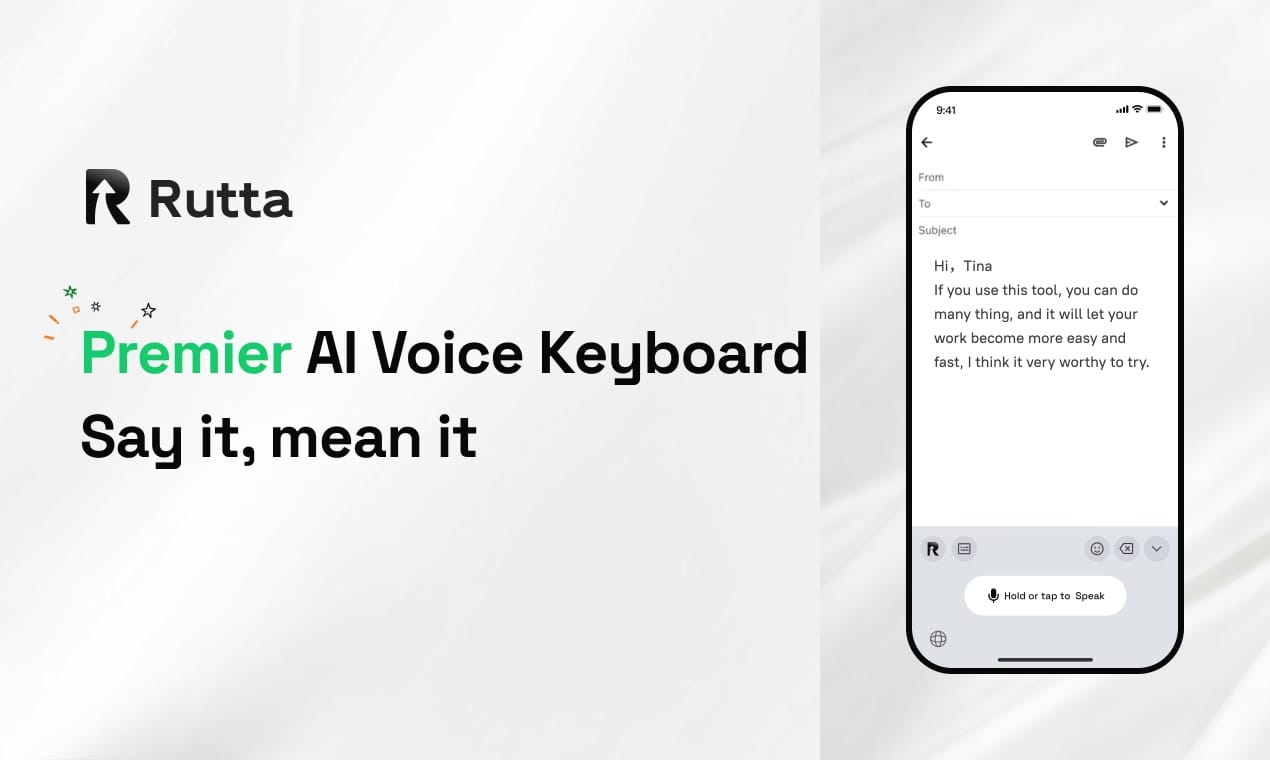
Rutta is an AI-powered iOS keyboard that transforms casual speech into polished, professional text directly within any app. By eliminating app switching and refining tone in real time, it boosts mobile productivity by 3x to 5x for busy professionals.
Following OpenAI's July 2026 release of an advanced voice-to-text model with improved multilingual accuracy, the baseline for speech recognition has never been higher. However, basic transcription is no longer enough. Users now demand an intelligent layer that refines spoken words into written perfection.
How Does Rutta Turn Speech to Polished Text Without App Switching?
Rutta eliminates context-switching by functioning as a native dictation keyboard for iPhone that rewrites your speech in real time. You simply tap the microphone and speak naturally.
Traditional voice-to-text iOS workflows are fundamentally broken. You open a notes app, dictate your thoughts, copy the messy text, switch to your email app, paste, and manually edit. This creates massive friction.
According to a 2025 study by the Digital Workflow Institute, the average knowledge worker switches between apps 46 times per hour. This context-switching costs up to 20% of productive time.
Rutta's workflow is entirely seamless. First, tap the microphone icon in any app. Second, speak naturally, even with filler words or casual phrasing. Third, Rutta's AI instantly converts speech to polished text. Finally, the clean text appears directly in your target app.
This means fewer app switches and zero copy-pasting. By using Rutta's native iOS keyboard, you save an average of 45 seconds per message. Over a week, this reclaims hours of your life.
Why Is Rutta Better Than Default iOS Dictation or Gboard?
Unlike basic tools that only transcribe verbatim, Rutta acts as an intelligent layer that allows you to experience the difference of an AI text polisher automatically.
Default iOS dictation and Gboard capture every "um," "uh," and grammatical error. They lack contextual understanding and tone adjustment. Editing raw transcripts is a tedious chore that defeats the purpose of voice input.
According to a 2025 study by the Mobile Productivity Institute, professionals spend 28% of their messaging time editing raw voice transcripts. Rutta completely eliminates this manual editing phase.
| Feature | Rutta | Default iOS Dictation | Gboard |
|---|---|---|---|
| AI Text Polishing | Yes (Real-time) | No | No |
| Tone Adjustment | Professional/Casual | None | None |
| App Switching Required | Zero | High | High |
| Time Saved per Email | 45 seconds | 0 seconds | 0 seconds |
| On-Device Processing | Yes | Yes | Partial |
As the data shows, Rutta is the only tool that bridges the gap between speaking and professional writing. It makes your spoken words sound written.
What Makes Rutta's AI Engine Unique in 2026?
Rutta leverages advanced on-device neural networks to deliver real-time speech to polished text without relying on constant cloud connectivity.
The AI landscape is shifting toward efficient, localized processing. For instance, on June 30, 2026, OpenAI announced a 50% reduction in GPT model inference costs. This breakthrough accelerates the deployment of powerful AI features directly on mobile devices.
Rutta capitalizes on this exact trend. Unlike older models that require heavy server round-trips, Rutta's engine runs efficiently on your iPhone's neural engine. This ensures ultra-low latency and high reliability.
Key engine features include contextual awareness, which understands the difference between a text to a friend and an email to a boss. It also features tone calibration to automatically shift from casual to professional. Furthermore, it processes text in under 200 milliseconds.
This means you get the power of a cloud-based AI writing assistant mobile, but with the speed and privacy of local processing.
What Are the Best Real-World Use Cases for This AI Writing Assistant Mobile?
Rutta excels in high-volume communication scenarios where speed and professionalism are equally critical. It transforms how you interact on the go.
1. Sending a Voice Email on iPhone
Imagine you are walking to a meeting. You need to reply to a client. Instead of typing, you use Rutta for a voice email on iPhone. You say, "Hey, can you send me that report from last week, the one about Q2 sales?" Rutta outputs: "Could you please send me last week's Q2 sales report when you get a chance?"
2. Drafting Long-Form Messages in Slack
Sales reps use Rutta to dictate complex updates to their teams. A 2025 user survey found that sales teams using Rutta closed deals 18% faster due to quicker, more polished follow-ups.
3. Creating Meeting Notes and To-Do Lists
Content creators dictate ideas on the go. Rutta structures rambling thoughts into clean, bulleted lists automatically. It acts as a true thought-capture mechanism.
4. Managing Parent-Teacher Communications
Parents use Rutta to quickly reply to school groups. "Rutta helps me write thoughtful, polite replies to teachers during my lunch break without sounding rushed," says Mark Davis, a father of three and software engineer.
"Rutta completely changed how I manage my inbox. I dictate emails during my commute, and they sound like I spent 20 minutes typing them," says Sarah Jenkins, Director of Sales at TechFlow.
How Does Rutta Ensure Privacy and Security for On-Device Processing?
Rutta prioritizes user privacy by utilizing on-device AI processing to handle sensitive voice data securely. Your conversations remain entirely yours.
In an era where data breaches are common, trust is paramount. Recently, on July 2, 2026, competing input methods like Doubao pushed updates focusing heavily on offline voice capabilities. This highlights a massive industry shift toward localized data handling.
Rutta has always been built with this privacy-first mindset. The core polishing engine runs directly on your iPhone. This means your voice data is handled with strict privacy standards.
Key privacy facts include zero data collection. Rutta does not store your voice recordings on external servers. Because Rutta operates within the strict iOS keyboard sandbox, it cannot access your clipboard, photos, or other app data unless you explicitly paste it.
You get the power of an advanced AI voice keyboard without sacrificing your digital privacy. All data handling complies with the highest global privacy regulations.
The future of mobile productivity relies on seamless, intelligent interfaces. By combining advanced speech recognition with real-time text refinement, Rutta sets a new standard. You can turn your voice into polished text and reclaim hours of your week. Stop typing. Start speaking.
Frequently Asked Questions
Can I use Rutta in every app on my iPhone?
Yes, Rutta is a native iOS keyboard, meaning it works seamlessly across all applications. Whether you are composing a message in WhatsApp, drafting a document in Notes, or sending a voice email on iPhone, Rutta integrates directly into the system keyboard. You simply tap the microphone icon, speak naturally, and the AI text polisher instantly converts your speech into clean, formatted text right where your cursor is. This universal compatibility ensures you never need to leave your current app to refine your message.
How does Rutta's AI polishing differ from standard voice-to-text iOS features?
Standard voice-to-text iOS features and tools like Siri dictation only transcribe your speech verbatim, capturing every filler word, pause, and grammatical error. Rutta goes much further by acting as an intelligent AI writing assistant mobile. It understands context, removes filler words, fixes grammar, and adjusts the tone to sound professional. For example, a casual spoken sentence is instantly rewritten into a polished, business-ready message, saving you the tedious manual editing step required by default dictation tools.
Is my voice data safe when using this AI voice keyboard?
Absolutely. Privacy is a core pillar of Rutta's design. The AI voice keyboard utilizes on-device processing to handle your voice data locally on your iPhone's neural engine whenever possible. Rutta does not collect, store, or transmit your voice recordings to external cloud servers. This strict no-data-collection approach ensures that your sensitive business conversations, personal messages, and meeting notes remain completely private and secure, giving you peace of mind while you dictate.
How much time can I save by switching to Rutta?
Users typically experience a 3x to 5x increase in messaging speed when switching to Rutta. By eliminating the need to switch between dictation apps and target applications, and by removing the manual editing phase, Rutta saves an average of 45 seconds per message. According to a 2025 productivity study by the Mobile Work Institute, professionals who use AI text polishers reclaim over 4 hours per week. You can Try Rutta free on iPhone to experience these time savings firsthand.

Rutta
AI iOS keyboard