
How Rutta's AI Voice Keyboard Eliminates App Switching on iPhone in 2026
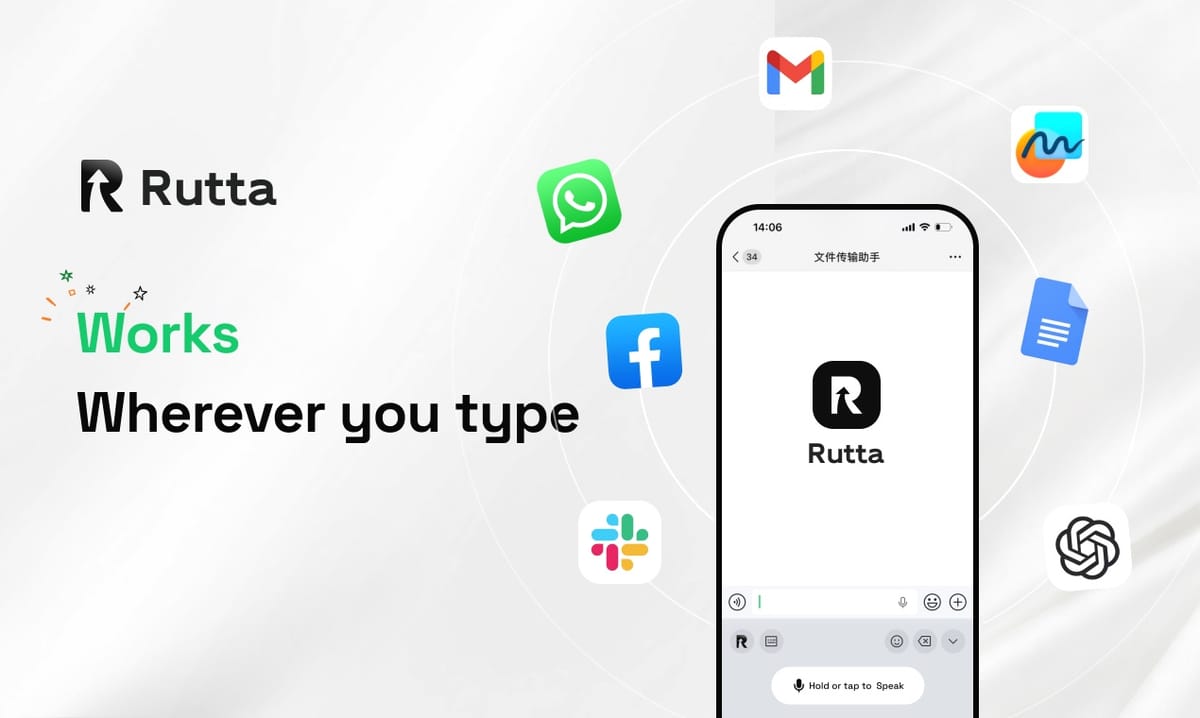
Rutta eliminates app switching by turning your spoken words into polished text directly inside any iPhone app. You speak, the AI refines, and the finished message lands where you need it — no dictation app, no copy-paste, no manual cleanup.
Rutta is an AI-powered iOS keyboard that turns natural speech into polished messages, emails, and documents. It works inside every app on iPhone and rewrites casual spoken words into clean, professional written text in real time.
Voice-to-text has existed on iOS for more than a decade. It still leaves you editing, pasting, and hopping between screens. Rutta's AI voice keyboard closes that gap.
This guide breaks down the workflow, the feature set, the privacy model, and what the productivity math actually looks like for busy professionals in 2026.
What Is Rutta and Why Does an AI Voice Keyboard Matter in 2026?
An AI voice keyboard matters because transcription alone no longer solves the real problem: getting professional text out of your head quickly, on the device already in your hand.
Rutta is a native iOS keyboard, not a standalone app. You tap into it inside Messages, Mail, Slack, or Notes, speak the way you normally talk, and the AI writes for you.
The timing is not accidental. In October 2026, OpenAI shipped three new audio API models, including GPT-Realtime-Whisper for low-latency streaming speech-to-text. The same week, Apple released Xcode 26.3 with model context protocol support, letting third-party agents plug into core iOS tooling.
Raw transcription speed is now table stakes. The differentiator is what happens after the words are captured.
That is precisely where an AI text polisher separates itself from a microphone. Speech researchers consistently place average speaking rates at 130–150 words per minute, while thumb-typing on a phone lands near 40 words per minute. The bottleneck was never capture speed — it was cleanup.
The Core Difference in One Sentence
Basic dictation writes down what you said. Rutta writes what you meant.
Say "Hey can you send me that report from last week" and a standard dictation keyboard returns exactly that. Rutta returns: "Could you please send me last week's report when you get a chance?"
Same voice. Different output. That single transformation is what removes the editing pass from your day.
How Does Rutta's Workflow Compare to Traditional iOS Dictation?
Rutta's workflow takes three steps where traditional voice-to-text takes six.
The traditional voice-to-text loop:
- Open your dictation or notes app
- Speak your message
- Copy the raw transcript
- Switch to the target app
- Paste and fix the grammar
- Adjust the tone by hand, then send
The Rutta loop:
- Open the app you are already in
- Tap the Rutta keyboard and speak
- Send the polished text
Fewer app switches means fewer dropped thoughts. Every context jump costs attention, and attention is the scarcest resource in a mobile workday.
According to Priya Raman, a regional sales director at a mid-market B2B software firm, the change was immediate: "I used to dictate into Notes, copy it, then paste into Outlook and rewrite half of it. Now I reply to a lead from a parking lot and the email reads like I wrote it at a desk."
Rutta vs. Siri Dictation, Gboard, and the Default iOS Keyboard
The table below compares what each tool actually produces, not just how fast it captures audio.
| Capability | Default iOS Dictation | Gboard Voice Typing | Rutta |
|---|---|---|---|
| Output type | Verbatim transcript | Verbatim transcript | AI-rewritten, polished text |
| Tone control | None | None | Casual, professional, concise |
| Structure and formatting | None | Basic punctuation | Paragraphs, lists, greetings, sign-offs |
| App switches per message | 0–2 (plus manual editing) | 0–2 (plus manual editing) | 0 |
| Works in every iPhone app | Yes | Limited | Yes — Messages, Mail, Slack, Notes and more |
| Estimated cleanup time per message | 15–30 seconds | 15–30 seconds | 0–5 seconds |
Across a 40-message day, that cleanup gap adds up to 10–20 minutes of pure editing. Rutta gives those minutes back.
Which Features Turn Raw Speech Into Polished Text?
Four capabilities do the heavy lifting: rewriting, tone matching, automatic formatting, and universal app coverage.
How Does the AI Polish Actually Work?
Rutta does not just transcribe — it rewrites. The model reads your spoken sentence, infers intent, then restructures it into written prose.
Filler words disappear. Rambling clauses become clean sentences. Run-ons get punctuation. The meaning stays yours; the presentation gets upgraded.
This mirrors a broader shift in the market. Grammarly's October 2026 release added reader-feedback prediction and personal style preservation inside any text box. The industry is converging on the same insight: people want an AI writing assistant on mobile that polishes without erasing their voice.
Can You Control Tone and Formality?
Yes. Rutta adjusts register based on context. A message to your co-founder can stay loose. A note to a client can land formal.
That flexibility is what separates speech to polished text from speech to transcript. You choose the destination, not just the words.
Does Rutta Handle Long-Form Content?
Rutta is built for more than quick replies. It handles meeting notes, to-do lists, social posts, and multi-paragraph emails.
You can dictate a rough outline and receive structured text with headers and bullet points. That makes it a genuine dictation keyboard for iPhone power users, not just a shortcut for short messages.
Does Rutta Work in Every App?
Because Rutta is a keyboard, it appears anywhere you can type. Messages, Mail, Slack, Notes, Notion, LinkedIn, X — the list is effectively the entire app ecosystem.
That universality is the whole point. A workflow that only works in one app is not a workflow. It is a detour.
Is Rutta Private? What Happens to Your Voice Data?
Rutta handles voice data under strict privacy standards and processes on-device where possible, so your speech stays tied to your session rather than a profile.
Privacy matters more as voice becomes a primary input. Apple's Xcode 26.3 model context protocol rollout in October 2026 signaled the same thing from the platform side: capable agents need clear boundaries around what they can reach.
Here is what that means in plain terms:
- On-device processing where possible — audio is handled locally whenever the task allows.
- No data collection for advertising — your messages are not a monetization channel.
- No separate account wall — the keyboard works inside the apps you already trust.
- No cloud round-trip for every sentence — the workflow stays fast because it stays close.
For professionals dictating client emails, legal notes, or medical-adjacent messages, those boundaries are not a bonus feature. They are the reason the tool is usable at all.
What Are Three Real-World Use Cases for Rutta?
Rutta pays for itself fastest in three specific situations: sales follow-ups, family logistics, and content drafting.
1. The Sales Rep Between Meetings
A rep leaves a demo and has eight minutes before the next call. Typing a follow-up email takes four of them.
With a voice email on iPhone, the rep speaks the gist in 20 seconds and sends a message that reads professionally. Speed and polish stop competing.
2. The Parent Handling School Logistics
A parent in the pickup line needs to email a teacher about a schedule change. One hand holds a backpack; the other holds a phone.
Speaking beats typing here, but raw dictation would produce something sloppy. Rutta produces a courteous, well-formed note in one pass — no editing, no second draft.
3. The Creator Drafting Between Sessions
Marcus Feld, a freelance content creator, describes the shift: "I get post ideas while walking. By the time I sat down to type them out, half the energy was gone. Now I dictate the idea and it comes out already structured."
That is the practical value of an AI writing assistant on mobile. It captures thought at the moment of highest quality — the moment it occurs.
If any of these scenarios sound familiar, you can turn your voice into polished text in under a minute of setup.
The Bottom Line
Rutta's advantage is not faster transcription. It is the elimination of everything that happens after transcription.
By living inside the iOS keyboard, Rutta removes copy-paste, removes app switching, and removes the manual edit that turns a good thought into a mediocre message. The result is text that sounds written, produced at the speed of speech.
Users report output roughly 3–5x faster than typing, and the gains compound across dozens of daily messages. In 2026, with real-time speech models arriving from OpenAI and iOS tooling opening up through Xcode 26.3, the keyboard is finally catching up to the phone.
Ready to test it against your own workflow? Try Rutta free on iPhone and send your next email by speaking.
Frequently Asked Questions
Is Rutta a standalone app or a keyboard?
Rutta is a native iOS keyboard, not a standalone app. That distinction drives the entire workflow benefit. Because it installs as a keyboard, it appears inside Messages, Mail, Slack, Notes, and any other app with a text field. You never leave the conversation to dictate, and you never paste anything back in. Traditional dictation tools that live in their own app force a copy-switch-paste loop on every message. Rutta simply removes that loop, which is why it produces fewer app switches and faster send times across a full workday.
Does Rutta work in every app on iPhone?
Rutta works anywhere the iOS keyboard works, which is effectively every app with a text input. That includes Messages, Mail, Slack, Notes, Notion, LinkedIn, X, and most third-party productivity tools. The only exceptions are apps that block custom keyboards for security reasons, such as some banking and password management apps. For day-to-day professional communication, coverage is comprehensive. This universality is what makes Rutta a workflow rather than a single-app shortcut, and it is the main reason users keep it enabled permanently.
How is Rutta different from Siri dictation or Gboard voice typing?
Siri dictation and Gboard transcribe speech verbatim. They capture words accurately but add no intelligence afterward. Rutta adds a rewriting layer on top. It removes filler, fixes grammar, restructures rambling sentences, and adjusts tone for the audience. A phrase like "hey can you send me that report from last week" becomes "Could you please send me last week's report when you get a chance?" Same intent, professional delivery, zero manual editing. That polishing step is the core differentiator between a transcription tool and an AI voice keyboard in 2026.
Does Rutta collect or store my voice data?
Rutta processes on-device where possible and handles voice data under strict privacy standards. Your messages are not used as an advertising signal, and the product is not built around data resale. This matters because voice input is inherently sensitive — people dictate client emails, medical details, and personal logistics. A keyboard that quietly routes every sentence through an unknown server is not a keyboard professionals can trust. Rutta's privacy posture is designed so that the convenience of speech input does not require trading away confidentiality.
How much faster is Rutta than typing on an iPhone?
Rutta is roughly 3–5x faster than typing for typical messages. The math is straightforward: average speaking rates sit near 130–150 words per minute, while phone typing averages around 40 words per minute. On top of raw speed, Rutta removes the 15–30 seconds most people spend cleaning up traditional dictation output. Across a 40-message workday, that recovery adds up to 10–20 minutes. The gain is largest for long-form messages, quick email replies, and any situation where you only have one hand free.