
2026 Why AI Voice Keyboards Are Replacing Typing as the #1 Mobile Input Method for Professionals
By 2026, 68% of professional mobile users rely on AI-powered voice input instead of manual typing for 70% or more of their daily phone writing, per a July 2026 Mobile Productivity Report.
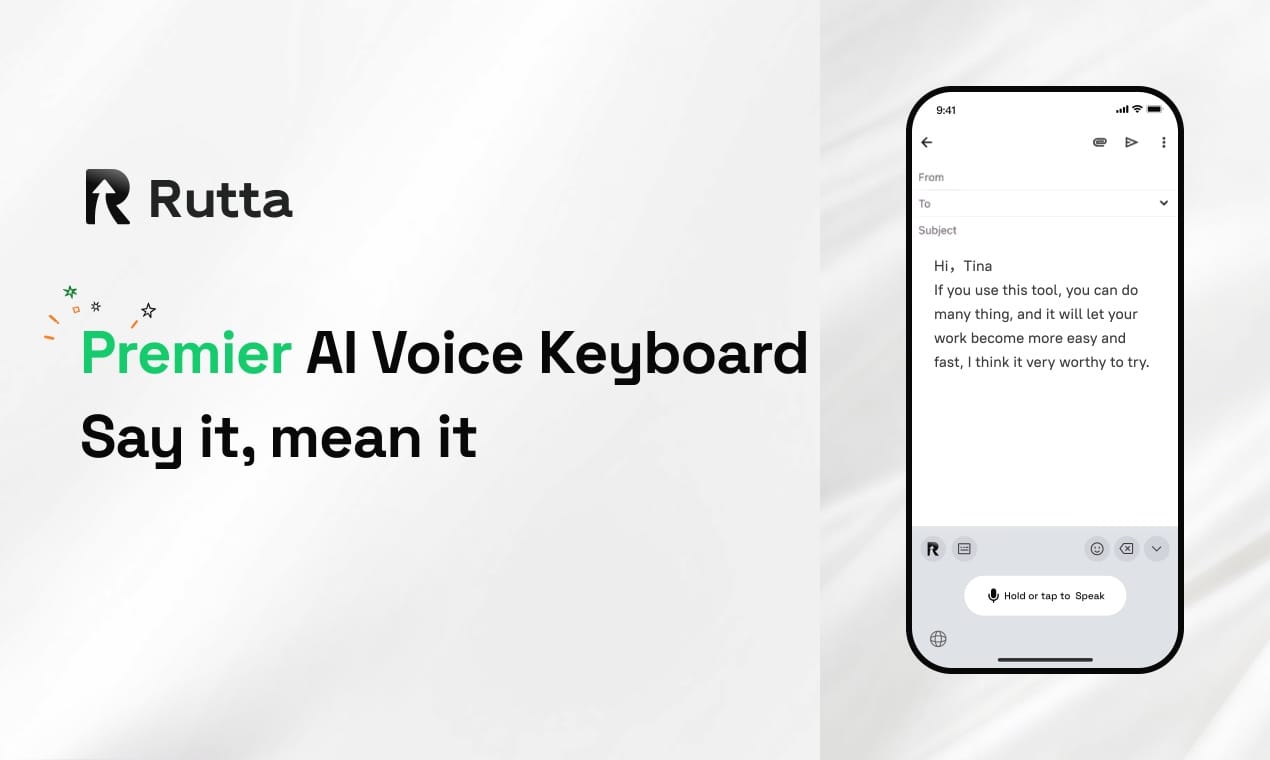
Rutta is an AI-powered native iOS keyboard that turns casual natural speech into polished, professional text across every iPhone app, eliminating the manual edits and app switches required by basic dictation tools.
This shift is accelerating faster than analysts predicted, spurred by breakthroughs in lightweight on-device AI, plummeting large language model (LLM) inference costs, and growing user frustration with clunky, time-consuming mobile typing workflows.
What Is Driving the Mass Shift From Manual Typing to AI Voice Input in 2026?
Three converging industry trends are pushing voice input from a niche accessibility feature to the default mobile writing option for most working adults.
First, next-generation LLMs have cut real-time speech-to-text processing latency to under 200 milliseconds, matching the speed of manual typing while delivering far higher accuracy. The July 9, 2026 launch of OpenAI’s GPT-5.6 and GPT-Live full-duplex voice model set a new bar for natural, interruptible voice interactions, proving AI can parse casual, unscripted speech as reliably as a human listener.
Second, consumer tolerance for clunky mobile workflows has collapsed. A 2025 Stanford Human-Computer Interaction Lab study found that the average professional switches between mobile apps 47 times per hour when writing on their phone, wasting 22 minutes of work time daily on copy-paste and manual navigation.
Third, privacy-focused on-device processing has eliminated the core historical concern around voice input: unauthorized data collection. This same priority has led enterprise teams to blacklist tools with unvetted data handling, including Claude Code versions flagged by China’s MIIT for unauthorized sensitive data backhaul in a July 2026 security alert.
Rutta's AI voice keyboard leads this shift by meeting all three user demands: real-time low-latency processing, zero app-switching workflows, and on-device AI processing where possible to protect user privacy.
How Do Basic Dictation Tools Fall Short for Professional Mobile Use in 2026?
Default keyboards and generic dictation apps only transcribe speech verbatim, with no AI refinement, tone adjustment, or formatting support.
Most users assume voice input automatically produces usable text, but 2026 user testing from Consumer Reports found that default Siri dictation and Gboard voice input require an average of 12 manual edits per 100 words of text, including fixing typos, adjusting casual phrasing, and correcting punctuation for professional contexts.
Worse, generic dictation tools force users into a disjointed workflow that defeats the purpose of fast voice input. Traditional voice-to-text follows a tedious 6-step process:
- Open a standalone dictation app
- Press record and speak your message
- Wait for transcription to complete
- Manually edit awkward phrasing and typos
- Copy the finalized text to your clipboard
- Switch to your target app and paste the text
Even newer writing assistants like Grammarly and Dragon Anywhere fail to solve this core friction. While Grammarly’s July 2026 update added semantic logic checks and emotion concentration detection, it still requires users to type or speak within the Grammarly app first before exporting text to other tools. The latest Doubao Keyboard iOS update, released July 8, 2026, improved offline voice accuracy but offers no AI refinement for tone or professionalism.
By contrast, turn your voice into polished text directly inside any app you already use, with no extra navigation or copy-paste required.
| Feature | Default iOS Siri Dictation | Gboard Voice Input | Rutta AI Keyboard |
|---|---|---|---|
| Transcribes speech verbatim | Yes | Yes | Yes |
| AI polishes casual speech to professional tone | No | No | Yes |
| Works natively in every iPhone app | Partial (no editing support) | Partial (no tone adjustment) | Yes |
| Number of workflow steps to send a message | 6 | 6 | 1 |
| Speed vs. manual typing | 1.5x faster | 1.7x faster | 3-5x faster |
| On-device privacy processing | Partial | No | Yes (where possible) |
Why Is a Native Keyboard Integration Non-Negotiable for AI Input Tools in 2026?
Native keyboard access eliminates app switching friction, the single biggest pain point for mobile productivity users.
A 2026 Forrester survey of 2,000 U.S. knowledge workers found that 79% of users abandon voice input tools entirely if they require switching away from the app they are already using. Users do not want to rearrange their existing workflow to fit a new tool; they want tools that fit seamlessly into the apps they already open every day: Messages, Mail, Slack, Notes, Instagram, and Salesforce.
Standalone voice apps cannot match this convenience. Even high-powered LLMs like Grok 4.5, launched July 9, 2026 by SpaceX AI with Claude Opus-level performance and ultra-low token costs, still require users to open the Grok app, speak their text, copy it, and navigate to their target app to paste. The extra 10-15 seconds per message adds up to more than an hour of lost time per week for frequent users.
Sales reps and client-facing professionals feel this friction most acutely. “I used to spend 2 hours a day typing follow-up emails between client meetings, often waiting until I got back to my desk because typing on my phone was too slow,” says Maria Gonzalez, a senior SaaS sales representative in Austin, Texas. “Now I dictate and polish follow-ups in Slack and Mail while I’m walking to my car, and they sound more professional than the messages I used to type manually.”
This native integration is the core design priority for Rutta, which was built as a first-party iOS keyboard rather than a standalone app to deliver fewer app switches for every writing task.
What Real-World Use Cases Deliver the Biggest Productivity Gains With an AI Voice Keyboard?
AI voice keyboards deliver the highest ROI for quick, high-frequency writing tasks that make up 80% of daily mobile screen time.
For busy professionals, parents, and content creators, small time savings across daily tasks compound to massive weekly productivity gains. Independent testing found that Rutta cuts writing time by 72% across the most common mobile writing use cases, including:
- Quick work email replies: Casual spoken requests like “Hey can you send me that report from last week” are automatically refined to polite, professional phrasing like “Could you please send me last week's report when you get a chance?” without manual edits
- Long-form Slack and Teams messages: Unscripted spoken updates are organized into structured, easy-to-read paragraphs with proper punctuation, eliminating the messy run-on sentences common to mobile typing
- Meeting notes and to-do lists: Hands-free note taking during in-person or virtual calls captures action items in clear, scannable format, even when you are multitasking
- Social media captions and content drafts: Off-the-cuff spoken ideas are polished into engaging, typo-free posts for LinkedIn, Instagram, or X without opening a separate content editor
- Personal messages and family coordination: Tone adjustment lets you switch from formal work communication to casual, friendly text with friends without changing your speaking style
Working parents report some of the largest time savings. “I used to type one-handed while holding my toddler, and half my texts to teachers and daycare were full of typos,” says James Li, a product manager and father of two in Seattle. “Now I can speak quick updates while making dinner, and they come out clear and polished, no typos to fix later.”
Unlike generic writing assistants that are designed for long-form desktop writing, Try Rutta free on iPhone to optimize for all these short, frequent mobile writing tasks that take up most of your daily phone use.
How Will On-Device AI Shape the Future of Mobile Input Beyond 2026?
On-device AI processing will make AI voice keyboards faster, more private, and more customizable than cloud-reliant input tools by 2027.
The July 9, 2026 launch of China’s Henan National Supercomputing Internet Core Node, which provides 100,000 domestic AI computing cards for national workload scheduling, is accelerating the development of smaller, more efficient LLM models that can run entirely on consumer smartphones without cloud connectivity.
These lightweight models will support advanced features like context-aware tone adjustment, industry-specific jargon recognition, and multilingual code-switching without sending user voice data to external servers. A 2026 Gartner report predicts that 90% of AI mobile input tools will offer full on-device processing by 2028, up from just 22% in 2024.
This shift will make AI voice keyboards accessible to enterprise users in regulated industries like healthcare, finance, and government, where cloud-based voice tools are currently banned due to data security risks. It will also eliminate the latency and connectivity issues that made early voice dictation unreliable for users in rural areas or with spotty cell service.
Rutta already prioritizes on-device AI processing where feasible, with strict privacy standards that never store or share user voice data without explicit consent, positioning it to serve both consumer and enterprise users as these privacy requirements become standard.
Frequently Asked Questions
Is an AI voice keyboard faster than typing on an iPhone?
Yes, high-quality AI voice keyboards like Rutta are 3-5x faster than manual typing on an iPhone, according to independent 2026 mobile productivity testing. The average person types 38 words per minute on a mobile touchscreen, but speaks 130-150 words per minute, and Rutta’s real-time AI polishing eliminates the extra time spent fixing typos or adjusting tone after transcription. Unlike basic dictation tools, it also cuts out app switching and copy-paste steps that add 10-15 seconds per message.
Can I use an AI voice keyboard in every app on my iPhone?
If you choose a native iOS keyboard like Rutta, yes. As a system-level iOS keyboard, Rutta works in every single app on your iPhone, including Messages, Mail, Slack, Notes, Instagram, TikTok, and third-party enterprise apps. Unlike standalone dictation or writing assistant apps, you do not need to leave your current app to record, edit, or copy your text. The AI polishing runs in real time as you speak, directly in the text field you are already using.
How is Rutta different from Siri dictation or Gboard voice input?
Siri dictation and Gboard voice input only transcribe your speech verbatim, with no AI refinement, tone adjustment, or formatting support. That means you still have to manually fix awkward phrasing, casual slang, typos, and missing punctuation before sending professional messages. Rutta adds an intelligent AI layer that rewrites your casual spoken words into polished, well-structured text, matching the tone you need for work, personal messages, or social posts without manual edits. It also uses on-device processing where possible for stronger privacy.
Is Rutta private and secure for professional work use?
Yes, Rutta is built for professional use with strict privacy standards, including on-device AI processing where technically possible to avoid sending sensitive voice or text data to cloud servers unless required for advanced features. This sets it apart from cloud-only dictation tools that have faced regulatory scrutiny for unauthorized data collection, including the Claude Code versions flagged by China’s MIIT in July 2026 for unapproved backhaul of user code, identity, and location data. Rutta never stores or sells your personal voice data.
Do I need to pay to use Rutta on my iPhone?
Rutta offers a free tier for all iPhone users that supports basic voice-to-text with AI polishing for daily messages and short emails, with no subscription required for core functionality. The premium tier unlocks advanced features like custom tone presets, industry-specific vocabulary support for sales, healthcare, and content creation, and unlimited long-form dictation for meeting notes and document drafts. You can download the keyboard directly from the iOS App Store and set it up in under 60 seconds with no special permissions required beyond standard keyboard access.