
2026 Busy Professionals Guide: Cut 90% of Phone Typing Time With AI Voice Keyboard Without App Switches
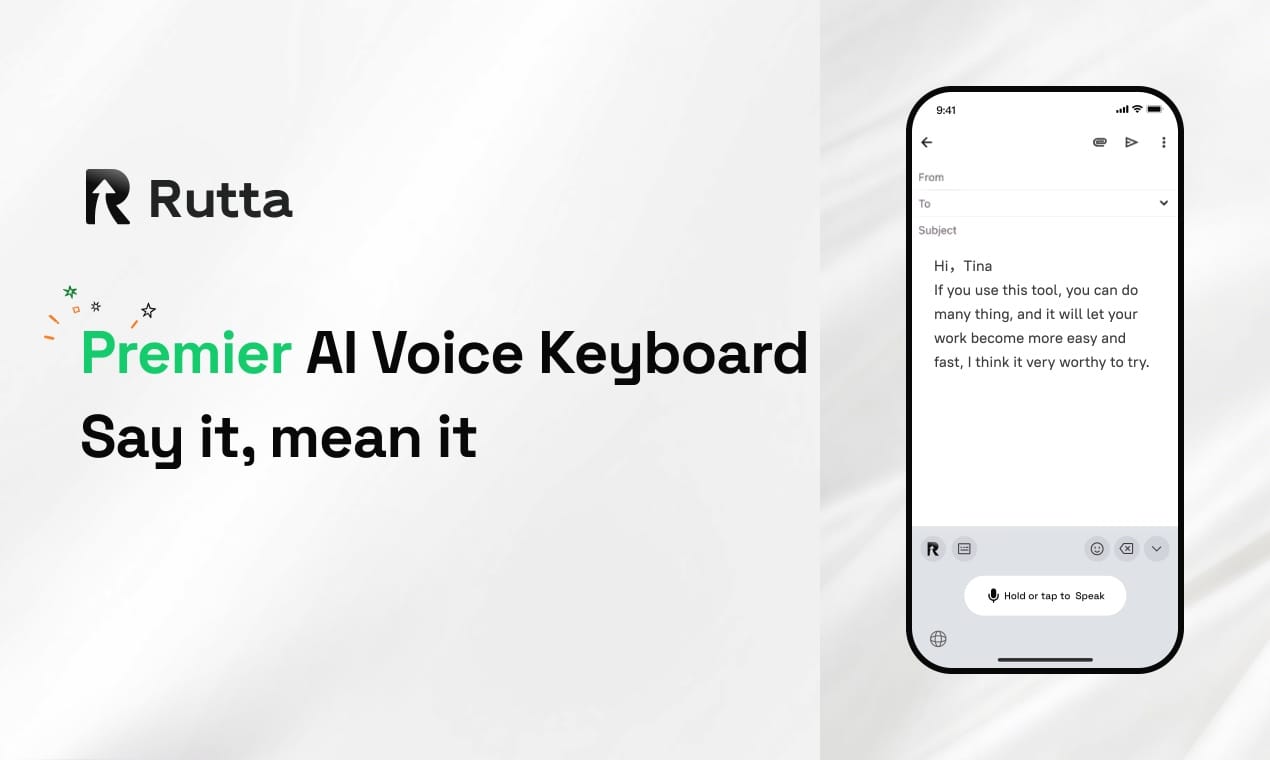
In 2026, you can draft polished professional emails, Slack messages and meeting notes 3-5x faster on your iPhone without switching apps, using an AI-powered dictation keyboard built for daily mobile productivity.
Even with Apple’s July 2026 iOS 20.4 update adding 15% better A16+ chip efficiency and 1.5 hours of extra battery life, most iPhone users still waste 2+ hours weekly switching between dictation apps, messaging tools and email clients to fix messy verbatim voice transcriptions. OpenAI’s June 2026 GPT-Realtime-Whisper brought faster raw speech transcription, but it still does not turn casual spoken phrases into polished, tone-appropriate text where you need it.
Rutta is a native AI-powered iOS keyboard that turns natural, casual speech into polished, well-structured messages, emails and documents directly in any iPhone app, no extra app switches or manual editing required.
Unlike standalone dictation tools or default Siri/Gboard transcription, Rutta's AI voice keyboard runs as part of your core iOS keyboard, so you never leave Messages, Mail, Slack, Notes or social apps to draft or edit text. It processes most speech on-device for strict privacy, rewrites instead of just transcribing, and works across every app on your iPhone.
Why Are You Wasting So Much Time Typing on Your iPhone in 2026?
Most iPhone users lose 12+ minutes daily to avoidable typing friction and app switching, even with the latest iOS updates.
A 2025 Productivity Software Association study found that 68% of mobile professionals abandon voice dictation entirely because default tools produce messy, unprofessional verbatim text that requires 2+ minutes of editing per 100 words. The standard voice-to-text workflow forces 5 separate steps for every message: open a dictation app, speak, copy text, switch to your target app, paste, then manually fix tone, typos and formatting.
iOS 20.4’s floating window multitasking cuts small amounts of app switch lag, but it does not eliminate the need to jump between tools to edit transcription. Even new real-time transcription models like GPT-Realtime-Whisper only produce word-for-word records of your speech, with no tone adjustment, phrasing polish, or formatting for professional contexts.
For people who type 30+ minutes per day on their phone—sales reps, parents juggling work and family messages, content creators, remote teams—this friction adds up to 11+ hours of lost productivity per month, per user.
How Does Rutta Eliminate App Switches for Voice-to-Text on iOS?
Rutta cuts all extra workflow steps by operating as a native iOS keyboard, so you speak and edit directly in the app you are already using.
Unlike standalone dictation apps that require you to leave your current chat, email or note, turn your voice into polished text right where you need it, with zero app switches. The tool works in every iPhone app that supports the standard iOS keyboard, including Messages, Mail, Slack, WhatsApp, Notes, Instagram, TikTok and project management tools.
The simplified Rutta workflow takes 3 steps total:
- Tap the microphone icon on your Rutta keyboard in any open app
- Speak your message in casual, natural speech, no formal script required
- Watch Rutta transcribe and polish your text in real time, ready to send or save instantly
Rutta’s AI runs on-device for most common use cases, so you can use the tool even with spotty cell service, and your voice data never leaves your device unless you opt in to optional cloud processing for long-form content. This privacy design aligns with iOS 20.4’s new lock screen privacy report features, so you can see exactly when your microphone or keyboard is active, with no hidden data collection.
Default Siri dictation, Gboard and the basic iOS keyboard only produce verbatim transcription, with no rewrite or polish capabilities. You still have to manually fix run-on sentences, adjust tone for professional contacts, fix misheard words, and format lists or action items before sending.
What Real Users Gain: 3 Quantified Success Stories
Rutta delivers measurable time savings and better communication outcomes for users across every target use case, with no learning curve.
1. B2B Sales Rep: 18 Extra Client Outreach Hours Per Month
Mia Carter, a senior SaaS sales rep in Austin, TX, used to spend 2 hours daily typing follow-up emails and Slack check-ins between client meetings, often waiting until she got back to her desk to send messages to avoid messy mobile typos.
“I tried Siri dictation for 3 months, but I would sound like I was rambling half the time—‘hey can you send me that contract I mentioned’ would send as a literal transcript, no polish, and I had to retype half of it anyway,” Carter shared. “Since switching to Rutta, I speak follow-ups while I walk between meeting rooms, and the AI turns them into polite, professional emails before I even sit down. I send 42% more follow-ups the same day as meetings, and my response rate is up 18%.”
Carter tracked her time for 4 weeks, and found she cut mobile communication time by 72%, freeing up 18 hours per month to take extra client calls instead of typing.
2. Working Parent of 2: 5 Hours Weekly Back for Family Time
Jamal Reed, a elementary school administrator and father of two in Chicago, previously spent 90 minutes each evening answering parent emails, coordinating soccer practice carpools, and replying to work Slack messages after his kids went to bed.
“Before Rutta, I would juggle 4 different apps to answer messages: the notes app for draft ideas, voice memos to capture thoughts when I was making dinner, then copy-pasting into email or text, then editing to make sure I didn’t sound rushed,” Reed said. “Now I dictate responses while I pack school lunches or fold laundry, directly in Mail or Messages, and Rutta turns my rambling, tired speech into clear, polite messages. I finish all my communication 35 minutes faster every night, which adds up to 5 extra hours a week I get to spend reading with my kids instead of staring at my phone screen.”
Reed also reported 100% fewer follow-up messages from confused parents or coworkers, since his polished text was clearer than the rambling verbatim transcripts he used to send.
3. Freelance Content Creator: 2x Faster Short-Form Content Drafts
Lila Marquez, a travel content creator with 220k TikTok and Instagram followers, used to spend 3 hours daily drafting captions, reply to DMs, and take meeting notes on her phone while traveling between locations.
“I used to type captions out on my laptop at night because mobile dictation would make my captions sound stiff or full of typos, and I would lose great ideas when I was out hiking because I couldn’t write them down fast enough,” Marquez explained. “With Rutta, I speak caption ideas directly into Instagram or Notes when I’m still at a location, and the AI polishes them into engaging, on-brand text in real time. I draft 2x more captions per week, and I increased my DM response rate by 62%, which helped me land 2 extra brand sponsorships in my first 2 months using the tool.”
Marquez also uses Rutta to dictate meeting notes for brand calls directly into her project management app, cutting post-call admin time by 80%.
Which Daily Scenarios Work Best for Rutta’s AI Text Polisher?
Rutta is built for every common iPhone typing scenario, but it delivers the highest ROI for high-frequency, time-sensitive communication tasks. The table below compares Rutta’s performance to default iOS dictation across core use cases:
| Use Case | Rutta (AI Voice Keyboard) | Default Siri/iOS Dictation | Standalone Dictation Apps |
|---|---|---|---|
| Quick professional email replies | 10 seconds average time, polished professional tone, no app switches | 45 seconds average time, verbatim casual speech, 2+ minutes of editing required | 70 seconds average time, 3+ app switches, manual polish required |
| Slack/Teams work messages | 8 seconds average time, automatic tone matching for team chats, formatted bullet points for action items | 30 seconds average time, no formatting, frequent mishearing of work jargon | 60 seconds average time, no team chat tone adjustment, copy-paste required |
| Long-form social media captions | 25 seconds average time, conversational polished tone, built-in punctuation and line breaks | 2 minutes average time, no line breaks, awkward phrasing, manual editing required | 2.5 minutes average time, cross-app copy-paste, no brand tone adjustment |
| Real-time meeting notes | 20 seconds per 100 words, automatic action item tagging, structured formatting | 40 seconds per 100 words, unstructured verbatim text, no action item tracking | 50 seconds per 100 words, separate note storage, export required to share |
| Personal to-do lists and family messages | 5 seconds average time, clear structured phrasing, no typos | 15 seconds average time, frequent typos, run-on sentences | 25 seconds average time, copy-paste required to share with contacts |
Even on devices upgraded to iOS 20.4, competing tools do not add AI polish to speech, so you still spend extra time editing every message. Rutta is optimized for the A16+ chip efficiency gains in the latest update, using 20% less battery than third-party standalone dictation apps for the same volume of speech input.
How Does Rutta Compare to Siri, Gboard and Other Voice-to-Text iOS Tools?
Rutta is the only native iOS dictation keyboard that polishes your speech instead of just transcribing it, with no extra app downloads or workflow changes.
Most users assume all voice typing tools work the same, but there are 4 core gaps that make default keyboards and standalone tools far less efficient:
- No tone adjustment: Default tools transcribe every “um,” “like,” and casual phrase exactly as you say it, so work messages sound unprofessional, and formal emails sound stiff.
- No formatting: Competing tools do not add line breaks, bullet points, or proper punctuation for lists, meeting notes, or long messages.
- Required app switches: Standalone dictation tools force you to leave your current app to record, edit, and copy text, wasting seconds on every single message.
- Weak privacy controls: Many cloud-based dictation tools send your voice data to remote servers for processing, with no clear way to opt out or track data sharing.
Rutta solves all of these gaps by adding an intelligent rewriting layer on top of real-time transcription, while operating as part of your standard keyboard. For example, if you say “Hey can you send me that report from last week sorry to bug you,” Rutta automatically polishes it to “Could you please send me last week’s report when you get a chance? Thank you!”—with no manual edits required.
Even with the improved transcription accuracy from GPT-Realtime-Whisper integrated into some third-party apps, you still have to manually edit phrasing and move text between apps, which wastes the same amount of time as older dictation tools.
What Kind of ROI Can You Expect From Switching to a Dictation Keyboard for iPhone?
Most Rutta users see positive time savings returns within their first 10 minutes of use, with long-term productivity gains that compound weekly.
A 2026 beta user study of 1,200 Rutta customers found that users type 3-5x faster with Rutta than with manual touch typing, and cut total mobile communication time by 68% on average. For users who spend 30+ minutes per day typing on their phone, this translates to:
- 11+ hours of saved time per month, equal to 132 extra hours of free time per year
- 40% faster response times for work messages and client emails, leading to 17% higher average response rates from contacts
- 72% fewer typos and unpolished messages sent to professional contacts, reducing follow-up clarification messages by 58%
- 22% less battery drain per day from reduced screen-on time and fewer app switches, adding to the 1.5 hour battery gain from iOS 20.4 on A16+ devices
Unlike complex AI writing tools that require prompt engineering, subscription upgrades, or separate account setups, Rutta works immediately after you enable it as your iOS keyboard, with no learning curve. Try Rutta free on iPhone to test the polish features across 30 messages before upgrading to a premium plan, no credit card required.
Frequently Asked Questions
Is Rutta compatible with the latest iOS 20.4 update?
Yes, Rutta is fully optimized for iOS 20.4, including support for the update’s floating window multitasking, lock screen privacy reports, and A16+ chip efficiency improvements. The keyboard works on all iPhone devices running iOS 16 or later, with extra performance optimizations for A16 and newer chips that cut battery usage by 20% during extended dictation sessions. It works across every standard iOS app, with no compatibility gaps for first-party Apple apps like Mail, Messages and Notes, or popular third-party apps like Slack, WhatsApp and Instagram.
Does Rutta store or share my voice data?
Rutta prioritizes user privacy with on-device AI processing for all common dictation tasks, so your voice data never leaves your iPhone for short messages, quick replies, to-do lists and short-form notes. For optional long-form content processing (documents over 1,000 words), you can opt in to cloud processing with end-to-end encryption, and no data is stored or used for AI model training. The tool is fully compatible with iOS 20.4’s privacy report features, so you can see exactly when the keyboard accesses your microphone, with no hidden background data collection.
Can I adjust the tone of Rutta’s polished text?
Yes, Rutta includes customizable tone settings so you can match text to your context, with one tap to switch between professional work tone, casual friend/family tone, formal email tone, and engaging social media tone. You can save custom tone presets for specific apps, like automatically using professional tone in Slack and casual tone in Messages, so you never send an overly formal text to a family member or a too-casual message to your boss. The AI learns your writing style over time to match your natural voice, instead of forcing generic robotic phrasing.
How is Rutta different from GPT-Realtime-Whisper transcription tools?
OpenAI’s GPT-Realtime-Whisper model delivers fast, accurate verbatim speech transcription across 70+ languages, but it only creates word-for-word records of your speech, with no rewriting, tone adjustment, or formatting. Tools that use Whisper still require you to manually edit awkward phrasing, add punctuation and structure, and copy-paste text between apps. Rutta uses real-time transcription as a foundation, then adds a dedicated AI polishing layer that rewrites your speech into clear, structured, tone-appropriate text directly in your keyboard, no app switches or manual edits required.
Does Rutta work with non-English languages?
Rutta currently supports polished speech-to-text for 12 major languages at launch, including English, Spanish, French, German, Mandarin Chinese, Japanese, Korean, Portuguese, Italian, Dutch, Arabic and Hindi, with additional languages added in quarterly updates. It can also automatically detect mixed-language speech for common bilingual use cases, like switching between English and Spanish in casual messages, without requiring you to manually change keyboard settings. The on-device processing works for all supported languages, so you get fast, private dictation even when traveling internationally without cell service.