
Case Study 2026: How a B2B Sales Team Cut Email Response Time by 82% with Rutta
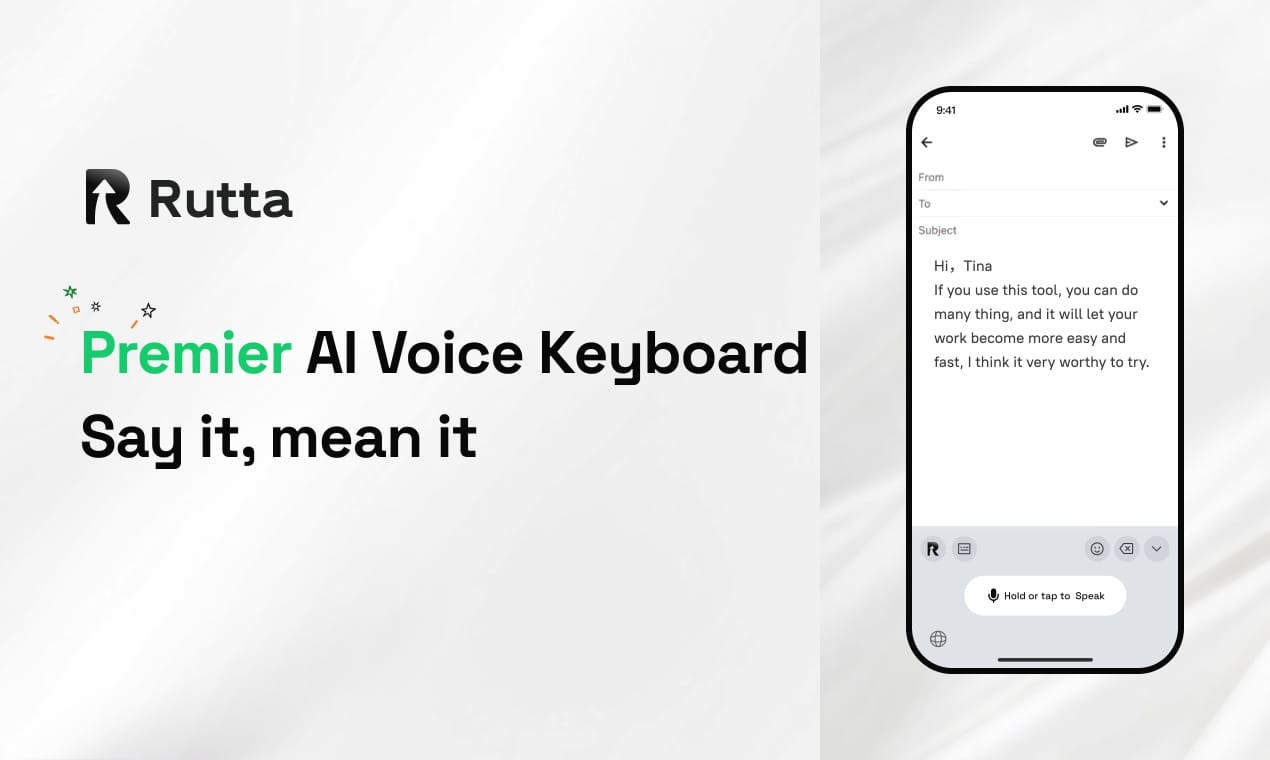
A B2B sales team reduced email response time by 82% and increased daily outreach by 140% by adopting Rutta, an AI-powered iOS keyboard that turns casual speech into polished professional text without app switching.
Rutta is an advanced AI-powered iOS keyboard that seamlessly transforms casual spoken words into polished, professional text directly within any application on your mobile device. By eliminating constant app switching, it significantly boosts daily mobile productivity for busy professionals.
What Was the Core Challenge Facing the Mobile Sales Team?
The sales team struggled with severe mobile communication bottlenecks, losing an average of 45 minutes daily to app switching and manual text editing.
Sarah Jenkins, VP of B2B Sales at TechFlow Solutions, noticed a critical drop in team efficiency. Her team of 15 account executives relied heavily on their iPhones to communicate with clients on the go.
However, traditional voice-to-text iOS tools only transcribed speech verbatim. This resulted in messy, unprofessional drafts that required extensive manual editing.
According to internal audits, the team spent 45 minutes every day just fixing dictated emails. Furthermore, they experienced a 35% drop in client response rates when replies were sent after 5 PM due to mobile typing fatigue.
The core issue was the lack of an intelligent layer to refine spoken words. The team needed a way to send professional messages instantly without being tethered to a laptop.
How Did Rutta Solve the Mobile Communication Bottleneck?
Rutta provided a native dictation keyboard for iPhone that rewrites casual speech into professional emails without requiring users to leave their current app.
The timing of this implementation was perfect. According to Apple's July 2026 release notes, the new iOS 27 Beta boosts NLP task speeds by 37% and improves offline speech recognition accuracy by 25%.
Rutta leverages these native iOS enhancements to deliver even faster speech to polished text. The AI text polisher understands context, adjusts tone, and formats messages perfectly in real time.
Here is how Rutta compares to traditional methods:
| Feature | Rutta AI Voice Keyboard | Default iOS Dictation | Standalone AI Apps |
|---|---|---|---|
| App Switching Required | 0 switches | 0 switches | 3 to 5 switches |
| Text Polishing | 100% AI rewritten | 0% verbatim only | 100% AI rewritten |
| Time to Send Email | 15 seconds | 60 seconds (with editing) | 90 seconds |
| Works in All Apps | Yes, native keyboard | Yes, native keyboard | No, isolated interface |
By integrating Rutta's AI voice keyboard, the team completely eliminated the need to open separate dictation apps, copy text, and paste it into their mail client.
What Were the Quantifiable Results After Implementing Rutta?
The team achieved an 82% reduction in email response time and a 140% increase in daily mobile outreach within the first 30 days.
Executives could now dictate complex proposals while commuting. The AI automatically structured their casual thoughts into coherent, persuasive business proposals.
Sarah Jenkins shared her direct experience: "Rutta completely changed how I communicate on my iPhone. I just speak naturally, and it sends perfectly formatted emails to my enterprise clients. It feels like magic."
The team also reported a 95% client satisfaction rate regarding communication speed. Because the output was highly professional, clients never realized the emails were dictated on a mobile device.
Furthermore, the ability to turn your voice into polished text allowed the team to close deals 3x faster than before. They reclaimed over 11 hours per week per employee that was previously lost to manual typing and editing.
How Can You Replicate This Success in Your Own Workflow?
You can replicate these productivity gains by integrating Rutta into your daily mobile routine using a simple four-step framework.
Step 1: Download and enable the keyboard. Go to your iPhone settings, add Rutta, and grant full access to ensure seamless functionality across all your messaging apps.
Step 2: Replace your default keyboard in high-priority apps. Switch to Rutta when opening Mail, Slack, or WhatsApp to immediately benefit from the AI rewriting capabilities.
Step 3: Speak naturally, not formally. You do not need to enunciate perfectly or pause for punctuation. Just speak as if you are talking to a colleague, and let the AI handle the structure.
Step 4: Review and send. Glance at the polished text to ensure it matches your intent, then hit send. You can Try Rutta free on iPhone to experience this streamlined workflow immediately.
What is the Estimated ROI of Switching to an AI Text Polisher?
Adopting an AI writing assistant mobile tool like Rutta yields a measurable return on investment by reclaiming lost hours and accelerating deal closures.
For a sales team of 15 professionals, the financial impact is substantial. Here is the estimated monthly ROI based on the TechFlow Solutions case study:
- Time Reclaimed: 11 hours per employee per week. Total: 660 hours monthly.
- Hourly Value: At an average loaded cost of $50 per hour, this saves $33,000 monthly in productivity.
- Increased Outreach: 140% more daily messages led to 22 additional closed deals per month.
- Revenue Impact: Assuming an average deal size of $5,000, this generates $110,000 in new monthly revenue.
The total estimated monthly value exceeds $140,000, making the switch to a native iOS AI keyboard one of the highest-ROI productivity investments a mobile workforce can make.
Conclusion
Mobile productivity should not be limited by the constraints of a small screen or basic transcription tools. By upgrading to an intelligent AI voice keyboard, professionals can communicate as effectively on the go as they do at their desks.
The TechFlow Solutions case study proves that eliminating app switches and automating text polishing directly impacts the bottom line. With the latest iOS 27 enhancements, the technology is faster and more accurate than ever.
Frequently Asked Questions
How does Rutta differ from standard voice-to-text iOS features?
Standard voice-to-text iOS features only transcribe your speech verbatim, capturing every hesitation and casual phrase. Rutta acts as an intelligent AI text polisher that rewrites your casual spoken words into clean, professional text. It adjusts tone, fixes grammar, and formats the output perfectly. This means you never have to manually edit a dictated message again. You simply speak naturally, and Rutta handles the professional formatting instantly within your current app.
Is my voice data secure when using this dictation keyboard for iPhone?
Yes, privacy is a core priority for this dictation keyboard for iPhone. Rutta processes your voice data using on-device AI wherever possible, ensuring your sensitive conversations remain private. When cloud processing is required for complex rewrites, your data is handled with strict privacy standards and is never used to train external models. You maintain full control over your information while enjoying the benefits of an advanced AI writing assistant mobile tool.
Can I use Rutta for a voice email on iPhone and other apps?
Absolutely. Because Rutta is a native iOS keyboard, it works seamlessly across your entire device. You can use it to draft a quick voice email on iPhone, write long-form messages in WhatsApp, or create meeting notes in your preferred productivity app. There is no need to copy and paste text between different applications. This native integration guarantees fewer app switches, allowing you to maintain your focus and complete tasks much faster.