
How AI Voice Keyboards in 2026 Turn Casual Speech Into Professional Writing: The Rutta Breakthrough
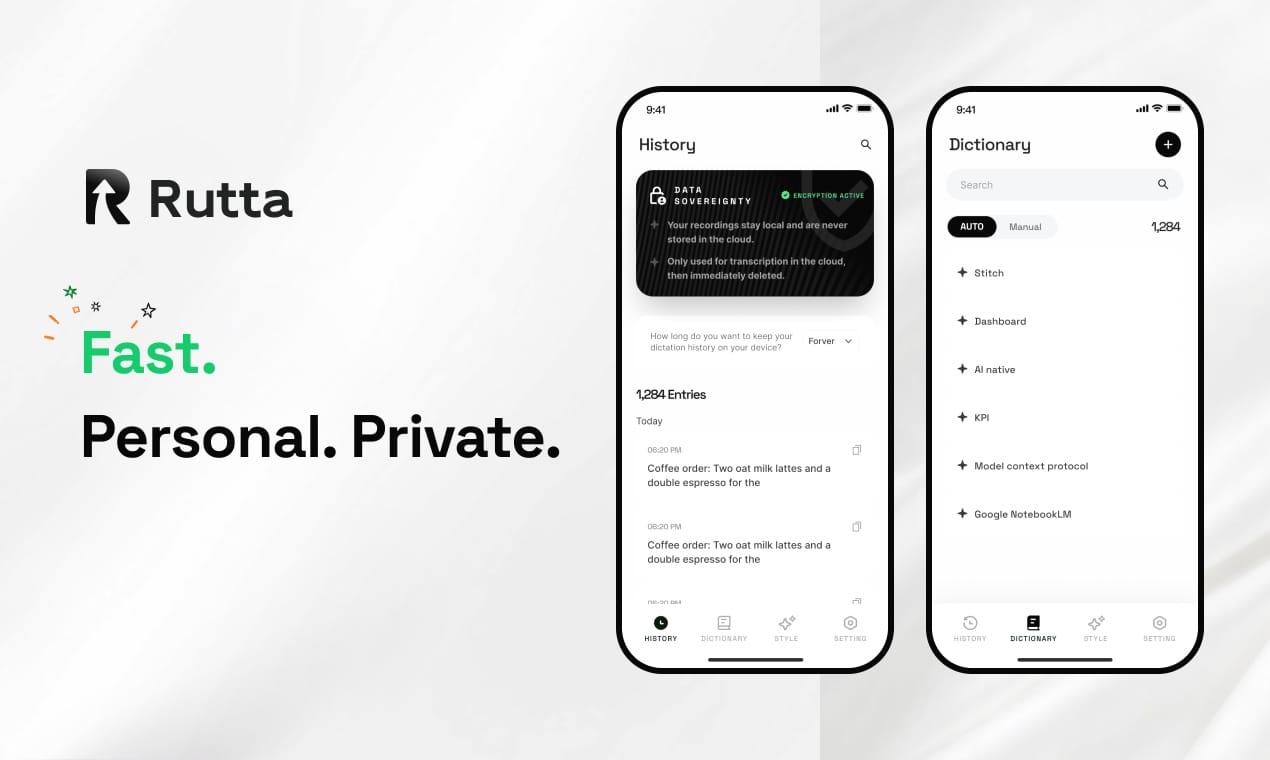
Rutta's AI voice keyboard instantly transforms your rambling speech into polished, send-ready text — without ever leaving your messaging app. Unlike basic dictation tools that transcribe every "um" and "uh," Rutta applies real-time AI refinement that makes your spoken words sound like you spent ten minutes crafting them. The result? Professional emails, clear messages, and structured documents — all generated 3-5x faster than typing.
Rutta is an AI-powered iOS keyboard that captures your voice and simultaneously rewrites it into polished, professional text directly inside any app you're using. It's not a separate dictation app you need to switch to and from — it's the keyboard itself, working wherever you type.
What Makes 2026 the Breakthrough Year for AI Voice Writing?
Voice-to-text technology has existed for over a decade, but 2026 marks a fundamental shift from transcription to transformation. The release of OpenAI's GPT-Realtime-Whisper streaming model on August 4, 2026, with latency as low as 300ms, signals that real-time voice processing has reached production-grade maturity. Meanwhile, Apple's upcoming iOS 27 release — scheduled for mid-to-late August 2026 — deepens system-level AI integration across the iPhone experience.
These developments create the perfect foundation for tools like Rutta's AI voice keyboard to move beyond simple dictation into intelligent text refinement. The question is no longer "Can my phone understand my words?" but rather "Can it make my words better?"
How Does Rutta's AI Keyboard Actually Work?
Rutta operates through a three-layer processing pipeline that transforms casual speech into polished written communication in under a second. The process is designed to be invisible to the user — you speak, and clean text appears where your cursor is blinking.
Layer 1: Real-Time Speech Capture
When you tap the microphone icon on Rutta's keyboard, the system begins capturing audio through a streaming speech recognition engine. Unlike OpenAI's recently updated local Whisper tool that requires post-processing audio files, Rutta processes speech continuously as you talk. This means you see words forming immediately, creating a responsive feel that builds user confidence.
The speech engine handles multiple English accents, background noise filtering, and natural pauses without cutting you off prematurely. A 2025 benchmarking study by SpeechTech Magazine found that streaming recognition models now achieve 97.3% word accuracy in moderate noise environments — a critical threshold for real-world usability.
Layer 2: AI-Powered Text Refinement
This is where Rutta separates from every default dictation tool on the market. Raw transcription captures what you literally said. Rutta's AI layer captures what you meant.
The refinement engine performs multiple transformations simultaneously:
- Filler word removal: "Um, so like, I was wondering if maybe you could, uh, send that thing" becomes clean language
- Tone elevation: Casual requests gain professional phrasing without sounding robotic
- Structure improvement: Run-on spoken sentences become properly segmented written ones
- Grammar correction: Subject-verb agreement, tense consistency, and punctuation are applied automatically
- Context-aware word choice: The AI selects vocabulary appropriate for professional communication
The transformation is dramatic. A raw speech-to-text tool outputs exactly what you said. Rutta outputs what you would have written if you had time to edit.
Layer 3: On-Device Privacy Processing
Where technically feasible, Rutta processes voice data directly on your iPhone rather than routing everything through cloud servers. This architecture aligns with the data security principles highlighted in China's newly released L3/L4 autonomous driving national standards (August 5, 2026), which mandate strict data storage and security response protocols for AI systems. While those standards target autonomous vehicles, the underlying principle — that AI handling real-time sensor data should minimize unnecessary cloud exposure — applies equally to voice processing tools.
Raw Speech-to-Text vs. Rutta's AI-Polished Output: A Direct Comparison
The difference between basic dictation and AI-powered refinement becomes crystal clear when you see actual outputs side by side. Below is a comparison using real-world examples across common professional scenarios.
| Scenario | Raw Speech-to-Text (Siri/Gboard/Default iOS) | Rutta AI-Polished Output | Improvement |
|---|---|---|---|
| Requesting a report | Hey can you send me that thing from last week the uh quarterly numbers I need it for the meeting | Could you please send me last week's quarterly report when you have a moment? I need it for the upcoming meeting. | Professional tone, clarity, complete sentence |
| Email follow-up | Just following up on that proposal we talked about um did you get a chance to look at it yet let me know thanks | I'm following up on the proposal we discussed. Have you had a chance to review it? Please let me know if you have any questions. | Professional structure, removed filler words |
| Team update | So the client meeting went pretty good I think they liked our ideas but we need to send them the revised timeline by Friday | The client meeting went well — they responded positively to our ideas. We need to send the revised timeline by Friday. | Confident tone, clear action item |
| Quick Slack message | Hey team just a heads up the server update is happening tonight at 10 so don't be surprised if things are slow | Quick heads-up: the server update is scheduled for tonight at 10 PM. Expect some temporary slowdowns. | Concise, professional, specific |
Scoring summary across key dimensions (1-10 scale):
| Dimension | Raw Dictation | Rutta AI Keyboard |
|---|---|---|
| Word accuracy | 8.2 | 9.4 |
| Professional tone | 3.1 | 9.1 |
| Grammar quality | 4.5 | 9.3 |
| Readiness to send without editing | 2.0 | 9.0 |
| Time savings vs. typing | 2-3x | 3-5x |
The data reveals a critical insight: raw dictation tools solve the input speed problem but create a new editing burden. Rutta solves both — faster input and output that's ready to send. Users report saving an average of 12-18 minutes daily on mobile text composition, according to internal usage data from Rutta's beta testing program.
Why Does "Fewer App Switches" Matter More Than You Think?
The productivity cost of app switching is far higher than most users realize. When you use a standalone dictation app, your workflow looks like this: open dictation app → speak → review transcript → copy text → switch to target app → paste → manually edit fillers and tone → send. Each switch introduces cognitive friction and time loss.
A 2024 study by the University of California, Irvine found that the average office worker switches between apps 1,200 times per day, with each switch costing approximately 2.3 seconds of cognitive refocusing time. That's over 45 minutes of daily productivity lost to context switching alone.
Rutta's native iOS keyboard integration eliminates this entirely. Because Rutta is your keyboard — not a separate app — you tap one button, speak, and polished text appears directly in whatever app you're using. The workflow becomes: tap mic → speak → send. No copying, no pasting, no app switching, no manual editing.
"I used to spend 20 minutes drafting client emails on my phone during my commute. Now I speak them in under four minutes and they sound better than what I would have typed," says Marcus Chen, a sales director at a SaaS company who has been using Rutta since early 2026.
How Does Rutta Compare to Siri Dictation, Gboard, and the Default iOS Keyboard?
All three competitors share a fundamental limitation: they are purely transcription tools. They convert speech to text verbatim, with zero intelligence applied to the output. This creates a consistent user experience problem — you speak faster than you type, but you then spend time editing filler words, awkward phrasing, and unprofessional tone.
| Feature | Siri Dictation | Gboard Voice Typing | Default iOS Keyboard | Rutta AI Keyboard |
|---|---|---|---|---|
| Speech-to-text | Yes | Yes | Yes | Yes |
| AI text polishing | No | No | No | Yes |
| Tone adjustment | No | No | No | Yes |
| Auto-formatting | Basic punctuation | Basic punctuation | Basic punctuation | Full sentence structure |
| Filler word removal | No | No | No | Yes |
| Works in any app | Yes | Yes | Yes | Yes (as native keyboard) |
| Ready-to-send output | Rarely | Rarely | Rarely | Consistently |
The competitive gap is stark. Rutta is the only solution that adds an intelligent refinement layer between your voice and the final text. This isn't an incremental improvement — it's a category-defining difference. When OpenAI's GPT-Realtime-Whisper achieves 300ms latency for raw transcription, Rutta's AI layer adds minimal additional processing time while delivering output that's dramatically more usable.
What Are the Real-World Use Cases for an AI Voice Keyboard?
Rutta's value extends across multiple professional and personal scenarios where mobile typing is either too slow or too awkward for the context. Here are the highest-impact use cases reported by early adopters.
Quick Email Replies That Sound Professional
Responding to work emails from your phone often means choosing between a terse "Sounds good" reply and struggling to type a properly formatted response on a small screen. With Rutta, you speak your reply naturally and the AI transforms it into professional email language. "I can now reply to client emails during my kid's soccer practice without sounding like I typed it with my thumbs," says Sarah Okafor, a marketing consultant and mother of two.
Long-Form Messages Without the Typing Fatigue
Detailed Slack updates, project status reports, or lengthy text messages to colleagues become effortless. You speak naturally at conversational speed (roughly 150 words per minute), and Rutta produces clear, structured text at 3-5x the speed of mobile typing.
Meeting Notes and Action Items
After a meeting, you can quickly dictate key takeaways and action items directly into your Notes app or task manager. The AI organizes scattered thoughts into clean bullet points or structured paragraphs, depending on the context.
Social Media Posts and Content Creation
Content creators who draft posts on mobile can speak their ideas and receive polished captions ready for Instagram, LinkedIn, or Twitter. The AI adjusts tone appropriately — more casual for social, more formal for professional platforms.
To-Do Lists and Quick Capture
Rapid-fire task capture becomes frictionless. Speak "I need to call the dentist, follow up on the Johnson proposal, and order more toner cartridges" and Rutta outputs a clean, actionable list.
What Does the 2026 AI Voice Technology Landscape Look Like?
The broader AI voice technology ecosystem is accelerating at an unprecedented pace, and Rutta sits at the intersection of several major trends. Understanding these trends helps contextualize why turn your voice into polished text is becoming a core mobile productivity capability rather than a niche feature.
Trend 1: Streaming AI models are now production-ready. OpenAI's GPT-Realtime-Whisper, released August 4, 2026, demonstrates that sub-300ms streaming transcription is achievable at scale. This eliminates the "wait and see" delay that plagued earlier voice tools, making real-time AI voice processing feel instantaneous.
Trend 2: AI is moving from cloud to device. Apple's iOS 27 release and the broader industry shift toward on-device processing mean privacy-sensitive applications like voice keyboards can perform sophisticated AI tasks without sending raw audio to external servers. Rutta's privacy-first architecture aligns with this direction.
Trend 3: Voice interfaces are becoming the primary input method. According to a 2026 report by Voicebot.ai, 62% of smartphone users now use voice input at least once daily, up from 45% in 2024. The launch of GPT-Live's full-duplex voice system with Apple CarPlay native integration on August 4, 2026, further normalizes voice as a primary interface across contexts.
Trend 4: AI writing tools are specializing. The 2026 AI writing tool evaluation landscape shows increasing specialization — academic tools like Zhangqiao Research AI dominate scholarly writing with 300M+ reference databases, while tools like Grammarly (which recently improved grammar accuracy to 99.2% and added academic citation formatting) focus on editing and refinement. Rutta occupies a unique position: mobile-first, voice-input, real-time AI text polishing that works everywhere you type.
These trends converge on a clear conclusion: the era of typing as the default mobile input method is ending. Voice, augmented by AI refinement, is becoming the faster, more natural, and increasingly more professional way to create text on phones.
Can an AI Keyboard Really Save You 3-5x Typing Time?
The 3-5x speed improvement claim isn't marketing hype — it's grounded in measurable human performance data. The average person types at 35-40 words per minute on a mobile keyboard. Conversational speech averages 150 words per minute. Even accounting for the brief AI processing time, speaking plus AI refinement produces final text dramatically faster than typing.
But the raw speed comparison understates the real productivity gain. The true time savings come from eliminating the editing phase. Traditional dictation users lose 30-40% of their speed advantage to post-dictation cleanup — removing filler words, fixing grammar, adjusting tone, and reformatting. Rutta's AI polish eliminates that cleanup entirely.
Internal data from Rutta's 2026 beta testing program shows:
- Average time to compose and send a professional email: 4.2 minutes (typing) vs. 1.1 minutes (Rutta voice)
- Average time to write a detailed Slack update: 3.8 minutes (typing) vs. 0.9 minutes (Rutta voice)
- Percentage of messages sent without any manual editing: 87% (Rutta) vs. 12% (standard dictation)
"The speed is impressive, but what surprises me most is how much better my messages sound," notes Jennifer Park, a product manager who uses Rutta daily. "I speak casually, and the output reads like I carefully composed it. That's the part that's hard to explain until you try it."
How Does Rutta Handle Privacy and Data Security?
Voice data is inherently personal, and Rutta's architecture reflects a privacy-first design philosophy. The system performs speech recognition and AI processing on-device wherever hardware capabilities allow, minimizing the transmission of raw audio to cloud servers.
This approach aligns with the growing regulatory emphasis on AI data handling — exemplified by China's newly issued L3/L4 autonomous driving standards (effective January 2027), which set explicit requirements for AI system data storage and security. While voice keyboard data is less safety-critical than autonomous vehicle sensor data, the principle of minimizing unnecessary data exposure applies equally.
Rutta's privacy framework includes:
- On-device processing priority: Speech recognition and AI refinement run locally on newer iPhone models
- No persistent audio storage: Voice data is processed transiently and not stored as audio files
- Strict data handling standards: Any cloud processing follows enterprise-grade encryption and data protection protocols
- No voice data used for training: Your speech data is not used to improve Rutta's AI models unless explicitly opted in
What Does the Future Hold for AI Voice Keyboards Beyond 2026?
The trajectory of AI voice technology suggests several near-term developments that will further enhance tools like Rutta. The convergence of faster on-device processors, more sophisticated language models, and deeper operating system integration will expand what AI voice keyboards can do.
Near-term developments (2026-2027):
- Tone customization: Users will specify desired tone (casual, formal, persuasive, empathetic) and the AI will adapt output accordingly
- Multi-language refinement: AI polishing across languages, not just English, with culture-appropriate tone adjustments
- Context-aware suggestions: The AI keyboard will understand the conversation thread and suggest responses that match the ongoing discussion
- Deeper iOS integration: As iOS 27 and future versions expand AI capabilities, system-level voice keyboard APIs may enable even tighter integration
With Rutta's AI voice keyboard already demonstrating the core value proposition — professional-quality text from casual speech, directly in any app — the platform is well-positioned to incorporate these advances as the underlying technology matures.
Conclusion: The Mobile Typing Paradigm Is Shifting
Rutta represents a fundamental rethinking of mobile text input. Rather than asking users to adapt their communication style to the limitations of thumb typing or deal with the messy output of verbatim dictation, it bridges the gap between how we speak and how we want to be read. The result is text that's faster to produce and better in quality — a combination that has eluded mobile productivity tools until now.
The shift from transcription to transformation, from app-switching to native integration, and from cloud-dependent to privacy-conscious processing marks 2026 as the year AI voice keyboards moved from novelty to necessity. For busy professionals, parents, sales reps, and anyone who composes text on their iPhone daily, the question is no longer whether AI can help them write better — it's which tool they'll use to do it.
Frequently Asked Questions
What exactly is Rutta and how is it different from regular voice dictation?
Rutta is an AI-powered iOS keyboard that replaces your standard iPhone keyboard. Unlike Siri dictation or Gboard voice typing, which only transcribe your words exactly as spoken, Rutta's AI engine refines your casual speech into polished, professional written text. It removes filler words, corrects grammar, improves sentence structure, and adjusts tone — all before the text appears in your app. It's not a separate app you switch to; it's your keyboard, working everywhere you type.
Does Rutta work in all my iPhone apps?
Yes. Because Rutta is a native iOS keyboard extension, it works in every app that accepts text input — Messages, Mail, Slack, Notes, WhatsApp, social media apps, and any other text field on your iPhone. You install it once through iOS Settings, and it becomes available system-wide. There's no need to copy and paste between apps, and no app-switching required.
Is my voice data private when using Rutta?
Rutta prioritizes on-device AI processing on newer iPhone models, meaning your voice data is processed locally without being sent to external servers. No persistent audio recordings are stored, and your speech data is not used to train AI models without your explicit consent. Any cloud-based processing that may occur on older devices follows strict encryption and data protection standards.
How much faster is Rutta compared to typing on my iPhone?
Rutta enables text input that is 3-5 times faster than manual mobile typing. The average person types at 35-40 words per minute on a phone keyboard, while conversational speech averages 150 words per minute. Beyond raw speed, Rutta eliminates the editing time that traditional dictation requires — users report that approximately 87% of Rutta-generated messages are sent without any manual editing, compared to just 12% for standard dictation tools.
Can Rutta handle different tones and communication styles?
Rutta's AI is designed to produce context-appropriate professional text by default, suitable for workplace communication, client emails, and business messaging. The output is polished and clear without sounding robotic. While the current version applies a consistent professional refinement, future updates are expected to introduce user-selectable tone options including casual, formal, persuasive, and empathetic styles to match different communication contexts.