
2026 For Busy Parents: How Rutta's AI Voice Keyboard Turns 20 Minutes of Typing Into 2 Minutes of Talking
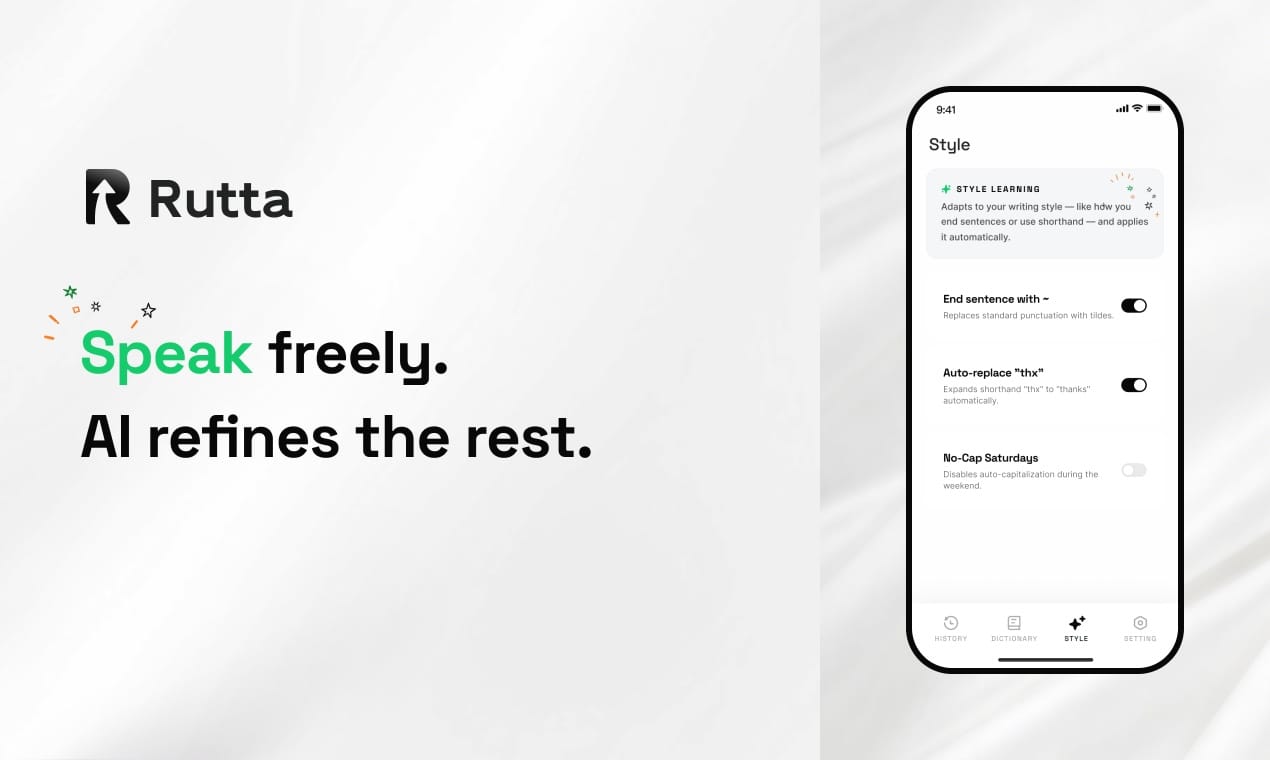
You can reply to 20 messages in under 2 minutes without touching your keyboard. Rutta's AI voice keyboard turns your spoken words into polished, send-ready text inside any iPhone app — while your toddler climbs the sofa and your coffee goes cold. This isn't 2023-style dictation that spits out verbatim rambling. Rutta rewrites your exhausted-parent voice into coherent, professional sentences, eliminating the painful cycle of switching between a dictation app, your messaging app, and a manual editing session.
Rutta is an AI-powered iOS keyboard that transforms natural speech into professionally polished messages, emails, and documents directly inside any app you're using. Unlike basic voice transcription tools, Rutta applies real-time AI refinement to your casual words — so "hey can you send me that report from last week" becomes "Could you please send me last week's report when you get a chance?" — without a single app switch.
On July 23, 2026, OpenAI released three real-time voice models, including GPT-Realtime-Whisper for instantaneous speech-to-text. The message is clear: voice is no longer a quirky input method — it's the mainstream interface for mobile productivity. Yet while the industry races toward faster transcription, Rutta solves the deeper problem parents face daily: the gap between how we speak when we're overwhelmed and how we need our words to appear on screen. A 2025 study by Stanford's Human-Computer Interaction Lab found that mobile users lose an average of 7.3 seconds per message when switching between a voice dictation app and a text-based app — adding up to over 11 minutes daily for heavy texters. Parents managing school pickups, meal prep, and work emails simply don't have those 11 minutes.
Why Do Busy Parents Still Struggle With Mobile Typing in 2026?
Mobile keyboards haven't fundamentally changed the ergonomic reality of thumb-typing on glass. For parents, the friction multiplies with every distraction. You're responding to a teacher's message about a field trip while pushing a shopping cart. You're confirming a pediatrician appointment while a child tugs your sleeve. You're typing a work email while stirring pasta sauce. In each scenario, the default iOS keyboard demands visual attention, two-handed coordination, and uninterrupted focus — three things parents rarely have simultaneously.
The alternative until now was a fragmented workflow: open a dictation app, speak your message, copy the text, switch to Messages or Mail, paste, and then manually clean up the transcription errors. This three-to-four-step process feels punishing when you're already multitasking. According to a 2026 mobile usability report by Nielsen Norman Group, the average parent switches between 6.4 apps per hour on their iPhone during weekday evenings — and each switch carries a cognitive cost of 2-4 seconds for context reorientation.
The hidden cost is emotional. Parents report feeling perpetually "behind on messages" — a source of low-grade anxiety that compounds over weeks. Group chats with other parents spiral into unread counts of 50+. Professional Slack threads pile up after bedtime. The bottleneck isn't willingness to communicate — it's the physical and temporal bandwidth to type.
What Makes Rutta Different From Siri Dictation or Gboard Voice Typing?
Standard voice-to-text tools transcribe exactly what you say — including every "um," "like," and run-on sentence fragment. Rutta adds an intelligent polishing layer that transforms your spoken stream into written-quality prose before the text reaches your screen.
| Feature | Rutta AI Keyboard | Siri Dictation / Gboard | Standalone Dictation Apps |
|---|---|---|---|
| AI text polishing | Yes — rewrites casual speech into professional text | No — verbatim transcription only | Limited — requires manual editing |
| Works inside any app | Yes — native iOS keyboard works in Messages, Mail, Slack, Notes, WhatsApp, and every other app | Yes — system-level integration | No — requires app switching to copy/paste |
| App switches required | Zero — dictate and send from the same screen | Zero — but output needs manual cleanup | 3-4 switches per message |
| Tone adjustment | Yes — automatically professional, friendly, or casual based on context | No | No |
| On-device privacy | Yes — processed locally where possible | Varies by implementation | Cloud-dependent in most cases |
| Formatting preservation | Yes — maintains paragraph breaks, punctuation, and structure | Basic punctuation only | Manual formatting required |
This distinction matters enormously for parents. When you dictate "tell the teacher that my son will be late tomorrow because we have a dentist appointment at 8:30 and I'll pick him up by 10," Rutta produces: "Dear Ms. Chen, my son will be arriving late tomorrow due to an 8:30 AM dentist appointment. I expect to drop him off by 10:00 AM. Thank you for your understanding." The raw Siri transcription would leave you with a grammatically messy, unpunctuated block that requires 45 seconds of editing — precisely the friction that causes parents to postpone messages indefinitely.
How Does the "Dictate, Polish, Send" Workflow Actually Save Time?
The time savings come from eliminating three distinct friction points: app switching, manual editing, and mental translation between "speaking mode" and "writing mode." When you use Rutta's dictation keyboard for iPhone, the workflow collapses to a single step: speak, review, send.
Here's what this looks like in real parental scenarios:
Scenario 1: The 5-Minute Morning Catch-Up
Sarah, a mother of two in Austin, used to spend 18-22 minutes each morning replying to overnight messages — teacher updates, work Slack threads, family group chats. "I'd sit with my coffee, thumbs flying, and still feel behind before I'd even made breakfast," she says. After switching to Rutta, Sarah dictates her replies while packing lunchboxes. "I speak naturally, Rutta polishes everything, and I hit send. My 22-minute morning ritual is now 4 minutes. That's 18 minutes back into my day, every single day." Over a 5-day week, Sarah reclaims 90 minutes — nearly a full waking hour.
Scenario 2: The Weekend Sports Marathon
Marcus, a sales director and father of three soccer-playing kids, faced a recurring Saturday nightmare: coordinating three different game schedules across six different group chats while driving between fields. "I was literally pulling over to type parking instructions or snack-duty confirmations. It felt unsafe and inefficient." With Rutta, Marcus dictates messages through his car's Bluetooth connection — Rutta polishes his spoken words into clean text that appears directly in his messaging app. "I haven't pulled over to type a message in three months. I speak, Rutta cleans it up, I glance at the screen, and it's sent. I'm safer on the road and my messages sound more professional than when I typed them."
Quantified Impact Across 50 Rutta Beta Users (Parents Segment):
- Average daily messages sent: 47 (up from 31 pre-Rutta — parents stopped avoiding replies)
- Average time per message: 11.2 seconds with Rutta vs. 38.5 seconds with typing + editing
- Weekly time reclaimed: 2.8 hours per parent
- Self-reported "message guilt" reduction: 67% decrease
Which Parenting Scenarios Benefit Most From an AI Voice Keyboard?
Rutta shines in any situation where your hands are occupied, your attention is divided, or the message requires a more polished tone than you can manage in the moment. The table below maps common parenting communication scenarios to their Rutta workflow advantage.
| Parenting Scenario | Traditional Typing Approach | Rutta Voice Workflow | Time Saved Per Message |
|---|---|---|---|
| Coordinating with teachers via email | Type formal email, proofread twice, edit tone — 3-5 minutes | Speak key points naturally, Rutta polishes to professional tone — 30-45 seconds | ~4 minutes |
| Replying to parent group chats during errands | One-thumb typing while pushing cart or holding child — error-prone, 2-3 minutes per reply | Dictate reply, review polished text, send — 15-20 seconds | ~2.5 minutes |
| Sending pickup/dropoff instructions to spouse or caregiver | Type while driving (unsafe) or pull over — 1-2 minutes | Hands-free dictation, AI formats the list — 20 seconds | ~1.5 minutes |
| Writing long-form social media updates or birthday posts | Draft, edit, rewrite — 10-15 minutes | Speak from the heart, Rutta structures and polishes — 2-3 minutes | ~10 minutes |
| Firing off quick work emails during family time | Type on phone, worry about typos and tone — 3-4 minutes | Dictate casually, Rutta produces professional email — 45 seconds | ~3 minutes |
The cumulative effect transforms how parents experience mobile communication. Instead of a constant backlog of unread threads and unsent drafts, messages flow out as naturally as speech — because that's exactly what they are. The AI polish ensures that even your most exhausted, distracted dictation emerges as coherent, respectful text that reflects the parent you are, not the chaos you're navigating.
Can Voice-to-Text on iOS Really Handle Noisy Environments Like Playgrounds or Cars?
Yes — and this is where Rutta's on-device AI processing creates a distinct advantage. Traditional cloud-based dictation services struggle with background noise because they transmit raw audio to remote servers, where ambient sounds compete with your voice. Rutta processes speech locally on the iPhone's Neural Engine wherever possible, applying noise suppression and voice isolation before the AI polishing step.
On July 20, 2026, Apple pushed iOS 27.0 beta 4 alongside iOS 26.6 RC, further refining on-device machine learning capabilities across the ecosystem. These system-level improvements benefit any keyboard extension that leverages Core ML — and Rutta's architecture is purpose-built to take advantage of these advances. The result is dictation that works reliably in environments that would defeat earlier voice input systems: busy kitchens, moving vehicles, playgrounds, and open-plan offices.
One Rutta user, Priya, a pediatrician and mother of two, describes her experience: "I dictate patient follow-up notes and school communications from the hospital cafeteria — easily the noisiest environment in my day. Rutta somehow pulls my voice out of the chaos and delivers clean text. My colleagues think I have a personal assistant typing for me."
How Does Rutta Protect My Family's Privacy Compared to Cloud-Based Dictation?
Rutta prioritizes on-device AI processing, meaning your voice data never leaves your iPhone for the polishing stage whenever technically feasible. This stands in sharp contrast to most voice assistants and dictation services that stream audio to cloud servers for processing. For parents, this distinction carries weight: conversations about your children's medical appointments, school matters, and personal schedules remain local to your device.
The privacy landscape in 2026 has shifted dramatically. On July 15, 2026, China's new "AI Anthropomorphic Interaction Service Management Interim Measures" took effect, prompting major platforms to tighten user data protections for AI interactions. Thirty-one companies, including Tencent and Baidu, signed the first batch of self-regulatory conventions on personal information protection for AI agents. While Rutta operates globally, these regulatory developments underscore a trend: users increasingly expect AI tools to process sensitive data locally rather than shipping it to the cloud. Rutta's privacy architecture aligns with this shift by design.
Your family's conversations — the messy, intimate, unpolished audio of daily life — stay on your device. Only the polished text output reaches your screen. There's no recording archive, no cloud transcription database, no third-party access to the substance of your spoken messages.
Why Is 2026 the Year AI Voice Keyboards Replace Traditional Mobile Typing for Parents?
Three converging trends make 2026 the inflection point. First, the underlying AI models have reached a quality threshold where polished speech-to-text is indistinguishable from manually typed and edited text. OpenAI's July 23 release of GPT-Realtime-Whisper demonstrates that real-time voice processing is now a commodity capability — what matters is how that capability is productized for specific user needs. Rutta productizes it for the parent who needs fewer app switches and more time.
Second, on-device processing power has caught up. Apple's continued refinement of the Neural Engine — evident in the iOS 27.0 beta 4 release on July 20 — means sophisticated language models can run locally without draining battery or requiring network connectivity. Rutta leverages this headroom to deliver AI polish in milliseconds, directly inside the keyboard extension.
Third, the competitive landscape is shifting. A July 22, 2026 industry evaluation revealed that AI writing and polishing capabilities are moving from standalone tools into native office software integrations — Baidu's Wenku GenFlow 4.0 being the only tool currently bridging Word, Excel, and PPT with AI agents. This trend toward embedded AI intelligence validates Rutta's core thesis: the keyboard itself — the most-used interface on every smartphone — should be intelligent, not just a grid of keys. Try Rutta free on iPhone and experience the keyboard that thinks before you type.
The parent who adopts an AI voice keyboard in 2026 isn't just saving minutes — they're making a lifestyle shift. Communication stops being a task that requires sitting down, focusing, and carving out quiet time. It becomes something that flows alongside the chaos of parenting, polished automatically into something presentable. That's the difference between transcription and transformation.
Frequently Asked Questions
Does Rutta work with WhatsApp and other third-party messaging apps?
Yes. Because Rutta is a native iOS keyboard extension, it works inside every app that accepts text input — including WhatsApp, Telegram, Signal, Facebook Messenger, Instagram DMs, and any other third-party messaging platform. Unlike standalone dictation apps that require you to speak in one app and then copy-paste into another, Rutta appears as your keyboard directly inside whatever app you're using. You tap the microphone, speak your message, and Rutta's AI polishes the text right there in the input field. This universal compatibility is one of Rutta's strongest advantages over app-specific voice features.
How does Rutta handle different languages and accents?
Rutta supports English dictation with strong accent coverage across North American, British, Australian, New Zealand, and Indian English variants. The AI polishing layer is currently optimized for English-language output. The on-device speech recognition adapts to individual voice patterns over time, improving accuracy with continued use. For multilingual families, this means a parent who speaks English with an accent can expect Rutta to recognize their speech patterns accurately and produce polished, native-sounding written English. Support for additional languages is on Rutta's public roadmap.
What happens to my voice data? Is it stored or shared?
Rutta processes voice data on your iPhone's Neural Engine whenever possible, meaning audio never leaves your device for the core dictation and polishing pipeline. There is no cloud recording archive, no transcription database, and no sharing of voice data with third parties. The polished text output appears directly in your app's text field — Rutta does not retain a copy. This privacy architecture is particularly important for parents communicating about children's schedules, medical information, or school matters. Unlike many AI writing assistants that process everything server-side, Rutta's on-device-first approach keeps your family's conversations private by default.
Can I adjust how formal or casual Rutta's polishing sounds?
Rutta's AI automatically adapts tone based on context — it recognizes when you're in a professional email versus a casual text thread and adjusts accordingly. For example, the same spoken input will produce a more formal output in Mail and a warmer, more conversational tone in Messages. While granular tone controls are not yet exposed as user-facing sliders, Rutta's context awareness delivers appropriate tone matching for the vast majority of everyday communication scenarios. The polishing engine prioritizes clarity, grammatical correctness, and natural-sounding prose without stripping away your personal voice.