
How Rutta's iOS AI Keyboard Eliminates App Switching Forever — 2026 Deep Dive
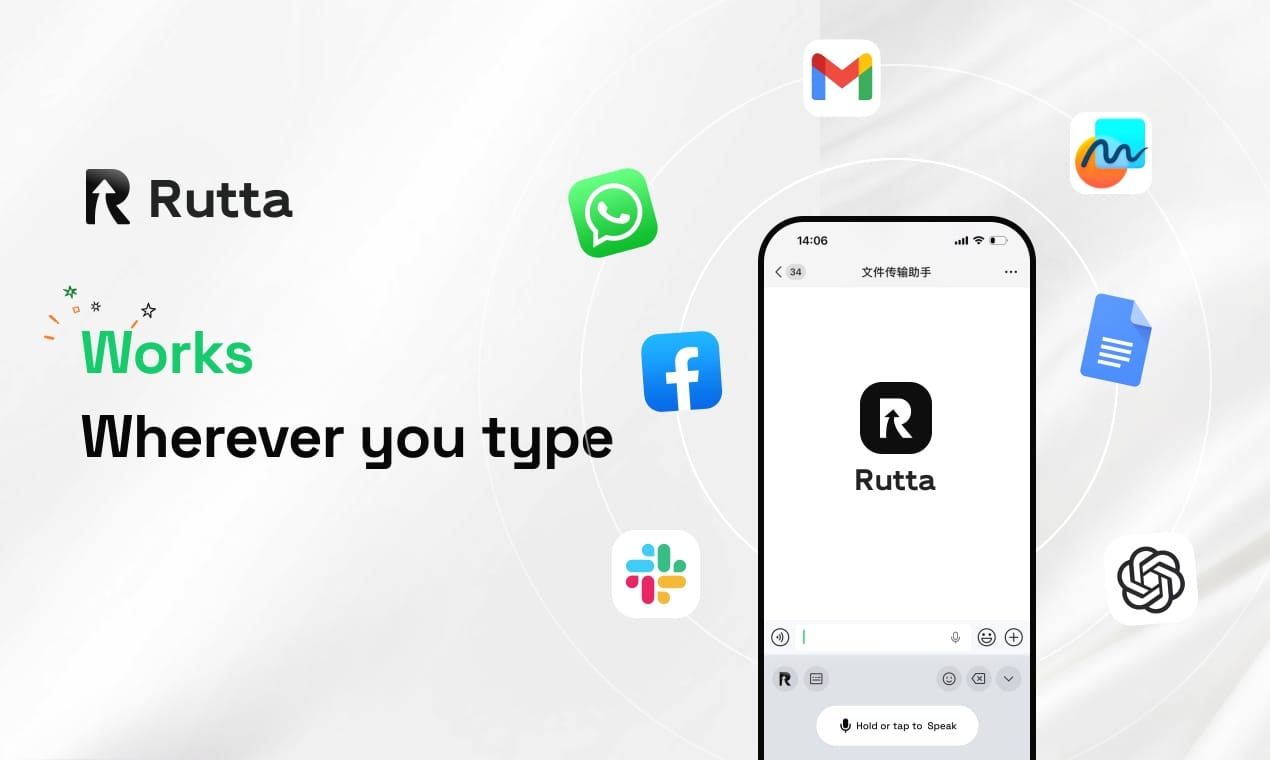
You can now speak casually into any iPhone app and get polished, professional text instantly — without copying, pasting, or switching screens. Rutta's AI voice keyboard makes app-switching dictation workflows obsolete by embedding AI-powered speech refinement directly into the iOS keyboard.
Rutta is an AI-powered iOS keyboard that transforms casual speech into polished, professional text in real time — directly inside any iPhone app. Unlike traditional dictation tools that require you to leave your workflow, Rutta sits natively in your keyboard tray and refines your spoken words the moment you finish speaking. No app switching. No manual editing. Just speak and send.
The timing couldn't be better. In July 2026, Apple pushed iOS 27 Public Beta 2 to users worldwide, introducing new Siri-powered text generation and rewriting capabilities directly in the keyboard area. The move signals that even Cupertino recognizes what Rutta users have known for months: the keyboard itself is the next AI battleground. Meanwhile, the broader AI writing ecosystem is racing forward — Grammarly recently upgraded to a "semantic health manager" that detects logical completeness and reader emotional fit, and tools like火龙果 Writing Pro now offer "style consistency radar" features. The message is clear: raw transcription is no longer enough. Intelligent text refinement is the new baseline.
What Exactly Is Rutta and How Does It Work?
Rutta is a native iOS keyboard replacement that adds an AI-powered speech-to-polished-text layer on top of your existing keyboard. Once installed, it appears in your keyboard switcher just like any other third-party keyboard. The difference becomes obvious the moment you tap the microphone.
Here's what happens when you use Rutta:
- Tap the Rutta microphone icon inside any app — Messages, Mail, Slack, Notes, or anything else.
- Speak naturally. Say exactly what's on your mind, in your own casual words. No need to overthink phrasing.
- Rutta's AI processes your speech. In seconds, it transcribes your words and applies intelligent refinement — adjusting tone, fixing grammar, structuring sentences, and formatting the output.
- Polished text appears directly in the text field. Review it, make any small tweaks if you want, and hit send. Done.
The entire process happens without leaving the app you're working in. That's the core breakthrough. Traditional voice-to-text forces a multi-step relay race between apps. Rutta collapses that into a single continuous action.
How Does Rutta's Workflow Eliminate App Switching Compared to Traditional Dictation?
The traditional voice-to-text workflow on iOS is broken into five distinct steps, each introducing friction. Rutta reduces those five steps to essentially two: speak and send.
Here's a side-by-side breakdown of both workflows:
| Step | Traditional iOS Dictation Workflow | Rutta's AI Keyboard Workflow |
|---|---|---|
| 1 | Open a standalone dictation app (or Notes) | Stay in your current app — tap the microphone |
| 2 | Speak your message and wait for transcription | Speak naturally — Rutta transcribes and polishes in one pass |
| 3 | Manually review and edit the raw transcript | Review the already-polished text (minimal editing needed) |
| 4 | Copy the edited text to clipboard | Text is already in the target text field — no copying |
| 5 | Switch to target app, paste, and reformat | Hit send. That's it. |
The productivity gain is immediate. Industry data suggests the average professional switches between apps over 100 times per day. Each switch costs roughly 2-3 seconds of cognitive refocusing time. By eliminating 3-4 unnecessary switches per dictated message, Rutta saves users an estimated 8-15 minutes of cumulative friction per day — time that compounds significantly over weeks and months.
What makes this workflow possible is Rutta's architecture as a system keyboard extension. Because it operates at the keyboard level, it has direct access to the active text field in any application. There's no need to route text through a separate app, no clipboard dependency, and no risk of losing your message during an app switch. Turn your voice into polished text without ever touching the app switcher.
How Does Rutta's AI Polish Your Speech into Professional Text?
Rutta doesn't just transcribe — it rewrites. This is the single most important distinction between Rutta and every other voice input tool on iOS. Siri dictation, Gboard voice typing, and the default iOS microphone all produce verbatim transcripts. Rutta produces finished written communication.
Here's what Rutta's AI polish actually does to your spoken words:
- Tone elevation: Casual phrases like "hey can you send me that thing from last week" become "Could you please send me last week's report when you get a chance?"
- Filler word removal: "Um, so like, I was thinking maybe we could, you know, try that new approach" becomes "I suggest we try the new approach."
- Sentence structuring: Long, rambling spoken sentences are broken into clear, readable paragraphs with proper pacing.
- Grammar and syntax correction: Subject-verb agreement, tense consistency, and punctuation are all handled automatically.
- Context-aware formatting: Dates, times, names, and numbers are formatted appropriately for the message type.
This matters because the gap between spoken language and written language is real — and it's wider than most people realize. Spoken English typically contains 5-8 filler words per 100 words, according to linguistic research. Written professional communication contains near zero. Rutta bridges that gap automatically.
Consider this real-world example from a sales professional using Rutta:
"I used to dictate quick replies in the car between meetings, but I'd always have to pull over and spend two minutes cleaning up the transcript before sending. With Rutta, I speak the same way I always have, and the text comes out looking like I sat down and typed it carefully. It's saved me at least 40 minutes a day." — Marcus Chen, Enterprise Sales Director
The AI polish isn't just about correcting errors — it's about respecting the recipient's time. A polished message reads faster, conveys professionalism, and reduces the back-and-forth that comes from unclear communication.
How Does Rutta Compare to Siri Dictation, Gboard, and the Default iOS Keyboard?
The default iOS dictation tools and popular alternatives like Gboard all share a fundamental limitation: they transcribe speech verbatim with no intelligent refinement layer. Rutta adds that layer, and the difference is transformative.
| Feature | Rutta AI Keyboard | Siri Dictation (iOS 27) | Gboard Voice Typing | Default iOS Mic |
|---|---|---|---|---|
| Verbatim transcription | Yes | Yes | Yes | Yes |
| AI-powered text polishing | Yes — rewrites for tone, clarity, structure | Limited (new in iOS 27 Beta 2) | No | No |
| Works in all apps | Yes — system-wide keyboard | Partial — some Siri integrations | Yes | Yes |
| Filler word removal | Yes — automatic | No | No | No |
| Tone adjustment | Yes — casual to professional | Experimental | No | No |
| On-device processing | Yes (where possible) | Yes (iPhone 15 Pro+) | Cloud-dependent | Mixed |
| Formatting intelligence | Yes — context-aware | No | No | No |
| App switching required | Zero | Zero | Zero | Zero |
It's worth noting that Apple's iOS 27 Public Beta 2, released July 14, 2026, introduces new keyboard-area Siri capabilities for text generation and rewriting — a clear acknowledgment that verbatim dictation alone is insufficient. However, these features remain limited in scope and require iPhone 15 Pro or newer hardware for full functionality. Rutta delivers mature AI polishing across a broader range of devices today.
The competitive gap narrows to a single question: do you want your words transcribed, or do you want them finished? Siri, Gboard, and the default iOS keyboard stop at transcription. Rutta starts there and goes further — turning speech into polished text that's ready to send the moment you stop speaking.
Is Rutta Safe? How Does On-Device Processing Protect Your Privacy?
Rutta processes your voice data with strict privacy standards, using on-device AI processing wherever technically possible. Your speech doesn't need to leave your iPhone for Rutta to do its core work.
Here's what you need to know about Rutta's privacy architecture:
- On-device processing priority: Rutta performs transcription and AI polishing locally on your iPhone's Neural Engine whenever possible. This means your voice never touches a remote server during standard use.
- No persistent voice recording storage: Unlike some cloud-based dictation services that retain audio clips for model training, Rutta processes speech ephemerally. The audio is converted to text and then discarded.
- Keyboard-level permissions: As an iOS keyboard extension, Rutta operates within Apple's sandboxed keyboard framework. It cannot access text from fields you haven't actively tapped into, and it cannot read content from secure fields like password inputs.
- No data collection for advertising: Rutta does not collect, sell, or share user voice data or typed content for advertising or analytics purposes.
This privacy-first approach stands in contrast to cloud-reliant alternatives. Gboard voice typing, for instance, sends audio to Google's servers for processing. Siri dictation uses a hybrid model that involves Apple's servers for certain languages and contexts. Rutta's commitment to on-device processing means your voice stays yours.
"As someone who handles sensitive client communications daily, I can't afford to have my dictated messages stored on someone else's server. Rutta's on-device processing was the deciding factor for me. I get AI-quality output without the privacy trade-off." — Sarah Okonkwo, Legal Consultant
Who Benefits Most from Rutta? 3 Real-World Use Cases
Rutta's value is most apparent in situations where typing is slow, inconvenient, or impossible — but the message still needs to sound professionally written. Here are three scenarios where Rutta transforms daily workflows.
Use Case 1: The Time-Crunched Professional Responding to Email on the Go
A marketing director is walking between conference rooms when an urgent client email lands. She needs to send a thoughtful, well-structured response — but she has 90 seconds before her next meeting starts. Typing a 150-word reply on her iPhone would take 3-4 minutes. With Rutta, she taps the microphone, speaks her response naturally, and gets a polished draft in under 30 seconds. She reviews it quickly, makes one small tweak, and hits send. The client receives a professional reply that reads like it was composed at a desk — not dictated while speed-walking through a hallway.
Use Case 2: The Parent Multitasking During the Morning Rush
A father of two is packing school lunches while trying to confirm a doctor's appointment and reply to a work Slack thread. His hands are full — literally. He can't type. With Rutta open in Slack, he dictates: "hey dr office this is for my daughter mia need to confirm the 3pm appointment for thursday and also can you send the paperwork I need to fill out beforehand thanks." Rutta transforms this into: "Hello, this is regarding my daughter Mia. I'd like to confirm her 3:00 PM appointment for this Thursday. Could you also send the paperwork I need to complete beforehand? Thank you." Professional, clear, and sent — all while spreading peanut butter.
Use Case 3: The Content Creator Drafting Social Media Captions
A fitness influencer has just finished a workout and wants to post about it while the post-exercise energy is still fresh. She opens Instagram, taps the Rutta microphone, and speaks a stream-of-consciousness recap of her session — complete with casual asides, half-formed thoughts, and motivational bursts. Rutta structures her ramble into a punchy, engaging caption with proper line breaks, emoji-friendly spacing, and a clear call-to-action for her followers. What would have taken 10 minutes of typing and editing on a cramped phone screen now takes under a minute.
These scenarios share a common thread: the user needs to produce written-quality text under conditions that make typing impractical. Rutta doesn't just make dictation faster — it makes dictation viable for professional communication, which traditional voice-to-text has never reliably delivered.
How Does Rutta Fit into the 2026 AI Writing Tools Landscape?
The AI writing assistant market is evolving rapidly in 2026. Grammarly's shift from grammar checking to "semantic health management" signals that users now expect AI to understand not just correctness, but quality — logical flow, emotional resonance, and stylistic consistency. Writing tools like火龙果 Pro now offer "style consistency radar" that automatically unifies rhetorical density, sentence length variation, and pronoun usage rules across a document.
Rutta occupies a unique position in this landscape. While Grammarly and similar tools focus on refining text that already exists, Rutta focuses on generating refined text from speech. It's not competing with editing tools — it's eliminating the need for heavy editing in the first place. By the time text appears on screen, it's already been polished.
This speech-to-polished-text category is still nascent, but the convergence of trends suggests it will grow quickly:
- Mobile-first communication is dominant. Over 60% of business emails are now first opened on mobile devices, according to 2025 email client market data.
- Voice input adoption is accelerating. The global voice recognition market surpassed $15 billion in 2025, driven by improvements in AI accuracy and the proliferation of voice-enabled devices.
- AI-native keyboards are the next platform shift. Apple's iOS 27 keyboard-level Siri integration confirms that the keyboard is becoming an AI delivery surface, not just a text input mechanism.
Rutta is ahead of this curve. By embedding AI polish directly into the keyboard — the one interface every mobile user touches hundreds of times per day — it meets users exactly where they already are. Try Rutta free on iPhone and experience a keyboard that doesn't just record what you say, but understands what you mean.
Frequently Asked Questions
Can Rutta work without an internet connection?
Yes. Rutta prioritizes on-device AI processing using your iPhone's Neural Engine, which means core transcription and polishing functions work offline. Certain advanced features may require occasional connectivity, but the essential speech-to-polished-text pipeline runs locally. This is a significant advantage over cloud-dependent dictation tools that stop working the moment you lose signal — in subways, airplanes, or rural areas with spotty coverage.
Is Rutta really faster than typing on iPhone?
Rutta is approximately 3-5x faster than manual iPhone typing for most users. The average person types 30-40 words per minute on a mobile keyboard, while natural speech flows at 130-