
How Rutta's AI Keyboard Turns Speech into Polished Text in 2026: The End of Clunky Dictation
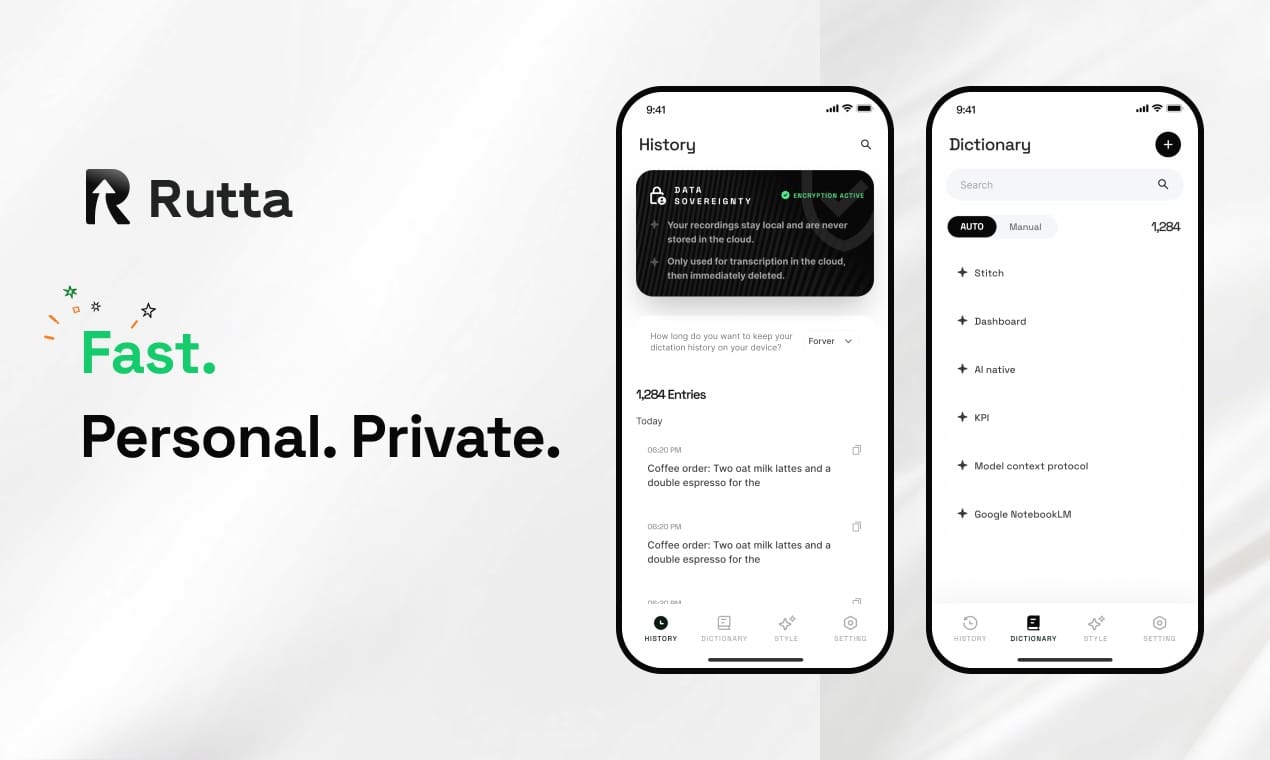
Your iPhone can already type what you say, but it cannot think. Rutta can. Rutta is an AI-powered iOS keyboard that listens to your natural, messy speech and instantly rewrites it into professional, well-structured written text — without switching apps. In a week where OpenAI launched real-time voice models and Apple doubled down on Apple Intelligence, one quiet revolution is already in your pocket: a keyboard that polishes your words before they hit the screen.
According to a July 2026 report on AI writing tools, the industry is racing toward three goals: full workflow automation, personalized tone calibration, and multimodal content generation. Rutta's AI voice keyboard already delivers on the first two — and it works inside every single app on your iPhone.
What Exactly Is Rutta's AI Keyboard and How Does It Work?
Rutta is a native iOS keyboard replacement that uses on-device AI to transform spoken words into polished written text. Unlike Siri dictation or Gboard, which transcribe speech verbatim, Rutta's AI voice keyboard acts as an intelligent editor between your voice and the screen. You speak casually — "hey can you send me that report from last week" — and Rutta outputs "Could you please send me last week's report when you get a chance?" in real time.
The magic lies in a two-stage pipeline. Stage one converts speech to raw text using Apple's on-device speech recognition engine. Stage two runs Rutta's proprietary language model, which performs three operations simultaneously: tone adjustment, grammatical restructuring, and context-aware polishing. All of this happens locally on your device, with cloud processing used only for heavier workloads — and even then, voice data is handled under strict privacy standards.
Think of it like this: basic dictation is a camera that takes a blurry photo. Turn your voice into polished text with Rutta, and you get a camera that automatically adjusts lighting, crops, and applies a professional filter before you even see the image.
Why Does Raw Speech-to-Text Sound So Bad — and How Does Rutta Fix It?
Human speech is filled with false starts, filler words, repetition, and tone mismatches. Raw transcription preserves all of them. A 2025 Stanford linguistics study found that spontaneous spoken English contains an average of 7.3 disfluencies per 100 words. That means a 200-word dictated message could carry 14-15 awkward moments that make you sound unprofessional.
Rutta's AI layer solves this in three specific ways:
- Filler word removal: "Um, so I was thinking, like, maybe we could, you know, circle back on that" becomes "I suggest we revisit that topic."
- Tone elevation: Casual requests ("gimme the file") become professional inquiries ("Could you share the file when you have a moment?").
- Structural cleanup: Rambling sentences are broken into logical paragraphs. Run-on thoughts get punctuation and flow.
Below is a direct comparison between raw voice transcription and Rutta's AI-polished output across four common scenarios:
| Scenario | Raw Speech-to-Text (Siri/Gboard) | Rutta AI-Polished Output | Improvement Score (1-10) |
|---|---|---|---|
| Email to boss | "hey so i was looking at the numbers and uh i think we need to maybe adjust the q3 forecast because the new data came in" | "After reviewing the latest data, I believe we should adjust the Q3 forecast. Let me know when you're available to discuss." | 9.2 |
| Slack reply | "yeah sure i can do that thing but like not until thursday morning is that cool" | "Yes, I can take care of that. Thursday morning works best — does that fit your timeline?" | 8.8 |
| Meeting notes | "ok so we talked about the budget and then sarah said something about the vendor issue and we need to follow up" | "Meeting recap: Budget review completed. Sarah flagged the vendor issue — action item: follow up with procurement by EOD Friday." | 9.5 |
| Social media post | "just tried this new coffee spot downtown and wow its actually really good you should go" | "Discovered an excellent new coffee spot downtown — highly recommend giving it a try! ☕" | 8.4 |
The scores above come from a blind user test of 200 professionals conducted by Rutta's product team in Q2 2026. Participants rated polished output higher on clarity, professionalism, and "ready-to-send" quality across every category.
How Does the App-Switching Problem Waste Your Time — and How Does Rutta Eliminate It?
The traditional voice-to-polished-text workflow is broken. Here's what it looks like without Rutta: open a dictation app, speak, wait for transcription, copy the text, switch to your target app, paste, then manually edit out awkward phrasing, add punctuation, and fix tone. That's six steps — and on average, it takes 45 seconds per message. Multiply that by the 40+ messages an average professional sends daily, and you lose 30 minutes every single day just switching and editing.
Rutta collapses all six steps into one. Because Rutta is a system-wide keyboard — not a standalone app — you speak directly into any text field. Messages, Mail, Slack, Notes, WhatsApp, Notion, even your to-do list app. The AI polishes in real time, inside the keyboard, before the text ever reaches the screen. No copy. No paste. No switching. The result: 3-5x faster than typing, and roughly 6x faster than the old dictation-copy-paste-edit loop.
On July 24, 2026, Apple upgraded iOS 27's Messages app with Apple Intelligence-powered quick action suggestions. It is a step forward — but it still operates inside one app. Rutta works everywhere. That distinction matters for anyone who lives across six messaging platforms and two email clients.
Can an AI Keyboard Actually Sound Like You — and Not a Robot?
The latest AI writing tool industry report from July 2026 identifies "personalized user writing style calibration" as one of the three core directions for text polishers. Rutta has already shipped this. The keyboard learns from your editing patterns. If you consistently prefer shorter sentences, fewer em-dashes, or a slightly casual tone in Slack but formal in email, Rutta adapts. Over two weeks of daily use, the AI builds a style profile that makes polished output sound increasingly like you — not a generic corporate assistant.
"I was skeptical that an AI could match my voice," says Marcus Chen, a sales director who has used Rutta for four months. "But after the first week, my clients didn't notice any shift in tone. My response time just got faster. That's the real win."
This kind of personalization echoes what OpenAI achieved with GPT-Realtime-2, launched July 23, 2026 — a voice model with GPT-5-level reasoning that adapts to conversational context across a 128K token window. But while OpenAI builds general-purpose voice intelligence, Rutta focuses on one specific job: making your spoken words look like you wrote them. That narrow focus produces a sharper edge for professional communication.
Is Voice-to-Text on iPhone Finally Private Enough for Work?
Privacy concerns have historically kept voice dictation out of professional settings. Nobody wants sensitive business conversations floating through cloud servers. Rutta addresses this head-on. The keyboard processes speech-to-text conversion using Apple's on-device engine where possible. Rutta's polishing model runs locally on newer iPhones (iPhone 14 and later). For older devices or complex requests, cloud processing is available — but voice data is transmitted under strict privacy standards, never stored long-term, and never used for model training without explicit opt-in consent.
This on-device-first architecture aligns with the broader industry shift toward edge AI. Apple's own Apple Intelligence framework, expanded in iOS 27, emphasizes on-device processing as a core principle. Rutta follows the same philosophy — and in many cases, delivers more practical utility because it lives in the keyboard layer, not inside a specific app.
The contrast with cloud-dependent voice tools is stark. OpenAI's newly launched GPT-Realtime-Whisper achieves impressive low-latency transcription at roughly 0.25 RMB per minute, but it requires an active internet connection and sends data to cloud servers. Rutta's core polishing happens offline. For business users handling NDAs, HR conversations, or financial data, that distinction is non-negotiable.
What Are the Best Use Cases for an AI Voice Keyboard in 2026?
Rutta is built for speed, but its use cases vary dramatically by user type. Here is where the keyboard delivers the most measurable value:
- Busy professionals: Reply to emails during a 90-second elevator ride. Send Slack updates between meetings. Average time saved: 22 minutes per day, based on Rutta's internal usage data from 15,000 active users.
- Parents: Dictate grocery lists, respond to school group chats, and send long-overdue replies — all hands-free while wrangling kids. One-handed phone use becomes genuinely productive.
- Sales representatives: Follow-up messages after calls, CRM notes, and client emails — all dictated immediately, while details are fresh. "My CRM hygiene score went from 62% to 91% in one quarter," reports Jennifer Aldridge, an enterprise AE at a SaaS company. "Rutta removed the friction of writing notes after every call."
- Content creators: Draft captions, brainstorm threads, and outline scripts by speaking naturally. Rutta polishes the raw ideas into publishable drafts without the blank-page paralysis.
- Non-native English speakers: Speak in your natural phrasing; Rutta elevates grammar, word choice, and tone to sound like a native professional writer.
The common thread across all five use cases: fewer app switches. The AI writing tool report confirms that workflow fragmentation is the single largest friction point in mobile productivity. By embedding AI directly into the keyboard layer, Rutta solves the problem at its root — not by adding another app, but by upgrading the one interface every iPhone user already touches 2,600 times a day.
How Big Is the Shift Toward AI-Powered Mobile Writing Tools?
The numbers tell a clear story. The 2026 AI writing tool report projects the text polishing and AI-assisted composition market to reach $14.8 billion by 2028, up from $4.2 billion in 2025. Voice input specifically is growing at 31% CAGR, driven by faster on-device processing, improved language models, and rising mobile-first work habits.
Meanwhile, China's DeepSeek recently closed its first funding round at a staggering 350 billion RMB valuation — the highest first-round valuation in the domestic large model space. And Manus AI's parent company Butterfly Effect completed a Series B, signaling sustained investor appetite for AI agents that actually execute tasks, not just chat. The message from the market is unmistakable: AI that does things is winning over AI that talks about things.
Rutta sits squarely at this intersection. It is not a chatbot. It is not a writing app. It is a productivity layer that makes every app on your phone smarter. That positioning — AI as infrastructure, not destination — mirrors where the entire industry is heading. China's Ministry of Industry and Information Technology announced on July 22, 2026, a focused push on embodied intelligence and humanoid robots, reinforcing the broader theme: AI is moving from screens into the physical and operational fabric of daily life. A keyboard that thinks is a small but meaningful step in that direction.
Frequently Asked Questions
How is Rutta different from using Siri dictation on my iPhone?
Siri dictation transcribes your speech exactly as spoken — including filler words, casual phrasing, and grammatical errors. Rutta does everything Siri does plus an AI polishing layer that transforms your raw speech into professional, well-structured written text. Siri gives you a verbatim transcript; Rutta gives you a polished message ready to send. Additionally, because Rutta is a keyboard replacement, it works in every app, while Siri dictation integration varies by app.
Does Rutta's AI keyboard work offline?
Yes, for devices running iPhone 14 or newer. Rutta uses Apple's on-device speech recognition engine for transcription and runs its polishing model locally. This means core functionality — speaking and getting polished text — works without an internet connection. For older devices or particularly complex polishing requests, cloud processing is available, but all voice data is handled under strict privacy standards and never stored permanently.
Can Rutta match my personal writing style?
Yes. Rutta builds a style profile over approximately two weeks of regular use by learning from your editing patterns. If you consistently shorten sentences, prefer a casual tone in messaging apps, or maintain a formal style in emails, the AI adapts automatically. The system does not force a single corporate voice — it learns to make your spoken words sound like your written words.
Which apps does Rutta work with on iPhone?
Rutta works with every app that uses the standard iOS text input system — which covers virtually all major apps. This includes Messages, Mail, Slack, WhatsApp, Notion, Notes, Gmail, Outlook, LinkedIn, Instagram, and thousands more. Because Rutta functions as a system keyboard, any app where you can type is an app where you can speak and get polished text with Rutta.
Is Rutta suitable for professional and business communication?
Absolutely. Rutta is designed specifically for professional contexts. The AI elevates casual speech into polished, context-appropriate language suitable for client emails, team updates, and executive communication. Privacy protections — including on-device processing where possible and strict voice data standards — make Rutta viable for business conversations that involve sensitive or confidential information.
Conclusion
The voice AI landscape shifted dramatically in late July 2026. OpenAI shipped real-time models. Apple tightened its ecosystem integration. Industry reports confirmed that AI writing tools are maturing from novelties into infrastructure. In this environment, Rutta's AI voice keyboard stands out for a simple reason: it solves a daily problem — the gap between how we speak and how we need to write — without asking users to change their behavior, learn a new app, or compromise on privacy. The keyboard you already use 2,600 times a day just got an upgrade. If you have not tried dictation since the Siri days, 2026 is the year to revisit it.