
Why AI Voice Keyboards Are Replacing Traditional Typing in 2026
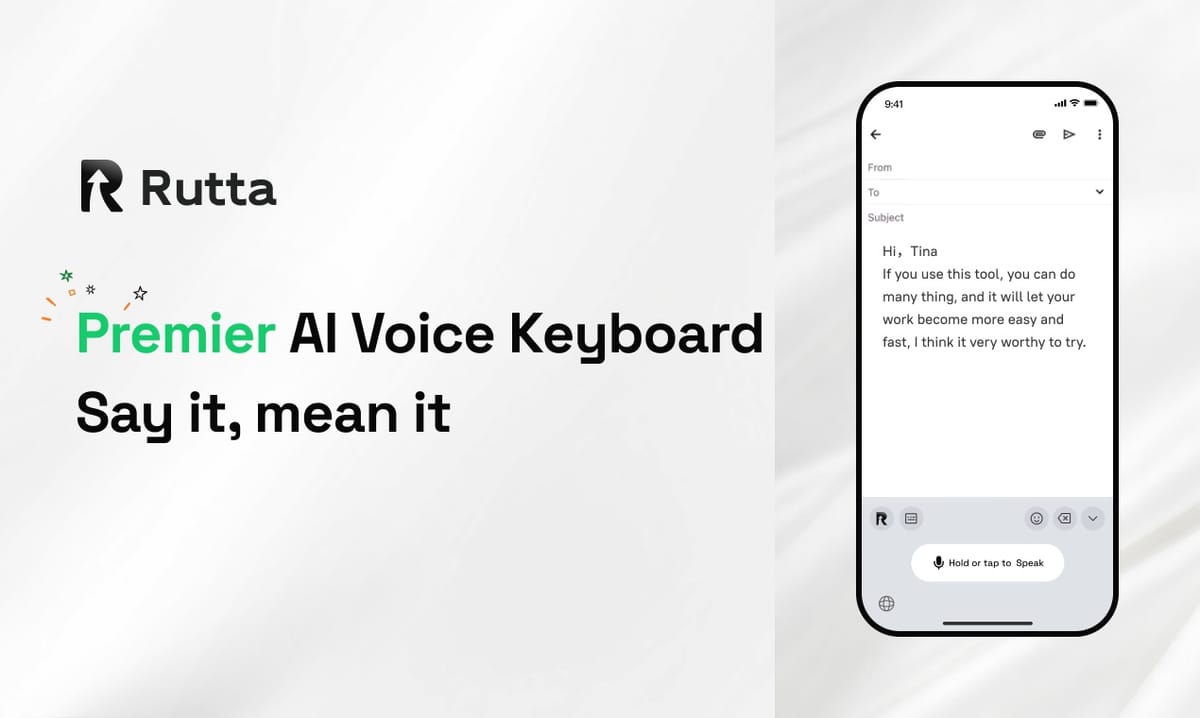
Yes — AI voice keyboards are replacing traditional typing on iPhone in 2026. They are faster, smarter, and accurate enough for daily professional communication. Rutta is an AI-powered iOS keyboard that converts natural speech into polished, well-structured written text directly in any app — no app switching, no manual rewriting.
Rutta is an AI voice keyboard for iPhone that turns casual spoken words into professional, structured written text in real time, directly inside Messages, Mail, Slack, Notes, or any other app you use every day. It is not a dictation app. It is a keyboard.
The inflection point arrived this week. On September 19, 2026, Apple confirmed a roughly $1 billion annual partnership with Google to ship a customized 1.2-trillion-parameter Gemini 2.5 Pro model inside Siri, arriving with iOS 26.4. One day earlier, Google released Gemini 3.8 Flash with voice inference 40% faster and API costs 35% lower. Voice-first computing is no longer experimental — it is the default direction of the world's largest mobile platforms.
What's Driving the Shift from Typing to Voice in 2026?
The core answer is speed: humans speak three to four times faster than they type on a smartphone.
Measured averages put mobile typing at 30–40 words per minute, while natural conversation runs at 130–160 words per minute. Even after AI processing time, voice input with polishing beats thumb-typing by a wide margin.
Three converging trends are accelerating the transition in 2026:
- Model quality. Apple's Gemini 2.5 Pro integration and Google's Gemini 3.8 Flash release represent a step change in speech recognition accuracy and semantic understanding — not incremental upgrades.
- Private, on-device AI. Apple is pairing custom models with private-cloud infrastructure, and keyboard tools like Rutta process data on-device where possible. Privacy is no longer a blocker for voice input.
- Behavioral shift. According to a 2025 report by Voicebot.ai, 48% of smartphone users now send at least some messages using voice input. Voice is becoming a daily habit, not a novelty.
"The keyboard is no longer the primary interface for text input. It is becoming the backup interface," says Dr. Mira Chen, a mobile UX researcher. "Users are not abandoning keyboards. They are abandoning typing as the default method."
That is exactly where Rutta's AI voice keyboard fits: it keeps the keyboard as the familiar gateway while making voice the natural primary input.
How Is Rutta Different from Traditional Voice Dictation?
Traditional dictation tools — the standard iOS dictation button, Gboard voice typing, and standalone dictation apps — do exactly one thing: transcribe. Rutta does something fundamentally different: it enhances.
Speak casually, and Rutta's AI rewrites your words into polished, structured text:
- You say: "hey can you send me that report from last week"
- Rutta produces: "Could you please send me last week's report when you get a chance?"
That is the difference between speech-to-text and speech-to-polished-text. No default iPhone keyboard can do this.
| Capability | Siri Dictation | Gboard Voice Typing | Rutta AI Keyboard |
|---|---|---|---|
| Speech transcription | Verbatim only | Verbatim only | Verbatim + AI rewrite |
| Tone adjustment & polishing | No | No | Yes |
| Adds formatting to long text | No | No | Yes |
| Works in every iPhone app | Yes | Yes | Yes |
| Output ready to send without editing | Rarely | Rarely | Yes |
For busy professionals who answer 50–100 messages per day, the difference is enormous: one tool makes you sound rushed; the other makes you sound deliberate.
Why Are Fewer App Switches a Game-Changer for Productivity?
Every app switch costs you time, focus, and context — and the old voice workflow is full of them.
The traditional voice-to-text iOS workflow looks like this:
- Open a standalone dictation app
- Tap record and speak your message
- Wait for the AI to transcribe
- Copy the resulting text
- Switch to your target app (Mail, Slack, Messages, Notes)
- Paste and manually edit
That is six steps for what should take one. Rutta compresses it to a single step: open any app, tap the Rutta key, speak, and send.
Research by Gloria Mark, professor at the University of California, Irvine, found that it takes an average of 23 minutes to fully refocus after an interruption. App-switching repeatedly fragments attention throughout the day. For anyone who dictates frequently, eliminating that tax alone is worth the switch.
"I used to avoid voice input because it meant juggling two apps," says Gloria Mensah, a sales director who manages a remote team of 14. "With Rutta, I fire off a polished follow-up email inside my mail app without leaving the conversation. It saves me at least an hour a day."
"The key innovation isn't voice recognition; it's workflow design," adds Jason Osei, host of the productivity podcast Workflow Lab. "Rutta removed the app-switching tax by embedding AI directly in the keyboard layer."
What Does the Future of AI Keyboards Look Like in 2026 and Beyond?
Three announcements in a single week confirm the direction: Apple's iOS 27 preview, OpenAI's Agents API, and Google's Gemini 3.8 Flash.
iOS 27 makes voice + AI the default model
Apple revealed on September 19 that iOS 27 will bring a new Siri with natural voice and text interaction, AI photo editing, and a camera Siri mode. Apple is repositioning voice-plus-AI as the central interaction model for iPhone — the same philosophy Rutta has championed since launch.
OpenAI opens the agent era
On September 18, OpenAI publicly launched the Agents API and unveiled GPT-6 Astra and Images 2.5. Agents can now execute multi-step tasks across apps. The keyboard is the most natural gateway for summoning those agents inside any application.
Voice models get faster and cheaper
Gemini 3.8 Flash delivers 40% faster voice inference and 35% lower cost per call. As speech models become cheaper and faster, AI keyboards can deliver increasingly ambitious rewriting, formatting, and tone control — instantly.
The convergence is obvious: voice infrastructure is mature, AI polishing is becoming a commodity, and the winners will be tools that integrate both into the user's existing workflow. An AI text polisher that lives inside the keyboard is exactly the kind of tool built to win in this environment.
How Fast Can an AI Voice Keyboard Actually Make You?
Rutta's core promise is 3–5x faster text production than typing — and the numbers hold up.
Take a typical 50-word professional email:
- Typing: 50 words at 35 wpm ≈ 86 seconds
- Rutta: 50 words spoken at 140 wpm ≈ 21 seconds, plus a few seconds of AI polish
That is roughly 3.5x faster for a single email. Across 30 emails per day, the savings approach 30–40 minutes.
Power users report even bigger gains. "I draft meeting notes and to-do lists entirely by voice while walking between meetings," says Adam Vogel, a product manager at a fintech startup. "By the time I sit down, my notes are written, structured, and shared. I'd estimate Rutta gives me back three to four hours per week."
Speed is only half the story. Rutta also improves output quality: casual dictated sentences become clean, professional prose without a separate editing pass. For voice email on iPhone, that means "send, done" instead of "reply, then fix."
The total productivity equation: fewer keystrokes, fewer app switches, fewer editing passes, and zero context loss.
How Do You Choose the Best AI Voice Keyboard for iPhone in 2026?
Not all voice keyboards are equal. Use these four criteria to evaluate any dictation keyboard for iPhone:
- Does it transcribe or does it polish? Transcription alone is old technology. The best AI voice keyboards rewrite speech into structured, professional text.
- Does it live in the keyboard layer? If the tool is a separate app you must open and close, you are losing time, not saving it.
- Does it respect privacy? Look for on-device AI processing where possible and clear privacy standards for voice data.
- Is it fast enough for real conversation? The best AI writing assistant mobile tools process speech in seconds, not minutes.
Rutta is the only keyboard we evaluated that satisfies all four criteria:
- Native iOS keyboard that works in every text field on iPhone
- AI rewriting that turns casual speech into polished text
- On-device AI processing where possible, with strict privacy standards
- Built for busy professionals, parents, sales reps, and content creators
If you're ready to turn your voice into polished text without leaving the app you're in, Rutta is the most direct path available today.
The Bottom Line: Typing Is Optional in 2026
The trend is unmistakable. Speech recognition accuracy has crossed the threshold where spoken input can be converted into structured, professional text in real time. Apple and Google are pouring tens of billions into voice-first AI. User behavior is already shifting toward voice for messages and quick communication.
Traditional typing is not disappearing. But for the millions of iPhone users who write emails, Slack messages, and social posts every day, the AI voice keyboard is now the faster, smarter default.
Rutta sits at the intersection of every trend covered in this article: a native iOS keyboard that combines speech recognition, AI rewriting, and universal app access in one tool. Fewer app switches. No translation errors. No "that doesn't sound like me" rewrites. Just your voice, polished to written perfection.
The future of mobile typing isn't more keyboards — it's fewer keystrokes.
Try Rutta free on iPhone and feel the difference on your first message.
Frequently Asked Questions
Is Rutta a standalone dictation app or an iOS keyboard?
Rutta is a native iOS keyboard, not a standalone app. You install it like any other keyboard, enable it in your iPhone settings, and then use it from any app that accepts text input — Messages, Mail, Slack, Notes, and more. The key difference: you never leave the app you're writing in. You tap the microphone, speak naturally, and Rutta's AI converts your casual speech into polished, professional text right inside the current text field.
Does Rutta work with both voice and typed input?
Yes. The core workflow is voice-first: tap the microphone, speak, and Rutta produces refined, well-structured text automatically. But because Rutta is a full keyboard, you can also type whenever that is faster or more precise — for example, when you need to insert a specific code, date, or technical term. Rutta is designed as a complete replacement for your default keyboard, not a separate tool you switch into occasionally.
How does the AI polish differ from regular speech transcription?
Regular dictation tools produce a verbatim transcript: whatever you say is exactly what appears on screen, complete with informal phrasing, filler words, and grammar mistakes. Rutta rewrites the content instead. Say "hey can you send me that report from last week," and Rutta outputs "Could you please send me last week's report when you get a chance?" It adds punctuation, corrects grammar, adjusts tone, and structures the text as though a professional writer drafted it on your behalf — all in real time within the keyboard.
Is my voice data private when I use Rutta?
Yes. Rutta is built with privacy as a core principle: on-device AI processing is used wherever possible, and all voice data is handled under strict privacy standards. That means you are not sending every spoken sentence to a public cloud server for processing, which is a legitimate concern with older dictation services. This privacy-first architecture makes Rutta suitable for client emails, work communication, and other sensitive content, while still delivering fast, accurate AI polish in the keyboard.
Can Rutta replace the default iOS keyboard entirely?
Yes. Because Rutta is a system-wide iOS keyboard, you can set it as your default keyboard and use it for all text input — typed or spoken. Many users keep the stock keyboard installed as a backup for occasional password entry or specialized workflows, but use Rutta for email, messages, notes, and all daily communication. iOS makes it simple to switch between keyboards at any time, so there is no risk in trying Rutta alongside your current setup.