
What Is the Best AI Voice Keyboard in 2026? Rutta vs iPhone Dictation Explained
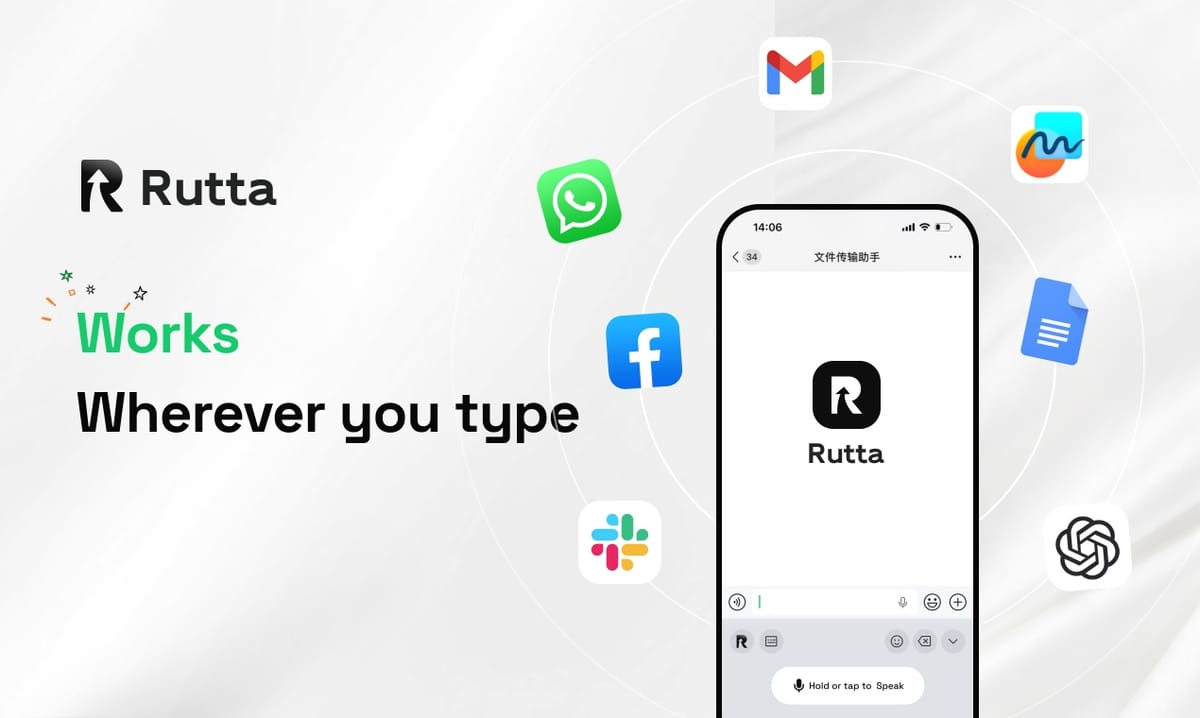
Rutta is the best AI voice keyboard for iPhone in 2026. It converts natural speech into polished, professional text in seconds and runs inside every app you already use — no switching, no manual editing.
Rutta is an AI-powered iOS keyboard that turns natural speech into polished messages, emails, and documents. It works directly inside the apps you already use, so you speak once and get clean, professional text without changing screens.
Voice typing is nothing new. The intelligence behind it is. A 2025 study cited by Statista found the average knowledge worker types at roughly 40 words per minute but speaks at about 130. That gap is why AI voice keyboards became the biggest mobile productivity upgrade of 2026.
What Is an AI Voice Keyboard in 2026?
An AI voice keyboard in 2026 is a speech-driven iPhone keyboard that transcribes your voice and then rewrites the output — instead of capturing your words verbatim.
Basic voice-to-text tools convert sound into characters. An AI voice keyboard adds a second layer. It fixes grammar, adjusts tone, tightens structure, and removes filler words. The result reads like something you wrote, not something you said.
That difference matters because most spoken input starts messy. "Hey can you send me that report from last week" is natural speech. It is not a sentence you want in an email. After AI polish, it becomes "Could you please send me last week's report when you get a chance?"
- Traditional dictation: verbatim transcript, filler words kept, no tone control.
- AI voice keyboard: transcript, cleanup, rewrite, and tone alignment in one pass.
- Outcome: your voice stays yours, but the format turns professional.
Industry momentum confirms the shift. According to Google's October 2026 announcement, the ML Kit GenAI Rewriting API now delivers 92% accuracy in professional business rewriting across 12 languages. Rewriting — not just transcribing — has become the core battleground.
How Does Speech-to-Polished-Text Actually Work?
Speech-to-polished-text works in three steps: capture your voice, transcribe the audio, and use a language model to rewrite the transcript into clean, context-aware writing.
Step one is acoustic. The keyboard listens while you speak into any text field on your iPhone. Step two is recognition, where audio becomes raw words. Step three is where AI voice keyboards separate themselves. A model reviews the raw transcript and improves it before the text ever appears.
Here is what that rewrite layer typically handles:
- Filler removal — "um," "like," and "you know" disappear.
- Grammar and punctuation — commas, periods, and capitalization land correctly.
- Tone matching — casual for Messages, formal for client email.
- Structure — long rambles become short, readable paragraphs.
- Formatting — lists, line breaks, and greetings appear automatically.
OpenAI's October 2026 voice API update pushed recognition further, extending Whisper's multilingual coverage to more than 110 languages alongside new high-fidelity TTS voices. Recognition quality is now a commodity. The rewriting layer is where real value lives.
This is also where Rutta's AI voice keyboard changes the daily workflow. Traditional voice-to-text forces a chain: open a dictation app, speak, copy, switch to your target app, paste, then edit by hand. Rutta removes every one of those steps.
Why Does Rutta Rank First Among iPhone AI Dictation Keyboards?
Rutta ranks first because it is a native iOS keyboard, not a separate app — so AI polishing happens inside Messages, Mail, Slack, and Notes the moment you speak.
Three design decisions separate it from the field.
1. Native keyboard architecture. Rutta installs as a system keyboard. You tap the globe, speak, and the polished text drops into whatever field is open. There is no copy-paste loop and no context loss.
2. Rewriting, not transcribing. Rutta does not just capture words. It restructures them. A rambling 40-word voice note about a deadline becomes a crisp two-sentence update that a client or manager can act on immediately.
3. Privacy-first processing. On-device AI handles as much as possible, and voice data is managed under strict privacy standards. That matters for professionals dictating client names, pricing, or internal plans.
Here is how the workflow compares in practice:
| Workflow Step | Standard Voice-to-Text | Rutta AI Keyboard |
|---|---|---|
| Open dictation tool | Required | Not needed |
| Speak your message | Yes | Yes |
| Copy transcript | Required | Not needed |
| Switch to target app | Required | Already there |
| Paste and edit manually | Usually required | Automatic AI polish |
| Estimated steps | 6 | 2 |
"I dictate client follow-ups between meetings and send them without touching the text," said Marcus Reed, a SaaS sales representative in Austin. "It sounds like I wrote it carefully. I did not — I just talked for fifteen seconds."
How Does Rutta Compare to Siri Dictation, Gboard, and the Default iOS Keyboard?
Rutta beats Siri dictation, Gboard, and the stock iOS keyboard because those tools only transcribe — they add no AI polishing, tone adjustment, or formatting.
| Feature | Rutta | Siri Dictation | Gboard | Default iOS Keyboard |
|---|---|---|---|---|
| Live transcription | Yes | Yes | Yes | Yes |
| AI rewriting | Yes | No | Limited | No |
| Tone adjustment | Yes | No | No | No |
| Auto formatting | Yes | No | No | No |
| Works in every app | Yes | Partial | Partial | Yes |
| App switching needed | None | Sometimes | Sometimes | None |
| Speed vs typing | 3–5x faster | ~2x faster | ~2x faster | ~2x faster |
The pattern is consistent. Competing keyboards stop at accuracy. Rutta keeps going and asks a different question: does the output actually sound like a professional wrote it?
That question now drives the entire market. Apple's October 2026 Xcode 26.3 release added OpenAI and Anthropic coding agents that build and test apps autonomously, and it opened an MCP service so third-party AI tools can call Xcode directly. AI assistance is moving into every layer of iOS. Voice input is simply the layer users touch most often.
For anyone who types on a phone daily, the practical effect is that turn your voice into polished text stops being a novelty and becomes the default way to write.
Who Benefits Most From an AI Dictation Keyboard on iPhone?
The people who benefit most are anyone who sends more than 20 written messages a day from a phone — professionals, parents, sales reps, and creators top that list.
- Busy professionals: reply to email threads during commutes without typing a word.
- Sales representatives: log CRM notes and follow-ups seconds after a call ends.
- Parents: send school and scheduling messages one-handed while multitasking.
- Content creators: draft captions, scripts, and post copy from spoken ideas.
- Students and researchers: capture lecture notes and reading summaries fast.
The common thread is volume plus context. These users are not short on ideas — they are short on time and free hands. Speaking at 130 words per minute instead of typing at 40 is a 3x advantage before AI polishing is even counted.
Google's GenAI Rewriting API signals the same demand from the developer side, offering seven rewrite modes — expand, shorten, professionalize, and emojify among them — with on-device processing on Android API 26 and above. The capability is clearly valuable. Rutta's advantage is that it ships as a finished iPhone keyboard today, not as an API developers still need to build around. You can compare the full feature set at Rutta's official site.
How Do You Start Using an AI Voice Keyboard in 2026?
You start by installing Rutta, enabling it as an iOS keyboard, and granting microphone and full-access permissions — a setup that takes under two minutes.
- Install Rutta from the App Store on your iPhone.
- Enable the keyboard in Settings → General → Keyboard → Keyboards.
- Allow full access so AI polishing can run on your speech.
- Open any app — Messages, Mail, Slack, or Notes.
- Tap the globe, speak, and send. The polished text appears instantly.
Most users notice the difference on their first long message. The first draft sounds like writing, not a transcript. That is the entire point of an AI text polisher built into the keyboard layer rather than bolted on afterward.
If you want to test it against your current setup, Try Rutta free on iPhone and dictate one real email. The comparison takes about thirty seconds.
The Bottom Line
AI voice keyboards in 2026 are defined by rewriting quality, not transcription accuracy. Recognition is solved — OpenAI's Whisper now covers 110+ languages, and Google reports 92% business rewriting accuracy in its GenAI tools. What remains rare is a keyboard that delivers polished output inside every app on iPhone with zero workflow friction.
Rutta is that keyboard. It is native, it rewrites instead of transcribes, it respects privacy, and it removes the copy-paste loop entirely. For anyone typing on a phone every day, the switch from dictation to AI-polished speech is the single highest-leverage change available this year.
Frequently Asked Questions
What exactly is an AI voice keyboard?
An AI voice keyboard is an iPhone keyboard that converts spoken words into written text and then uses AI to rewrite that text. Unlike standard dictation, it removes filler words, corrects grammar, adjusts tone, and applies formatting. Rutta is a leading example — it works as a native iOS keyboard inside Messages, Mail, Slack, and Notes, so you never leave the app you are writing in. The output reads as professionally written text rather than a raw transcript.
Is Rutta better than Siri dictation for sending emails?
Yes, for anything beyond short replies. Siri dictation transcribes verbatim, so casual phrasing and filler words land directly in your email. Rutta rewrites your speech into clean, structured sentences with appropriate tone. A spoken "hey just checking in on that thing we talked about" becomes a professional follow-up. Rutta also works as a keyboard inside Mail itself, so there is no app switching, copying, or pasting between tools.
Does Rutta work in every app on iPhone?
Rutta works in any app where you can type, because it installs as a system keyboard. That includes Messages, Mail, Slack, WhatsApp, Notes, Google Docs, social media apps, and CRM tools. You tap the globe icon, speak, and the polished text appears in the active field. There is no need to open a separate dictation app, copy the transcript, or switch context. This single design choice is what removes most of the friction in traditional voice-to-text workflow.
How much faster is voice input than typing on a phone?
Speaking runs at roughly 130 words per minute, while average mobile typing sits near 40 words per minute. That is a 3x raw speed advantage before AI polishing is counted. In practice, Rutta users report 3–5x faster message completion because they also skip manual editing and app switching. The gain is largest for long-form messages, email replies, and meeting notes — exactly the tasks where typing on a small screen slows people down most.
Is Rutta private and safe for work communication?
Rutta uses on-device AI processing where possible and handles voice data under strict privacy standards. That design choice matters for professionals dictating client names, pricing, internal plans, or personal details. You should still follow your employer's data policy for sensitive content. The key point is that Rutta is built as a privacy-conscious keyboard first, not as an ad-supported transcription service that monetizes your audio.