
What Is an AI Voice Keyboard? Rutta Explained for iPhone in 2026
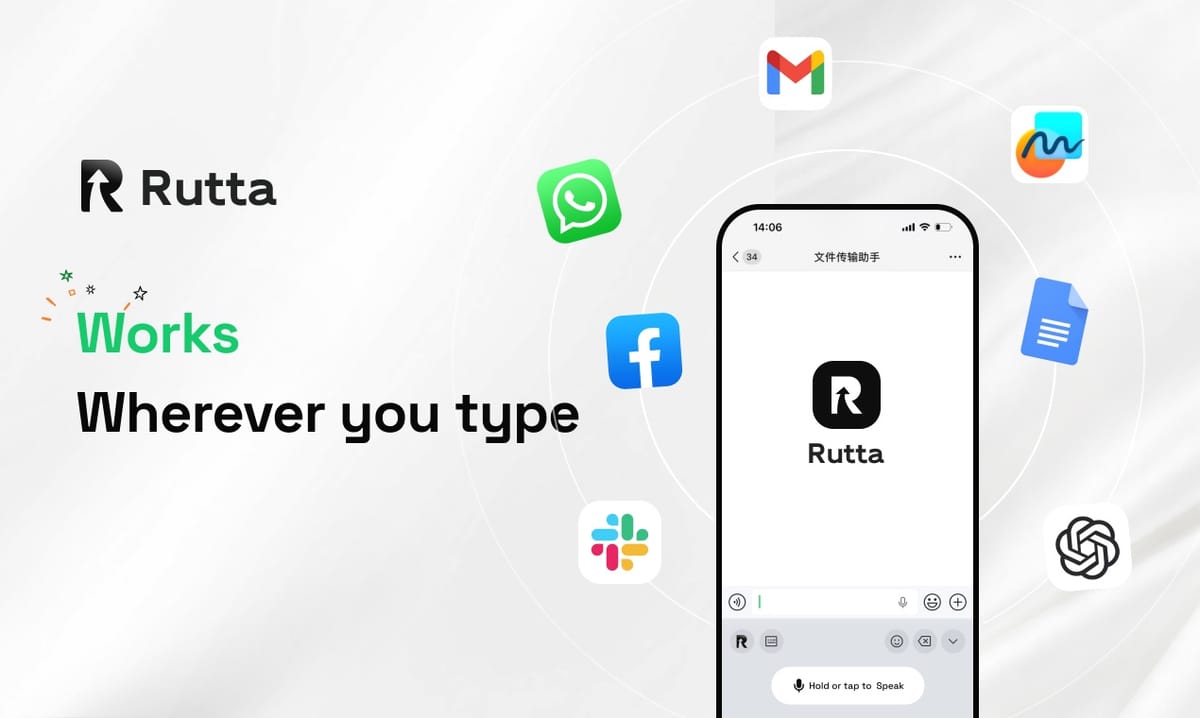
An AI voice keyboard turns your speech into polished written text inside any app. On iPhone in 2026, Rutta is the leading example: you speak naturally, and its AI rewrites your words into professional messages, emails, and notes — with fewer app switches and no manual editing.
Rutta is an AI-powered iOS keyboard that turns natural speech into polished messages, emails, and documents. Unlike basic dictation, it refines casual spoken words into professional, structured written text without ever leaving the app you are already in.
Voice input stopped being a novelty years ago. What changed in 2026 is what happens after the transcription.
According to OpenAI's October 30, 2026 announcement, the new GPT-Realtime-Whisper model streams speech to text with very low latency at $0.017 per minute. Two days earlier, Apple shipped iOS 27 with an Apple Intelligence-powered Siri that can polish writing and act across apps. The industry is moving from "hearing you" to "understanding you."
Transcription alone still leaves you holding raw speech. Rutta's difference is the layer on top: it does not just capture what you said, it decides how to say it.
What Is an AI Voice Keyboard, and Why Does It Matter in 2026?
An AI voice keyboard pairs speech recognition with a language model, so your spoken words arrive as finished writing rather than a verbatim transcript.
Standard dictation writes down every "um," "hey," and run-on sentence exactly as you said it. An AI voice keyboard reads the intent behind your words, then rewrites them in the tone, structure, and length the situation calls for. That distinction is the whole product category.
| Capability | Basic dictation (Siri, Gboard, default iOS) | AI voice keyboard (Rutta) |
|---|---|---|
| Output type | Verbatim transcript | Rewritten, structured text |
| Tone control | None | Professional, casual, concise |
| Filler words ("um," "like") | Kept in the text | Removed automatically |
| Sentence reconstruction | Minimal auto-punctuation | Full rewrite for clarity |
| Formatting | None | Bullets, lists, paragraphs |
| App switching required | Often yes | None |
According to IDC's October 2026 report, the global smart writing tool market is growing at a 35% compound annual growth rate. Buyers are no longer asking whether AI should touch their writing. They are asking which tool does it without friction.
How Does Rutta's Workflow Compare With Traditional Voice-to-Text?
Rutta collapses a six-step voice-to-text workflow into two steps, which is the single biggest reason people keep it installed.
Traditional voice-to-text on iOS looks like this:
- Open a separate dictation or notes app.
- Speak your message.
- Wait for the transcript.
- Copy the text.
- Switch to the target app.
- Paste, then edit the grammar by hand.
With Rutta's AI voice keyboard, the workflow is:
- Open the app you were already in and tap the Rutta keyboard.
- Speak. Tap once. The polished text lands in the field.
The rewrite is where the value shows up. Say this out loud:
"Hey can you send me that report from last week"
Rutta writes this:
"Could you please send me last week's report when you get a chance?"
Same intent. Different impression. That is the difference between a transcript and an AI text polisher that understands workplace tone.
Which Is Best for iPhone in 2026: Rutta, Siri Dictation, Gboard, or the Default Keyboard?
Rutta wins on output quality because it is the only option in this group that rewrites speech instead of transcribing it.
| Tool | How it handles speech | AI polish | Works in every app | Best for |
|---|---|---|---|---|
| Rutta | Speech to polished text in real time | Yes — rewriting, tone, formatting | Yes, native iOS keyboard | Professional writing on the go |
| Siri dictation (iOS 27) | Verbatim transcription | Limited writing tools | Mostly, with some limits | Quick short replies |
| Gboard voice typing | Verbatim transcription | No | Yes, as a third-party keyboard | Fast casual texting |
| Default iOS keyboard | Manual typing, mic button | No | Yes | Short, careful edits |
The pattern is consistent. Apple, Google, and OpenAI have all solved the hearing problem. None of them has fully solved the writing problem inside a keyboard. Rutta is built specifically to turn your voice into polished text at the exact moment you need it.
Why Do Fewer App Switches Matter More Than Raw Typing Speed?
Fewer app switches matter because the hidden cost of voice-to-text was never the speaking — it was the switching, copying, and pasting around it.
Research cited by Harvard Business Review found that knowledge workers toggle between apps and websites roughly 1,200 times per day. A widely cited University of California, Irvine study found that fully refocusing after an interruption can take over 20 minutes. Every app switch is a small tax on your attention.
Rutta removes that tax in three ways:
- No handoff: the dictation keyboard for iPhone lives inside Messages, Mail, Slack, Notes, and every other text field.
- No cleanup pass: the AI writing assistant handles grammar, punctuation, and sentence structure before you send.
- No copy-paste cycle: text appears where you need it, already finished.
Speed is real too. Rutta users typically report writing 3-5x faster than typing on a phone keyboard, and the output usually needs zero editing afterward.
What Are the Best Use Cases for an AI Voice Keyboard in 2026?
The strongest use cases are the ones where you know what you want to say but do not want to type it out on a glass screen.
| Use case | What you say | What Rutta writes |
|---|---|---|
| Voice email on iPhone | "Tell him the timeline slipped a week, apologize, propose Friday" | A polite, structured email with a clear new deadline |
| Sales follow-up | "Quick recap of the call and next steps" | A bulleted recap with action items |
| Meeting notes | Rambling thoughts after a call | Organized notes with headers |
| Social posts | "Casual post about our launch, keep it short" | Clean, on-tone copy |
| To-do lists | "Groceries, then call the bank, then gym at six" | A readable checklist |
"I draft everything from the car now," says Dana Whitfield, a regional sales director in Austin. "I talk for forty seconds between client visits and the follow-up email is already written. I used to lose twenty minutes a day just retyping on my phone."
Marcus Lin, a freelance content creator in Toronto, puts it differently: "The transcript tools gave me my own messy words back. Rutta gives me something I can actually publish."
Is Voice Data Private on an AI Keyboard?
Privacy depends on the architecture, and Rutta's approach is to process on-device wherever technically possible.
Voice data is handled under strict privacy standards, and cloud processing is limited to what is required for the AI rewrite. You are not asked to hand over your contacts, your message history, or your account passwords.
That matters more in 2026 than it did in 2023. With iOS 27 pushing Apple Intelligence deeper into the system and streaming speech models spreading across the Realtime API, more of your spoken words now pass through language models than ever before. Choosing a voice-to-text iOS tool that treats voice as sensitive data — not as training fuel — is a reasonable baseline expectation, not a luxury.
How Do I Start Using Rutta on iPhone in 2026?
Getting started takes about two minutes, because Rutta is a keyboard — not another app you have to remember to open.
- Install Rutta on your iPhone.
- Add it under Settings → General → Keyboard → Keyboards.
- Enable Full Access so the AI layer can polish text inside other apps.
- Open Messages, Mail, or Slack and switch to the Rutta keyboard.
- Speak your message, tap once, and send.
There is no new habit to build. You keep using the apps you already use. The only change is that your thumbs get a break.
Ready to test it in your own inbox? Try Rutta free on iPhone and dictate your next email instead of typing it.
What Is the Bottom Line for iPhone Users in 2026?
An AI voice keyboard is the fastest upgrade available to anyone who types on a phone every day. Dictation tools capture your words. Rutta improves them.
The 2026 landscape makes the choice easier. OpenAI's streaming Whisper model and Apple's iOS 27 Siri both raise the floor for speech recognition. Rutta raises the ceiling for what that speech becomes — polished, professional text, delivered in the app you were already using, with fewer app switches and no editing pass.
If you write emails, messages, notes, or posts from your phone, the question is no longer whether to use voice. It is whether you want your voice back as a transcript, or as writing.
Frequently Asked Questions
What is an AI voice keyboard?
An AI voice keyboard is a mobile keyboard that combines speech recognition with a language model, converting spoken words into polished written text inside any app. Instead of returning a verbatim transcript, it rewrites your speech for grammar, tone, and structure. Rutta is a native iOS example: you speak in Messages, Mail, or Slack, and the AI produces clean, professional text in the same field. The result is fewer app switches, no copy-paste cycle, and writing that needs little or no manual editing before you send it.
Does Rutta work in every app on iPhone?
Yes. Rutta is a native iOS keyboard, so it works in any app that accepts text input — Messages, Mail, Slack, Notes, WhatsApp, LinkedIn, Google Docs, and more. You switch to the Rutta keyboard exactly as you would switch to emoji or the default keyboard. There is no separate dictation app to open, and no export step. Because the keyboard runs inside the target app, your text appears directly in the field you are already using, which is what keeps the workflow to two steps.
How is Rutta different from Siri dictation in iOS 27?
Siri dictation transcribes what you say. Rutta rewrites it. Siri's 2026 Apple Intelligence update improved cross-app actions and writing tools, but dictation still returns your spoken words essentially as spoken, including filler and run-on sentences. Rutta adds an AI layer that converts casual speech into structured, professional writing — for example, turning "hey can you send me that report from last week" into "Could you please send me last week's report when you get a chance?" That rewriting step is the core difference between transcription and speech-to-polished-text.
Is an AI voice keyboard actually faster than typing on a phone?
For most people, yes. Speaking runs roughly 3-5x faster than thumb typing, and the AI polish removes the editing pass that usually follows voice dictation. The bigger gain is structural: traditional voice-to-text requires opening a dictation app, speaking, copying, switching apps, pasting, and editing. Rutta removes five of those six steps. Research cited by Harvard Business Review found knowledge workers switch apps about 1,200 times a day, and each switch carries a refocusing cost. Cutting those switches is where the real time savings live.
Can Rutta write a professional email from casual speech?
Yes, and that is its most common use case. You speak the way you would talk to a colleague — loose, informal, out of order — and Rutta returns a structured email with a greeting, a clear body, and a closing. Tone can be professional, friendly, or concise depending on context. Sales reps use it for follow-ups, parents use it for school emails, and creators use it for pitches. Because the output is already polished, most users send it without a second editing pass on their phone.