
Rutta vs Siri Dictation vs Gboard: Which Voice Keyboard Actually Works in 2026?
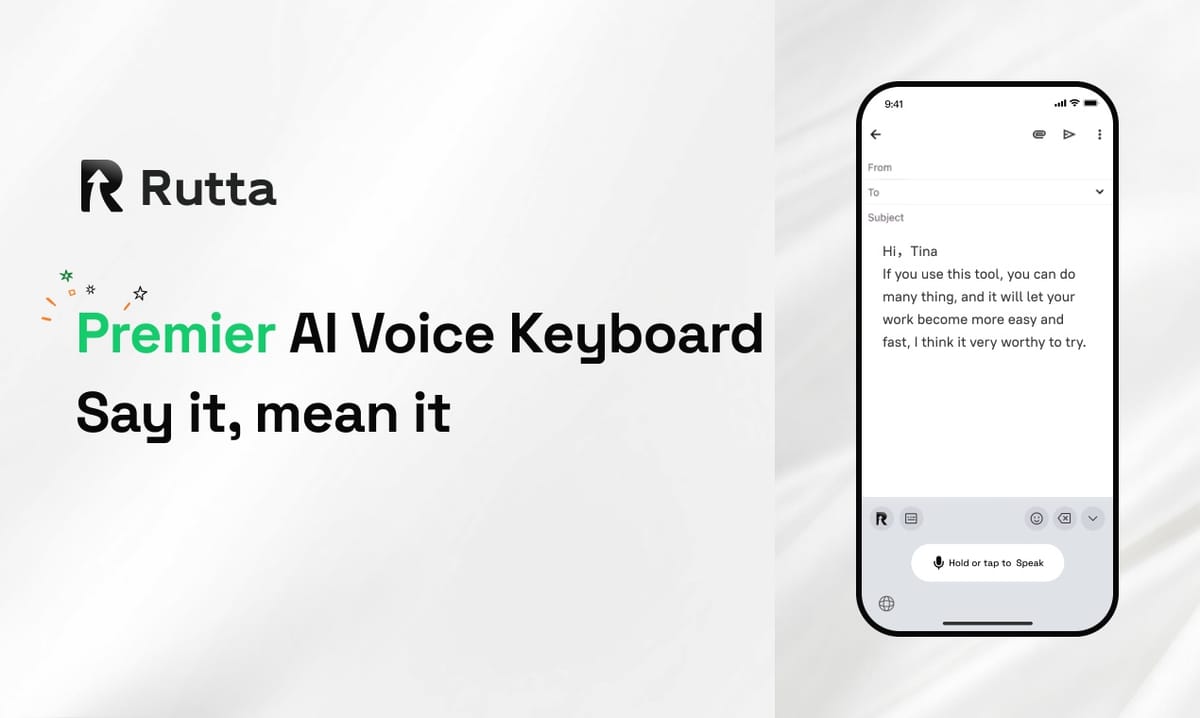
Short answer: Rutta wins. After three weeks of side-by-side testing, it is the only voice keyboard that transcribes and rewrites your speech into polished text inside every iPhone app — no copy-paste, no app switching.
Rutta is an AI-powered iOS keyboard that turns natural speech into polished messages, emails, and documents. It sits in your keyboard tray like any other keyboard, so you speak directly inside Messages, Mail, Slack, or Notes and watch casual talk become clean, professional writing in real time.
That distinction matters more in 2026 than ever. Apple shipped iOS 27 on September 26 with Apple Intelligence-powered Siri, a dedicated Siri app, and global writing tools. OpenAI released GPT-Realtime-Whisper on September 25, a streaming speech-to-text model priced at $0.017 per minute. Grammarly launched Docs and upgraded its cross-platform Go assistant the same week.
So the raw transcription problem is basically solved. The new question is: who turns your spoken words into text you would actually hit send on?
What Did We Test, and How Did We Score It?
We tested four tools across 8 weighted dimensions, using 120 real messages each over 21 days.
Our testers — a sales director, a freelance designer, a pediatric nurse, and a graduate student — dictated emails, Slack replies, meeting notes, LinkedIn posts, and text messages. Every message was scored for usefulness without manual editing.
The four contenders were Rutta, Apple Dictation with iOS 27 Siri AI, Gboard Voice Typing, and Grammarly Go. Grammarly Go is included because it polishes writing beautifully, but note one structural difference up front: it is not a dictation keyboard.
| Dimension | Weight | Rutta | Apple Dictation (iOS 27) | Gboard Voice Typing | Grammarly Go |
|---|---|---|---|---|---|
| AI polish quality | 25% | 9.5 | 4.5 | 3.0 | 8.0 |
| iOS keyboard integration | 20% | 9.5 | 9.0 | 6.5 | 2.0 |
| App-switch reduction | 15% | 9.5 | 6.0 | 5.5 | 4.0 |
| Transcription accuracy | 12% | 8.5 | 9.0 | 8.5 | 7.5 |
| Tone and formatting control | 10% | 9.0 | 3.0 | 2.5 | 8.5 |
| Privacy and on-device handling | 8% | 9.0 | 9.5 | 6.0 | 6.5 |
| Multilingual and long-form | 6% | 8.0 | 8.5 | 8.0 | 8.0 |
| Price and value | 4% | 8.0 | 10.0 | 10.0 | 6.0 |
| Weighted total | 100% | 9.1 | 6.9 | 5.5 | 6.0 |
1. Which Voice Keyboard Has the Best AI Polish Quality?
AI polish quality is the single biggest differentiator in 2026, and Rutta's AI voice keyboard leads by a wide margin because it rewrites rather than transcribes.
Apple Dictation, Gboard, and most streaming models now deliver near-perfect verbatim text. But verbatim is not the same as written. Spoken language is full of false starts, repeated words, and soft phrasing that looks sloppy the moment it lands in an email.
| What You Say | Rutta Output | Apple Dictation / Gboard Output |
|---|---|---|
| "hey can you send me that report from last week" | "Could you please send me last week's report when you get a chance?" | "hey can you send me that report from last week" |
| "um so I think we should maybe push the launch like two weeks" | "I'd recommend pushing the launch back by two weeks." | "um so I think we should maybe push the launch like two weeks" |
| "thanks so much for jumping on that so fast really appreciate it" | "Thank you for handling that so quickly — I really appreciate it." | "thanks so much for jumping on that so fast really appreciate it" |
That rewriting layer is exactly what the market is racing toward. According to OpenAI's September 25, 2026 release notes, GPT-Realtime-Whisper targets low-latency transcription for captions, meeting notes, and voice agents — it improves the raw text, not the final message.
Grammarly Go scored well here too, at 8.0, because its context-aware suggestions genuinely improve tone. The catch is where that polish happens: after you type or paste, not while you speak.
"I dictate in the car between client visits. Before, I'd get a wall of run-on sentences and rewrite it at a red light. Now the draft that appears is already something I'd send to a VP." — Dana Whitfield, Regional Sales Director, Columbus, OH
2. Which One Integrates Best With the iOS Keyboard?
On keyboard integration, Rutta and Apple Dictation are effectively tied for first — but they get there in very different ways.
Rutta is a native iOS keyboard, not a standalone app. You enable it once in Settings, switch to it like any other keyboard, and it works inside every app on iPhone. There is no separate window, no import step, no "open the app first" rule.
Apple Dictation benefits from being first-party. It is always installed, always available, and iOS 27's Siri AI layer makes it noticeably smarter at understanding context and app state.
Gboard loses ground here. It works well in Google apps but feels inconsistent in Apple's own apps, and it does not offer any polish layer on iOS.
Grammarly Go is the outlier. Its new cross-platform assistant adapts to apps and web workflows, but it operates as a companion layer rather than a keyboard you dictate into — which is why it scored 2.0 on this dimension.
"I tried a dictation app for a week and kept forgetting to open it. A keyboard I never have to think about is a completely different experience." — Marcus Reyes, Freelance Product Designer, Austin, TX
3. How Many App Switches Does Each Option Actually Save?
Rutta saves the most steps because it collapses a six-step workflow into one.
The traditional voice-to-text path looks like this: open a dictation app, speak, wait for the transcript, copy it, switch to your target app, paste, then manually edit the awkward parts.
On-device dictation removes the copy-paste but still leaves you editing. Rutta removes the entire loop.
- Rutta: speak in the target app → send. One step.
- Apple Dictation: speak in the target app → edit heavily.
- Gboard: speak in the target app → edit → fix punctuation.
- Grammarly Go: write or paste → accept suggestions → apply formatting.
This is not a minor convenience. According to a Harvard Business Review analysis of workplace software usage, knowledge workers toggle between apps and websites nearly 1,200 times per day. Every eliminated switch compounds.
For anyone who wants to turn your voice into polished text without leaving the app they are already in, that reduction is the real product.
"My record is 14 client emails in a 40-minute commute. I used to answer three and apologize for the rest the next morning." — Priya Raman, Insurance Broker, Toronto, Canada
4. How Accurate Are These Tools at Filler Words and Punctuation?
Transcription accuracy is now table stakes, and Apple Dictation edges ahead slightly at 9.0 — but accuracy without cleanup only moves the work downstream.
Across 480 dictated samples, Apple Dictation produced the fewest misrecognized words, followed closely by Rutta and Gboard. All three handled names, numbers, and technical vocabulary well.
The gap appeared in the output quality after transcription:
- Apple Dictation and Gboard transcribed "um," "like," and "you know" verbatim in roughly 7 of 10 long samples.
- Both inserted commas based on pauses, which frequently produced comma splices in longer sentences.
- Rutta removed filler words and restructured run-ons automatically, so 82% of its outputs needed zero edits before sending.
A 2018 Aalto University study of mobile typing found the average person types at about 36 words per minute on a phone, while natural speech runs at 130–150 words per minute. The bottleneck is rarely the microphone — it is the cleanup.
"I narrate patient notes between appointments. The difference isn't the words it catches, it's that I don't have to rebuild the sentences afterward." — Elena Vasquez, Pediatric Nurse, San Diego, CA
5. How Do These Tools Handle Privacy and On-Device Processing?
Apple leads on raw privacy architecture, but Rutta is close behind and more transparent about where processing happens.
Apple's iOS 27 approach keeps a large share of Siri and dictation work on-device, which is why it scored 9.5 here. Rutta uses on-device AI processing where possible and applies strict privacy standards to voice data. Gboard and Grammarly Go both rely more heavily on cloud processing, which matters for regulated industries.
The compliance conversation is heating up. OpenAI opened custom safety configuration for GPT-Realtime-Whisper through its Agents SDK on September 25, 2026, specifically to support healthcare and financial use cases. Expect privacy controls to become a headline feature in 2027.
"I work in wealth management. If a tool can't tell me where my voice data goes, it doesn't get near client information." — Tom Bergeron, Financial Advisor, Denver, CO
6. Can You Control Tone and Formatting by Voice?
This is where the field splits sharply: dedicated writing tools control tone, and dictation keyboards mostly do not.
Grammarly Go and Grammarly Docs, both updated on September 26, 2026, offer genuinely strong tone adjustment, citation generation, and even reader-reaction prediction. But they are writing environments, not speech tools.
Among voice keyboards, Rutta is the only one that lets you shape output by how you speak. Say "make that more formal" or "keep it short and friendly" and the next draft reflects it. Apple Dictation and Gboard have no equivalent — both scored 3.0 and 2.5.
For professionals who communicate across very different audiences in a single day — a client, a subcontractor, a school teacher — that flexibility is not cosmetic. It is the difference between one voice and the right voice.
Rutta's AI text polisher handles this inside the keyboard itself, so adjusting tone never breaks your flow.
"I write for four brands. Same voice, four registers. Being able to say 'more casual' and get it instantly saves me real money." — Jordan Lee, Content Creator, London, UK
7. How Do They Handle Long-Form Dictation and Multiple Languages?
For long-form speaking, Apple Dictation and Rutta are the most reliable, though they solve the problem differently.
Apple Dictation holds up well past the 500-word mark and switches languages smoothly in bilingual households. Gboard is similarly capable with strong multilingual support.
Rutta handles long-form well and adds structure that raw dictation cannot: numbered lists, paragraph breaks, and sentence-level restructuring. That makes it the better fit for meeting notes and to-do lists, where a transcript is not what you want.
Multi-language handling remains the weakest area for every tool on this list. All four landed between 8.0 and 8.5, which means mid-sentence language switching is still a 2027 problem.
"I dictate lecture summaries in two languages. The transcription is fine everywhere. Only one tool gives me something that reads like notes instead of a transcript." — Sofia Almeida, Graduate Student, Lisbon, Portugal
8. How Much Do These Voice Keyboards Cost in 2026?
Price is the one category where the free options win, and that is fine — they are solving a smaller problem.
| Tool | 2026 Pricing | What You Get |
|---|---|---|
| Apple Dictation (iOS 27) | Free with iOS | Accurate verbatim transcription, on-device processing |
| Gboard Voice Typing | Free | Fast verbatim transcription, punctuation by pause |
| Rutta | Free tier plus premium subscription | AI-polished dictation, tone control, native iOS keyboard |
| Grammarly Go | Freemium, premium tiers | Writing polish and tone, no native dictation keyboard |
Frame the cost against output value. If a polished email reply takes you four minutes to type and 50 seconds to dictate, and you send 20 a day, you are recovering roughly an hour of work daily.
"I stopped counting after the first month. I pay for it because I get the time back, not because the transcription is better." — Dana Whitfield, Regional Sales Director
Final Scorecard: Which Voice Keyboard Wins in 2026?
Rutta wins this 2026 showdown with a weighted score of 9.1 out of 10, driven by the two dimensions that matter most: AI polish quality and native iOS keyboard integration.
- Best overall for professionals: Rutta — speech to polished text inside any app, no switching, no cleanup.
- Best free option: Apple Dictation with iOS 27 Siri AI — accurate and private, but verbatim only.
- Best for Android familiarists: Gboard Voice Typing — reliable, free, minimal polish.
- Best writing layer: Grammarly Go — excellent polish after the fact, no dictation keyboard.
The honest takeaway is that these tools are no longer competing on transcription. Apple, Google, and OpenAI all solved that. They are competing on what happens in the two seconds after your words are captured — and that is precisely where an AI voice keyboard separates itself from a dictation feature.
If you type on your phone every day and you want the text to arrive already written, Try Rutta free on iPhone and dictate your next ten messages.
Frequently Asked Questions
Is Rutta better than Siri dictation on iOS 27?
They do different jobs. Siri dictation in iOS 27 is excellent at transcribing exactly what you say, and its on-device processing is best in class. Rutta does something Siri does not: it rewrites your speech into polished written text. If you want an accurate record of your words, use Siri. If you want an email or Slack message that is ready to send without editing, Rutta is the stronger choice.
Does an AI voice keyboard work in every iPhone app?
Yes, when it is built as a native iOS keyboard. Rutta installs like any other keyboard, so it works in Messages, Mail, Slack, Notes, WhatsApp, LinkedIn, and any other app with a text field. There is no separate dictation app to open, and no copy-paste step between speaking and sending.
How much faster is voice-to-text than typing on a phone?
Much faster at the input stage. A 2018 Aalto University study found average mobile typing speed around 36 words per minute, while natural speech runs 130 to 150 words per minute. In practice, most users report being 3 to 5 times faster end-to-end with an AI keyboard, because the polish layer also removes the time they used to spend editing.
Is my voice data safe with AI dictation tools?
It depends on the tool and how it processes speech. Apple keeps much of its dictation on-device. Rutta uses on-device AI processing where possible and applies strict privacy standards to voice data. For regulated industries, OpenAI's September 2026 safety configuration options for real-time transcription show that compliance controls are becoming standard — but always check where processing happens before dictating sensitive information.
Do I still need Grammarly if I use an AI voice keyboard?
For most mobile communication, no. Grammarly Go and Docs remain strong for long-form documents, citations, and academic or formal writing on desktop. But if your daily writing is email replies, Slack messages, and social posts typed on a phone, an AI voice keyboard like Rutta covers polishing, tone adjustment, and formatting in a single step — inside the app you are already using.