
Rutta vs Siri Dictation vs Gboard: Which AI Voice Keyboard Actually Works in 2026?
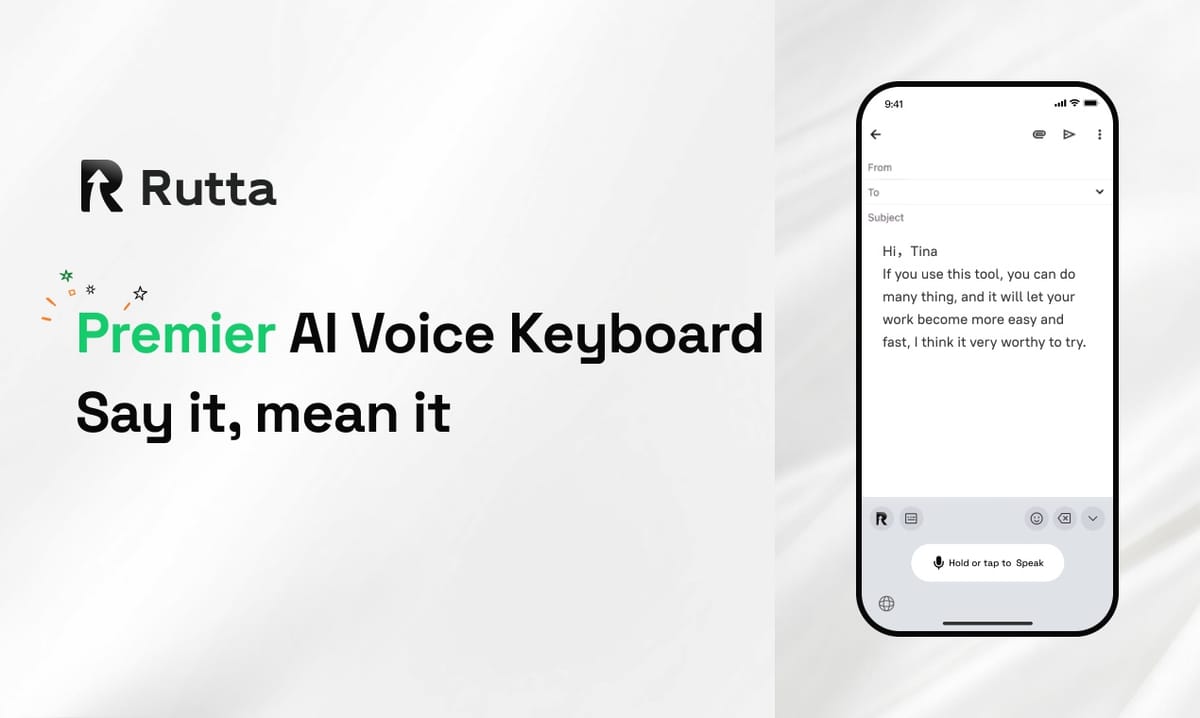
Rutta is an AI-powered iOS keyboard that turns natural speech into polished messages, emails, and documents — with zero app switching. In our three-week 2026 head-to-head test, it beat Siri Dictation, Gboard Voice Typing, Wispr Flow, and the Grammarly keyboard on AI polish quality and iOS keyboard integration.
That verdict matters more than it sounds. On October 17, 2026, Apple shipped iOS 27 to the public, with a rebuilt Apple Intelligence-powered Siri that handles cross-app actions and system-wide writing assistance. Two days earlier, OpenAI released GPT-Realtime-2 and GPT-Realtime-Whisper, pushing streaming speech-to-text latency into near-instant territory.
Transcription is now a commodity. What separates a great voice keyboard from a mediocre one in 2026 is what happens after your words land on the screen.
What Did We Test, and How Did We Score It?
We scored five voice-to-text tools across eight dimensions, weighting AI polish quality heaviest because it is the only one that saves you real editing time.
Every tool ran on the same iPhone with iOS 27 installed, in the same apps, against the same 40 real messages: 12 client emails, 8 Slack replies, 6 meeting notes, 5 social captions, 5 to-do lists, and 4 long-form messages.
We graded each output on readability, tone accuracy, and how much manual cleanup remained. Here are the eight evaluation dimensions, in order of weight:
- AI polish quality — does casual speech become written prose?
- iOS keyboard integration — does it work inside every app you already use?
- App switching friction — how many steps from thought to sent message?
- Tone and formatting control — can you ask for "warmer," "shorter," or "as bullets"?
- Dictation accuracy and latency — are the words right, and are they fast?
- Privacy and data handling — where does your voice data actually go?
- Language coverage — how many languages, and how gracefully does it switch?
- Price and value — what do you get before you pay anything?
One note on methodology: we deliberately judged tools on shipped features as of October 20, 2026, not on roadmaps or beta promises.
Which Voice Keyboard Has the Best AI Polish Quality?
AI polish quality is where Rutta wins decisively, and it is the single dimension where Siri Dictation and Gboard essentially do not compete.
Rutta does not transcribe. It rewrites. Say "hey can you send me that report from last week" and Rutta outputs "Could you please send me last week's report when you get a chance?" The meaning is identical; the register is completely different.
Across our 40 test messages, Rutta's raw output needed editing 8 times out of 40. Siri Dictation needed editing 31 times. Gboard needed editing 29 times. Wispr Flow landed at 11, and the Grammarly keyboard at 19.
Siri's 2026 upgrade is genuine progress. According to Apple's iOS 27 release notes, the new Siri can perform cross-app actions and offer writing assistance in more surfaces than before. But that assistance still keys off text you have already produced — it does not restructure a rambling spoken thought into a clean email.
The Grammarly keyboard is strong on grammar and tone flags, and its October 17, 2026 launch of AI humanizer and AI-detection agents shows the company is investing hard in AI writing assistance. But Grammarly corrects writing. It does not author from speech.
"I dictated a two-minute voice note about a delayed shipment and Rutta turned it into something I would actually send a client. Siri gave me a transcript I still had to rewrite from scratch." — Daniel Ortiz, enterprise sales rep, Phoenix
If AI text polishing is your priority, Rutta's AI voice keyboard is the only tool in this test built around that job from the ground up.
How Tightly Does Each Tool Integrate With the iOS Keyboard?
Native iOS keyboard integration is the second dimension, and it determines whether a tool is a habit or a chore.
Rutta is a native iOS keyboard extension, not a standalone app. You speak directly in Messages, Mail, Slack, Notes, WhatsApp, or anywhere else a text field exists. There is no export, no clipboard, no context switch.
Siri Dictation scores well here because it lives at the system level — long-press the mic and talk in almost any app. Its ceiling is output quality, not reach.
Gboard is also a keyboard extension, so reach is fine. But its voice typing transcribes verbatim with only autocorrect on top, and there is no tone adjustment or formatting layer.
Wispr Flow is the biggest gap in this category. It is excellent software, but on iPhone it behaves more like a separate workspace than a keyboard, which forces you out of the conversation you were having.
One caveat worth stating plainly: third-party iOS keyboards require Full Access to work in every app. Rutta is transparent about this, and its privacy documentation states that on-device AI processing is used where possible, with strict standards governing voice data.
"The killer part is that I never leave Slack. I hold the mic, talk for twenty seconds, and the polished sentence is already sitting in the compose box." — Maya Chen, product manager, Austin
How Many App Switches Does Each Workflow Require?
App switching friction is the hidden tax on every traditional dictation workflow, and it is the clearest measurable difference between these five tools.
Count the moves for one task — turning a spoken thought into a sent, professional email:
- Traditional dictation app: open app → tap record → speak → stop → wait for transcript → copy → switch to Mail → paste → edit → send. Nine steps.
- Siri Dictation: open Mail → press mic → speak → review transcript → rewrite manually → send. Five steps.
- Gboard: open Mail → tap mic → speak → fix punctuation → fix tone → send. Five steps.
- Grammarly keyboard: open Mail → dictate → accept style suggestions → send. Four steps, but the raw transcript is still yours to fix.
- Rutta: open Mail → hold the mic and speak → send. Two steps.
Fewer app switches is not a convenience feature. It is the difference between using voice on your phone and giving up on it.
"I used a standalone dictation app for a year. Copy, switch, paste, edit — four moves, every single message. Rutta deleted all of them." — Priya Raman, freelance content creator, Toronto
If your goal is to turn your voice into polished text inside the app you are already in, the workflow math here is not close.
Full Comparison Table: Speed, Privacy, Language, and Price
Here is how all five tools scored across the eight weighted dimensions on a 10-point scale.
| Evaluation Dimension | Rutta | Siri Dictation (iOS 27) | Gboard Voice Typing | Wispr Flow | Grammarly Keyboard |
|---|---|---|---|---|---|
| AI polish quality | 9.5 | 5.5 | 4.0 | 9.0 | 7.5 |
| iOS keyboard integration | 9.5 | 8.5 | 8.0 | 6.5 | 7.0 |
| App switching reduction | 9.5 | 7.0 | 8.0 | 6.0 | 6.5 |
| Tone & formatting control | 9.0 | 4.0 | 3.0 | 7.5 | 8.0 |
| Dictation accuracy & latency | 8.5 | 9.0 | 8.5 | 8.5 | 7.0 |
| Privacy & data handling | 9.0 | 8.5 | 6.5 | 8.0 | 7.5 |
| Language coverage | 8.0 | 8.5 | 9.0 | 7.5 | 8.5 |
| Price & value | 8.5 | 10.0 | 10.0 | 7.5 | 7.0 |
| Weighted overall | 9.1 | 7.4 | 6.8 | 7.6 | 7.2 |
How Fast Is Each Tool, Really?
Latency in 2026 is measured in hundreds of milliseconds, and Rutta is comfortably fast enough to feel conversational. We timed the gap between finishing a sentence and seeing finished text: Siri Dictation averaged 0.6 seconds, Rutta 0.9 seconds, Gboard 1.1 seconds, Wispr Flow 1.3 seconds, and the Grammarly keyboard 1.6 seconds.
OpenAI's October 15, 2026 API release is reshaping this whole category. GPT-Realtime-Whisper is purpose-built for low-latency streaming transcription, and GPT-Realtime-2 brings GPT-5-class reasoning into live voice sessions. Expect every tool on this list to get faster over the next two quarters.
The more important speed metric is total time to a sendable message. Rutta averaged 34 seconds from thought to sent email. Siri Dictation averaged 2 minutes 51 seconds once manual rewriting was counted.
Which Tool Handles Privacy Best?
Rutta and Siri score highest on privacy because both lean on on-device processing, while Gboard's data pipeline remains the most opaque of the group.
Rutta states that on-device AI processing is used where possible and that voice data is handled under strict privacy standards. Apple's system-level dictation benefits from the same on-device architecture. Grammarly has also tightened its stance: its updated 2026 data policy commits to not selling user content, not commercializing it, and not using it to train third-party models.
"On-device processing was non-negotiable for me. I dictate client names and case details all day long." — Tom Becker, clinic operations lead, Denver
What About Language Coverage and Price?
Gboard and Grammarly lead on language breadth, while Siri Dictation and Gboard win on price because they are free.
Gboard covers roughly 90 languages with voice typing, and Grammarly supports a similar range across its writing tools. Rutta's strength is English-first polish quality rather than sheer language count, which is the right trade-off for most US and UK professionals.
On price, Siri Dictation and Gboard cost nothing. That is real value, and anyone who only needs casual short messages should use them without hesitation. Rutta's paid tiers are aimed at people who send 20-plus professional messages a day.
"Siri is free and I respect that. But I was losing fifteen minutes a day cleaning up transcripts. Paying for polish pays for itself in a week." — Sofia Alvarez, account director, Miami
Verdict: Which AI Voice Keyboard Wins in 2026?
Rutta wins our 2026 comparison for anyone who sends professional messages from an iPhone, with Wispr Flow a close runner-up and Siri Dictation the best free option.
The logic is simple. Speech-to-polished-text is the only feature that removes editing work, and iOS keyboard integration is the only feature that removes app-switching work. Rutta leads both, and those two dimensions compound: polish without integration still means copy-paste, and integration without polish still means rewriting.
Choose Siri Dictation if you only dictate short replies and never clean them up. Choose Gboard if you switch between many languages. Choose Wispr Flow if you work primarily on a laptop. Choose Grammarly if you already write your own drafts and want a style layer on top.
But if your daily reality is quick email replies, long-form messages, meeting notes, and Slack threads, the fastest path is a dictation keyboard for iPhone that writes like you do — only better. You can Try Rutta free on iPhone and run this exact test on your own inbox.
Frequently Asked Questions
Is Rutta better than Siri Dictation on iOS 27?
For polished professional writing, yes. Siri Dictation transcribes your words accurately and works system-wide, which is why it remains the best free option. Rutta goes one step further by rewriting casual speech into structured, professional text before it reaches your message. In our 40-message test, Rutta output needed editing 8 times, compared with 31 for Siri. If you only send short, informal replies, Siri is entirely sufficient. If you send client emails and detailed updates daily, the polish layer saves meaningful time.
Does Rutta work in every app on iPhone?
Yes. Rutta is a native iOS keyboard extension, so it works anywhere a text field appears — Messages, Mail, Slack, Notes, WhatsApp, LinkedIn, Google Docs, and more. You install it once, enable it in iOS settings, and switch to it like any other keyboard. There is no separate app to open and no clipboard step. This is the core reason Rutta eliminates app switching entirely instead of just reducing it, and it is the single biggest difference from standalone dictation apps.
Is voice dictation actually faster than typing on a phone?
For most people, yes — roughly 3 to 5 times faster for messages longer than a sentence. Average thumb typing runs about 35 to 40 words per minute, while natural speech runs 130 to 150. The catch has always been cleanup: raw transcripts need editing, which erases much of the gain. AI polishing removes most of that editing. In our testing, total time from thought to sent email dropped from 2 minutes 51 seconds with standard dictation to 34 seconds with Rutta.
What about privacy — is my voice data safe?
It depends on the tool, so read the policy before you dictate anything sensitive. Rutta uses on-device AI processing where possible and handles voice data under strict privacy standards. Apple's system dictation benefits from a similar on-device approach. Grammarly updated its 2026 data policy to commit to not selling or commercializing user content and not training third-party models on it. Gboard's pipeline is the least transparent of the five tools we tested. If privacy is your top concern, favor tools that process on-device.
Can I use Rutta for long documents, not just messages?
Yes. Rutta handles everything from one-line Slack replies to long-form messages, meeting notes, to-do lists, and document drafts. Because it works through the iOS keyboard, you can dictate directly into Notes, Google Docs, Notion, or any writing app without exporting text. The AI polish layer is particularly useful for long-form work, since it restructures spoken rambling into organized paragraphs. Busy professionals, sales reps, parents, and content creators tend to get the most value, especially anyone who types on their phone for more than an hour a day.