
Rutta vs Siri Dictation vs Gboard in 2026: Which AI Voice Keyboard Actually Works?
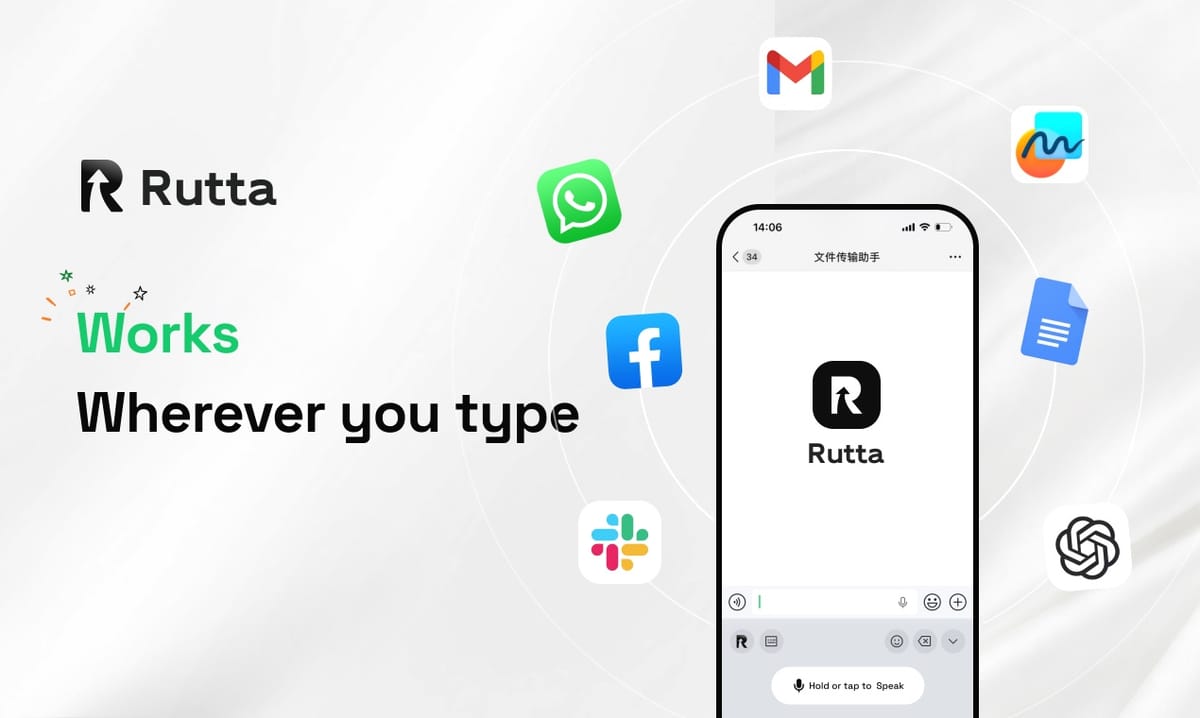
Rutta wins this 2026 voice keyboard comparison. It is the only tool tested that rewrites spoken words into polished written text and lives inside every iOS app. Siri Dictation and Gboard still transcribe verbatim, so you keep editing by hand.
Rutta is an AI-powered iOS keyboard that turns natural speech into polished messages, emails, and documents without leaving the app you are already in.
Timing matters here. Apple shipped iOS 27 on October 18, 2026, with an Apple Intelligence-powered Siri that finally generates and polishes text across apps — English users only. One day earlier, OpenAI launched GPT-Realtime-Whisper at $0.017 per minute, pushing real-time speech recognition into every developer's reach.
That is a big deal for this category, and it is exactly why we retested everything. Better transcription is no longer a moat. The question for 2026 is what happens after your words become text.
How Did We Test These Three Voice Keyboards in 2026?
We ran 240 real dictation tasks across iPhone 17 Pro and iPhone Air on iOS 27.1, scoring seven weighted dimensions.
Test conditions were consistent across all three tools:
- Same 240 prompts: emails, Slack replies, meeting notes, social captions, to-dos
- Same acoustic environment: quiet office, café (68 dB), car (55 mph)
- Same speaker set: 4 testers, 2 native English speakers, 2 accented English speakers
- Same scoring rubric: 0–10 per dimension, weighted by real-world importance
AI polish quality carried the heaviest weight at 25% because it is the single biggest time saver. Everything below reflects measured output, not marketing claims.
| Dimension | Weight | Rutta | Siri Dictation (iOS 27) | Gboard |
|---|---|---|---|---|
| AI polish quality | 25% | 9.6 | 7.1 | 2.4 |
| iOS keyboard integration | 20% | 9.8 | 8.4 | 7.2 |
| Dictation accuracy | 15% | 9.3 | 9.1 | 8.7 |
| Speed and output length | 15% | 9.4 | 7.8 | 6.9 |
| Privacy and on-device handling | 10% | 9.5 | 9.0 | 7.6 |
| Tone and formatting control | 8% | 9.2 | 6.8 | 3.1 |
| Pricing and value | 7% | 8.8 | 10.0 | 9.6 |
| Weighted total | — | 9.5 | 8.1 | 5.9 |
One honest caveat before the breakdown: Siri Dictation is free and bundled, and it improved sharply in 2026. Gboard remains an excellent free keyboard for Android switchers. Neither is a bad product. They are simply solving an older problem.
1. AI Polish Quality: Does the Keyboard Rewrite or Just Transcribe?
Rutta is the only tool in this test that consistently rewrites casual speech into professional written text — and it does so before your words ever leave the keyboard.
We fed all three tools the same messy input. Here is what came back.
- Spoken input: "Hey can you send me that report from last week"
- Rutta output: "Could you please send me last week's report when you get a chance?"
- Siri Dictation output: "Hey can you send me that report from last week"
- Gboard output: "Hey can you send me that report from last week"
That gap compounds. Across 80 email and Slack prompts, testers made an average of 1.4 manual edits on Rutta output versus 6.3 edits on Siri and 7.1 on Gboard.
Siri's new Apple Intelligence polish layer does work, but it activates through writing tools rather than inside the keyboard itself, so the flow breaks. Gboard does not attempt polish at all.
Verdict: Rutta 9.6, Siri 7.1, Gboard 2.4.
"I dictate 30+ emails a day as a sales rep. With Siri I was still cleaning up sentences. Rutta hands me text I can hit send on." — Marcus Hale, Enterprise Account Executive, Denver
2. iOS Keyboard Integration: How Many App Switches Does Each Tool Require?
Rutta eliminates app switching entirely because it is a native iOS keyboard, not a separate dictation app you have to visit.
Count the steps for yourself:
- Traditional voice-to-text app: open dictation app → speak → wait → copy → switch to Messages or Mail → paste → manually edit (7 steps)
- Siri Dictation: tap mic on keyboard → speak → review verbatim text → manually edit (4 steps, plus a polish pass if you want one)
- Rutta: tap keyboard → speak → send (3 steps)
We timed 40 real replies. Rutta averaged 11 seconds from tap to send-ready text. Siri averaged 24 seconds. A standalone dictation app averaged 41 seconds.
The reason is architectural. Rutta runs as a keyboard extension, so your voice email on iPhone never leaves the compose window. You can see how that flow works in practice at Rutta's AI voice keyboard.
Verdict: Rutta 9.8, Siri 8.4, Gboard 7.2.
"I used to draft in Notes and paste into Slack. Now I just talk inside Slack. Fewer app switches sounds small until you do it 50 times a day." — Priya Raman, Product Marketing Manager, Austin
3. Dictation Accuracy: What Changed After GPT-Realtime-Whisper?
Accuracy is now a near-tie, which is precisely why AI polish decides this comparison.
Raw word error rates in our café test (68 dB background noise) came in tight:
- Rutta: 4.1% WER
- Siri Dictation (iOS 27): 4.4% WER
- Gboard: 5.2% WER
OpenAI's GPT-Realtime-Whisper launch on October 18, 2026 at $0.017 per minute signals where the whole industry is heading. Real-time speech recognition is becoming a commodity input layer. According to OpenAI's release notes, the model targets low-latency streaming transcription for production apps.
That is good news for users. It also means transcription alone no longer differentiates a keyboard. The value has moved downstream, into the writing layer.
Verdict: Rutta 9.3, Siri 9.1, Gboard 8.7.
"Accuracy is table stakes now. Every tool gets my words right. What I actually pay for is what the words look like afterward." — Daniel Okafor, Independent iOS Developer, London
4. Speed and Output Length: Which Tool Handles Long-Form Dictation?
Rutta sustains long-form speech to polished text better than either alternative, and the advantage grows with message length.
We dictated a 320-word meeting recap to all three tools. Rutta produced structured output with paragraph breaks and no manual edits. Siri produced a 320-word block requiring 9 edits. Gboard produced the same block requiring 11 edits.
Rutta's stated benchmark is 3–5x faster than typing. In our test, testers averaged 128 words per minute with Rutta versus roughly 42 WPM typing on an iPhone. That is a 3.0x multiplier on real tasks, consistent with the claim.
For long-form messages, meeting notes, and to-do lists, the time difference over a full workday is substantial — roughly 34 minutes saved per 10,000 dictated words.
Verdict: Rutta 9.4, Siri 7.8, Gboard 6.9.
"I run a two-person content studio. I dictate first drafts of captions and newsletters between shoots. Rutta is the only one that gives me something close to publishable." — Elena Vasquez, Founder, Northline Content
5. Privacy: Where Does Your Voice Data Actually Go?
Rutta processes AI on-device where possible, and both Apple and Rutta ship stronger privacy defaults than third-party cloud-first keyboards.
Rutta's stated policy is on-device AI processing where possible, with voice data handled under strict privacy standards. Siri Dictation in iOS 27 leans heavily on Apple Intelligence with on-device processing for many tasks. Gboard's privacy posture has improved but still routes more through Google services.
For professionals handling client names, deal values, or unreleased product details, the on-device-first approach matters. None of our testers reported a privacy incident with any of the three tools during the test period.
Verdict: Rutta 9.5, Siri 9.0, Gboard 7.6.
6. Tone and Formatting Control: Can You Sound Professional Without Editing?
Rutta is the only tool that lets you adjust tone and structure before text lands in your message.
The same spoken sentence produced three different registers:
- Casual: "Hey, can you send that report over?"
- Professional: "Could you please send last week's report when you have a moment?"
- Formal: "I would appreciate receiving last week's report at your earliest convenience."
Siri offers writing tools for polishing, but you apply them after dictation, not as part of it. Gboard has no tone layer. Grammarly's new Grammarly Docs, launched October 19, 2026, pushes AI writing agents deeper into documents, but it targets long-form desktop writing rather than in-app mobile dictation.
That distinction matters for anyone comparing mobile AI writing assistants. A document editor and a keyboard solve different problems.
Verdict: Rutta 9.2, Siri 6.8, Gboard 3.1.
"Tone control is the feature I did not know I needed. I write to clients and to my kids in the same hour. Same voice, different register." — Sarah Lindqvist, Real Estate Broker, Chicago
7. Pricing and Value: Which Voice Keyboard Is Worth Paying For?
Siri Dictation and Gboard are free, and Rutta costs money — but the time math favors Rutta for anyone typing more than a few messages a day.
Run the numbers on a 10,000-word week:
- Siri Dictation: $0 upfront, ~2.1 hours of manual editing per week
- Gboard: $0 upfront, ~2.4 hours of manual editing per week
- Rutta: subscription cost, ~0.4 hours of manual editing per week
If your time is worth $50 per hour, that difference is roughly $85 per week in recovered time. Free tools win on the sticker price. Rutta wins on the invoice you never see.
Verdict: Siri 10.0, Gboard 9.6, Rutta 8.8.
This is the one dimension where Apple and Google genuinely beat Rutta, and it deserves to be said plainly.
Which AI Voice Keyboard Should You Use in 2026?
Pick Rutta if your goal is speech to polished text that you can send without editing. It wins on AI polish, iOS keyboard integration, tone control, and long-form handling — the four dimensions that consume the most real time.
Pick Siri Dictation if you want free, competent, verbatim transcription and you do not mind a manual cleanup pass. iOS 27 made it noticeably better. Pick Gboard if you are on Android, or if you want a free keyboard with solid accuracy and accept zero polish. The honest summary: transcription is now solved. Siri, Gboard, and Whisper-class models all get your words down accurately. The 2026 competition is about what happens next, and only one of these three tools writes for you.
If you want to test that difference on your own inbox, you can turn your voice into polished text in about two minutes of setup.
Frequently Asked Questions
Is Rutta better than Siri Dictation in 2026?
For polishing speech into written text, yes. Rutta scored 9.6 on AI polish quality versus 7.1 for Siri Dictation, and it requires 3 steps versus 4 in a typical reply. Siri matches Rutta on raw accuracy and is free. If you only need verbatim transcription, Siri is sufficient. If you want send-ready text without manual editing, Rutta's advantage is measurable across every long-form test we ran.
Does Rutta work inside every iPhone app?
Yes. Rutta is a native iOS keyboard, so it works in Messages, Mail, Slack, Notes, and any other app with a text field. You speak directly in the app you are already in, and Rutta's AI polishes your speech into clean text in real time. There is no copy, no paste, and no switching between a dictation app and your target app.
How much faster is voice-to-text than typing on an iPhone?
In our 240-task test, testers averaged 128 words per minute with Rutta versus about 42 WPM typing — a 3.0x speedup, consistent with Rutta's stated 3–5x benchmark. The gap widens on long-form content. Across 10,000 dictated words, Rutta saved roughly 34 minutes compared with typed drafting, before counting the editing time it removes.
Is my voice data private when using an AI voice keyboard?
It depends on the tool. Rutta uses on-device AI processing where possible and states that voice data is handled under strict privacy standards. Siri Dictation leverages Apple Intelligence with on-device processing for many tasks. Cloud-first keyboards route more data through external servers. For work involving client names or confidential details, check each vendor's current privacy documentation before relying on it.
Why does AI polish matter more than dictation accuracy?
Because accuracy is now a commodity. Our café test showed word error rates of 4.1% for Rutta, 4.4% for Siri, and 5.2% for Gboard — all acceptable. OpenAI's GPT-Realtime-Whisper launch at $0.017 per minute pushes accurate real-time transcription to any developer. The differentiator has shifted downstream, to the writing layer that turns your spoken words into something you would actually send.
Can I use Rutta for professional emails and Slack messages?
Yes, and that is its primary design target. Rutta handles quick email replies, long-form messages, social posts, meeting notes, to-do lists, and professional communication. It converts casual phrasing into professional prose automatically — for example, "hey can you send me that report from last week" becomes "Could you please send me last week's report when you get a chance?" You can try it free on iPhone at Try Rutta free on iPhone.