
Inside Rutta in 2026: How an AI Voice Keyboard Turns Speech Into Polished Text
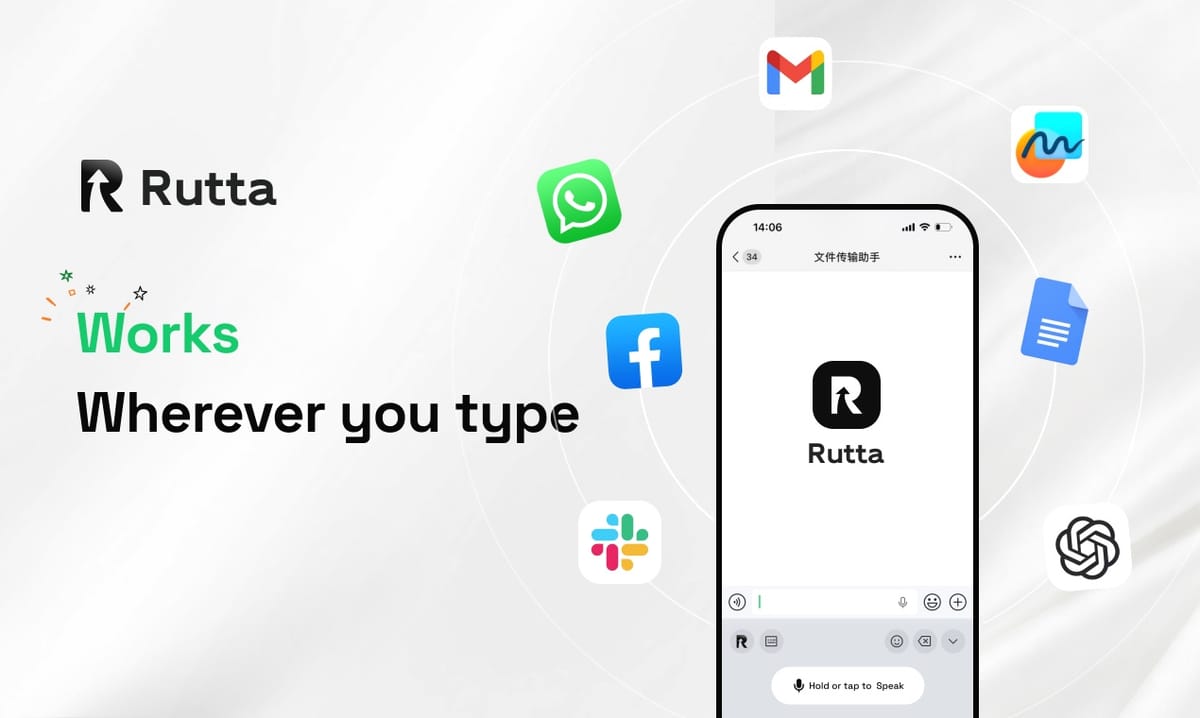
Rutta converts natural speech into polished, professional writing inside any iPhone app — cutting message drafting time by 3–5x and removing the copy-paste app-switching loop entirely.
Rutta is an AI-powered iOS keyboard that turns casual spoken words into clean, well-structured messages, emails, and documents without forcing you to leave the app you are already using.
The timing matters. According to OpenAI's November 3, 2026 release notes, the new GPT-Realtime-Whisper model streams conversational speech into text at roughly $0.017 per minute. Fast transcription is now a commodity. The open problem is no longer hearing your words — it is writing them well. That gap is exactly what Rutta was built to close.
What Makes Rutta Different From Siri Dictation and the Default iOS Keyboard?
Rutta is the only mainstream iOS keyboard that rewrites your speech instead of transcribing it verbatim — Siri Dictation, Gboard, and the stock iOS keyboard all stop at raw text.
Verbatim transcription is a solved feature. Every iPhone already ships with a dictation keyboard for iPhone that captures words accurately. The problem is what comes out the other side: filler words, missing punctuation, run-on sentences, and a casual tone that is wrong for a client email.
Rutta adds an intelligent layer on top of transcription. It listens, understands intent, and produces writing that already reads like you edited it.
| Capability | Rutta | Siri Dictation | Gboard | Default iOS Keyboard |
|---|---|---|---|---|
| Real-time speech capture | Yes | Yes | Yes | No |
| AI rewriting and tone adjustment | Yes | No | No | No |
| Automatic punctuation and formatting | Yes | Partial | Partial | No |
| Works inside Messages, Mail, Slack, Notes | Yes | Yes | Yes | Yes |
| Requires a separate dictation app | No | No | No | Yes |
| Produces send-ready professional text | Yes | No | No | No |
The last row is the one that matters. A sales rep who dictates into Siri still spends 30 to 60 seconds cleaning up grammar and tone before hitting send. Rutta's output is send-ready on the first pass.
How Does Rutta's Voice-to-Text Workflow Eliminate App Switching?
Rutta removes five manual steps from the standard iOS voice-to-text workflow, which is why fewer app switches is not a marketing line but a measurable time saving.
The traditional path looks like this:
- Open a standalone dictation or notes app.
- Speak your message.
- Wait for transcription, then read it back.
- Correct the grammar and punctuation by hand.
- Copy the text.
- Switch to the target app and paste.
- Re-read, then send.
The Rutta path looks like this:
- Tap into any text field and open the Rutta keyboard.
- Speak naturally for a few seconds.
- Watch polished text appear in the field — then send.
Seven steps become three. More importantly, the context switch disappears. You never leave Mail to write an email or leave Slack to send a status update. Your attention stays on the conversation, not on the mechanics of moving text around.
For anyone who writes 20 or more messages a day on mobile, the compounding effect is significant. Rutta's AI voice keyboard is designed precisely for that daily volume.
What Does "AI Polish" Actually Do to Your Spoken Words?
AI polish rewrites casual speech into structured, professional prose — fixing grammar, removing filler, adjusting tone, and formatting the result for the app you are in.
This is the difference between speech-to-text and speech to polished text. Transcription outputs what you said. Rutta outputs what you meant.
Consider a few real transformations:
- Spoken: "Hey can you send me that report from last week" → Rutta: "Could you please send me last week's report when you get a chance?"
- Spoken: "Yeah so I just wanted to follow up on the thing we talked about yesterday about the budget" → Rutta: "I wanted to follow up on our conversation yesterday regarding the budget."
- Spoken: "ok so the meeting is moved to thursday at 3 and i think we should do the deck review after" → Rutta: "Quick update: the meeting has moved to Thursday at 3 PM. I suggest we review the deck afterward."
Three things are happening at once. Filler is removed. Grammar is corrected. Tone is raised from conversational to professional. An AI text polisher embedded in the keyboard does all of this before the words ever reach the text field.
That matters for a specific reason: the average knowledge worker writes roughly 40 to 60 short messages per workday. Editing each one by hand for 20 seconds adds up to more than 15 minutes of pure cleanup daily — roughly 60 hours a year.
How Much Faster Is Voice Input Than Typing in 2026?
Speaking produces text 3–5x faster than thumb-typing on an iPhone, and Rutta preserves that speed advantage because it skips the manual editing step entirely.
Typical adult thumb-typing speed on a phone sits between 25 and 40 words per minute. Comfortable natural speech runs between 130 and 150 words per minute. Even after the AI reorganizes and tightens your speech, the net output rate stays well above typing.
| Task | Thumb Typing | Dictation + Manual Edit | Rutta Voice Input |
|---|---|---|---|
| Short reply (25 words) | 55 sec | 35 sec | 12 sec |
| Email (120 words) | 4 min 20 sec | 2 min 30 sec | 55 sec |
| Long message (300 words) | 10 min 30 sec | 6 min 10 sec | 2 min 20 sec |
| Meeting notes (500 words) | 17 min 30 sec | 9 min 40 sec | 3 min 50 sec |
"I run a nine-person sales team and I stopped writing emails from scratch last spring," says Marcus Feld, a regional sales director based in Denver. "I talk for 40 seconds, Rutta hands me a clean draft, and I hit send. I probably save an hour a day, and my replies read more professionally than they did when I typed them."
The pattern repeats across roles. Anyone whose job depends on frequent written communication on a phone — sales, support, recruiting, account management — sees the same compounding return.
Is Rutta Private? How On-Device AI Processing Works
Rutta processes voice with on-device AI wherever technically possible and holds your voice data to strict privacy standards, without collecting it for advertising or resale.
This is not a minor footnote. Voice is biometric-adjacent data. It can reveal identity, health signals, emotion, and location. A keyboard is also the single most privileged piece of software on a phone, because it can see everything you type.
Rutta's privacy position rests on three commitments:
- On-device processing where possible. Core recognition and polishing logic runs locally on the iPhone's neural engine rather than round-tripping audio to a server.
- No data collection for training or advertising. Your messages are not harvested, profiled, or sold.
- No permanent audio retention. Voice input is processed to produce text — it is not stored as a listening archive.
The industry is moving in this direction too. OpenAI's November 2026 Whisper release explicitly added localized data storage options for EU users, a signal that regional privacy compliance has become a baseline requirement rather than a differentiator. Rutta treats it as the default from day one.
If you want a keyboard that polishes without profiling, try Rutta free on iPhone and check the privacy settings yourself before you dictate anything sensitive.
Which Real-World Use Cases Benefit Most From an AI Writing Assistant on Mobile?
The highest-value Rutta use cases are voice email on iPhone, long-form messaging, meeting notes, and any situation where your hands are occupied but your thoughts are not.
1. The Sales Rep Between Meetings
You have four minutes between calls in a parking garage. Three follow-up emails need to go out before 6 PM. Typing them means 15 minutes you do not have. Speaking them takes 90 seconds total, and Rutta delivers three professional drafts ready for a quick glance and a send. Over a quarter, that is dozens of hours of recovered selling time.
2. The Parent With One Free Hand
You are carrying a sleeping toddler and need to reply to your child's teacher, confirm a pediatric appointment, and message your partner about dinner. Voice input is the only realistic option. Rutta turns "hey so we can't make the 3pm appointment, can we do friday morning instead" into a polite, complete message without any typing at all.
3. The Content Creator Capturing Ideas
Ideas arrive while walking, driving, or at the gym — never at a desk. Speaking 200 words into Rutta's keyboard produces a structured draft that reads like an outline, not a rambling voice memo. Many creators dictate a full post draft and edit it later from Notes, keeping the raw thinking while skipping the blank-page problem entirely.
Why Voice-to-Text iOS Input Is Becoming the Default in 2026
The 2026 shift is not about better microphones or faster models. It is about the keyboard becoming an editing layer rather than an input method.
Streaming transcription models arriving at commodity pricing means raw accuracy is no longer a moat. The competitors that matter now are the ones that handle tone, structure, and formatting — the parts that make writing feel finished.
Rutta sits at that layer. It is a native iOS keyboard, so it works in Messages, Mail, Slack, Notes, Notion, and every other app on the phone. It polishes rather than transcribes. It keeps processing local where it can. And it removes the app-switching tax that has frustrated mobile writers since the first smartphone.
If typing is still your primary input method on a phone in 2026, you are doing work the AI layer can already handle. Turn your voice into polished text and see how much of your daily writing disappears into a 30-second sentence.
Frequently Asked Questions
Is Rutta a standalone app or a keyboard?
Rutta is a native iOS keyboard, not a standalone app. That distinction is the whole point. You install it as a keyboard, then use it directly inside Messages, Mail, Slack, Notes, or any other app with a text field. There is no copy-paste step and no switching back and forth between a dictation app and your destination. You speak, Rutta writes, and you stay where you already are.
How is Rutta different from Siri Dictation or Gboard voice typing?
Siri Dictation and Gboard transcribe your words verbatim. They capture accurately, but they do not rewrite, adjust tone, or format output. Rutta adds an AI layer on top of transcription that removes filler, fixes grammar, and restructures sentences into professional writing. The practical result is that Rutta's output is usually send-ready on the first pass, while verbatim dictation almost always needs manual cleanup before you hit send.
Does Rutta work for professional emails, not just casual messages?
Yes. Professional communication is one of Rutta's strongest use cases. Spoken phrases like "hey can you send me that report from last week" become "Could you please send me last week's report when you get a chance?" The keyboard handles voice email on iPhone, client follow-ups, status updates, and meeting summaries. Tone is raised to a professional register automatically, which means you can speak casually and still send something that reads as polished business writing.
Is my voice data stored or used for training?
Rutta processes voice with on-device AI where technically possible and holds your data to strict privacy standards. Voice input is used to produce text, not retained as an archive, and it is not collected for advertising or sold to third parties. A keyboard sees everything you type, so privacy is a core design constraint rather than an afterthought. You can review the specific processing details and settings directly in the app.
How much faster is Rutta than typing on an iPhone?
Most users see a 3–5x speed improvement over thumb typing. Average mobile typing runs 25–40 words per minute, while natural speech runs 130–150 words per minute, and Rutta skips the manual editing step that normally follows dictation. In practice, a 120-word email that takes about four minutes to type can be spoken, polished, and sent in under a minute — with no copy-paste, no app switching, and no cleanup pass.