
Inside Rutta: How an AI Voice Keyboard Turns Speech Into Polished Text in 2026
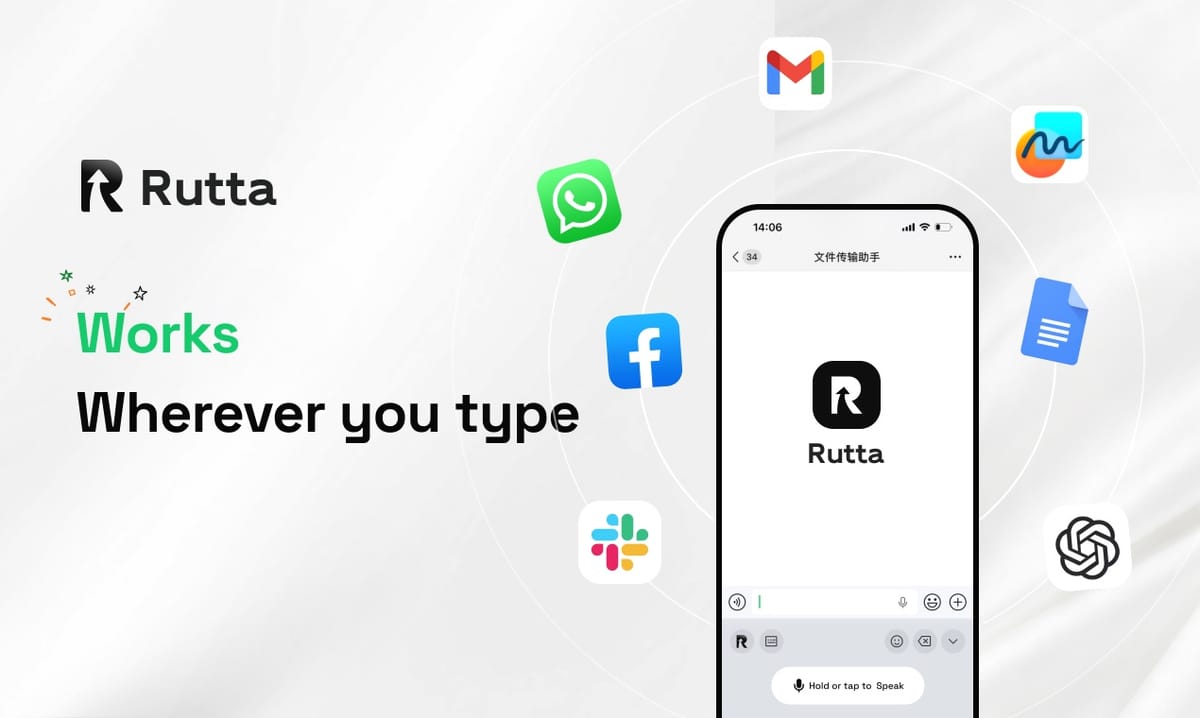
Short answer: Rutta is an AI-powered iOS keyboard that converts natural speech into polished, professional written text inside any app — no copy-paste, no app switching, no manual cleanup. You speak; the AI polishes; the text lands where you need it.
Rutta is an AI-powered iOS keyboard that turns natural speech into polished messages, emails, and documents. Unlike basic voice dictation, it rewrites your casual spoken words into professional, well-structured written text without leaving the app you are already in.
That distinction matters more in 2026 than ever. On October 19, 2026, OpenAI released three new audio API models, including GPT-Realtime-Whisper for streaming speech-to-text. Transcription has become a commodity. The new battleground is what happens after the words are captured — and that is exactly where an AI voice keyboard earns its place on your home screen.
What Is Rutta and How Does an AI Voice Keyboard Actually Work?
Rutta works as a native iOS keyboard, not a standalone app — which means it appears inside Messages, Mail, Slack, Notes, and every other text field on your iPhone.
There is no destination app to open first. You tap into the field you were already typing in, switch to the Rutta keyboard, and speak.
The system runs three layers in sequence:
- Capture — Rutta listens to your natural, conversational speech, including the filler words and run-on sentences everyone uses when talking.
- Polish — an AI layer rewrites the raw transcript. It fixes grammar, tightens structure, adjusts tone, and adds punctuation and formatting.
- Place — the finished text appears in the field you were already in. Nothing to copy, nothing to paste.
A concrete example: you say, "Hey can you send me that report from last week." Rutta does not return that verbatim. It returns: "Could you please send me last week's report when you get a chance?" Same intent — a different impression.
Why does that rewrite layer matter so much in 2026?
Because verbatim dictation is table stakes now. Industry research published on October 18, 2026 found that 87% of professional content creators use AI writing tools, up from 23% in 2021 — a near fourfold jump in five years. Users no longer accept raw transcripts as finished output.
Basic dictation solves the input problem. Rutta solves the output problem.
How Does Rutta Eliminate App Switching Forever?
Rutta removes five separate steps from the traditional voice-to-text workflow, replacing them with one continuous action inside the app you are already using.
Here is the traditional loop most iPhone users still follow:
- Open a dedicated dictation or notes app
- Speak your message
- Wait for transcription
- Copy the text
- Switch to the target app
- Paste into the field
- Manually fix grammar, tone, and punctuation
Seven steps, three context switches, and one editing pass. Now compare that to Rutta's workflow:
- Tap into the text field you are already in
- Switch to the Rutta keyboard
- Speak
- Send
Four steps, zero context switches, zero editing passes. The phrase "fewer app switches" undersells it — for a heavy phone typist, this is the difference between a two-minute task and a twelve-second one.
What does the workflow look like step by step?
Step 1 — Open any app. Messages, Mail, Slack, Notes, LinkedIn, Notion, Gmail, or your CRM. Rutta does not care which.
Step 2 — Summon the Rutta keyboard. One tap on the globe key. No app launch, no loading screen.
Step 3 — Speak naturally. Talk the way you would to a colleague across a desk. Rambling is fine. Restarts are fine.
Step 4 — Let the AI polish. Rutta converts rambling speech into clean, structured, professional text in real time.
Step 5 — Send. Tap send inside the original app. The message never left the conversation.
How Much Faster Is Rutta Than Typing or Basic Dictation?
Rutta is 3–5x faster than typing for most users, and it eliminates the manual editing pass that erases much of the gain from standard dictation.
The numbers are straightforward:
- Typing a 120-word email on iPhone: roughly 3–4 minutes at 35–40 words per minute
- Dictating it with a basic keyboard, then editing: roughly 90 seconds of speaking plus 60–90 seconds of cleanup
- Dictating it with Rutta: roughly 40–50 seconds, with no cleanup required
Multiply that across a working day. A sales rep sending 40 follow-ups recovers more than an hour. A parent replying to school emails between meetings stops dreading the task entirely.
The speed gain is not just keystrokes. It is the cognitive cost of switching apps, reformatting text, and re-reading your own sloppy transcript. Removing that is where the real time goes back.
This is also why Apple's October 19, 2026 push into AI productivity — the new subscription-based Apple Creator Studio tier for Keynote, Pages, Numbers, and Freeform — is worth watching. The platforms are investing heavily in document intelligence. Very little of that investment, however, reaches the moment you are standing in a hallway dictating a reply into Gmail. That gap is where turn your voice into polished text becomes a daily habit rather than a novelty.
What Are Three Real Use Cases for Rutta in 2026?
Rutta shows up most often in three high-frequency situations: fast professional replies, long-form drafting on mobile, and capturing thoughts before they disappear.
Scenario 1: The sales rep clearing an inbox from a parking lot
You just left a client meeting. You have eleven follow-ups to send before the next call. You open Mail, hit the Rutta keyboard, and speak: "Thanks for the time today, I'll send the pricing sheet by Thursday, and let me know if the ops team wants a walkthrough next week."
What arrives in the recipient's inbox is a clean, courteous, properly punctuated note — not a stream of consciousness.
"I used to batch my replies until I was back at a laptop," says Dana Whitfield, a regional sales director in Atlanta. "Now they go out from the parking lot, and they read better than what I used to type."
Scenario 2: The parent writing a long message in a school group chat
You need to explain a schedule conflict to three other families. Typing it means four minutes and several typos. Speaking it with a tool that polishes means forty seconds, and the tone stays warm instead of clipped.
This is the everyday case that surprises people most — voice email on iPhone stops feeling like a shortcut and starts feeling like the better way to write.
Scenario 3: The creator capturing a post idea mid-walk
A social post, a meeting note, a to-do list, a paragraph of a newsletter. You think it, you say it, and it is written down as structured text before the idea evaporates.
Given that 87% of professional creators now rely on AI writing tools, mobile capture is the next frontier. Ideas rarely arrive when you are sitting at a desk.
Is Rutta Private? On-Device AI and Data Handling
Rutta processes AI on-device where possible and handles voice data under strict privacy standards, so your spoken words are not treated as training material.
Three commitments define the privacy model:
- On-device processing where possible — much of the AI work happens locally on your iPhone rather than being shipped to a remote server.
- No data collection abuse — your voice and text are not sold, profiled, or repurposed.
- No behavior change required — you do not have to leave apps or accept new cloud accounts to use the keyboard.
That last point matters. Privacy-respecting tools usually ask you to change how you work. Rutta asks you to change nothing — it lives inside the keyboard layer you already use.
How Does Rutta Compare to Siri Dictation, Gboard, and the Default iOS Keyboard?
Rutta is the only option in this comparison that adds an intelligent rewriting layer on top of transcription — the others stop at verbatim text.
| Capability | Siri Dictation | Gboard Voice | Default iOS Keyboard | Rutta |
|---|---|---|---|---|
| Speech-to-text transcription | Yes | Yes | Yes | Yes |
| AI rewriting and polish | No | No | No | Yes |
| Tone adjustment (casual → professional) | No | No | No | Yes |
| Removes filler words and restatements | No | No | No | Yes |
| Structured formatting (lists, paragraphs) | No | No | No | Yes |
| Works inside every iPhone app | Partial | Partial | Yes | Yes |
| Manual copy-paste required | Sometimes | Sometimes | No | No |
| On-device AI processing where possible | Limited | Limited | Limited | Yes |
The pattern is consistent: existing tools transcribe, Rutta edits. That single difference changes the output from "what I said" to "what I meant to say, written well."
What about newer real-time transcription models?
Streaming models such as GPT-Realtime-Whisper, announced October 19, 2026, make transcription faster and more accurate than ever. That is genuinely useful — and it raises the bar for the layer above it.
Faster raw transcripts do not solve tone, structure, or formatting. An AI text polisher sits on top of whatever transcription engine you prefer. Speed gets better; polish is still the missing piece.
Summary: Why an AI Voice Keyboard Becomes a Daily Habit
Rutta turns your iPhone keyboard into a speech-to-polished-text engine that works in every app, removes the copy-paste loop, and produces professional writing from casual talking.
The core benefits are easy to summarize:
- 3–5x faster than typing for typical messages and emails
- Fewer app switches — four steps instead of seven
- Polished output from raw, casual speech
- Works everywhere on iPhone — Messages, Mail, Slack, Notes, and beyond
- Privacy-forward with on-device processing where possible
The 2026 writing stack is crowded with desktop platforms, 2,000-word report generators, and multilingual translation engines. Almost none of them help you at the exact moment you are writing — standing in line, walking to a meeting, or holding a sleeping toddler. That moment is where a dictation keyboard for iPhone stops being a convenience and becomes infrastructure.
If you write on your phone daily, start with a single email tomorrow morning. Speak it, send it, and read it back. Try Rutta free on iPhone and see how much of your day was spent fighting a keyboard.
Frequently Asked Questions
What exactly is Rutta?
Rutta is an AI-powered iOS keyboard that converts natural speech into polished, professional written text inside any app. It is a native keyboard rather than a standalone app, so it works directly in Messages, Mail, Slack, Notes, and every other text field on your iPhone. Unlike basic dictation, it does not simply transcribe your words — it rewrites them, fixing grammar, tightening structure, adjusting tone, and adding punctuation. The result is text that reads as though you carefully typed and edited it, produced in seconds by speaking naturally.
How is Rutta different from Siri dictation or Gboard?
Siri dictation and Gboard transcribe speech verbatim. They capture what you said, including filler words, false starts, and run-on sentences, and they leave the editing to you. Rutta adds an intelligent rewriting layer on top of transcription. A sentence like "Hey can you send me that report from last week" comes out as "Could you please send me last week's report when you get a chance?" The meaning is identical, but the tone, grammar, and structure are professionally written rather than spoken. That polish layer is the entire difference in practice.
Does Rutta require me to leave the app I am using?
No. That is the central design goal. Rutta lives in the iOS keyboard layer, so you tap into the text field you were already using — a Mail draft, a Slack thread, an iMessage — switch to the Rutta keyboard, and speak. The finished, polished text appears right there. There is no dictation app to open, no transcript to copy, no second app to switch into, and no paste step. Traditional voice-to-text takes seven steps; Rutta takes four, with no context switching in between.
Is my voice data private with Rutta?
Rutta processes AI on-device where possible and handles voice data under strict privacy standards. Your spoken words are not collected for resale or repurposed into unrelated training pipelines. Equally important, using Rutta does not require you to change how you work — there is no separate cloud account, no browser extension, and no workflow migration. Privacy-focused tools usually demand behavior change; Rutta operates inside the keyboard you already use, which makes the privacy-preserving choice also the convenient one.
Who benefits most from an AI voice keyboard in 2026?
The heaviest beneficiaries are busy professionals, sales reps, parents, and content creators — anyone who types on their phone daily. Sales reps clear follow-up emails between meetings. Parents answer school threads without typing four-minute replies. Creators capture post ideas mid-walk before they disappear. Meeting notes, to-do lists, and long-form messages all convert faster by voice than by thumb. With 87% of professional creators now using AI writing tools, mobile capture has become the practical frontier, and speed of 3–5x over typing changes what gets written at all.