
Inside Rutta: How an AI Voice Keyboard Removes App Switching on iPhone in 2026
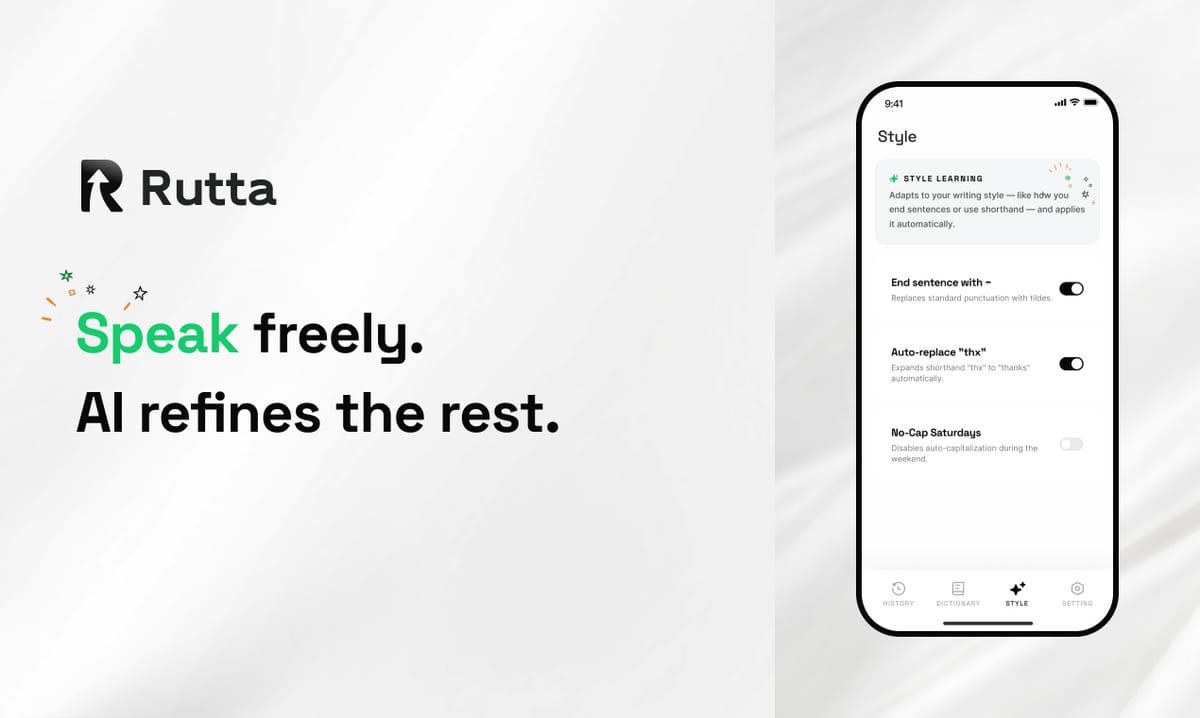
Answer first: Rutta turns spoken words into polished, send-ready text inside any iPhone app. It replaces the four-step dictate-copy-switch-paste loop with one spoken sentence, and it works everywhere a keyboard works.
Rutta is an AI-powered iOS keyboard that turns natural speech into polished messages, emails, and documents. It runs inside the app you are already using and rewrites casual speech into clean written text in real time.
On September 30, 2026, Apple published a new Magic Keyboard operations guide for iOS 27, adding custom modifier keys, custom phrase input, and full keyboard control. Even Apple's physical-keyboard story is about one thing: moving text faster. The gap between how fast people talk and how fast they type on a phone has never been wider.
Why Does a Native iOS Keyboard Beat a Standalone Dictation App?
Rutta is a native iOS keyboard rather than a standalone app, and that single architectural choice is what removes app switching from voice writing.
A traditional voice-to-text workflow looks like this:
- Leave the app you were in and open a dictation or notes app.
- Speak your message.
- Wait for the transcription to finish.
- Select the text and copy it.
- Switch back to the target app.
- Paste at the cursor.
- Manually fix grammar, tone, punctuation, and structure.
The Rutta workflow looks like this:
- Tap the keyboard.
- Speak.
- Send.
Seven steps become three. That difference compounds across a working day. A sales rep answering fifteen short emails saves the copy-paste tax fifteen times, not once.
This is also why the "keyboard vs. app" distinction matters more than it sounds. A dictation app is a destination. A keyboard is infrastructure. Infrastructure wins because you never have to think about it. Rutta's AI voice keyboard sits in the same layer as the keys you already tap, so there is no context switch and no destination to remember.
How Does Rutta Turn Speech Into Polished Text?
Rutta adds a rewriting layer on top of transcription, which means the output is what you meant to write rather than a verbatim record of what you said.
Basic dictation stops at the transcript. It hears sounds and prints words. Rutta hears intent and prints prose. The difference shows up immediately in the sentence you actually send.
| What you say | What Rutta writes |
|---|---|
| hey can you send me that report from last week | Could you please send me last week's report when you get a chance? |
| yo are we still on for tomorrow at 10 | Hi — are we still on for tomorrow at 10 a.m.? |
| yeah i think the deadline is probably friday but let me check | I believe the deadline is Friday, but let me confirm and get back to you. |
| ok so first we need budget second we need headcount third we need a timeline | Three items to resolve: budget, headcount, and timeline. |
The second column is the product. An AI text polisher working at the keyboard layer means you never stop to fix a sentence mid-flow. You speak the way you actually speak, and the written version arrives already cleaned up.
The industry is moving in this direction fast. On September 29, 2026, OpenAI launched gpt-4o-mini-tts with 13 built-in voices and customizable accent, emotion, pace, and tone. That is progress on the audio output side. For people writing on a phone, though, the valuable output is not audio — it is finished text. Voice is the input; the document is the deliverable.
How Much Faster Is Speaking Than Typing on an iPhone?
Speaking runs roughly three to four times faster than thumb-typing on a phone, and Rutta's polishing step removes the editing pass that usually eats the gain.
Average mobile typing speed lands around 36 to 40 words per minute. Comfortable conversational speech runs 130 to 150 words per minute. That ratio is the whole opportunity. The problem was never dictation speed — it was the cleanup required afterward.
| Task | Words | Typing + editing | Rutta (speak + send) | Time saved |
|---|---|---|---|---|
| Short email reply | 60 | ~2 min 20 sec | ~25 sec | ~1 min 55 sec |
| Medium message to a client | 120 | ~4 min 20 sec | ~50 sec | ~3 min 30 sec |
| Meeting notes | 300 | ~11 min 20 sec | ~2 min | ~9 min 20 sec |
| Social post draft | 80 | ~3 min | ~35 sec | ~2 min 25 sec |
Ten short replies a day is roughly twenty minutes back. Twenty is nearly two working weeks a year, recovered from a task that produces nothing anyone remembers.
"I answer client emails from the parking lot before walk-ins," said Dana Whitfield, a regional sales rep. "I speak for twenty seconds and the email is already more polite than what I would have typed."
What Are the Real-World Use Cases for an AI Voice Keyboard?
Rutta fits any situation where you know what you want to say but the phone keypad is the bottleneck — which is most of a working day.
1. The sales rep between meetings
You have four minutes between calls and nine follow-ups to send. Each one needs to sound personal and professional, not templated. Speaking nine replies takes about six minutes total with Rutta. Typing them properly takes thirty. The tone stays warm because you are speaking naturally rather than compressing sentences to save thumb strokes.
2. The parent sending messages one-handed
Holding a toddler, carrying groceries, or walking a dog leaves you one thumb and no patience. This is where a dictation keyboard for iPhone stops being a productivity hack and becomes the only realistic option. Speak the message, glance at the polished version, send. You get adult-sounding text instead of the typo-riddled fragments that one thumb produces.
3. The content creator drafting on the move
Ideas arrive while you are commuting, not while you are sitting at a desk. A creator can speak a rough 80-word post, get back structured prose with clean punctuation, and paste it into a scheduling tool later. What used to be a lost voice memo becomes a draft. Turn your voice into polished text at the moment the idea is actually fresh.
How Does Rutta Compare to Siri Dictation, Gboard, and the Default iOS Keyboard?
Existing iOS options transcribe accurately but stop there, leaving every tone, formatting, and structure decision to you after the fact.
| Capability | Siri Dictation | Gboard | Default iOS Keyboard | Rutta |
|---|---|---|---|---|
| Transcribes speech | Yes | Yes | Yes | Yes |
| Rewrites spoken words into written prose | No | No | No | Yes |
| Adjusts tone (casual → professional) | No | No | No | Yes |
| Handles punctuation and paragraph structure | Partial | Partial | Partial | Yes |
| Works inside any app without switching | Partial | Yes | Yes | Yes |
| Structures run-on speech into lists | No | No | No | Yes |
| Manual editing needed after dictation | High | High | High | Low |
The pattern in that table is consistent: transcription is a solved problem, and polishing is not. Every mainstream option gives you words. None of them gives you a document.
There is a second-order cost to that gap. Verbatim dictation makes people self-conscious. You start speaking in careful, comma-conscious sentences, which is slower and sounds stilted. Rutta removes that pressure because the AI writing assistant on mobile handles the translation from speech to prose for you.
The broader market is validating this layer. On September 30, 2026, Grammarly shipped AI text humanization and AI-content detection, now serving 50,000 businesses and 40 million individuals. Polishing is becoming a category, not a feature.
Is Rutta Private? How On-Device Processing Protects Your Voice
Rutta runs AI processing on-device wherever possible, so the audio of your spoken messages does not need to leave your iPhone to become finished text.
This matters more for voice than for typing. Typed text is already abstract. Voice carries tone, emotion, background noise, and the people around you. A voice keyboard that ships raw audio to a distant server for every message is asking for a level of trust most professionals will not extend.
The design principle is simple and worth stating plainly:
- On-device processing where possible. The heavy lifting happens locally, on the hardware you already own.
- Strict privacy standards for voice data. Your spoken input is treated as sensitive content, not as training material.
- No data collection for advertising. Rutta is not a free product subsidized by your inbox.
For anyone handling client contracts, medical details, or unreleased product plans, that distinction is not a marketing line. It is the reason a voice email tool on iPhone becomes usable at work at all.
Why Does the Voice-to-Text Shift Matter in 2026?
Because the constraint on mobile writing was never typing speed — it was the editing tax attached to every other solution.
Apple is optimizing keyboard shortcuts. OpenAI is optimizing voice generation. Grammarly is optimizing text cleanup. Every major player is converging on the same realization: the input method and the output quality have been treated as separate problems for too long.
Rutta connects them. You speak in any app, and finished text appears where your cursor is. No destination app, no clipboard, no cleanup pass. The fewer app switches you make, the more of your day stays in flow.
If you write on your phone more than an hour a day — email, Slack, Notes, DMs, documents — the arithmetic is straightforward. Three to five times faster, measured in minutes you were previously spending on commas.
Try Rutta free on iPhone and dictate your next message the way you would say it out loud.
Frequently Asked Questions
Is Rutta a keyboard or a separate app?
Rutta is a native iOS keyboard, not a standalone app. You add it in iOS Settings the same way you add any third-party keyboard, and it then appears in every text field on your iPhone. Because Rutta lives at the keyboard layer, you speak and insert text directly inside Messages, Mail, Slack, Notes, or any other app. There is nothing to copy, nothing to paste, and no app to switch to. That single architectural decision removes most of the friction in the traditional voice-to-text workflow, which forces you out of your target app and back again.
Does Rutta work in every app on iPhone?
Yes. Rutta works in any iPhone app that accepts keyboard input, including Messages, Mail, Slack, WhatsApp, Notes, Google Docs, and social apps. Because it operates at the system keyboard layer, it needs no per-app integration and no per-app setup. If an app lets you type, you can speak instead. This is the key difference between a keyboard-based tool and a single-purpose dictation app, which only works inside its own interface and forces manual copying the moment you leave it. Rutta stays available wherever your cursor happens to be.
How is Rutta different from Siri dictation?
Siri dictation transcribes verbatim. You pause, it prints the words you said, and the rest is on you — grammar, punctuation, tone, structure. Rutta adds an AI rewriting layer on top. It does not just transcribe; it rewrites. A spoken "hey can you send me that report from last week" becomes "Could you please send me last week's report when you get a chance?" You get a polished, professional message without a manual editing pass. That extra layer is the entire difference between raw speech and text you would actually put your name on.
Is my voice data stored or sold?
Rutta is built to process AI on-device wherever possible, under strict privacy standards for voice data. The goal is that your spoken messages are handled locally on your iPhone rather than shipped off to third-party advertising or data brokers. That matters more for voice than for typing, because audio carries tone, background context, and the people around you. As with any voice tool, you should review the current privacy policy for the specific details of data handling. The design intent is that sensitive work conversations stay on your device.
Do I need to speak differently for Rutta to work well?
No. Rutta is designed for natural, casual speech — filler words like "hey" and "yeah," false starts, and run-on sentences are all fine. Speaking the way you normally talk actually produces better results, because the AI handles the cleanup and structuring for you. There is one habit worth building: finish the thought the way you would want it to land. A complete spoken instruction becomes a complete written message. A half-finished sentence becomes a half-finished message. Beyond that, no script and no special diction are required.