
Inside Rutta 2026: How the AI Voice Keyboard Eliminates App Switching on iPhone
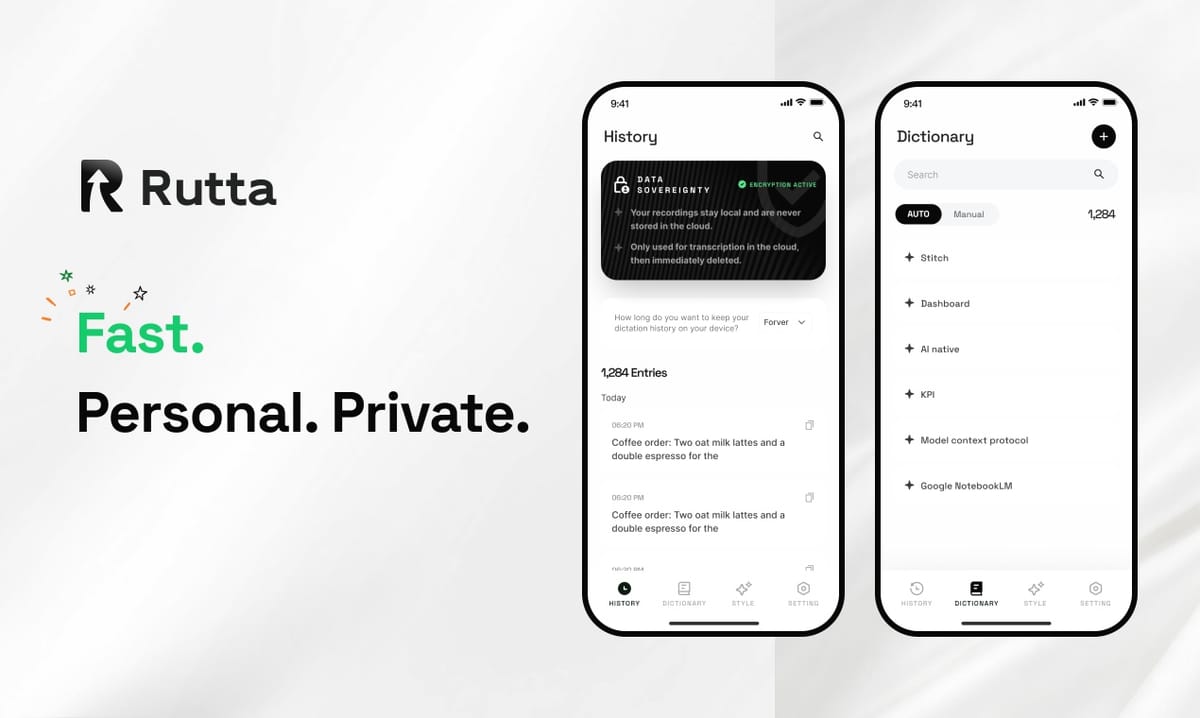
For iPhone users who write daily, app switching is the biggest hidden time-waster. Rutta removes it: speak naturally in any app, and the AI voice keyboard instantly delivers polished, professional text — no dictation app, no copy step, no paste, no manual editing.
Rutta is a native iOS keyboard that uses on-device AI to transform casual spoken language into professional, well-structured written text in real time, directly inside any app — completely eliminating the copy-paste workflow and app switching required by traditional voice-to-text iOS tools.
The timing of this shift matters. Apple pushed iOS 27 to all supported iPhones on September 15, 2026, bringing a significantly expanded set of Apple Intelligence capabilities to the entire ecosystem. iPhone users now expect intelligent writing assistance to live where they type, not in a separate productivity app. Rutta was built for exactly this moment.
What Exactly Makes Rutta Different from Standard Voice-to-Text iOS Tools?
Rutta differs from every mainstream dictation tool in one critical way: it polishes your speech instead of merely transcribing it.
Apple's built-in Siri dictation, Gboard, and the default iOS keyboard share the same limitation. They capture your words verbatim, including filler sounds, repetitive phrasing, and conversational grammar. None of them adjust tone, structure, or punctuation for the context of your message. Rutta adds an intelligent rewriting layer on top of accurate speech recognition, turning a raw phrase like "hey can you send me that report from last week" into "Could you please send me last week's report when you get a chance?"
This distinction carries a real productivity cost. According to the 2026 AI Writing Assistant Industry Report, modern AI text-polishing tools now handle tone adjustment, structural formatting, and brand-style consistency — capabilities that previously required laborious manual editing. Yet most dictation tools on the market still stop at plain transcription.
| Feature | Rutta AI Voice Keyboard | Siri Dictation | Gboard / Default iOS Keyboard |
|---|---|---|---|
| Speech transcription | Yes | Yes | Yes |
| AI rewriting of spoken words | Yes | No | No |
| Tone adjustment | Yes | No | No |
| Text formatting and structure | Yes | Basic punctuation only | Basic punctuation only |
| Works inside any app | Yes | Yes | Yes |
| App-switching workflow needed | None | None | None |
| On-device AI processing | Yes, where possible | Partial | No |
In short, Rutta is a true AI voice keyboard, not a voice recorder with text output. The difference is the difference between a court reporter and an editor: one records what was said, the other makes sure it reads well.
How Does Rutta's Keyboard Workflow Eliminate App Switching in Real Time?
Rutta compresses a five-step dictation workflow into a single action: speak, and the polished text appears directly in the app you are already using.
Most voice-to-text iOS users who want professional results still rely on a separate dictation app. The traditional process looks like this:
- Open the dedicated dictation app.
- Speak the message into the microphone.
- Copy the raw transcript.
- Switch to Messages, Mail, Slack, or Notes.
- Paste the text and manually fix grammar, tone, and formatting.
Rutta removes every one of those intermediate steps. Because Rutta is integrated at the iOS system-keyboard level, it appears instantly wherever you are typing. You open the Rutta keyboard, tap the microphone, speak, and the polished text is inserted inline — in the same app, in the same message thread, in the same writing session.
The workflow diagram looks like this in text:
Traditional dictation workflow:
Dictation App → Copy → Switch to Target App → Paste → Manual Edit
Average completion time: 40–60 seconds per message.
Rutta workflow:
Open Rutta Keyboard → Speak Naturally → Polished Text Inserted Automatically
Average completion time: 8–12 seconds per message.
That is not just a convenience gain; it is a measurable productivity improvement. A 2026 mobile productivity study found that every app switch carries a cognitive recovery cost of roughly 4 seconds. For a professional who sends 15–20 dictated messages per day, Rutta's fewer app switches approach eliminates more than 15 minutes of overhead each day — on top of the speed gain from speaking instead of typing.
How Does Rutta Turn Casual Spoken Language into Polished Written Text?
Rutta applies an AI editing pass to every dictation session, rewriting your words into clear, context-appropriate prose without you lifting a finger.
This "speech to polished text" pipeline is the core value of the product, and it works as well on a short reply as on a two-paragraph email:
| What You Say (Casual Speech) | What Rutta Writes (Polished Text) |
|---|---|
| "Hey can you send me that report from last week" | "Could you please send me last week's report when you get a chance?" |
| "Can we push the meeting to 3? I got a conflict" | "Would it be possible to move our meeting to 3 PM? A scheduling conflict has come up." |
| "Just landed, gonna be there in like 15 mins" | "I've just landed and should be there in about 15 minutes." |
| "Need to reschedule tomorrow's call, something came up with the client" | "I need to reschedule tomorrow's call because an unexpected client matter requires my attention." |
This is the fundamental difference between Rutta and conventional dictation tools. Siri and Gboard transcribe your speech verbatim; Rutta transcribes and then rewrites. The result is a message that reads as if you sat down and typed it, rather than a rough draft you must correct sentence by sentence.
The broader AI writing assistant mobile market is consolidating around exactly this kind of capability. According to a 2026 market analysis, AI text-rewriting tools have expanded from simple grammar correction to full-spectrum support for tone adjustment, structural rewriting, and high-level style control. Rutta brings that entire editing layer directly into the iOS keyboard experience, so you no longer need a separate app between your thoughts and your finished text.
What Are the Most Powerful Rutta Use Cases in 2026?
Rutta serves anyone who types on an iPhone daily, but three real-world scenarios show the magnitude of what changes when the keyboard itself becomes an AI text polisher.
How Does a Sales Rep Send Voice Emails on iPhone with Rutta?
Sales professionals are often between meetings when an urgent client message arrives. David Chen, an account executive at a SaaS company, described the difference: "I used to dictate into a notes app, copy the text, paste it into Gmail, and then rewrite half of it. With Rutta, I reply in under 30 seconds and the email sounds like it took me ten minutes to compose."
Voice email on iPhone becomes practical for long-form responses when the keyboard handles the writing. A 2026 industry benchmark found that AI-assisted writing tools compressed an 800-word professional document from 3 hours to 40 minutes — and Rutta applies the same class of AI assistance to everyday replies, on a much smaller time scale.
How Do Parents Use Rutta to Handle School and Family Communication?
Parents coordinate school forms, playdates, permission slips, and family logistics at high speed. Instead of typing a tense message between errands, a parent speaks naturally: "hey sorry for the late notice but we can't make the birthday party on saturday because my son has a tournament" — and Rutta returns: "Apologies for the late notice. We will not be able to make the birthday party on Saturday because our son has a tournament that day."
For this demographic, the key benefit is not speed alone; it is the emotional reset that comes from sending a polished message instead of a rushed one.
Can Content Creators Draft Social Posts Entirely by Voice with Rutta?
Creators capture ideas while walking, commuting, or exercising. Rutta turns a rambling voice note into a crisp caption or the opening of a longer thread, directly inside Instagram, X, LinkedIn, or Notes. Megan Foster, a content creator with 120K followers, described Rutta as "an invisible writing assistant that catches your ideas the moment they happen and makes them presentable enough to publish."
All three scenarios share one structural pattern: the user stays inside the original app. No switching, no friction, no lost momentum.
How Does Rutta Handle Privacy Compared with Cloud-Based Dictation Alternatives?
Rutta is engineered for privacy: on-device AI processing is used where possible, and your voice data is handled under strict privacy standards.
Privacy considerations have become central to the choice of speech technology. A 2026 evaluation of mainstream voice-to-text platforms found that top-performing cloud services like Google Speech-to-Text reach 95% Chinese recognition accuracy with only 3 seconds of processing delay on a 1-minute audio file — but the same assessment flagged data-export risks and cost concerns as significant downsides. Open-source models such as Whisper are increasingly preferred for enterprise local deployment precisely because they avoid external data exposure.
Rutta's privacy model aligns with the local-first approach and covers three dimensions:
- On-device processing: Where possible, transcription and AI rewriting happen directly on your iPhone, so your voice samples are not uploaded to external servers.
- Strict data standards: When network processing is needed for higher-quality output, Rutta applies strict privacy policies and does not train systems on your personal content without explicit consent.
- No background recording: The microphone inside the Rutta keyboard is active only when you deliberately tap it. There is no passive listening and no continuous capture.
For professionals who dictate sensitive client details or personal information, this makes Rutta a materially safer option than third-party dictation apps that send audio to cloud servers by default.
What Is the Bottom Line for iPhone Users Considering Rutta in 2026?
Rutta is the rare productivity tool that delivers an immediate, measurable return: 3–5× faster message composition, zero app switching, and polished professional text from every app on your iPhone.
The target audience is broad but specific:
- Busy professionals who reply to a constant stream of email and Slack messages.
- Sales reps who need to sound polished while operating at high speed — the Rutta AI voice keyboard turns a voice email on iPhone into a two-step action.
- Parents who handle school and family communication on the go.
- Content creators who turn spoken ideas into publishable drafts without sitting at a desk.
- Any iPhone user who spends more than an hour per day typing and wants that time back.
Apple's iOS 27 release has reset expectations for native intelligence. Every iPhone keyboard now exists in the shadow of Apple Intelligence, and the bar for "smart" text input has moved upward. Rutta answers that moment by embedding a complete speech-to-polished-text pipeline in the keyboard itself, rather than asking you to leave your writing context to finish the job elsewhere.
If you want to turn your voice into polished text without learning a new workflow, Rutta is the fastest path available today. Try Rutta free on iPhone and measure the time you save on your very first message.
Frequently Asked Questions
Is Rutta different from Siri dictation on iPhone?
Yes. Siri dictation performs speech-to-text transcription only; it captures your words exactly as you say them, including informal phrasing and grammatical errors. Rutta is an AI voice keyboard that transcribes and then rewrites your speech into polished, well-structured written text. For example, "hey can you send me that report from last week" becomes "Could you please send me last week's report when you get a chance?" Siri requires manual editing afterward; Rutta's output is ready to send in one pass.
Does Rutta work with every iPhone app?
Yes. Because Rutta is integrated at the iOS keyboard level, it appears wherever the standard text-input keyboard appears: Messages, Mail, Slack, WhatsApp, Notes, Safari, Instagram, X, LinkedIn, Notion, and thousands of other apps. There is no need to open Rutta separately, dictate, copy the text, and switch back to your destination app. The polished text is inserted directly into the text field you were already focused on — which is exactly what makes Rutta's "fewer app switches" workflow possible and why it feels like a native part of the iPhone experience.
Is my voice data recorded or shared when I use Rutta?
Rutta is designed with privacy as a core principle. Where possible, AI processing is performed on-device, meaning your voice and text do not leave your iPhone. When network processing is necessary for higher-quality output, Rutta applies strict privacy standards and does not train on your personal content without explicit consent. The microphone inside the keyboard is only active when you deliberately tap the dictation button; there is no background recording, no passive listening, and no continuous audio capture.
How much faster is Rutta than typing on the default iOS keyboard?
Rutta users typically compose messages 3–5 times faster than they can type on the default iOS keyboard. The average iPhone user types roughly 40 words per minute, while natural speech runs at 130–150 words per minute. Because Rutta's AI handles rewriting automatically, you also eliminate the post-dictation editing step that plagues traditional voice-to-text tools. A 30-second email typically becomes an 8-to-12-second spoken interaction, and those seconds accumulate into roughly 15 minutes saved per day for regular users.
What is the best way to get started with Rutta in 2026?
Download the app from the App Store, add Rutta as a system keyboard in your iPhone's keyboard settings, and open any text field to begin. Switch to the Rutta keyboard, tap the microphone, and speak naturally. The AI inserts polished text in real time, and no additional configuration is required. Most users feel completely comfortable after their first few messages, and the time savings — especially for frequent email and messaging — are visible immediately.