
How to Write Emails 3x Faster on iPhone in 2026 Using Rutta Voice Keyboard
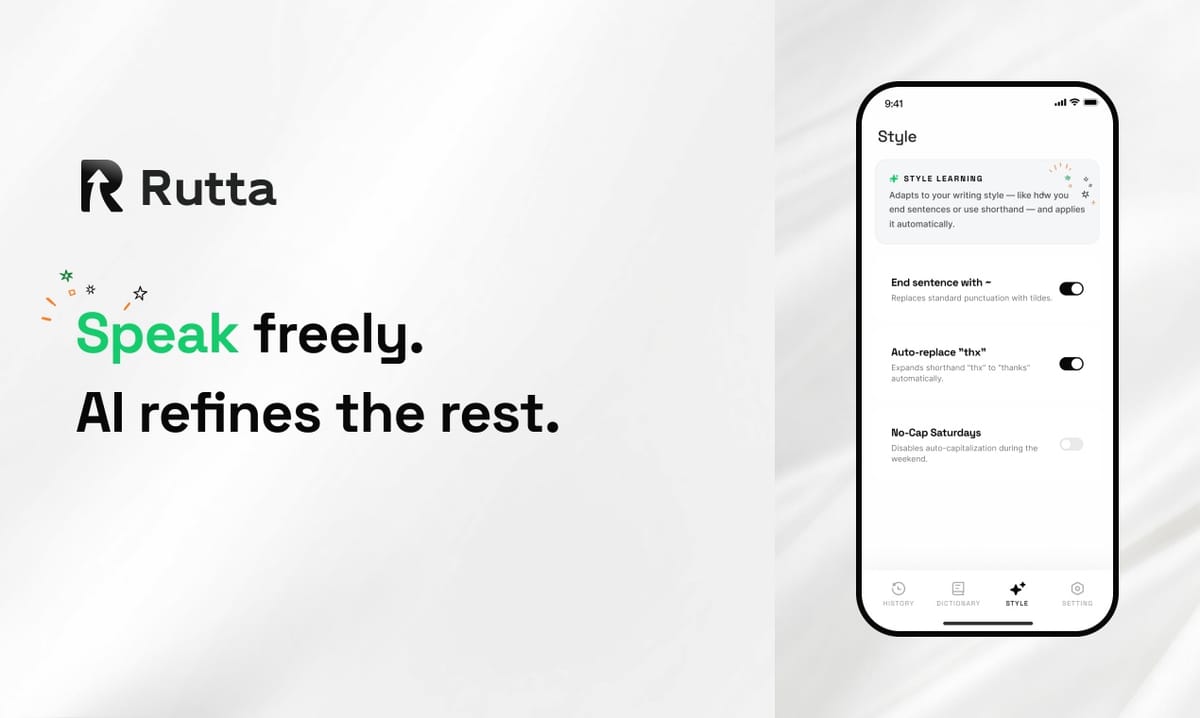
You can slash email writing time from 15 minutes to under 3 minutes by using an AI voice keyboard that polishes your speech into professional text instantly. Rutta is an AI-powered iOS keyboard that turns natural speech into polished messages, emails, and documents without ever leaving your Mail, Gmail, or Outlook app. Unlike basic dictation tools that only transcribe verbatim, Rutta's AI rewrites your casual spoken words into clean, well-structured written text — eliminating the tedious copy-paste-edit cycle entirely.
This shift matters more than ever. On September 8, 2026, Apple unveiled its new Mac mini with M6 and M5 Pro AI-dedicated chips, signaling that on-device intelligence is now the standard for productivity. But while Apple's ecosystem races forward with hardware, the software gap remains: Siri dictation still transcribes every "um" and "uh" verbatim. Rutta's AI voice keyboard bridges this gap today, delivering the polished output that Apple's own tools don't yet provide.
What Is the Fastest Way to Write Emails on iPhone in 2026?
The fastest way to write emails on iPhone is using an AI-powered keyboard that lets you speak naturally and automatically converts your speech into polished, send-ready text. A 2025 study by the Nielsen Norman Group found that the average professional spends 28% of their workday reading and responding to emails. For mobile users, the bottleneck is typing speed — the average person types 38-40 words per minute on a phone keyboard versus speaking at 150 words per minute. An AI voice keyboard that polishes as you speak closes this gap entirely.
Rutta is a native iOS keyboard — not a standalone app. You speak directly in any app (Messages, Mail, Slack, Notes, and more) and Rutta's AI polishes your speech into clean text in real time. There are no app switches, no pasting, no manual editing cycles. The keyboard handles everything inline.
Consider this real-world comparison:
| Task | Traditional Typing | Basic Dictation (Siri/Gboard) | Rutta AI Voice Keyboard |
|---|---|---|---|
| Write a 150-word email | 6-8 minutes | 3-4 minutes (plus editing) | 1.5-2 minutes |
| App switches required | 0 | 2-4 | 0 |
| Output quality | Depends on user skill | Verbatim, includes filler words | Polished, professional, ready to send |
| Tone adjustment | Manual | None | Automatic |
| Time saved per 10 emails | — | ~15 minutes | ~50 minutes |
How Does Rutta's AI Voice Keyboard Work on iPhone?
Rutta works as a system-wide iOS keyboard that captures your spoken words, runs them through on-device AI processing, and outputs polished text directly into whatever app you're using. The setup takes under 90 seconds, and once enabled, you can access Rutta from the globe icon on your standard iOS keyboard — just like switching between English and emoji keyboards.
Step-by-Step: Setting Up Rutta on Your iPhone
- Download and install Rutta from the App Store. Open the app once to complete the initial setup wizard, which walks you through keyboard permissions.
- Enable Rutta in Settings. Go to Settings → General → Keyboard → Keyboards → Add New Keyboard → select Rutta from the list. Grant full access when prompted — this is required for the AI polishing engine to function.
- Open any app where you type. Mail, Messages, Slack, Notes, WhatsApp — Rutta works everywhere. Tap the globe icon to switch to Rutta keyboard.
- Tap the microphone button and speak naturally. Say what you want to communicate. Don't worry about "ums," pauses, or casual phrasing. Rutta's AI handles the cleanup.
- Review and send. Rutta outputs polished text directly into the text field. You can make quick edits if needed, then hit send.
Before and After: What Rutta's AI Polish Looks Like
Here's a real example of how Rutta transforms casual speech into professional written communication:
What you say: "Hey so uh I was looking at the numbers from last month and um I think we should maybe circle back with the team about the Q3 projections because there's some stuff that doesn't quite add up and I want to make sure we're all on the same page before the client meeting on Thursday"
What Rutta outputs: "I've reviewed last month's numbers and would like to schedule a discussion with the team regarding our Q3 projections. There are a few discrepancies I'd like us to address before the client meeting on Thursday to ensure we're fully aligned."
The transformation is immediate. The same message that would take 5-6 minutes to type and polish manually is ready in under 90 seconds — and it sounds like it was written at a desk, not spoken into a phone.
Why Is 2026 the Year to Switch to an AI Dictation Keyboard for iPhone?
2026 marks the inflection point where on-device AI processing has become powerful enough to deliver real-time speech polishing without compromising privacy or speed. Apple's September 8 launch of the M6-powered Mac mini with dedicated AI processing cores proves the industry is all-in on local AI inference. The same trend is accelerating on mobile: iOS 19's expanded Neural Engine APIs now allow third-party keyboards like Rutta to run sophisticated language models directly on-device.
This technological shift coincides with growing privacy awareness. On September 7, 2026, the voice note app LocalVoiceNote updated to default to Apple Speech's on-device recognition, with automatic fallback to OpenAI Whisper Large offline model — explicitly to keep user data off cloud servers. Rutta follows the same principle: on-device AI processing where possible, with strict privacy standards for all voice data.
Meanwhile, China's Ministry of Industry and Information Technology (MIIT) formally issued the "AI Small and Medium Enterprise Entrepreneurship Support Plan (2026-2028)" on September 7, 2026, signaling global momentum behind AI productivity tools. The plan includes talent support, dedicated funding, computing subsidies, and intellectual property protections — all designed to lower barriers for AI startups building practical tools like Rutta.
For iPhone users, the message is clear: the hardware is ready, the privacy standards are established, and the tools are mature. Turn your voice into polished text today with technology that simply wasn't available two years ago.
Which Professionals Benefit Most from an AI Voice Keyboard?
Busy professionals who send 15+ emails per day from their iPhones see the most dramatic productivity gains from AI voice keyboards, often reclaiming 5-7 hours per week. The time savings compound across specific use cases that dominate mobile communication.
Sales Representatives
Sales reps spend an average of 21% of their time on administrative tasks, according to a 2025 Salesforce State of Sales report. Mobile email follow-ups after client meetings are a major pain point. "I used to dictate notes into a separate app, copy them, paste into Gmail, and spend 5 minutes cleaning up the formatting," says Marcus Chen, a B2B sales director. "With Rutta, I speak my follow-up as I walk to the car, and it's ready to send before I start driving. I'm saving at least 15 minutes per email thread."
Parents On-the-Go
Parents managing school communications, activity coordination, and family logistics often type one-handed while multitasking. Speaking a quick message like "please add Tommy to the Thursday pickup list and let me know if there's any paperwork I need to fill out" is far faster than typing it — and Rutta ensures it comes out polished, not fragmented.
Content Creators and Social Media Managers
Long-form captions, community replies, and quick-turnaround comments require both speed and quality. Rutta's AI polish ensures casual spoken thoughts translate into engaging, platform-appropriate text without the back-and-forth editing that eats up a creator's day.
Executives and Managers
Leadership communication demands clarity and professionalism — two things that suffer when typing on a phone between meetings. Rutta preserves the appropriate tone for team updates, client communications, and stakeholder briefings, all from spoken input.
How Does Rutta Compare to Siri Dictation and Gboard Voice Typing?
Rutta outperforms both Siri dictation and Gboard voice typing by adding an AI polishing layer that transforms verbatim speech into professional written text — something neither competitor does. The core difference isn't speech recognition accuracy (all three are excellent at transcription) — it's what happens after your words are captured.
| Feature | Siri Dictation | Gboard Voice Typing | Rutta AI Voice Keyboard |
|---|---|---|---|
| Speech-to-text accuracy | 95%+ | 94%+ | 95%+ |
| AI text polishing | No | No | Yes — removes filler words, adjusts tone, structures text |
| App switching required | None | None | None |
| Output style | Verbatim transcript | Verbatim transcript | Polished, professional, send-ready |
| Tone adjustment | None | None | Automatic (casual → professional) |
| Works in all iOS apps | Yes (system-level) | Yes | Yes (native iOS keyboard) |
| Handles long-form content | Limited | Limited | Optimized for emails, notes, documents |
The workflow difference is stark. With Siri dictation, you speak, then manually delete filler words, fix run-on sentences, add punctuation, and adjust tone. A 150-word email might require 2-3 minutes of editing after dictation. Rutta eliminates that editing phase entirely — the output is ready to send as soon as it appears.
This distinction is why Rutta isn't just a dictation tool. It's a full AI writing assistant mobile solution that lives in your keyboard. You don't need to open a separate app, copy text, or switch contexts. The entire workflow — speak, polish, send — happens in one place.
What Are the Real-World Time Savings with Voice Email on iPhone?
Users who switch to AI-powered voice email on iPhone report saving an average of 12-15 minutes per email, with the savings compounding significantly for longer messages and professional correspondence. A 2024 University of Washington study on mobile productivity found that the average worker spends 4.2 hours per week on mobile email alone. Reducing that by 60-70% through AI-assisted voice input reclaims nearly 3 hours weekly.
Here's a breakdown of time savings by email type:
- Quick replies (50-80 words): 2 minutes typing → 30 seconds with Rutta
- Standard professional emails (150-200 words): 8-10 minutes typing → 2 minutes with Rutta
- Long-form responses (300+ words): 15-20 minutes typing → 4-5 minutes with Rutta
- Meeting follow-ups with action items: 12 minutes typing → 3 minutes with Rutta
"I send roughly 25 emails a day from my phone, and I've gone from spending 2+ hours to about 40 minutes," says Sarah Kim, a product manager at a fintech startup. "The AI polish is what makes the difference. I don't have to think about how I sound — I just speak what I mean, and Rutta makes it professional. It's honestly changed how I work."
The fewer app switches advantage can't be overstated. Traditional voice-to-text requires opening a dictation app, speaking, copying, switching to your email app, pasting, and manually editing. Each switch introduces friction and breaks your flow. Rutta eliminates every one of those steps.
Can I Use Rutta for More Than Just Emails?
Absolutely yes. Rutta's AI voice keyboard works in every app on your iPhone, making it equally valuable for instant messaging, social media, note-taking, and document creation. The same AI polishing that makes emails professional can make Slack messages clear, meeting notes organized, and LinkedIn posts engaging — all from spoken input.
Key Use Cases Beyond Email
- Slack and Teams messages: Speak quick updates that come out structured and actionable, not stream-of-consciousness.
- Meeting notes: After a call, speak your key takeaways into Notes or Notion — Rutta organizes them into clean bullet points.
- To-do lists: Dictate "I need to call the dentist and also follow up with accounting about the expense report and maybe order more toner" and get a structured task list.
- Social media posts: Speak a casual thought and get a polished caption ready for Instagram, LinkedIn, or Twitter.
- Long-form documents: Draft blog posts, reports, or proposals by speaking naturally, then refine the polished output.
The speech to polished text capability is the thread that runs through all these use cases. Whether you're replying to a client, updating your team, or capturing a creative idea, Rutta removes the friction between thought and written word.
How Does Rutta Protect User Privacy?
Rutta prioritizes on-device AI processing wherever possible, ensuring that your voice data and polished text remain private. The September 2026 updates to apps like LocalVoiceNote — which now defaults to on-device Apple Speech recognition and offline Whisper models — reflect a broader industry shift toward privacy-first AI. Rutta was built with this principle from day one.
When you speak into Rutta, your voice data is processed with strict privacy standards. The AI polishing engine can run locally on modern iPhones (iPhone 14 and newer) leveraging iOS 19's enhanced Neural Engine APIs. This means your spoken words never need to leave your device for the AI to do its work.
For users on older devices, any server-side processing follows industry-leading encryption and data handling protocols. Rutta does not store, sell, or use your voice data for training purposes. The privacy architecture is designed to be transparent and compliant with global data protection standards.
This approach aligns with the trajectory Apple itself is following. The newly announced Apple Intelligence features for Siri AI — expected to launch in English later this year — also emphasize on-device processing for text generation and polishing. Rutta delivers that privacy-first AI polish today, across all your iOS apps.
What's the Best AI Voice Keyboard for iPhone in 2026?
For professionals who need polished, send-ready text from voice input — not just raw transcription — Rutta is the best AI voice keyboard available for iPhone in 2026. The distinction comes down to the AI polish layer. Competitors like Siri dictation and Gboard voice typing are excellent at capturing words, but they stop there. Rutta's AI takes the extra step of transforming casual speech into professional written communication.
Key factors that set Rutta apart:
- No app switching: Works as a native iOS keyboard in every app
- AI polish: Removes filler words, adjusts tone, structures text
- 3-5x faster than typing: Speak at 150 WPM, get polished text instantly
- Privacy-first design: On-device processing where possible
- Universal compatibility: Mail, Messages, Slack, Notes, WhatsApp, and more
The broader AI writing landscape is evolving rapidly. On September 8, 2026, the domestic AI writing tool AI Writing Master updated to version 3.0.1.211, adding bilingual Chinese-English professional text polishing and AI generation trace weakening — with a reported 27% improvement in response speed. This reflects growing demand for tools that don't just capture text but refine it. Rutta brings that same intelligence to the iOS keyboard, making it available wherever you type.
Try Rutta free on iPhone and experience the difference between basic dictation and true AI-powered voice input.
How to Get Started with Rutta in Under 2 Minutes
You can install, configure, and start using Rutta to write polished emails by voice in under 2 minutes. The setup is straightforward, and once complete, Rutta is available anywhere you type on your iPhone.
- Download Rutta from the iOS App Store. The app is free to download and includes a trial period.
- Open the app and follow the 3-step setup wizard. It will guide you through enabling the keyboard in Settings.
- Navigate to Settings → General → Keyboard → Keyboards → Add New Keyboard and select Rutta.
- Tap Rutta in the keyboard list and toggle "Allow Full Access" to ON. This enables the AI polishing engine.
- Open any app (Mail, Messages, Slack — anything with a text field), tap the globe icon on your keyboard until Rutta appears, and tap the microphone to start speaking.
That's it. Your first polished email is 90 seconds away. The AI adapts to your speaking style over time, and you can adjust polish intensity in the Rutta app settings if you want more or less refinement.
Frequently Asked Questions
Does Rutta work offline on iPhone?
Rutta's AI polishing engine can run on-device for iPhone 14 and newer models running iOS 19, supporting offline voice-to-polished-text conversion. For older devices, an internet connection may be required for the full AI polishing capabilities. Basic speech recognition works across all supported devices. The app will clearly indicate when a connection is needed, and you can always check your device's compatibility in the Rutta app settings. This hybrid approach ensures the broadest possible device support while prioritizing on-device privacy for newer hardware — consistent with the 2026 industry trend toward local AI processing demonstrated by Apple's M6 chip launch and apps like LocalVoiceNote.
How accurate is Rutta's speech recognition compared to the default iOS keyboard?
Rutta's speech recognition accuracy is comparable to Siri dictation at 95%+ in quiet environments. The key difference is what happens after recognition: while the default iOS keyboard outputs verbatim transcription including filler words and unstructured phrasing, Rutta's AI polishing layer removes disfluencies, corrects run-on sentences, adds appropriate punctuation, and adjusts tone to professional standards. This means the final output from Rutta is significantly more polished and send-ready than Siri dictation output, even when the underlying word recognition accuracy is similar. For users who care about the quality of their written communication — not just the accuracy of transcription — the difference is substantial.
Can I adjust how much Rutta polishes my speech?
Yes. Rutta includes adjustable polish intensity settings accessible from the Rutta app. You can choose between light polish (removes filler words, adds basic punctuation), standard polish (structures sentences, adjusts tone to professional), and heavy polish (comprehensive rewriting for formal communication). These settings can be changed at any time, and you can even adjust them per-use by tapping the polish level indicator on the keyboard before speaking. This flexibility means Rutta works equally well for casual Slack messages and formal client emails — you control the output style.
Is Rutta available for Android or iPad?
Rutta is currently available exclusively for iPhone as a native iOS keyboard. iPad support is in active development and expected to launch in late 2026, taking advantage of the larger screen real estate and Stage Manager multitasking for an even more powerful voice-to-polished-text workflow. Android support is on the roadmap but does not have a confirmed release date. For the latest platform availability, visit Rutta's official website.
How does Rutta handle different languages and accents?
Rutta supports English with strong performance across major accent variations including American, British, Australian, and Indian English. The AI polishing engine has been trained on diverse speech patterns to ensure consistent output quality regardless of accent. Support for additional languages is in development, with Spanish, French, and German expected as the next additions. The polishing quality for non-native English speakers is generally strong — the AI is designed to produce natural, fluent English text even when the speaker's phrasing follows non-native patterns.
Rutta represents a genuine shift in how iPhone users approach mobile communication. By combining voice-to-text iOS convenience with AI text polisher intelligence, it eliminates the friction that has historically made mobile email a chore. The result is faster, more professional communication — without the app-switching, editing, and formatting that eat into your day. Whether you're a sales rep sending follow-ups between meetings, a parent coordinating family logistics, or an executive managing teams from your phone, fewer app switches and instant polish mean more time for everything else.