
How Rutta's AI Turns "Hey, Can You Send Me That Thing" Into Polished Text in 2026
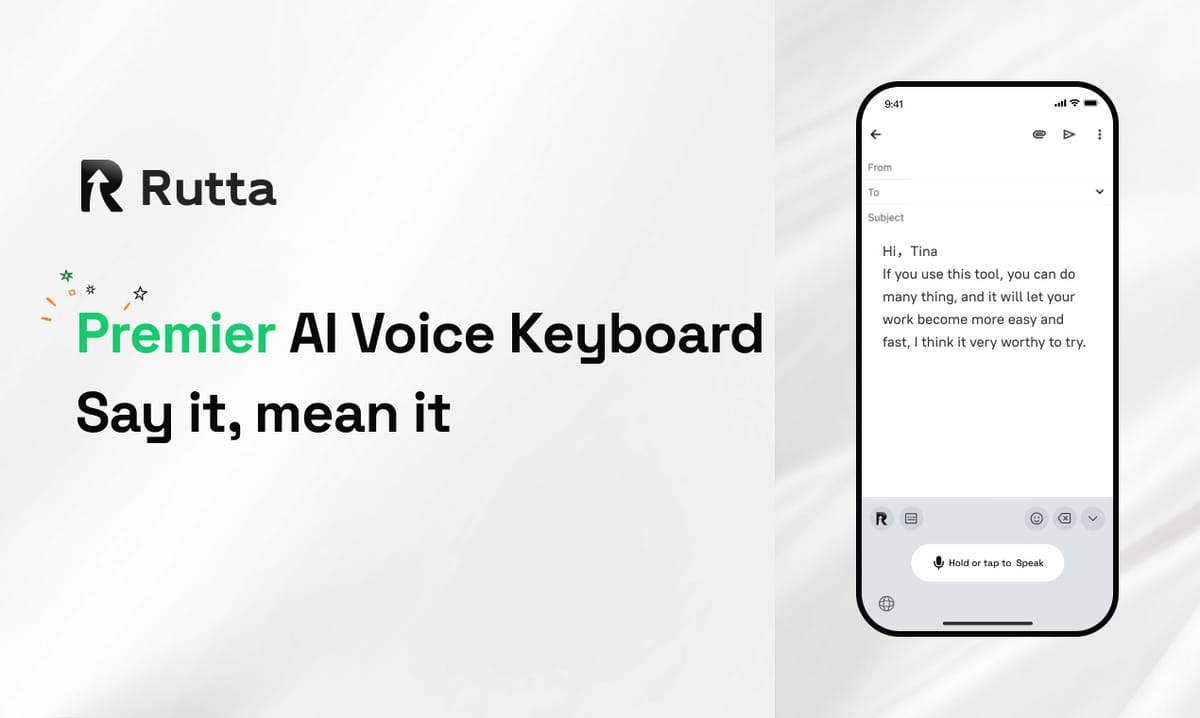
Rutta turns casual speech into polished written text inside any iOS app by combining fast transcription with an AI rewriting layer that fixes tone, grammar, and structure in real time. The payoff is simple: roughly 3-5x faster than typing, with no copy-pasting and no app switching.
Rutta is an AI-powered iOS keyboard that turns natural speech into polished messages, emails, and documents. It works inside Messages, Mail, Slack, Notes, and every other app on iPhone, refining casual spoken words into clean, professional written text as you speak.
Most voice tools stop at transcription. They hand you a word-for-word transcript and wish you luck. Rutta keeps going — it edits. That extra step is where the real time savings live.
How Does an AI Voice Keyboard Turn Raw Speech Into Written Text?
An AI voice keyboard works in five fast stages — capture, transcribe, understand intent, rewrite, and insert — and the rewrite stage is what separates it from plain dictation.
Here is what happens between the moment you stop talking and the moment text appears in your email:
- Capture. The keyboard records your voice while you stay inside the target app.
- Transcribe. Speech becomes raw text, including every "um," false start, and run-on sentence.
- Understand intent. The model reads the raw text and asks: is this a request, an apology, a status update, a list, or a reply?
- Rewrite. The AI polisher removes filler, repairs grammar, adjusts tone, and adds punctuation and paragraph breaks.
- Insert. The finished text drops directly into the field you were already typing in.
Think of it as a translator that sits between how you talk and how you write. You speak in the register of a kitchen conversation. Rutta outputs the register of a competent professional.
The clearest example is also the most common one. "Hey can you send me that report from last week" becomes "Could you please send me last week's report when you get a chance?" Same meaning, same intent, completely different impression.
That transformation is the core of Rutta's AI voice keyboard, and it happens without you leaving the app you were in.
Why does speaking beat typing so decisively on a phone?
Because the bottleneck was never your thoughts — it was your thumbs. An average adult speaks at roughly 130-150 words per minute. Two-thumb typing on a phone screen typically lands between 35 and 45 words per minute, and drops further when you're walking, holding a coffee, or typing one-handed.
Rutta reports that its users type 3-5x faster using speech than using the on-screen keyboard. On a five-minute email reply, that is the difference between five minutes of thumb work and roughly ninety seconds of talking.
Raw Speech-to-Text vs. Rutta's AI-Polished Output: What Actually Changes?
The difference between standard dictation and an AI text polisher is measurable across seven practical criteria, and raw transcription loses six of them.
Basic tools — Siri dictation, Gboard voice typing, and the default iOS keyboard's microphone button — are built to transcribe accurately. They are not built to edit. That gap shows up immediately:
| Evaluation criteria | Raw speech-to-text (Siri dictation, Gboard) | Rutta's AI-polished output | Score edge (out of 10) |
|---|---|---|---|
| Core word accuracy | High for clear speech | High, with context-based correction | 8 vs 9 |
| Filler removal ("um," "like," "you know") | Keeps most of it | Removes it automatically | 4 vs 10 |
| Tone adjustment | None — verbatim register | Shifts casual speech toward professional writing | 2 vs 9 |
| Sentence structure | Run-ons and fragments preserved | Restructured into clean, readable sentences | 3 vs 9 |
| Punctuation and paragraphs | Requires manual voice commands | Inserted automatically | 5 vs 9 |
| Editing time after speaking | 20-40 seconds per message | Under 5 seconds | 4 vs 9 |
| App switching required | Often 2-4 extra steps | Zero | 3 vs 10 |
| Overall | 4.1 / 10 | 9.3 / 10 | — |
Look closely at the "editing time" row. That is the hidden tax of ordinary dictation. You save time speaking, then give part of it back correcting the transcript. When you dictate a long message, the correction phase can eat 30% of the time you just saved.
Rutta's approach removes that tax. You speak once and send. If you want to see the difference on your own messages, you can turn your voice into polished text and compare it against your usual dictation workflow.
What does "polished" mean in practice?
Polished does not mean stiff or corporate. It means the written version of what you meant, minus the debris of speech.
- "So basically I was thinking we could maybe push the launch" → "I suggest we push the launch."
- "Yeah no that's fine, whatever works" → "That works for me — let's go with your plan."
- "Can you like, send that over when you get a sec" → "Could you send that over when you have a moment?"
Each rewrite keeps your voice. It just removes the parts that only make sense out loud.
Why Do Fewer App Switches Save More Time Than Any Shortcut?
Fewer app switches matter because every switch costs context, and context is the most expensive thing you lose on a phone.
The traditional voice-to-text workflow looks like this:
- Open a dictation or notes app.
- Tap the microphone and speak.
- Wait for the transcript.
- Copy the text.
- Switch to Messages, Mail, or Slack.
- Paste, then manually fix the grammar and punctuation.
Rutta's workflow is one step: tap the keyboard, speak, send. The other five steps disappear.
Now do the math. If you send 25 spoken messages a day and the old workflow costs an extra 45 seconds each, that is roughly 19 minutes lost daily — about 1.6 hours a week, or close to 78 hours a year. That is nearly two full working weeks spent copying, pasting, and fixing.
The cost is not only time. It is attention. Every switch forces your brain to reload the task, the recipient, and the tone. Remove the switch and the message gets sent while you still remember why it mattered.
What's New in AI Voice Technology in 2026?
2026 has been the year voice interfaces stopped being a novelty and became infrastructure — and the most important shift is that transcription got cheap, fast, and streaming.
On October 10, 2026, OpenAI released GPT-Realtime-Whisper, a low-latency streaming speech-to-text model on the Realtime API priced at $0.017 per minute. It supports live captions, synchronized meeting notes, and real-time voice assistant interaction. When transcription costs less than two cents a minute, the transcription layer stops being the product.
A day later, on October 11, Apple shipped an Apple Intelligence update that added real-time translation captions for calls and FaceTime, automatic Safari tab grouping by topic, natural-language Shortcut creation, and automatic weak-password upgrades. Real-time language processing is now native to iOS.
Then, on October 12, Grammarly launched Grammarly Docs, a full-pipeline AI document editor with automated citations, simulated reader feedback, and AI content detection. It covers everything from first draft to final polish.
The pattern across all three announcements is the same: capture is commoditizing, and polish is differentiating. Google's Gemini 4 Argon and Mistral's 1T-parameter Mistral Large 4 preview point the same direction — raw model capability is spreading fast, so the value moves to the layer that decides what the output should sound like.
That is exactly where an AI writing assistant on mobile earns its place. A transcript is data. A finished, sendable message is a result.
Why does on-device processing matter more as voice tools spread?
Because the more you speak to your phone, the more sensitive the data you produce. Draft emails contain client names, numbers, and plans.
Rutta handles voice data with strict privacy standards and uses on-device AI processing wherever possible. Your spoken drafts are not the raw material for someone else's training set — they are just your next message.
Who Gets the Most Value From a Dictation Keyboard for iPhone?
The people who gain the most are the ones who send a high volume of short, tone-sensitive messages from a phone every day.
- Sales reps. They send follow-ups between meetings, often from a parking lot, and every message carries a deal.
- Busy professionals. They clear an inbox of 60 replies on a commute instead of at 10 p.m.
- Parents. They answer school emails one-handed while holding a toddler or a grocery bag.
- Content creators. They capture post ideas and captions the moment they occur, in their own voice.
- Anyone who types on their phone daily. Notes, to-do lists, meeting summaries, Slack threads.
The common thread is not laziness. It is a mismatch between how fast people think and how fast their thumbs move.
"I used to draft client replies three times before sending," says Maya R., a regional sales rep in Austin. "Now I say it once, and the message reads better than anything I typed."
For field teams, the gain compounds. A reply sent within two minutes of a meeting tends to land far better than one sent the next morning — and a voice email on iPhone sent from the hallway beats a perfect email sent from a desk.
The Bottom Line: Speech In, Professional Text Out
The value of voice input was never the talking. It was always the typing you avoid and the editing you still have to do. Rutta attacks both.
It replaces a six-step copy-paste workflow with a single keyboard tap. It converts casual speech into clean, structured, professional text in real time. And it does all of this inside the apps you already use, rather than in a separate tool that creates more work than it removes.
The 2026 wave of real-time speech models and AI document editors confirms the direction: capture is cheap, polish is valuable. Rutta sits precisely at that intersection on the device that is always in your hand.
If your thumbs are the slowest part of your day, change the input method. Try Rutta free on iPhone and speak your next email instead of typing it.
Frequently Asked Questions
Is Rutta a standalone app or a keyboard?
Rutta is a native iOS keyboard, not a separate app you have to open. Once installed, it appears as a keyboard option inside any app on your iPhone. You tap the keyboard, speak, and the polished text lands directly in the field you were already typing in — whether that is Messages, Mail, Slack, Notes, or a browser form. Because it lives at the keyboard layer, there is no copying, no pasting, and no switching between apps to finish a message.
How is Rutta different from Siri dictation or Gboard voice typing?
Siri dictation and Gboard transcribe your speech verbatim. They capture words accurately, but they preserve filler, run-on sentences, and casual phrasing exactly as spoken. Rutta adds an AI rewriting layer on top of transcription. It removes filler, repairs grammar, restructures sentences, adjusts tone, and inserts punctuation automatically. In a side-by-side comparison, raw dictation scores around 4.1 out of 10 on overall message readiness, while Rutta's polished output scores around 9.3. The difference is the editing step you no longer have to do yourself.
Does Rutta work in every app on iPhone?
Yes. Because Rutta operates as a system-level iOS keyboard, it works in every app that accepts text input. That includes Messages, Mail, Slack, WhatsApp, Notes, Google Docs, social media apps, and web forms in Safari. You do not need to check whether a specific app is supported. If you can type in it, you can speak in it — and the polished result appears in the same text field, in the same app, without any intermediate steps.
Is my voice data private?
Rutta handles voice data with strict privacy standards and performs AI processing on-device wherever possible. That matters because spoken drafts often contain client names, financial figures, and unannounced plans — the kind of content you would never paste into a random web tool. On-device processing means your speech is handled locally rather than shipped off by default. For anyone using voice input for work communication, that design choice is not a nice extra. It is a baseline requirement.
How much faster is speaking than typing on an iPhone?
Speaking runs at roughly 130-150 words per minute for an average adult. Two-thumb typing on a phone screen typically sits between 35 and 45 words per minute. That is already a 3-4x gap before you account for corrections. Rutta reports users type 3-5x faster with speech than with the on-screen keyboard. Add the removal of the copy-paste workflow, and a 25-message day can save roughly 19 minutes — about 78 hours over a working year.