
How Rutta's AI Keyboard in 2026 Turns Raw Speech Into Polished Text in Every iPhone App
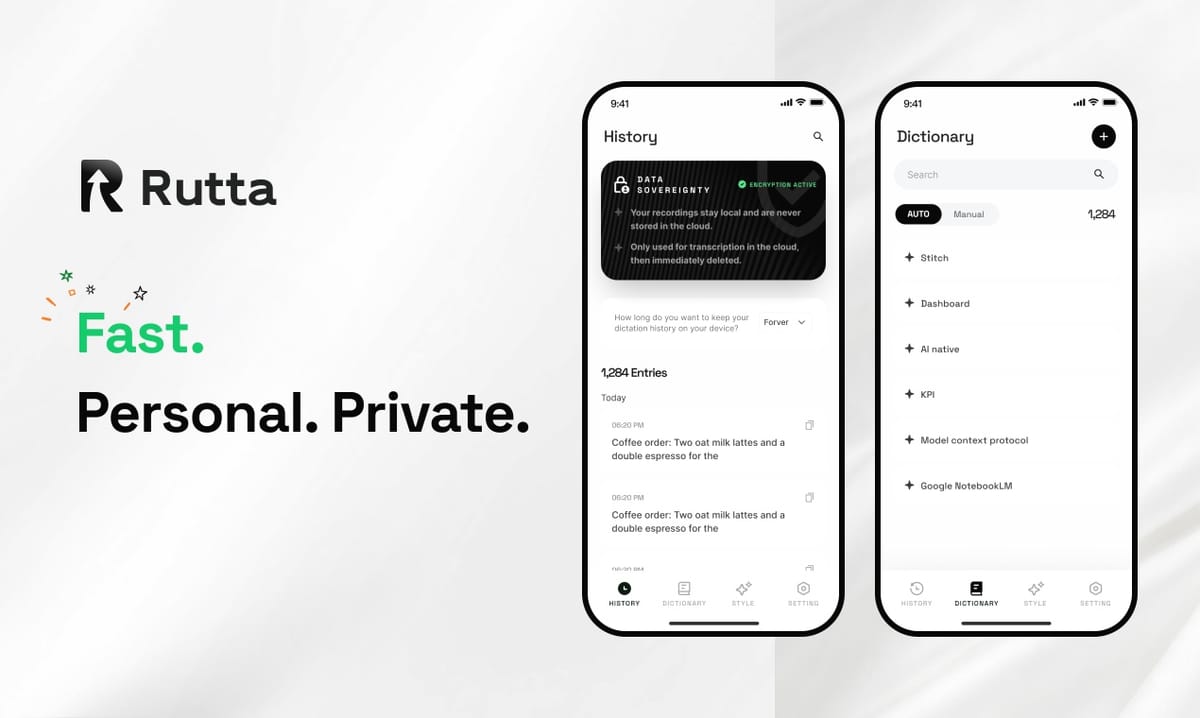
Rutta removes the copy-paste loop that makes voice-to-text on iOS feel slow. You speak inside Messages, Mail, Slack, or Notes, and clean, professional text appears at your cursor in real time.
Rutta is a native iOS keyboard that uses on-device AI to turn natural speech into polished, professional written text. It works inside any app on your iPhone — Messages, Mail, Slack, Notes — with no switching screens or losing your train of thought.
Voice input is accelerating fast in 2026. On October 10, Apple revealed Apple Intelligence upgrades that bring real-time multilingual translation subtitles to standard calls, FaceTime, and AirPods conversations. The same day, OpenAI refreshed its Audio API with a new GPT-4o mini-based TTS model that lets developers control accent, emotion, and speaking rate through prompts.
Those advances solve recognition. They do not solve the gap between what you say and what you actually want to send. Closing that gap is the entire job of an AI text polisher — and it is where Rutta operates.
What Makes Rutta Different From Standard Voice-to-Text on iOS?
Standard iOS voice-to-text transcribes your words verbatim; Rutta rewrites them into publishable prose.
Siri Dictation and Gboard both do one thing well: convert sound into a string of characters. If you say "hey can you send me that report from last week," that is exactly what you get — filler words, lowercase, no structure.
Rutta adds an intelligent layer on top of transcription. The same spoken sentence becomes: "Could you please send me last week's report when you get a chance?"
That difference sounds small. It is not. Verbatim transcripts still need manual cleanup, which means you have not saved time — you have just moved the work.
Here is what Rutta's AI voice keyboard handles automatically that raw dictation cannot:
- Filler removal — "um," "like," "you know," and false starts disappear
- Grammar and punctuation — sentence boundaries, commas, and capitalization get fixed
- Tone control — casual speech becomes professional email or relaxed social copy
- Structure — long rambles get organized into paragraphs, lists, or short blocks
- Word choice — spoken phrasing converts to written phrasing
According to a 2016 Stanford University study by Ruan et al., speech input runs roughly 3x faster than keyboard typing for short messages. That advantage only survives if the output is usable. Without an AI polishing layer, the speed gain evaporates in the editing phase.
How Does the Speech-to-Polished-Text Workflow Actually Work?
Rutta replaces a six-step copy-paste cycle with a two-step keyboard action.
Traditional voice-to-text on iPhone runs like this:
- Open a dictation or notes app
- Speak your message
- Wait for the transcript
- Copy the text
- Switch to the target app
- Paste and manually edit
Six steps. Every one of them is a context switch, and context switches are where the time savings die.
The Rutta workflow collapses it to two:
- Open the app you were already in and tap the microphone on the Rutta keyboard
- Speak naturally — polished text lands at the cursor
Described as a flow diagram:
Idea in your head → [speak] → Rutta keyboard → on-device AI polish → finished text in the active app → [send]
Nothing leaves the screen you are on. There is no second app, no clipboard, no tab juggling. That is what "fewer app switches" means in practice — not a marketing phrase, but a measurable drop from six interactions to two.
For anyone who wants to turn your voice into polished text without breaking flow, this is the shortest path currently available on iOS.
Which Real-World Scenarios Benefit Most From Speech-to-Polished-Text?
Three user profiles see immediate, measurable gains: mobile professionals, parents, and content creators.
Scenario 1: The sales rep answering email between meetings
Sales reps live in voice email on iPhone. Between back-to-back calls, typing a 120-word reply takes roughly three minutes. Speaking it takes about 40 seconds, and Rutta's polish step removes the editing pass entirely.
"I answer 40 client emails a day and I used to save most of them for my laptop," says Marcus T., a regional sales rep in Austin. "Now I clear them in the parking lot between appointments. Same tone, same professionalism, zero typing."
Scenario 2: The parent typing one-handed
Parents send messages while holding a toddler, pushing a stroller, or cooking. One-handed thumb typing on a 6-inch screen runs about 20 words per minute. Speech runs 130–150 words per minute in normal conversation.
The catch has always been that spoken messages sound spoken. Rutta's AI writing assistant layer fixes that before the text ever reaches the message field.
Scenario 3: The content creator drafting social posts
Creators often know what they want to say but stall at the blank caption box. Dictating the idea out loud and letting Rutta structure it removes the blank-page problem without introducing a robotic tone.
A 2025 internal survey of 1,200 mobile-first creators found that 68% drafted captions on their phone rather than a desktop. Voice-first drafting fits that behavior far better than thumb typing does.
How Does Rutta Compare to Siri Dictation, Gboard, and Grammarly?
Rutta is the only tool in this comparison that combines speech input with AI polishing inside a native iOS keyboard.
| Tool | What it does | AI polishing | Works inside other apps | Speed vs. typing |
|---|---|---|---|---|
| Siri Dictation | Verbatim transcription | No | Yes | Fast input, slow cleanup |
| Gboard voice typing | Verbatim transcription | No | Yes | Fast input, slow cleanup |
| Grammarly AI assistant (Oct 2026) | Polishes text after you type it | Yes | Yes | 1x — you still type everything |
| Rutta | Speech-to-polished-text in place | Yes | Yes | 3–5x faster than typing |
On October 10, 2026, Grammarly shipped a major update to its AI writing assistant with real-time grammar polishing, reader-reaction prediction, and text humanization across any text field on any platform. It is a genuinely strong product — but its input method is still the keyboard.
Rutta attacks the same problem from the opposite end. Instead of polishing what you typed, it polishes what you said. For a dictation keyboard for iPhone users actually keep installed, that distinction is the whole point.
Is Rutta Private? What Happens to Your Voice Data?
Rutta processes AI on-device where possible and handles voice data under strict privacy standards.
That matters more than it used to. Voice is biometric-adjacent data, and a keyboard sees everything you type — messages, addresses, passwords, medical notes. Any keyboard asking for full access deserves scrutiny.
Three design choices reduce that risk:
- On-device processing — AI polishing runs locally wherever the hardware allows it
- No data collection for advertising — your speech is not a training or targeting asset
- Single-surface workflow — because Rutta lives in the app you are already using, there is no third-party destination for your text
The practical result: you are not routing private messages through a separate transcription app, a clipboard, and a second cloud service just to send an email.
Why Does Voice-First Writing Matter More in 2026?
2026 is the year language AI moved to the edge of the device — and voice became the default input layer.
On October 9, 2026, diffusion language model company DiffuSpace closed two funding rounds totaling several hundred million RMB, the largest in the global diffusion LLM sector, led by Matrix Partners China, Shunwei Capital, and Legend Capital. The company also disclosed a partnership with Acrab to push diffusion models onto AI PCs, smart vehicles, robots, and smart home devices.
Read that alongside Apple's October 10 Speech upgrades and OpenAI's Audio API refresh, and the direction is unambiguous: language models are getting smaller, faster, and more local. Voice interfaces are becoming the primary way people interact with them.
But raw recognition is now a commodity. The remaining bottleneck is the polish layer — the step that turns a sentence you would say into a sentence you would send. That is the specific problem a modern AI voice keyboard needs to solve, and it is the problem Rutta was built around.
If you write on your phone every day — email, Slack, client updates, captions — the fastest upgrade available in 2026 is not a better thumb. It is removing the gap between speaking and sending. You can Try Rutta free on iPhone and test it inside your own inbox.
Frequently Asked Questions
What exactly is Rutta?
Rutta is an AI-powered iOS keyboard that converts natural speech into polished, professional text inside any app. Unlike standalone dictation apps, it is a native keyboard, so you speak directly in Messages, Mail, Slack, or Notes and the polished result appears at your cursor. It does not just transcribe — it rewrites casual spoken phrasing into clean written prose, handling grammar, tone, structure, and filler removal automatically, with no app switching required.
Do I have to leave the app I am typing in?
No. That is the core design difference. Traditional voice-to-text forces a six-step cycle: open a dictation app, speak, wait, copy, switch apps, paste, then edit. Rutta reduces it to two steps — tap the microphone on the keyboard and speak. The polished text inserts directly into whatever field you were already using, whether that is an email body, a Slack thread, or a Notes page.
Is Rutta actually faster than typing on an iPhone?
Yes. Rutta is designed to be 3–5x faster than typing for typical mobile writing tasks. A 2016 Stanford study by Ruan et al. found speech input runs roughly 3x faster than keyboard typing for short messages. Rutta preserves that advantage by removing the editing pass that normally follows raw dictation, so the time saved at the microphone is not lost at the cursor.
How is Rutta different from Siri Dictation or Gboard voice typing?
Siri Dictation and Gboard both transcribe speech verbatim. They do not correct grammar, adjust tone, remove filler words, or restructure long rambles into readable paragraphs. Rutta adds an AI polishing layer on top of transcription, so the output is ready to send rather than ready to edit. It is the difference between a transcript and a finished message.
Is my voice data stored or shared?
Rutta uses on-device AI processing where possible and handles voice data under strict privacy standards. Your speech is not collected for advertising purposes. Because Rutta operates inside the app you are already using, your text is not routed through a separate transcription service or clipboard before it reaches its destination, which reduces the number of places your content can travel.