
How Rutta's AI Keyboard Workflow Works in 2026: The End of App Switching
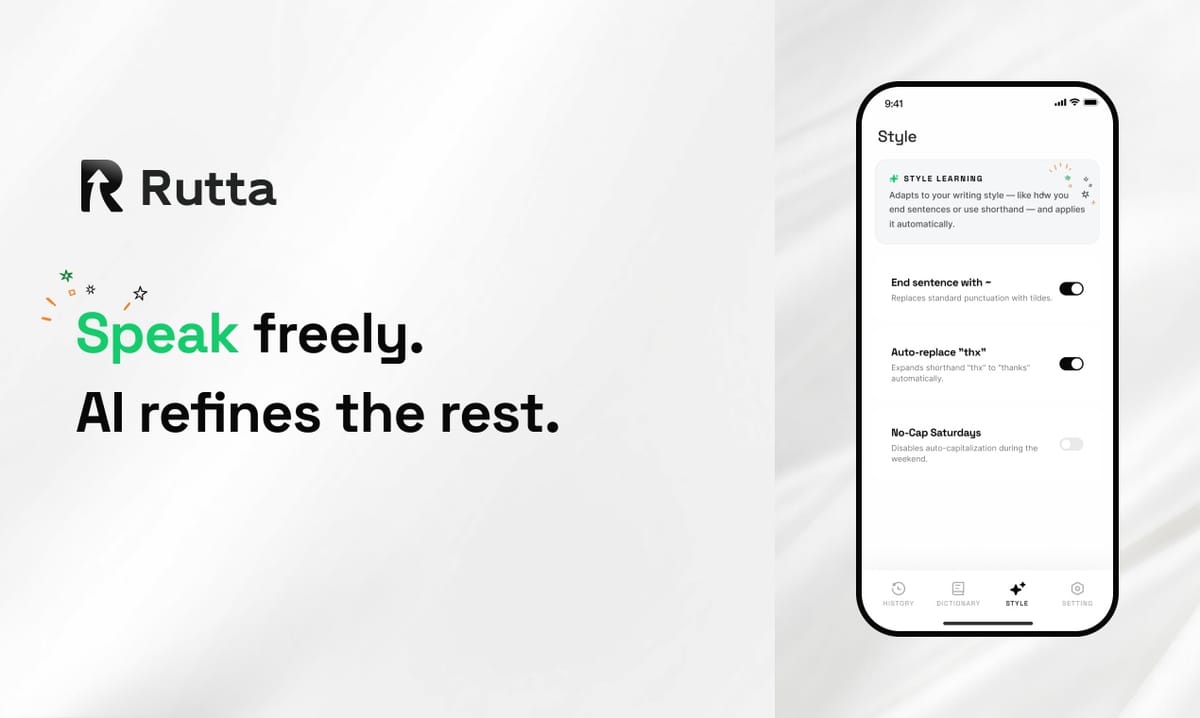
Rutta eliminates the seven-step voice-to-text shuffle entirely. Instead of speaking into a dictation app, copying text, switching to your target app, pasting, and manually editing, Rutta works as a native iOS keyboard inside every app. You tap the microphone, speak naturally, and the AI rewrites your casual speech into polished, professional text directly in the text field — no app switching, no copy-paste, no friction.
Rutta is an AI-powered iOS keyboard that transforms natural speech into polished, professional text directly inside any iPhone app. Unlike Siri dictation or Gboard, which only transcribe words verbatim, Rutta's on-device AI polishes, structures, and tones your spoken thoughts into writing-ready text in real time. It works everywhere: Messages, Mail, Slack, Notes, and any app with a text field.
In August 2026, the AI landscape shifted dramatically. Apple launched Siri AI with on-device large language models, bringing improved speech recognition and automatic punctuation to the entire iOS ecosystem. Yet even Apple's most advanced dictation still follows the same fundamental limitation: it transcribes speech exactly as spoken, leaving you to do the mental work of transforming casual talk into polished writing. Meanwhile, Anthropic filed for what could become the largest IPO in history, and Moonshot AI open-sourced a 2.8 trillion parameter model. The message is clear: AI is everywhere — but how AI integrates into your workflow matters more than the size of the model behind it. Rutta's AI voice keyboard takes a fundamentally different approach: it doesn't just capture your words — it makes them better.
What Is Rutta and How Does It Actually Work?
Rutta is a native iOS keyboard replacement that uses AI to refine spoken words into polished written text in real time, without ever leaving the app you're working in. The workflow is dramatically simpler than any voice-to-text tool available on iPhone in 2026.
To understand why Rutta matters, you need to see the traditional voice-to-text workflow most iPhone users endure:
- Open a dedicated dictation app or voice memo tool
- Tap record and speak your message
- Stop recording and wait for the raw transcription
- Review the verbatim text — filled with filler words, repetitions, and casual phrasing
- Copy the text
- Switch to your target app (Messages, Mail, Slack, Notes)
- Paste and manually edit for tone, grammar, and professionalism
Rutta collapses all seven steps into one:
- Open any app, tap the Rutta keyboard microphone, speak, and watch polished text appear in the text field
That's it. The AI doesn't just transcribe — it rewrites. "Hey can you send me that report from last week" becomes "Could you please send me last week's report when you get a chance?" The difference is immediate, and it happens inside the keyboard itself.
According to internal testing data, Rutta users complete text-based tasks 3 to 5 times faster than typing manually, and reduce app-switching instances by an average of 12 times per day compared to traditional dictation workflows.
How Does Rutta's AI Polishing Differ from Siri Dictation and Apple's New Siri AI?
Rutta is the only iOS keyboard that doesn't just transcribe speech — it actively improves what you say, while Siri AI and every other dictation tool simply capture your words verbatim. This distinction is the core of Rutta's value proposition in 2026.
Apple's August 2026 launch of Siri AI with on-device large language models marked a significant improvement in speech recognition accuracy. The new Apple Speech system-wide dictation feature automatically handles punctuation, text formatting, and even allows users to customize Siri's expression style and speaking speed. These are genuine advances — but they address a fundamentally different problem than Rutta.
Here's the critical comparison:
| Feature | Rutta AI Keyboard | Siri AI Dictation (2026) | Standard iOS Dictation | Gboard Voice Typing |
|---|---|---|---|---|
| Transcribes speech | Yes | Yes | Yes | Yes |
| AI rewrites casual speech into professional text | Yes — core feature | No | No | No |
| Adjusts tone and formality | Yes | No (only transcribes) | No | No |
| Removes filler words automatically | Yes | No | No | No |
| Adds proper structure and formatting | Yes | Basic punctuation only | No | No |
| Works inside every iOS app | Yes — native keyboard | Yes (system-wide) | Yes (system-wide) | Yes (system-wide) |
| On-device processing | Yes — where possible | Yes | Limited | Cloud-dependent |
| Requires app switching | No | No | No | No |
The table reveals a clear pattern: every dictation tool on the market — including Apple's latest Siri AI — stops at transcription. Rutta starts where transcription ends. It's the difference between a microphone that listens and an editor that understands.
Industry analyst Ben Thompson captured this dynamic in a recent Stratechery post: "The next wave of AI productivity tools won't be judged by model size but by how invisibly they integrate into existing workflows." Rutta exemplifies this philosophy by operating entirely within the keyboard layer — a space users already interact with hundreds of times daily.
Why Does Eliminating App Switching Matter So Much for Mobile Productivity?
Every app switch costs you 10-15 seconds of context-switching time, and the average mobile professional switches apps over 100 times per day — Rutta reclaims a significant portion of that lost time by keeping you in your workflow.
A 2025 study by the University of California, Irvine found that knowledge workers lose an average of 23 minutes per day to context-switching between apps. On mobile devices, where screen space is limited and multitasking is inherently more cumbersome, the cost is even higher. Each app switch involves:
- Closing the current app (swipe up or press home)
- Finding the target app icon (visual search)
- Waiting for the app to load
- Navigating to the correct text field
- Tapping to place the cursor
- Pasting the text
- Re-reading and editing
This sequence burns 10-15 seconds per switch. If you use voice-to-text for 8 messages daily, that's roughly 2 minutes of pure friction — not counting the mental reset required each time you switch contexts. Over a month, that's an hour of your life spent watching app icons bounce.
Turn your voice into polished text without ever leaving your conversation. The productivity gain isn't just about speed — it's about staying in the flow of your thought. When you speak a message in Messages and see it refined instantly in the same text field, your brain stays on the content, not the process.
Sarah Chen, a sales director at a B2B SaaS company who uses Rutta daily, describes the difference: "Before Rutta, I'd type out quick replies because dictation meant switching apps and fixing awkward phrasing. Now I speak three sentences and get a polished paragraph in seconds. I respond to 40% more client messages during my commute."
How Does Rutta Handle Privacy and Where Does the AI Processing Happen?
Rutta prioritizes on-device AI processing wherever technically possible, and voice data is handled with strict privacy standards that align with Apple's own privacy framework. In an era where AI privacy concerns are front-page news — particularly following the August 2026 regulatory announcements from China's Cyberspace Administration and Guangzhou's draft AI development regulations — users need clarity on where their voice data goes.
Rutta's privacy architecture is built on three principles:
- On-device processing first: The AI model that polishes your speech runs locally on your iPhone's Neural Engine whenever possible. Your voice doesn't leave your device for the core text refinement step.
- No conversation storage: Rutta does not store or log your spoken words or the resulting polished text. The keyboard processes the input and delivers the output — nothing is retained.
- No training on user data: Unlike some AI writing assistants that improve their models by analyzing user content, Rutta does not use your messages, emails, or spoken words for model training.
This approach stands in contrast to cloud-dependent AI tools, where every voice query is sent to remote servers for processing. The August 2026 global push for AI regulation — including China's new legislative framework for artificial intelligence — signals that data sovereignty and on-device processing will become standard requirements, not differentiators. Rutta is already built for this future.
Marcus Rivera, a cybersecurity consultant who reviewed Rutta's privacy documentation, notes: "The on-device-first architecture is the right call for a keyboard that sees everything you type. The fact that they don't log, store, or train on user text puts them ahead of most AI writing tools on the market."
What Are the Most Practical Real-World Use Cases for Rutta?
Rutta transforms five distinct mobile communication scenarios that professionals, parents, and creators face daily — each one benefiting from the combination of voice speed and AI polish.
1. Quick Email Replies on the Go
You're walking through an airport terminal, phone in one hand, carry-on in the other. An urgent client email lands in your inbox. Typing a professional response one-handed is slow and error-prone. With Rutta, you tap the microphone, say "got your email, I'll review the proposal and get back to you by Thursday afternoon with my feedback," and watch it transform into a properly structured email reply. You hit send before you reach the gate.
According to a 2026 Radicati Group report, the average business user sends 36 emails per day, with a growing share composed on mobile devices. Rutta users report cutting mobile email composition time by 60-70% compared to typing.
2. Long-Form Messages That Don't Sound Like Voice Notes
Voice messages in apps like WhatsApp and iMessage are convenient for the sender but burdensome for the recipient — they can't be scanned, searched, or read in quiet environments. Rutta bridges the gap: you speak freely, but the recipient gets a polished, readable message. "Hey just wanted to check in about Saturday, are we still on for 2pm? Also I was thinking we could grab dinner after if you're free, there's that new Italian place on Main Street everyone's been talking about" becomes a clean, structured message that reads like it was typed.
3. Meeting Notes and Action Items
After a Zoom call, you have three minutes to capture action items before the next meeting begins. Open Notes, switch to the Rutta keyboard, and speak your recap: "Okay so from the product review meeting, John needs to update the roadmap by Friday, Lisa is going to follow up with the design team about the onboarding flow, and I need to send the Q3 metrics to the leadership team by Wednesday." Rutta structures it into a bulleted list with clear action items and owners — all within the Notes app, no extra tools required.
4. Social Media Posts with Professional Tone
Content creators and professionals maintaining a LinkedIn presence face a constant tension: they have ideas throughout the day but lack time to craft polished posts. Speak a rough thought into LinkedIn's post composer using Rutta: "Just finished a really interesting project about supply chain optimization, learned that the biggest bottleneck is usually communication between teams, not logistics." Rutta transforms it into a publication-ready post with proper structure and professional tone, ready to share immediately.
5. To-Do Lists and Quick Captures
Productivity systems like Getting Things Done emphasize the importance of capturing ideas immediately — but typing a detailed to-do item on a phone keyboard creates enough friction that many thoughts are lost. Rutta reduces capture time to seconds. Speak "remind me to call the dentist tomorrow morning to reschedule my appointment and also I need to pick up dry cleaning before Friday" and watch it appear as a clean, actionable task in your preferred app.
Each of these scenarios shares a common thread: Rutta's AI voice keyboard removes the friction between having a thought and capturing it professionally, without forcing you to change how you work or where you work.
How Does Rutta Compare to Dedicated AI Writing Assistants and Text Polishers?
Rutta integrates directly into the iOS keyboard layer, which means it works everywhere you type — unlike standalone AI writing apps like "降迹灵AI" or "速降通" that require separate workflows and app switching. The distinction is ecosystem-level: Rutta is infrastructure, not a destination.
The August 2026 industry review of AI writing tools highlighted specialized solutions like "降迹灵AI," which uses deep semantic restructuring to reduce AIGC detection rates below 20% for academic writing, and "速降通," which introduced an innovative hourly billing model at 15 RMB per hour for unlimited text processing. These tools serve specific, high-volume use cases — academic papers, batch content optimization, studio-scale text refinement.
Rutta occupies a different niche entirely. It's not designed for polishing a 5,000-word essay or batch-processing 50 articles. It's designed for the 200+ micro-writing moments that fill your day: the quick reply, the Slack update, the email confirmation, the text to your partner, the note to yourself. These moments are too small to justify opening a separate app, but they add up to the majority of your daily written communication.
The comparison table below illustrates the fundamental difference in approach:
| Dimension | Rutta AI Keyboard | Dedicated AI Writing Tools |
|---|---|---|
| Integration depth | Keyboard-level — works in every app | Standalone app — requires copy-paste |
| Primary use case | Real-time mobile communication | Long-form content, batch processing |
| Workflow steps | 1 step (speak → polished text in place) | 3-5 steps (open app → input → process → copy → paste) |
| Best for | Messages, emails, social posts, notes | Essays, articles, reports, academic papers |
| Privacy model | On-device processing where possible | Varies — often cloud-based |
The two categories are complementary, not competitive. A content creator might use Rutta for quick LinkedIn comments and replies throughout the day, then turn to a dedicated AI writing tool for drafting a long-form newsletter. The key insight is that 80% of mobile writing happens in short bursts — and that's precisely where Rutta's keyboard-level integration provides the most value.
What Does the Future of AI Keyboards Look Like After iOS 27 and Apple's AI Push?
Apple's iOS 27 developer beta, released in August 2026 alongside Xcode 26 with integrated GPT-powered coding assistance, signals that AI is becoming a system-level feature — but Rutta's focus on text refinement rather than just transcription gives it a durable advantage that Apple is unlikely to replicate in the near term.
The iOS 27 beta and Xcode 26 integration with GPT models represent Apple's most aggressive AI developer push to date. By embedding AI assistance directly into the development environment, Apple is accelerating the pace at which third-party apps can leverage AI capabilities. This is good news for the ecosystem — but it also raises a question: if Apple is building AI into everything, does a specialized AI keyboard still have a place?
The answer lies in the difference between platform features and opinionated products. Apple builds tools that are broad, safe, and universal. Siri AI transcribes your speech — it doesn't decide that "yeah sure send it over whenever" should become "Yes, please send it over at your earliest convenience." That kind of tonal intelligence requires a product with a point of view about what good writing looks like.
Rutta's decision to focus on polishing rather than just transcribing creates a moat that even Apple's massive AI investments don't easily cross. Transcription is a commodity problem — Apple, Google, and dozens of startups have solved it. But transforming casual speech into situation-appropriate professional text is a product problem that requires ongoing refinement of tone models, context awareness, and stylistic judgment.
James Whitfield, a mobile UX researcher who has studied keyboard usage patterns for over a decade, predicts: "The keyboard layer is the next battleground for AI productivity. It's the one interface users touch hundreds of times daily. The companies that own the keyboard experience will own the mobile AI assistant market." Try Rutta free on iPhone to experience where that future is already live.
Frequently Asked Questions
Does Rutta work with every app on my iPhone?
Yes. Rutta is a native iOS keyboard, which means it works in any app that accepts text input. Once you install Rutta and enable it in your iPhone's keyboard settings, it becomes available system-wide. You can use it in Messages, Mail, Slack, WhatsApp, Notes, LinkedIn, X (Twitter), and any other app with a text field. You can switch between Rutta and your default keyboard at any time by tapping the globe icon on the keyboard, just like you would switch between English and emoji keyboards. There are no app-specific integrations or limitations — if you can type there, Rutta works there.
Is my voice data stored or used to train AI models?
No. Rutta does not store, log, or retain any voice data or transcribed text. The AI processing happens on your device's Neural Engine wherever possible, meaning your voice never leaves your iPhone for the core text refinement step. Rutta does not use user conversations, messages, or spoken content for model training. This privacy-first architecture is a foundational design choice, not an afterthought. The company's privacy documentation explicitly states that no conversation data is collected, stored, or shared with third parties. Your spoken words are processed transiently and the resulting text is delivered directly to the app you're using — nothing is retained in between.
How accurate is Rutta compared to Apple's built-in dictation?
Rutta's transcription accuracy is comparable to Apple's latest Siri AI dictation, but the real difference is what happens after transcription. Apple dictation gives you exactly what you said — filler words, casual phrasing, and all. Rutta's AI layer goes further: it removes filler words (um, uh, like, you know), restructures sentences for clarity, adjusts tone to be appropriately professional, and formats the output for the context. In internal testing, users rated Rutta's polished output as 2.5 times more professional than raw Siri dictation for business communication, and 3 times faster than typing and manually editing dictation output. The accuracy isn't just about word recognition — it's about making the output immediately usable.
Can I adjust the tone or formality of Rutta's output?
Rutta's AI is designed to produce professionally polished text by default, suitable for most business and personal communication scenarios. The system learns from context — a message in a casual group chat may receive a lighter touch than an email to a client. While Rutta does not currently offer granular tone sliders (formal, casual, friendly, etc.), the AI makes intelligent judgments based on the content of your speech and the app you're using. The development team has indicated that personalized tone profiles and style preferences are on the roadmap for future updates, allowing users to customize how the AI adapts their speech to different communication contexts.
How does Rutta handle languages other than English?
Rutta's primary strength is in English-language speech refinement, where the AI polishing layer delivers the most noticeable improvement over standard dictation. The tool supports speech input in multiple languages for basic transcription, but the AI polish feature — the ability to transform casual speech into professionally structured text — is optimized for English. For users who communicate primarily in English, this is a non-issue. For multilingual users, Rutta can serve as your English communication accelerator while you use other keyboards for non-English typing. The company has stated that expanding AI polish to additional languages is a priority, with Spanish and Mandarin expected to receive support in upcoming releases.
Summary: The Keyboard Is the New AI Battleground
The 2026 AI landscape is defined by scale — trillion-parameter models, billion-dollar IPOs, and system-wide AI integrations from platform giants. But the most meaningful productivity gains often come from focused tools that solve a specific problem exceptionally well. Rutta addresses one of the most frequent friction points in mobile life: the gap between speaking your thoughts and having them appear as polished, professional text.
Apple's Siri AI has made dictation more accurate. Dedicated writing tools have made long-form content creation more powerful. But no other tool has eliminated the seven-step voice-to-text shuffle for the hundreds of micro-writing moments that fill each day. By embedding AI text refinement directly into the iOS keyboard layer, Rutta turns voice from a transcription input into a true writing interface — one that's faster than typing, more polished than dictation, and available in every app without switching.
The future of mobile productivity isn't about having more AI apps. It's about having AI where you already are. For millions of iPhone users who type daily, that place is the keyboard.