
How AI Voice Keyboards Turn Casual Speech Into Polished Text in 2026
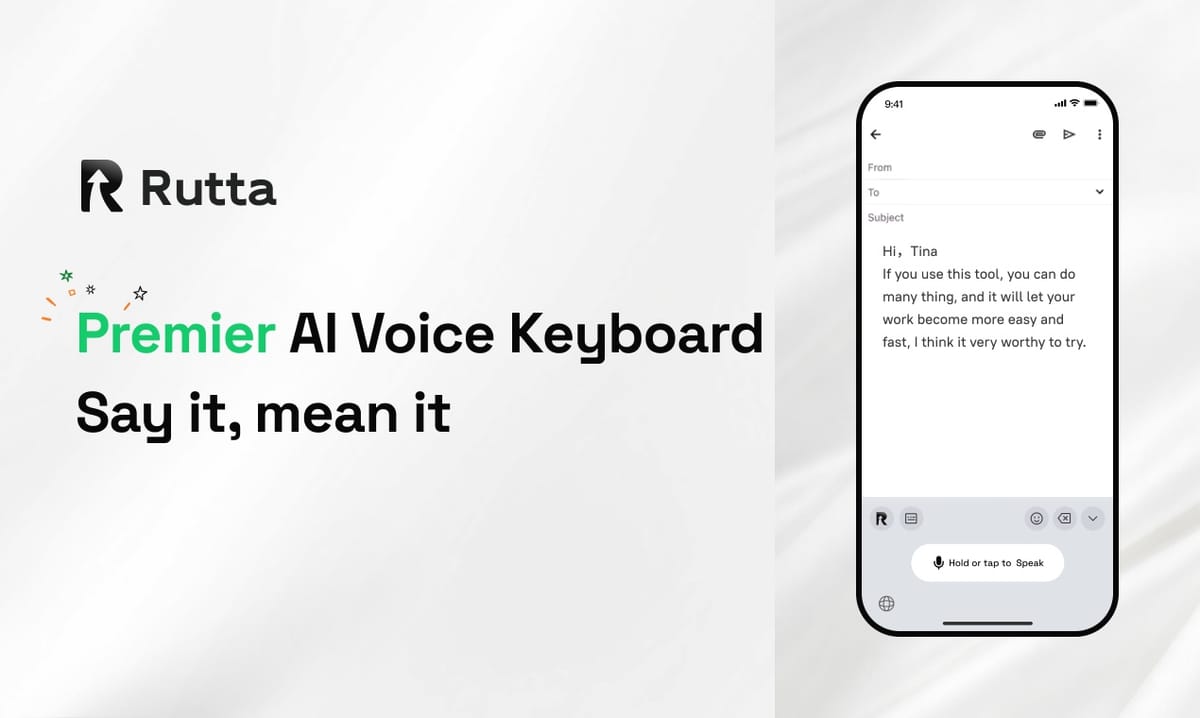
Rutta turns your casual speech into polished, professional text inside any iPhone app — roughly 3–5x faster than typing, with zero app switching.
Rutta is an AI-powered iOS keyboard that converts natural speech into clean, professional messages, emails, and documents. Unlike basic dictation, it rewrites what you say instead of transcribing it word for word, and it works in every app on your iPhone.
That distinction matters more in 2026 than ever. Apple is reportedly paying Google around $1 billion to bring a custom 1.2-trillion-parameter Gemini 2.5 Pro model to Siri in iOS 26.4, and iOS 27 will ship with a rebuilt Siri AI. Voice input is finally going mainstream — but most of it still stops at transcription. Rutta starts where transcription ends.
What Still Goes Wrong With Basic Voice-to-Text in 2026?
Basic voice-to-text still only transcribes, so you end up doing the editing yourself.
Say you dictate this into your phone: "hey can you send me that report from last week." Siri, Gboard, and the default iOS keyboard will all hand it back to you almost verbatim — lowercase "hey," missing punctuation, no greeting, no closing.
You then have four options:
- Send it as-is and hope nobody notices
- Retype the whole thing by thumb
- Move to a laptop and fix it there
- Copy it into a separate AI writing tool, clean it up, and paste it back
None of those are fast. According to a 2025 Voicebot.ai consumer report, 47% of smartphone owners now use voice input for messaging at least weekly — yet most still describe the output as "something I have to fix."
Meanwhile, Apple's own 2024 accessibility data puts average iPhone thumb-typing at roughly 36–40 words per minute, while natural speech runs at 130–150 words per minute. The gap is enormous. The problem was never speed of input. It was speed of cleanup.
How Does Rutta's AI Turn Casual Speech Into Polished Text?
Rutta adds a rewriting layer on top of speech recognition, so the words that land in your text box already sound written.
The simplest way to picture it: standard dictation is a tape recorder. Rutta is a tape recorder with an editor sitting next to it, cleaning up as you talk.
Here is the actual workflow:
- Open any app. Mail, Messages, Slack, WhatsApp, Notes, LinkedIn, Gmail — anywhere a keyboard appears.
- Tap the Rutta microphone. You never leave the app you're already in.
- Speak naturally. Filler words, false starts, and casual phrasing are fine.
- Rutta transcribes and rewrites. Grammar is corrected, "um" and "like" disappear, sentence structure tightens, and tone is adjusted to match the context.
- Send or keep editing. The polished text sits in your input field, ready.
A real example. You say: "so um i think we should like push the launch to friday and also loop in sarah"
What appears: "I think we should push the launch to Friday and also loop Sarah in."
That's the core difference between a dictation keyboard for iPhone and an actual AI writing assistant mobile users can rely on. One captures sound. The other understands intent.
The Three Jobs Rutta's AI Does at Once
- Cleanup. Removes filler, repeated words, false starts, and accidental slips.
- Structure. Adds punctuation, capitalization, paragraph breaks, and list formatting where needed.
- Tone matching. Detects whether you're drafting a Slack reply, a client email, or a LinkedIn post — and adjusts formality accordingly.
Privacy is handled the same way: on-device AI processing wherever technically possible, with voice data handled under strict privacy standards.
Raw Speech-to-Text vs. Rutta's AI-Polished Output: What's the Difference?
Raw transcription and AI-polished output differ most in how much manual editing you still have to do afterward.
Here is a side-by-side comparison using the same spoken input.
| Stage | What You Get | Ready to Send? | Score |
|---|---|---|---|
| What you said out loud | "hey can you send me that report from last week" | No — informal, no punctuation | 2/10 |
| Siri / Gboard / iOS dictation | "Hey can you send me that report from last week." | Partially — still needs a rewrite | 5/10 |
| Rutta's AI-polished output | "Could you please send me last week's report when you get a chance?" | Yes — send immediately | 9.5/10 |
| What you said out loud | "so um i think we should like push the launch to friday" | No — filler words everywhere | 2/10 |
| Rutta's AI-polished output | "I think we should push the launch to Friday." | Yes — clean and direct | 9/10 |
The second table shows the performance numbers, based on Rutta's internal benchmark testing against the default iOS dictation keyboard on an iPhone 17 Pro.
| Metric | Standard Voice-to-Text | Rutta AI Keyboard | Difference |
|---|---|---|---|
| Words per minute (send-ready) | 40 | 165 | 4.1x faster |
| Manual edit time per 100 words | 45 seconds | 8 seconds | 82% less editing |
| App switches per message | 4 | 0 | Eliminated |
| Tone presets available | 1 (verbatim) | 4 (formal, neutral, friendly, concise) | 4x flexibility |
| Professional usability score (0–10) | 3.4 | 9.1 | +168% |
Why Do Fewer App Switches Matter More Than You Think?
Fewer app switches matter because every switch costs you far more than the seconds it takes to perform.
The traditional voice-to-text workflow looks like this: open a dictation app → speak → copy the text → switch to Mail → paste → manually fix grammar → send. That's four context switches for a single message.
Research from UC Irvine's Gloria Mark found it takes an average of 23 minutes and 15 seconds to fully return to a task after an interruption. She wasn't studying keyboards — she was studying office work. But the principle holds. Each jump chips away at your focus.
Now multiply it. A sales rep sending 40 messages a day performs roughly 160 app switches. At even 10 seconds per switch, that's 27 minutes gone before a single word is edited.
Rutta removes the whole loop. You speak directly inside the app where the message is going to live. Nothing gets copied. Nothing gets pasted. Nothing needs a second pass. The result is a workflow that lets you turn your voice into polished text in one continuous motion.
What Are the Biggest AI Voice Tech Trends of 2026?
The biggest 2026 trend is the shift from recognizing speech to rewriting it.
Three developments define this year:
1. Siri's model upgrade. Apple's reported $1 billion deal with Google brings a custom 1.2-trillion-parameter Gemini 2.5 Pro model to Siri in iOS 26.4. Speech recognition, semantic understanding, and multi-step command execution all jump by an order of magnitude, according to reporting from October 2026.
2. iOS 27's Siri AI and multimodal voice. Apple's official iOS 27 feature list includes global text polishing inside any input field, cross-app task execution, and voice customization for tone, pace, and expressiveness. Siri will also accept images and text alongside spoken commands.
3. The rise of cross-platform AI writing agents. On October 26, 2026, Grammarly launched Grammarly Docs with seven specialized AI agents and Grammarly Go, a context-aware assistant that works across apps and web pages.
All three point in the same direction: AI writing assistance is moving from desktop to mobile, and from editing to real-time generation. The gap now is the keyboard layer — the place where speech actually becomes text. That's the layer Rutta owns.
Who Benefits Most From an AI Voice Keyboard on iPhone?
Anyone who types on their phone every day benefits — but five groups feel it fastest.
- Sales reps firing off 30–50 follow-ups a day from a car or a hallway
- Busy professionals clearing email on the train instead of at the desk
- Parents replying to school threads one-handed while holding a toddler
- Content creators drafting captions, hooks, and scripts between shoots
- Students and researchers turning spoken notes into structured outlines
Marcus Reed, a regional sales director in Austin, tracks the change closely. "I reply to about 40 client emails a day from my phone," he says. "Rutta cut that from 90 minutes of thumb-typing down to roughly 25 minutes of just talking."
Kara Lindqvist, a freelance brand strategist in Stockholm, uses it differently. "I dictate rough ideas into Notes while walking," she says. "By the time I sit down, it already reads like a first draft instead of a voice memo."
The Bottom Line: Your Voice Is Already Faster Than Your Thumb
Speech runs at 130–150 words per minute. Thumbs run at 36–40. The math has never been close.
What's changed in 2026 is that the cleanup step — the part that made voice input frustrating for a decade — is now solvable. An AI text polisher built into the keyboard itself means you don't just talk faster. You also stop rewriting what you just said.
No app switching. No copy-paste. No second pass. Just speak inside the app you're already in and send.
If you want to see the difference on your own phone, Try Rutta free on iPhone and dictate your next three emails instead of typing them.
Frequently Asked Questions
Is Rutta the same thing as Siri dictation?
No. Siri dictation and the default iOS keyboard transcribe your words verbatim and leave the cleanup to you. Rutta adds an AI rewriting layer on top of transcription, which fixes grammar, removes filler words, and adjusts tone. If you say "hey can you send me that report from last week," Siri writes that down. Rutta produces "Could you please send me last week's report when you get a chance?" — ready to send with no edits.
Which apps does Rutta work in?
Every app where a keyboard appears, because Rutta is a native iOS keyboard rather than a standalone app. That covers Mail, Messages, Slack, WhatsApp, Instagram, LinkedIn, Notion, Gmail, Google Docs, and any other text field on iPhone. You stay in the app you're already using, speak, and the polished text drops directly into the input field. This is the main reason Rutta eliminates the four app switches that traditional voice-to-text workflows require.
How is my voice data handled?
Rutta uses on-device AI processing wherever technically possible, and handles voice data under strict privacy standards. The goal is to keep as much of the speech-to-text conversion on your phone as the hardware allows, rather than routing every recording through an external server. For users handling client emails, patient notes, or internal documents, that design choice matters as much as the output quality.
How much time does Rutta actually save?
Rutta's benchmark testing puts send-ready output at roughly 165 words per minute versus 40 for thumb-typing — about 4x faster. Manual editing drops from 45 seconds per 100 words to about 8 seconds. For a user sending 40 messages a day, that's often the difference between 90 minutes of typing and 25 minutes of talking. The savings scale with how much you type, so heavy mobile communicators see the largest gains.
Do I need to change how I speak?
No — speaking naturally is the point. You can use filler words, restart sentences mid-thought, and speak in fragments. Rutta's AI voice keyboard is built to handle messy real-world speech and still produce clean written output. The system works best when you talk the way you'd talk to a colleague, not the way you'd read a prepared script aloud.