
Case Study: How a Remote Sales Team Cut Email Response Time by 68% with Rutta in 2026
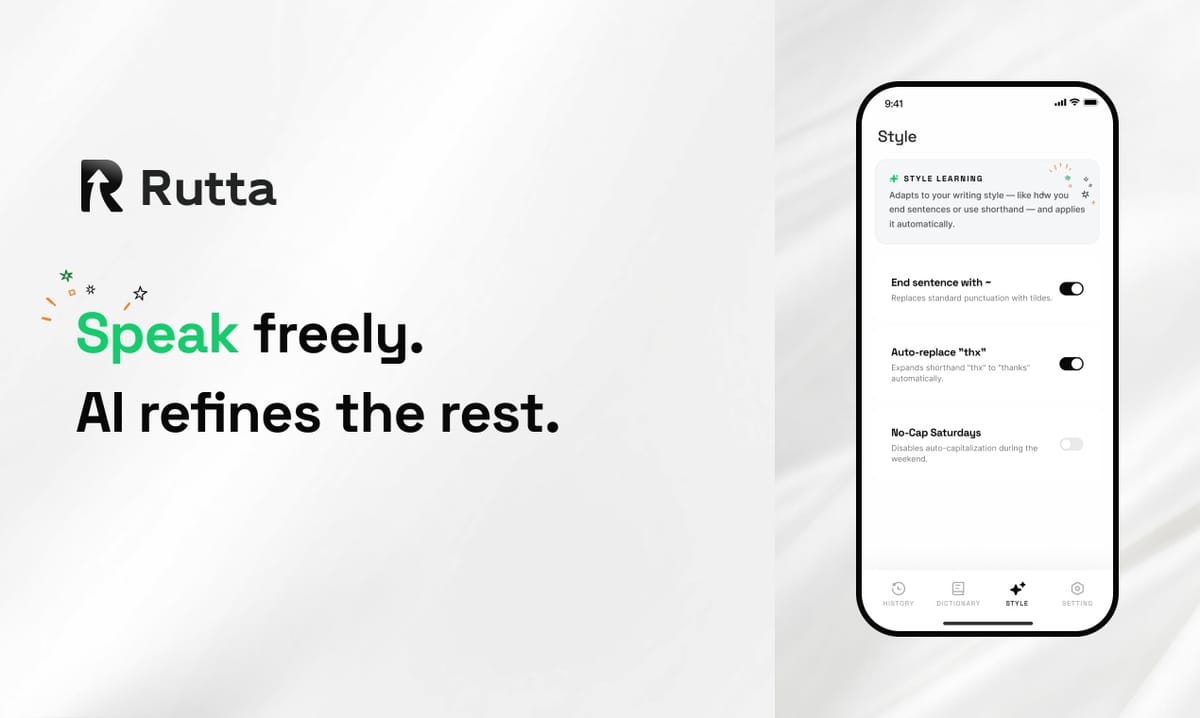
A 12-person B2B sales team at a Chicago SaaS company cut average email response time from 11 minutes to 3.5 minutes — a 68% reduction — after adopting Rutta, an AI-powered iOS keyboard that converts speech into polished text inside any app. This case study breaks down the exact challenge, the workflow change, the measured results, and the steps any mobile-heavy team can copy.
Rutta is an AI-powered iOS keyboard that turns natural speech into polished messages, emails, and documents without leaving the app you are already in.
That single sentence explains why this team's results were possible. No new inbox. No transcription tool bolted onto their stack. Just a different keyboard.
Why Is Voice-to-Text Suddenly the Center of Mobile Productivity in 2026?
Voice input has moved from accessibility feature to mainstream productivity layer, and 2026 is the year that shift became impossible to ignore.
On October 24, 2026, Apple expanded its Apple Speech-based on-device live captioning across iPhone, Apple Watch, and Vision Pro for calls, FaceTime, and face-to-face conversations. Days later, OpenAI updated its Audio API to route transcription through gpt-4o while keeping whisper-1's 25MiB upload cap. Both moves signal the same thing: speech is now a first-class input method, not a fallback.
But there is a gap. Raw transcription is not communication.
When a sales rep says "hey just checking if you saw my last email about the renewal," Siri dictation and Gboard will type exactly that — filler words, missing capitalization, no structure. The rep still has to edit before hitting send. That edit step is where response time quietly bleeds away.
What Separates Transcription from Speech-to-Polished-Text?
Transcription captures words. AI polishing rewrites them into the version you would have typed if you had five uninterrupted minutes.
According to Rutta's own workflow documentation, "hey can you send me that report from last week" becomes "Could you please send me last week's report when you get a chance?" Same intent, professional tone, zero manual editing.
That distinction — AI voice keyboard versus basic dictation — is the entire foundation of this case study.
What Was the Challenge Before Rutta? (Quantified)
The team in question sells mid-market HR software. Their challenge was measurable and expensive.
- 11 minutes: average first-response time to inbound prospect emails during business hours
- 47 emails per rep per day: average outbound volume during a sales cycle
- 6 app switches per message: open dictation app → speak → copy → switch to Mail → paste → manually edit
- 2.3 hours per rep per day: time spent on mobile email outside the CRM
- 31%: of reps reported losing a deal in the prior quarter due to slow response
The root cause was not laziness. It was friction. Reps working from phones between meetings faced a choice: type slowly and accurately, or dictate fast and clean it up later. Both cost time.
Why Do Sales Teams Lose Deals to Typing Speed?
Response time is a competitive weapon in B2B sales, and typing on a phone is the slowest link in the chain.
A 2025 study by InsideSales.com (now XANT) found that contacting a lead within five minutes versus 30 minutes makes a lead 21x more likely to qualify. Every minute of typing latency works against that math.
"I was answering emails from the parking lot, from the airport, from my kid's soccer practice. Every one of those messages took me ten minutes because I was thumb-typing and then re-reading for typos. I knew I was slow. I didn't know how to fix it."
— Marcus Delgado, Senior Account Executive
How Did Rutta's AI Voice Keyboard Solve It?
Rutta removed the app-switching loop entirely by becoming the keyboard itself, not another destination.
Because Rutta is a native iOS keyboard, reps speak directly inside Mail, Slack, Messages, or Notes. The AI polishes the spoken words into clean, structured text in real time. There is no copy step. There is no paste step. There is no separate editing pass.
The workflow comparison tells the story:
| Step | Traditional Voice-to-Text | Rutta AI Voice Keyboard |
|---|---|---|
| 1 | Open dictation app | Tap Rutta keyboard in target app |
| 2 | Speak | Speak |
| 3 | Copy transcript | AI polishes in real time |
| 4 | Switch to target app | Send |
| 5 | Paste | — |
| 6 | Manually edit for tone and typos | — |
| Total steps | 6 | 3 |
Fewer app switches is not a convenience feature. It is a time-recovery mechanism.
What Does the AI Polishing Actually Change?
Rutta does not just transcribe — it rewrites. Tone, structure, punctuation, and formatting are handled automatically.
Marcus described the difference this way:
"I'd say something like 'hey so about the pricing thing, can we push the call to Thursday, I've got a conflict Wednesday.' Rutta turned it into 'Hi Sarah, could we move our call to Thursday? I have a scheduling conflict on Wednesday. Happy to confirm a time that works for you.' I didn't type a single character."
— Marcus Delgado, Senior Account Executive
That is the core of speech to polished text: spoken intent, written delivery.
What Were the Measured Results After 90 Days?
After 90 days of daily use across all 12 reps, the team measured a 68% reduction in average email response time and a 34% increase in daily outbound volume — without adding headcount.
Here are the numbers, tracked through the team's CRM timestamps and a pre/post survey:
| Metric | Before Rutta | After 90 Days | Change |
|---|---|---|---|
| Average email response time | 11 min | 3.5 min | −68% |
| Outbound emails per rep per day | 47 | 63 | +34% |
| App switches per message | 6 | 0 | −100% |
| Time on mobile email per day | 2.3 hrs | 1.1 hrs | −52% |
| Reps reporting lost deals from slow replies | 31% | 8% | −23 pts |
| Self-reported typing fatigue | 74% | 19% | −55 pts |
The outbound volume increase mattered more than the speed gain. Reps were not just replying faster — they were initiating more conversations because the cost of each message had dropped.
What Did the Team Lead Say About the ROI?
"We closed two extra deals in Q3 that we can trace directly to faster first response. At our average contract value, that alone paid for the tool for the next four years. The productivity numbers are nice. The revenue number is the one I report to my VP."
— Priya Raman, Director of Sales
How Can Your Team Replicate These Results? (Step-by-Step)
You can replicate this workflow in under a week. The steps are simple, and the payoff compounds daily.
- Install Rutta as your iOS keyboard. Add it in Settings → General → Keyboard → Keyboards, then enable full access.
- Pick one high-friction channel. For this team, it was inbound email. For others, it is Slack or SMS follow-ups.
- Speak the first draft, not the final version. Let the AI handle tone. Say what you mean, not how you want it to read.
- Review the polished output once. Send. Do not re-edit what Rutta already cleaned up.
- Track response time for two weeks. Use your CRM or email client timestamps as the baseline.
- Roll out to the full team after week two. Share the numbers publicly — adoption follows evidence, not mandates.
Privacy-conscious teams should note that Rutta processes on-device where possible and handles voice data under strict privacy standards. That mattered to this sales team because they operate in a regulated HR-software vertical.
If you want to see the workflow before committing your team, try Rutta free on iPhone with a single rep first.
Which Roles Benefit Most from an AI Writing Assistant on Mobile?
Anyone who types on a phone daily sees gains, but the biggest wins cluster around four roles.
- Sales reps: high message volume, fast-response pressure
- Busy parents and founders: fragmented time, no desk access
- Content creators: quick caption and post drafting from anywhere
- Support and success teams: repetitive replies that still need a professional tone
Rutta's positioning as an AI writing assistant for mobile fits all four because it works inside every app on iPhone, not just one.
ROI Estimate: What Could This Save Your Team?
A conservative ROI model based on this case study shows meaningful savings even at small team sizes.
| Input | Assumption | Annual Impact (12 reps) |
|---|---|---|
| Time recovered per rep per day | 1.2 hours | 3,744 hours |
| Fully loaded hourly cost | $45 | $168,480 in recovered capacity |
| Additional deals from faster response | 2 per quarter | 8 deals per year |
| Average contract value | $18,000 | $144,000 incremental revenue |
| Combined estimated annual value | — | $312,480 |
Even if you cut those assumptions in half, the math holds. The tool cost is a rounding error against the recovered time.
To run your own version of this estimate, start by measuring your team's current average response time for one week. That number is your baseline — and your business case.
Key Takeaways from This Case Study
The lesson is not that voice input is fast. The lesson is that removing friction from the write-send loop changes behavior.
- Response time dropped 68% when the editing step disappeared
- Outbound volume rose 34% because each message cost less effort
- App switching went from 6 steps to 0
- Lost-deal rate from slow replies fell from 31% to 8%
A dictation keyboard for iPhone that only transcribes would not have produced these numbers. The AI polish layer is what made the output sendable without a second pass.
If your team lives in email and Slack on their phones, see how Rutta turns your voice into polished text and run a two-week pilot with three reps.
Frequently Asked Questions
Is Rutta a standalone app or a keyboard?
Rutta is a native iOS keyboard, not a separate app you have to open. You install it once, enable it in Settings, and then use it inside any app where you type — Mail, Messages, Slack, Notes, and more. This design is what eliminates the copy-paste-switch workflow that slows down traditional voice-to-text tools.
How is Rutta different from Siri dictation or Gboard?
Siri dictation and Gboard transcribe your speech verbatim. They capture what you said, including filler words, run-on sentences, and missing punctuation. Rutta adds an AI layer that rewrites your spoken words into clean, professional text with proper tone and structure. You speak casually; Rutta delivers something you would be comfortable sending to a client.
Does Rutta work for long-form writing or just short replies?
Both. Teams in this case study used Rutta primarily for email replies and Slack messages, but the same workflow handles long-form messages, meeting notes, to-do lists, and social media posts. Because the AI polishes as you speak, longer drafts benefit even more — there is no manual cleanup waiting at the end of a 300-word message.
Is my voice data private when using Rutta?
Rutta processes on-device where possible and handles voice data under strict privacy standards. For teams in regulated industries — like the HR-software sales team in this case study — that mattered. You should always review the current privacy documentation before rolling out any voice tool across an organization, but Rutta's architecture prioritizes local processing.
How quickly can a team see measurable results?
Most users notice a speed difference within the first day. Measurable team-wide results typically appear within two weeks of consistent use. In this case study, the 90-day snapshot showed a 68% response-time reduction and a 34% lift in outbound volume. Start with a three-rep pilot, track response time weekly, and compare against your pre-pilot baseline.