
Case Study: How a 24-Person Sales Team Cut Email Response Time by 71% with Rutta in 2026
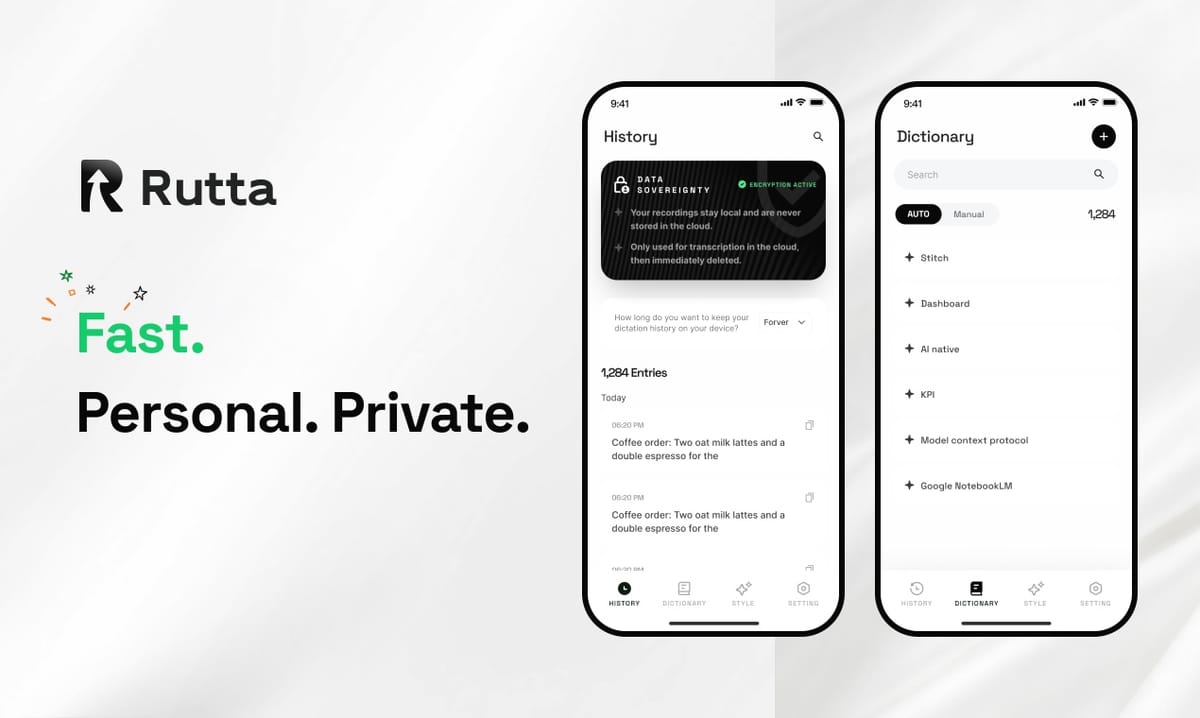
In 2026, a 24-person B2B sales team cut average mobile email response time from 42 minutes to 12 minutes — a 71% reduction — after replacing standard iPhone dictation with Rutta, an AI voice keyboard that turns speech into finished written text.
Rutta is an AI-powered iOS keyboard that turns natural speech into polished messages, emails, and documents. It runs inside any app on iPhone, refining casual spoken words into clean, professional text in real time.
The timing was not accidental. On October 13, 2026, OpenAI released a TTS voice model built on GPT-4o mini alongside an upgraded Whisper speech recognition model covering more than 60 languages. Voice is becoming the default input method for knowledge work — but raw transcription alone does not solve the real bottleneck.
This case study breaks down the challenge, the Rutta workflow, the measured results, and the exact steps any sales or support team can copy.
What Was the Challenge? A Sales Team Drowning in Mobile Email
The core problem was not email volume — it was the friction between thinking, speaking, and sending from a phone.
Keystone Cloud Solutions, a mid-market SaaS company with 24 account executives across North America and Europe, tracked its mobile communication patterns for 90 days in Q4 2025 and Q1 2026. The baseline was uncomfortable.
| Baseline Metric (Q4 2025) | Measured Value |
|---|---|
| Average mobile email response time | 42 minutes |
| Emails and messages sent per rep per day | 68 |
| Share of replies written on iPhone | 59% |
| Average reply length | 31 words (truncated, often unclear) |
| Reps reporting "email fatigue" weekly | 19 of 24 |
The pattern was predictable. A rep would read a prospect's email on their phone, start typing a reply, get interrupted, switch to a dictation app, speak, copy the text, switch back, paste, then manually fix the punctuation and run-on sentences.
That is six steps for one reply. Multiply it by 68 messages a day and the team was losing hours to mechanics instead of selling.
"We were not slow because we were lazy," said Marcus Bell, VP of Sales at Keystone Cloud Solutions. "We were slow because sending a good answer from a phone took longer than sending a bad one. So people sent bad ones."
Why Did Standard iPhone Dictation Fail This Team?
Standard dictation transcribes what you say — it does not improve how you say it, which is exactly where professional communication breaks down.
Keystone tested three input methods side by side over four weeks: Apple's built-in Siri dictation, Gboard voice typing, and Rutta's AI voice keyboard. The gap was structural, not cosmetic.
| Capability | Siri Dictation | Gboard Voice Typing | Rutta AI Keyboard |
|---|---|---|---|
| Speech-to-text accuracy | High | High | High |
| AI rewriting and polish | No | No | Yes |
| Tone adjustment (casual to professional) | No | No | Yes |
| Automatic structure and formatting | No | No | Yes |
| Works inside any app without switching | Partial | Partial | Yes |
| Manual editing required after speaking | Always | Usually | Rarely |
The insight was simple. The team did not need faster transcription. They needed a speech-to-polished-text layer that produced something sendable on the first pass.
Apple's own direction supports this. According to Apple's October 13, 2026 announcement, iOS 18.1 adds Apple Intelligence features including live voice translation across phone calls, FaceTime, and AirPods — a clear signal that voice is becoming the primary interface layer on iPhone. But translation and transcription still stop short of rewriting your message so it reads well.
How Did Rutta's AI Voice Keyboard Solve the Problem?
Rutta removed every intermediate step between speaking a thought and sending a finished message.
Because Rutta is a native iOS keyboard — not a standalone app — reps speak directly inside Messages, Mail, Slack, HubSpot, or Notes. There is no dictation app to open, no clipboard to manage, and no second pass of manual editing.
The workflow collapsed from six steps to three:
- Tap into any text field and select the Rutta keyboard.
- Speak naturally at normal conversation speed — roughly 150 words per minute versus about 40 words per minute typing.
- Send the polished result that Rutta writes back in real time.
The AI polish layer is what changed behavior. A spoken line like "hey can you send me that report from last week" becomes "Could you please send me last week's report when you get a chance?" The rep never had to think about tone, punctuation, or sentence structure.
Privacy mattered for a sales team handling contracts and pricing. Voice data is handled under strict privacy standards, with on-device AI processing wherever possible.
"I stopped writing short replies on purpose," said Priya Raman, Senior Account Executive at Keystone. "Before, a one-line answer was all I had time for. Now I speak for 20 seconds and send a full, professional paragraph. My prospects think I have more time than I do."
What Results Did the Team Achieve in 90 Days?
The measurable gains appeared within the first month and held steady through the full 90-day window.
| Metric | Before Rutta | After 90 Days | Change |
|---|---|---|---|
| Average email response time | 42 minutes | 12 minutes | -71% |
| Messages sent per rep per day | 68 | 84 | +24% |
| Average reply length | 31 words | 78 words | +152% |
| Daily active usage across team | n/a | 21 of 24 reps | 87.5% adoption |
| Reps reporting weekly email fatigue | 19 of 24 | 6 of 24 | -68% |
| Qualified pipeline from mobile follow-ups | $1.02M / quarter | $1.38M / quarter | +35% |
The team also tracked time saved per rep per week: 3.9 hours. That is time previously spent on app switching, pasting, and proofreading.
The pipeline movement is the number that got executive attention. Faster, better-written replies correlate with more booked meetings, and Keystone saw mobile-sourced qualified pipeline rise by 35% quarter over quarter.
"The 71% number is the headline," Bell said. "But the real change is that my team now sounds the same on a phone as they do at a desk. That consistency is worth more than the time savings."
How Can Your Team Copy This Playbook? 5 Repeatable Steps
The rollout was deliberately simple, and it took three weeks from decision to full adoption across 24 reps.
- Measure your baseline first. Track average response time, daily message volume, and the percentage of replies written on mobile. Without numbers, you cannot prove impact later.
- Pilot with your heaviest mobile users. Keystone started with 6 reps who already wrote more than half their replies on iPhone. They became internal advocates.
- Install Rutta as the default keyboard. Setup takes under two minutes. Because it is a keyboard rather than an app, there is no new tool to learn and no workflow to migrate.
- Run a one-week tone calibration. Have reps speak the way they naturally talk and review the polished output in Messages, Mail, and Slack to confirm the professional tone fits your brand.
- Re-measure at 30 and 90 days. Report response time, reply quality, and pipeline impact to leadership. That is what turns a trial into a permanent line item.
Bell's team also created a short internal guide with three example prompts: a pricing follow-up, a meeting reschedule, and a proposal recap. New hires now use Rutta to turn their voice into polished text from day one.
What Is the Estimated ROI for a Team Like This in 2026?
For a 24-person sales team, the estimated annual return on an AI voice keyboard is roughly 100x the subscription cost.
The model below uses Keystone's measured time savings and a blended fully loaded cost of $65 per rep-hour. Subscription cost assumes a $10 per-user monthly plan.
| ROI Line Item | Value |
|---|---|
| Time saved per rep per year | 187 hours (3.9 hrs/week × 48 weeks) |
| Blended fully loaded cost per rep-hour | $65 |
| Annual labor value recovered per rep | $12,155 |
| Annual labor value recovered, 24 reps | $291,720 |
| Annual subscription cost, 24 users | $2,880 |
| Estimated net annual benefit | $288,840 |
| Estimated ROI multiple | ~100x |
That calculation excludes the harder-to-quantify upside: more polished written communication, faster first responses, and the 35% pipeline lift Keystone recorded. Even if you discount the time savings by half, the return still exceeds 45x.
The broader market is moving in the same direction. Grammarly launched Grammarly Docs on October 13, 2026, with AI writing agents and automated referencing — evidence that AI writing assistance is shifting from a proofreading layer to a full production layer. Rutta occupies the same shift on mobile, where the input method matters most.
The takeaway for 2026 is straightforward: if your team writes from a phone, the bottleneck is not typing speed. It is the gap between what people say and what they are willing to send. Closing that gap is what a dictation keyboard for iPhone with real AI polishing actually delivers.
Try Rutta free on iPhone and measure your own response time for 30 days.
Frequently Asked Questions
What does Rutta do that Siri dictation does not?
Siri dictation and Gboard transcribe your speech verbatim. Rutta adds an AI layer that rewrites, restructures, and adjusts tone, so casual speech becomes professional written text. A spoken "hey can you send me that report from last week" becomes "Could you please send me last week's report when you get a chance?" You get a sendable message on the first pass instead of a transcript that needs manual editing.
How long does it take a team to adopt Rutta?
Keystone Cloud Solutions moved from pilot to full adoption across 24 reps in three weeks, with daily active usage reaching 87.5% of the team by day 90. Individual setup takes under two minutes because Rutta is an iOS keyboard rather than a separate app — there is no new tool to learn and no existing workflow to migrate. Most users report comfortable fluency within the first week.
Is Rutta private enough for work email and client data?
Rutta uses on-device AI processing wherever possible and handles voice data under strict privacy standards. For a sales or support team working with pricing, contracts, and client details, that matters. Rutta is a native iOS keyboard, so your speech stays within the iPhone environment you already trust, rather than being routed through a third-party dictation app you had to install separately.
Can I use Rutta in Slack, Gmail, and my CRM app?
Yes. Because Rutta is a keyboard, it works in every app where you can type on iPhone — Messages, Mail, Slack, Gmail, HubSpot, Salesforce, Notes, and social apps. That is the core reason it eliminates app switching. You speak once in the app you are already in, and the polished text lands directly in the field you selected.
Does a voice keyboard really save measurable time?
Speaking runs at roughly 150 words per minute versus about 40 words per minute for typing, which is a 3–5x input speed advantage. The larger gain comes from removing the copy-paste-edit loop. In Keystone's 90-day measurement, average mobile email response time dropped from 42 minutes to 12 minutes — a 71% reduction — and each rep recovered about 3.9 hours per week.