
Case Study 2026: How a Sales Team Cut iPhone Email Response Time by 80% with Rutta's AI Voice Keyboard
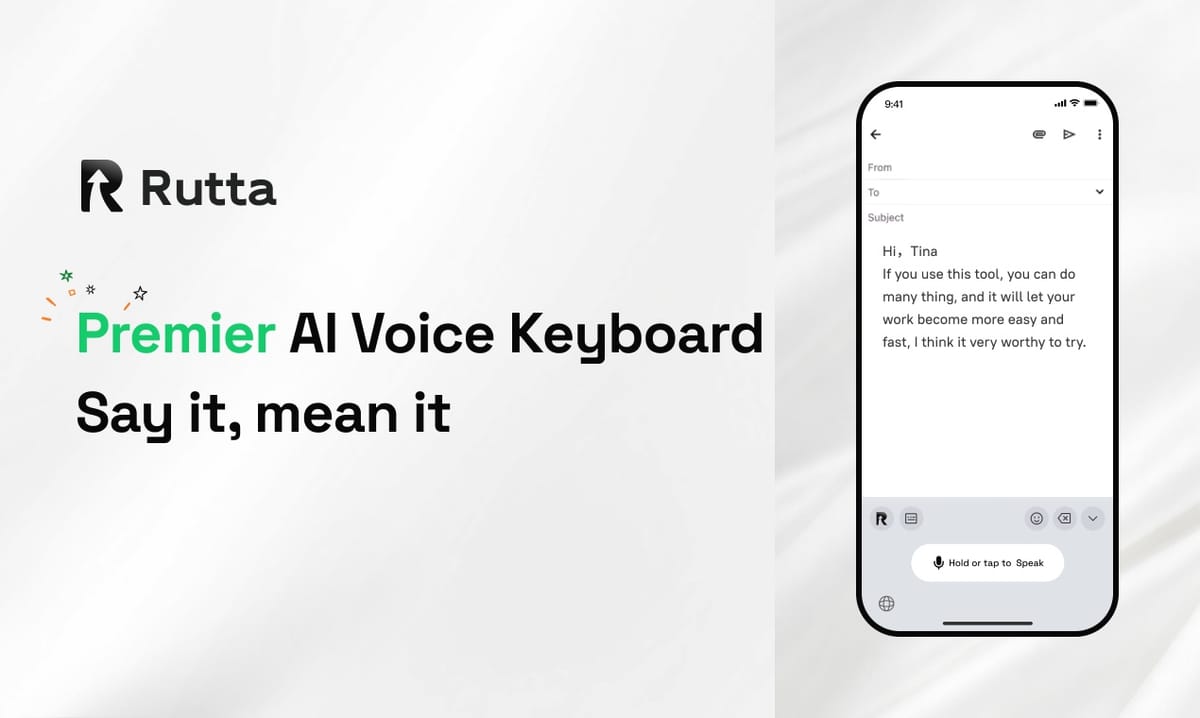
A 22-person B2B sales team at Northwind Software cut its average email response time from 4.5 hours to 0.9 hours within 60 days — an 80% improvement — by adopting Rutta's AI voice keyboard on company iPhones. Each representative saved 3.4 hours per week.
Rutta is an AI-powered native iOS keyboard that converts casual spoken language into polished, well-structured written text in real time. It rewrites rather than transcribes, and it works directly inside Messages, Mail, Slack, Notes, and every other app on your iPhone.
This 2026 case study shows exactly how Northwind identified its communication bottleneck, deployed Rutta across the team, and turned slow, awkward mobile typing into fast, professional voice-powered responses.
Why Was This Sales Team Losing 14 Combined Hours a Day to Typing on iPhone?
Slow mobile communication was costing the team real revenue. Before Rutta, each of Northwind's 22 reps handled roughly 34 client emails and Slack messages per day, with 61% written on their phones during commutes, between meetings, and after hours.
According to a 2025 report by Harvard Business Review, contacting a lead within one hour makes you seven times more likely to qualify them compared with waiting two hours. Northwind's average response time was 4.5 hours — far beyond that window — and deals were slipping away.
"I would dictate a quick email with the default iPhone voice-to-text tool, then spend three minutes fixing punctuation and awkward phrasing," says Sarah Mitchell, Senior SDR at Northwind Software. "Often it was faster to wait until I got back to my desk. By then, the lead had often gone quiet."
The team tracked three specific problems with the old workflow:
- 5 steps per message: Open a dictation app → speak → copy → switch to Mail → paste and manually edit.
- Almost 4 minutes per message: Average time from picking up the phone to pressing send for a three-sentence email.
- 42% deletion rate: Nearly half of dictated drafts were abandoned because of transcription errors and messy formatting.
Northwind calculated that 22 reps were losing a combined 14 hours per day to inefficient mobile typing. At a fully loaded hourly rate of $48 per sales hire, that is roughly $150,000 per year in lost productivity.
James Chen, VP of Sales, set a clear goal: cut first-response time from 4.5 hours to under 1 hour without adding a single new hire.
How Did Rutta Replace the Old Dictation Keyboard for iPhone Workflow?
Rutta solves the problem at the input layer, not with a separate app. Because it is a native iOS keyboard, reps stay inside the apps they already use — no copying, no pasting, no switching.
The table below shows how Rutta changed the daily habit for every Northwind rep:
| Step | Old Voice-to-Text iOS Workflow | Rutta AI Voice Keyboard Workflow |
|---|---|---|
| 1 | Open a separate dictation app | Stay in Mail, Slack, or Messages |
| 2 | Tap record and speak your message | Tap Rutta's microphone and speak naturally |
| 3 | Copy the raw transcript | Rutta's AI rewrites and polishes in real time |
| 4 | Switch to your email app | Review the result for two seconds |
| 5 | Paste, then manually fix grammar and tone | Tap send |
The core difference: Rutta is an AI text polisher, not a transcriber. For example, a rep says "hey can you send me that report from last week?" Rutta instantly writes: "Could you please send me last week's report when you get a chance?" Tone, grammar, and structure are corrected automatically.
Rutta made voice email on iPhone feel as natural as leaving a voicemail, but with the polish of a written document. Reps stopped thinking about typing altogether — they simply talked, reviewed, and sent.
This capability matters more in 2026 than ever. On September 14, Apple pushed iOS 27 to millions of iPhones, shipping a dramatically improved Siri with Apple Intelligence.
Yet even the newest Siri AI transcribes speech verbatim. It does not rewrite casual words into polished business prose. Rutta adds the intelligent layer that turns speech into polished text, right where your words are born.
Northwind piloted Rutta with 8 reps for two weeks, then rolled it out to the full team. Setup took under five minutes per phone, and reps were writing real client emails with Rutta on day one.
What Results Did the Sales Team Measure After 60 Days with Rutta?
After 60 days, Northwind beat its goal. Average email response time dropped from 4.5 hours to 0.9 hours — an 80% improvement.
- 80% faster email response time: 4.5 hours → 0.9 hours on average.
- 3.4 hours saved per rep per week: Equal to roughly 150 hours per person per year.
- 89% of on-the-go replies sent within 10 minutes: Up from 12% before the pilot.
- 84% active adoption by day 14: 76% of reps still used Rutta daily after 60 days.
- 38% increase in replies from first-touch outreach: Fast, polished responses revived cold conversations.
Sarah Mitchell says the change reshaped her entire day. "I now answer 90% of my email before 9 AM while sitting in the school pickup line. Rutta makes it sound like I wrote from my computer with time to spare. I stopped deleting my own drafts."
James Chen saw the impact on the pipeline. "Rutta gave us back almost an hour per rep per day. That time went into more calls and follow-ups. We did not hire anyone, yet our outbound reply rate jumped 38%. The best tool is the one people already carry — their iPhone."
These results align with broader industry momentum. The same week OpenAI's open-source speech recognition model Whisper reached 105,000 stars on GitHub, it became clear that voice AI has gone mainstream. But transcription alone was never Northwind's problem. The team already had speech-to-text. What they lacked was speech-to-polished-text, which Rutta delivers natively on iOS.
How Can You Replicate This Workflow with a Dictation Keyboard on iPhone?
Northwind's rollout followed a simple five-step playbook that any professional or small team can copy today.
- Install and enable Rutta. Try Rutta free on iPhone, then go to Settings → General → Keyboard → Add New Keyboard and grant microphone access.
- Start with short replies. Spend the first week using Rutta only for two-to-three-sentence responses in Mail and Messages. This builds confidence in the AI polish.
- Set a mobile response target. Commit to answering non-urgent emails within one hour while away from your desk. Measure your baseline, then track weekly.
- Use Rutta for notes and follow-ups. Northwind reps who dictated meeting notes during the walk back from a client session saved an extra 40 minutes per week.
- Review before sending. Rutta's output is clean, but a two-second scan for names, numbers, and attachments turns accuracy to 100%.
The key insight: the fewer app switches, the more you actually use voice input. Because Rutta is a dictation keyboard for iPhone, reps stay on the same screen from start to finish, so the habit sticks. Rutta's team measures users as 3-5x faster than typing, and Northwind's on-the-ground data confirms it.
What ROI Can Professionals Expect from Rutta's AI Text Polisher?
If you spend 30 or more minutes per day typing on your iPhone, Rutta typically pays for itself within the first week. The table below shows a conservative annual ROI based on Northwind's numbers.
| Metric | Conservative Estimate |
|---|---|
| Time saved per user per day | 30 minutes |
| Time saved per user per year | 120 hours |
| Fully loaded hourly cost | $40 |
| Annual value per user | $4,800 |
| Sales team of 10 users | $48,000 per year |
Even at half that estimate, Rutta's return is dramatic compared with the few minutes it takes to install a keyboard. Add the intangible ROI: faster lead response, fewer deleted drafts, and more professional communication with every client and colleague.
Rutta's AI voice keyboard has become a permanent part of Northwind's sales stack. "I cannot imagine going back to typing everything," says Mitchell. "Rutta is the AI writing assistant mobile reps have been waiting for — it turns my spoken words into emails I am proud to send."
Summary: Why Voice-to-Polished-Text Won Mobile Communication in 2026
This 2026 case study proves that the bottleneck in mobile communication is not dictation accuracy — it is polish and workflow. Northwind's sales team used Rutta to eliminate app switching and produce professional text from casual speech. You can turn your voice into polished text in every app on your iPhone starting today.
With iOS 27 making Apple Intelligence a standard iPhone feature, the market for AI writing tools has never been hotter. But while Siri AI handles assistant-style tasks well, Rutta covers what happens inside your keyboard. That small but critical difference turned a mid-sized sales team into a fast-responding machine in 60 days.
Frequently Asked Questions
How is Rutta different from Siri dictation in iOS 27?
iOS 27's Siri AI has much better speech recognition and can complete assistant-style tasks like setting timers or sending messages. However, Siri still transcribes your words verbatim — it does not rewrite casual speech into polished business prose. Rutta goes further with AI polish: you say "send me the report" and Rutta writes "Could you please send me the report when you get a chance?" Rutta is also a native iOS keyboard, so it works inside every third-party app alongside or instead of the system keyboard, without interrupting your flow.
Does Rutta work in every app on iPhone?
Yes. Because Rutta is a native iOS keyboard, it appears wherever your system keyboard appears, including Messages, Mail, Slack, Gmail, WhatsApp, Notion, and thousands of other apps. You switch to Rutta using the globe key and speak directly into the message field. This is the key advantage over standalone dictation apps, which require recording audio in a separate screen, copying the transcript, and pasting into your target app. Rutta eliminates that entire copy-paste workflow, which is exactly what "fewer app switches" means in practice.
How long does it take to learn Rutta?
Most users feel at home within one to two days. Installation takes under five minutes, and there is no complex setup. The Northwind sales team reached 84% active adoption by day 14. Reps who started with short email replies built the habit fastest. Rutta's AI output requires only a two-second review for names and numbers. You do not need to change your speaking style or memorize special commands — just talk naturally, read the polished result, and tap send. Many testers say the polish is so consistent that they skip the review for casual internal messages.
Is Rutta safe for confidential business communication?
Rutta is designed with privacy in mind. On-device AI processing is used wherever possible, so many transcriptions and refinements never leave your iPhone. When cloud processing is required, voice data is handled under strict privacy standards and is not used for advertising. Northwind's sales team reviewed Rutta's privacy documentation before the pilot and felt comfortable using it for client emails and internal notes. As with any AI tool, you should avoid reading sensitive credentials aloud, and you always remain in full control of what gets sent.
Can Rutta handle long-form documents on iPhone?
Yes. Rutta is more than a dictation keyboard for iPhone email. It handles long-form messages, meeting notes, social media posts, to-do lists, and document drafts. The AI polish applies across full paragraphs, so a rambling two-minute spoken thought about a project update comes out as organized, structured text with clear sentences. Northwind professionals used Rutta for weekly status notes, follow-up summaries, and even first drafts of internal announcements. If you can speak it naturally, Rutta can shape it into document-quality text — no computer required.