
2026's Smartest iOS Productivity Shift: How Rutta's Keyboard Workflow Eliminates App Switching Forever
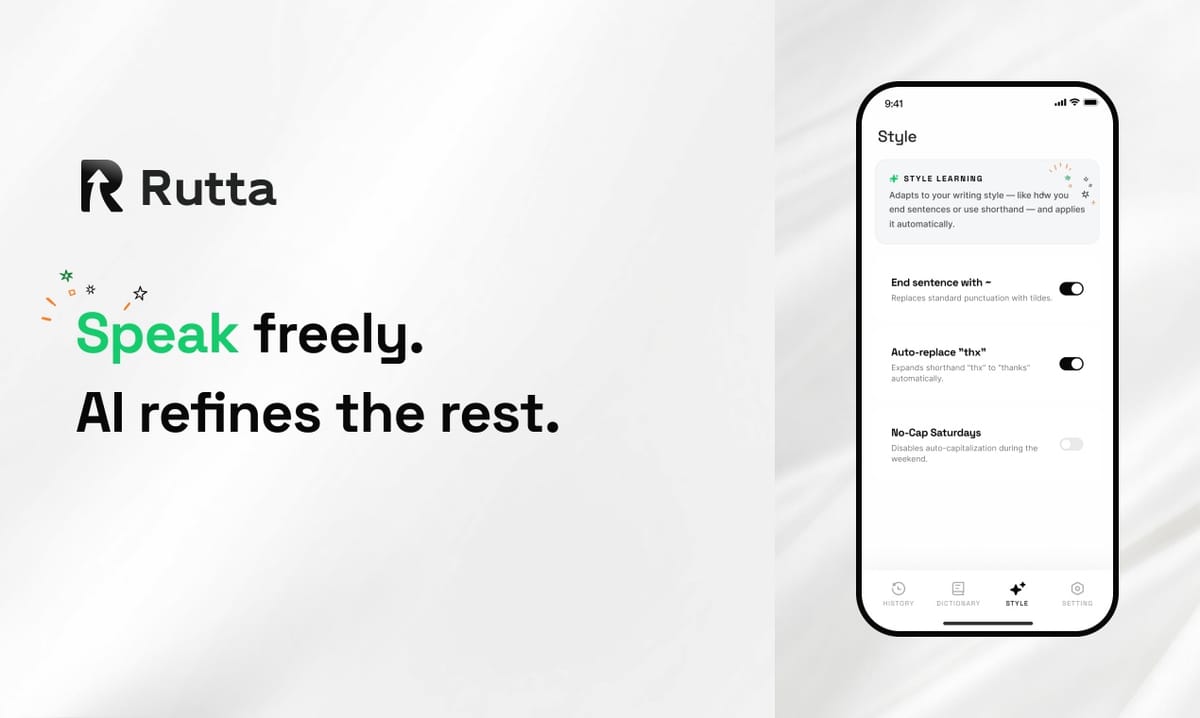
Typing on an iPhone is now the slow way to communicate. Rutta's AI voice keyboard turns natural speech into polished text 3-5x faster than typing — without ever leaving the app you're in.
Rutta is an AI-powered iOS keyboard that converts casual spoken language into professional, well-structured written text in real time, directly inside Messages, Mail, Slack, Notes, or any other app on your iPhone, eliminating app switching from the writing process entirely.
How Does Rutta's Keyboard Workflow Eliminate App Switching?
The core innovation is workflow compression: Rutta replaces the traditional six-step dictation process with a single speak-and-send action.
Before Rutta, voice-to-text on iOS forced users through six tedious steps:
- Open a separate dictation or voice note app.
- Speak your full message and wait for transcription.
- Review the text and manually fix punctuation, capitalization, and spacing errors.
- Tap "Copy" to save the transcribed text.
- Switch to the target app — Mail, Slack, Messages, or Notes.
- Paste the text, then manually rewrite it to sound professional.
That cycle consumes roughly a minute per message and fractures your focus across multiple apps. Repeat it ten times a day and you've lost a significant block of productive time.
Rutta compresses all six steps into one continuous flow inside the app you're already using:
- Step 1: Open any app and tap the keyboard globe icon to switch to Rutta.
- Step 2: Speak naturally: "Hey can you send me that report from last week".
- Step 3: Send. Rutta's AI has already rewritten it as: "Could you please send me last week's report when you get a chance?"
Traditional dictation route: Dictation app → Speak → Copy → Switch app → Paste → Manual edit → Send (6 steps, 45–60 seconds)
Rutta route: Any app → Tap globe → Speak → Send (3 steps, 5–10 seconds)
This Rutta iOS keyboard workflow is why users report writing 3-5x faster and never want to return to the copy-paste routine.
What Makes Rutta Different from the Default iOS Keyboard, Siri Dictation, and Gboard?
The default iOS keyboard, Siri dictation, and Gboard voice typing share a fundamental limitation: they transcribe your words verbatim — they never improve them.
Basic voice-to-text on iOS captures exactly what you say, including filler words, awkward grammar, and a flat conversational tone. Rutta adds an intelligent rewriting layer that transforms rough spoken language into structured, professional written prose.
Take this spoken sentence: "Meeting got moved to 3 can you tell Jake also bring the numbers"
| Tool | Output | Ready to Send? |
|---|---|---|
| Default iOS keyboard | "meeting got moved to 3 can you tell Jake also bring the numbers" | No — informal and incomplete |
| Siri dictation | "Meeting got moved to 3. Can you tell Jake also bring the numbers." | No — grammatically awkward |
| Gboard voice typing | "Meeting got moved to 3 can you tell Jake also bring the numbers" | No — verbatim transcription only |
| Rutta AI keyboard | "The meeting has been moved to 3 PM. Could you let Jake know to bring the numbers as well?" | Yes — professional and complete |
That difference positions Rutta as a mobile AI writing assistant — not merely another dictation keyboard for iPhone. It doesn't type what you say; it writes what you mean.
Anyone who wants to turn their voice into polished text without leaving their current app will find exactly that in Rutta.
The industry is catching up to this standard. According to a September 2026 industry evaluation, GPT-4-level models are now the baseline for AI writing assistants, with leading products reaching 98.7% accuracy on specialized professional terminology. Rutta delivers that same intelligent polish directly at the keyboard level.
Apple's September 2026 iOS update added real-time translation and productivity features through Apple Intelligence, but even those enhancements do not rewrite your casual speech into polished prose as you type. That's the gap Rutta fills.
Can Rutta Really Produce Professional Text from Casual Speech?
Yes — and this is where Rutta redefines what an iPhone keyboard can accomplish.
Rutta doesn't just fix grammar. It restructures sentences, adjusts tone, and completes incomplete thoughts. Here's what the transformation looks like in daily life:
- "Yo can u send the docs" → "Could you send over the documents when you have a moment?"
- "Need to reschedule tomorrow's call sorry" → "I need to reschedule tomorrow's call. Could we find an alternate time?"
- "So the Q3 numbers are like way up basically" → "Q3 performance was exceptionally strong across all key metrics."
This kind of speech to polished text capability has immediate, measurable value for busy professionals.
"I used to avoid sending emails from my phone because they always sounded rushed and sloppy. With Rutta, I speak two sentences and get a polished paragraph that looks like I spent ten minutes crafting it." — Daniel R., sales manager at a B2B SaaS company
Beyond email, Rutta is a daily productivity driver for a wide range of scenarios:
- Quick email replies: Dictate a short response in Mail and Rutta expands it into a complete, courteous message.
- Long-form messages: Speak a detailed update in Slack or Messages and receive a clear, well-organized paragraph.
- Social media posts: Describe a moment casually and Rutta turns it into a publish-ready caption.
- Meeting notes: Ramble through your updates in Notes and Rutta structures them into clean, scannable bullet points.
- To-do lists: Say your tasks aloud and get an organized checklist without manual formatting.
- Professional client communication: Send confident, polished messages to clients and stakeholders from anywhere.
"As a content creator, I draft half of my posts on my phone. Rutta lets me speak stream-of-consciousness and get a coherent, polished draft in seconds." — Maya L., content creator with 50K+ followers
How Does Rutta Protect Your Privacy While Processing Voice Data?
Privacy is the first question professionals ask about any AI writing tool, and Rutta was built with that concern front and center.
Rutta performs on-device AI processing wherever possible, and your voice data is handled under strict privacy standards.
Here's what that means in practice:
- On-device processing: When your iPhone hardware supports it, your speech is converted to text locally without ever leaving your device.
- Strict data handling: When cloud processing is required, Rutta protects your voice data under strict privacy policies.
- No behavior tracking: Your dictations and messages are not used to profile you, train models without consent, or sell to advertisers.
This privacy-first architecture aligns with the broader direction of mobile AI in 2026. Apple's September 20, 2026 announcement brought on-device Apple Intelligence features — including real-time translation across Messages, FaceTime, and phone calls — signaling that local-first processing is now the gold standard for sensitive voice data.
Why Are AI Voice Keyboards the Future of Mobile Writing in 2026?
The market data is clear: AI-powered writing tools are growing explosively, and voice is becoming the preferred mobile input method.
According to a September 2026 market analysis, the global AI writing market is projected to reach $120 billion in 2026, more than doubling from $47 billion in 2023. Yet fewer than 10% of AI writing products deliver professional-grade output — which is exactly where Rutta differentiates itself.
According to the same report, workflow integration has overtaken raw model size as the deciding factor in product selection. Users don't want another app to open; they want the apps they already use to get smarter. Rutta fits perfectly because it lives inside the keyboard, turning every app into an AI-powered writing surface with fewer app switches.
Voice technology itself has reached an inflection point. On September 20, 2026, OpenAI expanded its speech models to 99 languages with custom voice capabilities, while Apple delivered real-time translation across its core communication apps. These milestones confirm that voice is becoming the default interface for mobile devices. Rutta sits at the intersection of voice input and polished text output — turning spoken words into the kind of writing that looks professionally crafted.
For busy professionals, parents, sales reps, and creators, the conclusion is simple: typing is the bottleneck, and Rutta removes it.
Rutta's value proposition is straightforward. It makes your iPhone dramatically faster to write on, produces professional text from casual speech, and eliminates the app switching that slows everyone down. Whether you're answering emails, preparing meeting notes, or drafting social posts, Rutta delivers polished results in seconds. The numbers speak for themselves — 3-5x faster writing, zero app switching, and AI-quality prose in every app on your iPhone.
If you're still typing every message, email, and document on your phone, there's a faster path. Try Rutta free on iPhone and experience what happens when your keyboard becomes an AI writing partner.
Frequently Asked Questions
Is Rutta really an iOS keyboard, not a standalone app?
Yes. Rutta is a native iOS keyboard extension that you enable in Settings, then switch to with the globe icon in any app. It works in Messages, Mail, Slack, Notes, and every other text field on your iPhone. Because it's a keyboard rather than a standalone app, there's no copy-and-paste routine and no app switching — which is exactly what makes it a true dictation keyboard for iPhone. This architecture is the core difference between Rutta and older voice note apps or dictation tools. With Rutta, the keyboard itself becomes your AI writing assistant, ready in every app without any context switching.
How much faster is Rutta than typing?
Rutta users write 3-5x faster than typing on the standard iOS keyboard. The speed gain comes from two sources. First, speaking is naturally faster than thumb typing — most people articulate around 150 words per minute but type barely 40. Second, Rutta's AI polish eliminates the manual editing pass that usually follows voice transcription. Basic dictation tools leave you with verbatim speech that still needs punctuation fixes, grammar corrections, and tone adjustments. Rutta handles all of that instantly. For short emails and replies, users typically go from thought to sent message in under ten seconds, which is why many professionals describe it as the biggest mobile productivity upgrade since the smartphone keyboard itself.
Does Rutta work in all of my apps?
Yes. Because Rutta is an iOS keyboard extension, it appears in any app that uses the system keyboard — including Messages, Mail, WhatsApp, Slack, Gmail, Notes, Notion, LinkedIn, and thousands of others. This universal compatibility is what makes Rutta a true voice email on iPhone solution and an all-in-one AI text polisher. You don't need to learn a new app or change your workflow. Whether you're replying to a client in Mail, updating your team in Slack, or jotting down ideas in Notes, Rutta's keyboard is right there on demand. The phrase "fewer app switches" captures the real benefit: your entire writing life happens in one place, with AI-powered polish available everywhere.
How accurate is Rutta's AI polishing?
Rutta's AI is built on GPT-4-level language models, the same class of models that a September 2026 industry evaluation identified as the standard for top-performing AI writing assistants. That evaluation found leading tools achieving up to 98.7% accuracy in specialized professional writing tasks, and Rutta applies similar performance to everyday mobile communication. In practice, Rutta consistently transforms casual speech into grammatically clean, contextually appropriate, professionally worded output. It understands conversational context, repairs incomplete sentences, and chooses wording appropriate for professional settings. For most users, the result is that their spoken words sound written — polished, structured, and ready to send without additional editing.
Is my speech data private when using Rutta?
Rutta performs on-device AI processing wherever possible, meaning your audio often never leaves your iPhone. When cloud processing is necessary, your voice data is handled under strict privacy standards. Rutta does not track your behavior, sell your data, or use your dictations to build advertising profiles. This privacy-first approach aligns with the broader direction of mobile AI in 2026 — Apple's September 20 announcement of on-device Apple Intelligence features highlighted that users increasingly expect sensitive voice data to stay on their devices. With Rutta, you get both the convenience of AI-powered writing and the peace of mind that your words are protected.