
2026: Why AI Voice Keyboards Are Replacing Traditional Typing on iPhone
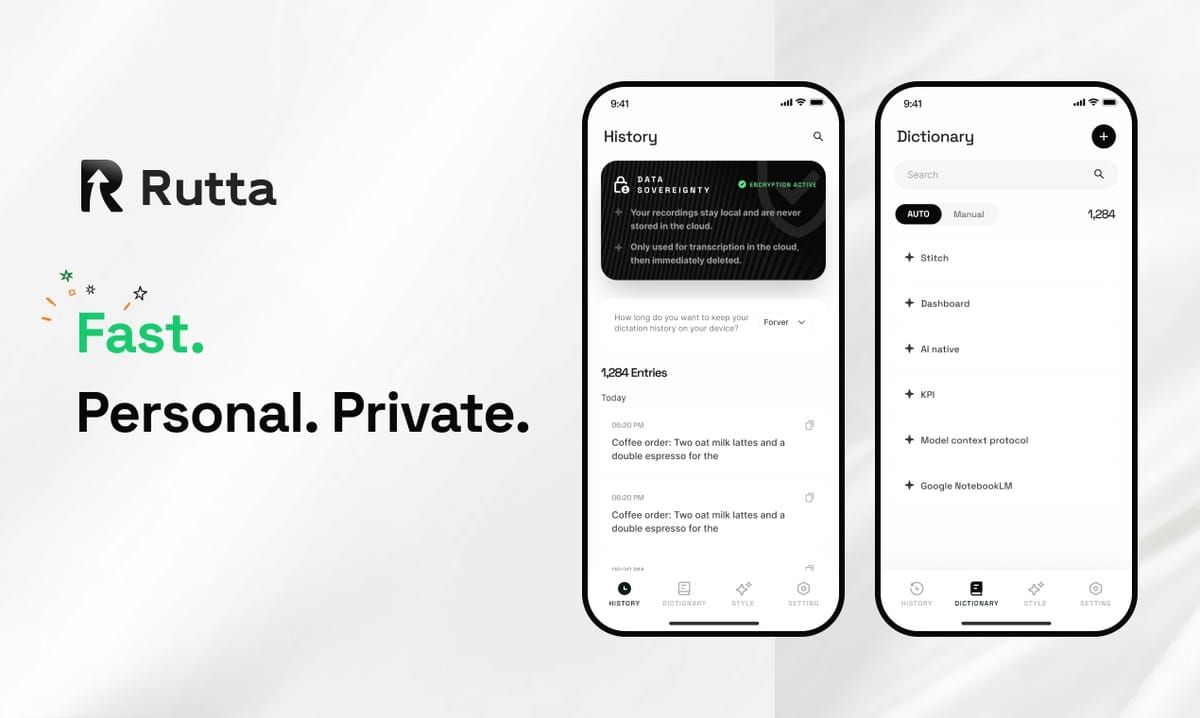
By 2026, voice has overtaken typing as the fastest way to produce written text on a phone. AI voice keyboards now turn casual speech into polished, send-ready messages inside any app.
Rutta is an AI-powered iOS keyboard that turns natural speech into polished messages, emails, and documents — a native keyboard that rewrites casual spoken words into professional written text without leaving the app you are in.
The shift is no longer about novelty. It is about output quality. Speech recognition reached near-perfect accuracy years ago, but recognition alone produced messy transcripts that people still had to edit by hand. The 2026 generation of AI keyboards closes that last gap.
Why Is 2026 the Turning Point for Voice-First Communication?
2026 is the tipping point because AI models can now refine spoken language in real time, making voice output as professional as anything typed by hand.
Three forces converged this year. First, mobile operating systems rebuilt their voice layers around generative AI. On October 4, 2026, Apple detailed iOS 27, which ships an Apple Intelligence-powered Siri with cross-app actions, personalized voice profiles, and global AI writing assistance — plus a standalone Siri app that syncs conversation history across iPhone and iPad.
Second, the infrastructure behind speech got dramatically better and cheaper. OpenAI's updated Audio API introduced the gpt-4o-mini-tts model with 12 controllable voice styles covering accent, emotion, pace, and tone, while its Whisper recognition model still handles 99 languages at high accuracy.
Third, the money followed. SoftBank completed its final $30 billion investment in OpenAI on October 4, 2026, bringing its total commitment to $64.6 billion for a 13% stake, with OpenAI valued at $852 billion.
When model quality, cost, and capital all move in the same direction, input methods change. That is exactly what is happening to the keyboard.
How Much Faster Is Speaking Than Typing on a Phone?
Speaking is roughly four times faster than typing on a smartphone, and that gap is the core reason voice input is winning.
A widely cited study from Aalto University found that average English typing speed on a mobile phone is about 36 words per minute, while natural speech runs at roughly 150 words per minute. Even accounting for correction time, the math favors voice.
| Input Method | Average Speed | Editing Required | Typical Use Case |
|---|---|---|---|
| Two-thumb typing | 36 WPM | Low, but slow | Short replies, codes |
| Standard dictation | 120–150 WPM | High — verbatim errors, no structure | Notes, drafts |
| AI voice keyboard (Rutta) | 3–5x faster than typing | Low — AI polishes as you speak | Email, Slack, posts, documents |
Speed alone does not explain adoption. If raw dictation were enough, everyone would already be using it. The problem was never transcription — it was the cleanup.
What Does an AI Voice Keyboard Do That Standard Dictation Cannot?
An AI voice keyboard rewrites your speech; standard dictation only transcribes it. That single difference decides whether you send the text or fix it first.
| Capability | Siri Dictation | Gboard Voice Typing | Rutta |
|---|---|---|---|
| Verbatim transcription | Yes | Yes | Yes |
| Removes filler words ("um," "like") | No | No | Yes |
| Tone adjustment | No | No | Yes |
| Restructures run-on speech | No | No | Yes |
| Works inside any iOS app | Mostly | Yes | Yes |
| Requires an app switch | No | No | No |
That last row matters more than it looks. The best workflow is the one you never leave. Rutta lives in the keyboard layer, so you can turn your voice into polished text while staying inside Messages, Mail, Slack, or Notes.
Why Does "Speech to Polished Text" Matter More Than Raw Transcription?
Speech to polished text matters because unedited transcripts cost the reader effort, and effort costs you credibility.
Here is the difference in practice. You say: "Hey can you send me that report from last week, I need it for the client thing on Thursday."
A standard dictation tool produces exactly that — a comma splice, a vague "thing," and a tone that reads like a text message. Rutta produces: "Could you please send me last week's report when you get a chance? I need it for the client meeting on Thursday."
Same words. Different outcome. One requires a follow-up apology; the other gets the report.
This is the same problem the AI writing assistant market is racing to solve. On October 5, 2026, Grammarly released AI agents for humanizing text and detecting AI-generated content, serving 40 million individual users and 50,000 business customers including Databricks, Zoom, and Atlassian. The demand is real — but most of those tools work on text you already typed. Voice-first tools remove the typing step entirely.
How Does Fewer App Switches Change an Average Working Day?
Fewer app switches remove six manual steps per message, which compounds into hours saved each month.
Consider the traditional voice-to-text workflow. You open a dictation app, speak, wait for the transcript, copy it, switch to your target app, paste it, then manually clean up grammar and tone. That is six steps before you can hit send — and each one is a chance to abandon the task.
| Workflow Step | Standalone Dictation App | Rutta Keyboard |
|---|---|---|
| Open dictation tool | Required | Not required |
| Copy transcript | Required | Not required |
| Switch to target app | Required | Not required |
| Paste | Required | Not required |
| Edit for tone and grammar | Manual | Automatic |
| Total steps | 6 | 1 |
You can see how Rutta works inside any iOS app — the keyboard appears where your normal keyboard does, and the polish happens in place.
Which Professionals Benefit Most From Voice-First Communication?
Anyone who sends more than twenty messages a day benefits, but five groups see the fastest returns.
- Busy professionals clearing an inbox between meetings, where a 90-second voice reply replaces a five-minute typing session.
- Sales reps logging call notes and follow-ups from a parking lot or airport terminal.
- Parents replying to school emails one-handed while holding a toddler.
- Content creators dictating social posts, captions, and scripts without losing their spoken voice.
- Founders and operators turning scattered thoughts into structured updates before the context fades.
"I dictate follow-ups walking between sales calls, and the text that lands in the client's inbox reads better than what I used to type at my desk," says Marcus Lin, a regional sales director at a B2B software company.
The pattern is consistent: the value is not the transcription. It is that the message arrives finished.
Is Voice Data Private on an AI Keyboard?
Privacy on an AI keyboard depends on where the processing happens — on-device AI is inherently safer than cloud-only processing.
Rutta prioritizes on-device AI processing where possible and handles voice data under strict privacy standards. That design choice matters more in 2026 than it did two years ago.
Regulatory and platform pressure is rising in parallel. OpenAI's updated Audio API usage policy, effective October 4, 2026, requires developers generating speech through its TTS interface to clearly disclose that the audio is AI-generated and prohibits impersonating human voices.
The direction is clear: AI voice tools are being pushed toward transparency and local processing. Keyboards that already work this way will not need to retrofit.
What Will Mobile Typing Look Like by the End of 2026?
By the end of 2026, typing on a phone will be the exception — the tool you reach for when voice is impractical, not the default.
- Voice becomes the primary draft layer. Most first drafts of messages and emails start as speech.
- AI polishing becomes invisible. Users stop noticing that their speech was rewritten, because quality becomes the baseline.
- Context carries across apps. Keyboard-level AI will know you are replying in Slack versus drafting a formal email — iOS 27's Siri writing assistance already points this direction.
- Style personalization becomes standard. The keyboard learns your punctuation habits and phrasing preferences.
- Typing persists for precision tasks. Codes, addresses, and short confirmations stay manual.
None of this requires new hardware. It requires an input layer smart enough to sit between your voice and your reader.
The Bottom Line
Voice input stopped being a gimmick the moment AI started cleaning up after it. In 2026, the question is no longer whether you can dictate — it is whether what you dictated is good enough to send.
That is the entire premise behind Rutta: speak naturally, send professionally, and never switch apps to do it. If you type on your iPhone every day, Try Rutta free on iPhone and measure the difference in your first week.
Frequently Asked Questions
What is an AI voice keyboard and how is it different from dictation?
An AI voice keyboard is a keyboard-layer tool that transcribes your speech and then rewrites it into polished written text. Standard dictation, including Siri dictation and Gboard voice typing, only converts speech to text verbatim — filler words, run-on sentences, and casual phrasing remain in the output. An AI keyboard adds a refinement layer that removes filler, fixes grammar, restructures sentences, and adjusts tone. Rutta is a native iOS keyboard with this capability built in, which means the polished result appears directly in whichever app you are already using.
Does Rutta work in every app on iPhone?
Rutta works anywhere the standard iOS keyboard appears, including Messages, Mail, Slack, Notes, and social apps. Because it functions as a keyboard rather than a standalone app, there is no copy-paste step and no app switching. You place your cursor in the text field, speak, and the polished text is inserted into that field. This is the practical difference between a dictation app and an AI voice keyboard: the workflow stays inside the app where your conversation is actually happening.
Is voice dictation really faster than typing on a phone?
Yes, by a wide margin. Aalto University research found average smartphone typing speed around 36 words per minute, while natural speech runs near 150 words per minute. Rutta reports users writing 3–5x faster than typing, once the time saved on editing is included. The key caveat is that raw dictation speed is misleading — a fast transcript that needs five minutes of cleanup is slower overall than a slightly slower process that produces send-ready text. Speech-to-polished-text workflows capture the speed advantage without the editing tax.
Is my voice data private when I use an AI keyboard?
It depends on the tool. Rutta prioritizes on-device AI processing where possible and handles voice data under strict privacy standards, meaning your speech is not treated as a free training dataset. This mirrors a broader 2026 trend toward transparency: OpenAI's updated Audio API policy now requires developers to disclose AI-generated speech to end users. When evaluating any voice-to-text iOS tool, check where processing occurs, whether data is stored, and how clearly the vendor describes its practices.
Can an AI voice keyboard handle professional emails, not just casual messages?
Yes — professional communication is where the polish layer matters most. Spoken language is naturally informal, full of hedges, repetitions, and incomplete thoughts. When you dictate a client email, an AI text polisher restructures those spoken fragments into clean sentences with appropriate tone, punctuation, and formatting. Rutta handles quick email replies, long-form messages, meeting notes, to-do lists, and social posts. For busy professionals, sales reps, and parents working one-handed, the result is that the message reads as if you wrote it deliberately at a desk.