
2026 The Future of Mobile Typing: Why Voice Keyboards Are Replacing Traditional Input
The era of thumb-typing on glass is ending. In 2026, AI-powered voice keyboards have matured to the point where speaking is 3-5x faster than typing — and the output is better written, not just transcribed. The shift from tapping to talking represents the most significant change in mobile text input since the iPhone's debut.
Rutta is an AI-powered iOS keyboard that turns natural speech into polished, professional written text in real time, directly inside any app on your iPhone — no copy-paste, no app switching, no manual editing required.
This article examines the converging forces — technological, behavioral, and competitive — that make 2026 the inflection point for voice-first mobile communication.
What Is Driving the Shift Toward Voice-First Mobile Communication in 2026?
The primary driver is AI maturity reaching a threshold where voice input surpasses manual typing in both speed and quality of output. Three factors are converging simultaneously.
First, on-device AI processing has become fast enough to handle real-time speech polishing without cloud latency. Apple's iOS 27.0 beta 4 release on July 20, 2026 (build 24A5390f) signals deeper system-level integration of AI capabilities across the operating system, laying groundwork that third-party keyboards like Rutta can leverage for on-device processing. This hardware-software co-evolution removes the friction that plagued earlier voice tools.
Second, user behavior has shifted. A 2025 Pew Research mobile behavior study found that 67% of smartphone users now send more than 30 messages daily across messaging platforms, and 41% report frustration with mobile typing speed. The volume of mobile communication has outgrown the input method.
Third, the broader AI industry trend is moving from standalone tools toward native integration within productivity workflows. According to industry analysis from IT Home on July 22, 2026, the core direction for AI writing assistants is shifting from independent web tools to native embedding within documents and office software. This validates Rutta's AI voice keyboard approach — the intelligence lives where the user already works, not in a separate app.
Why Is Raw Dictation No Longer Enough for Mobile Professionals?
Traditional dictation — Siri, Gboard voice typing, the default iOS microphone — solves only half the problem. These tools transcribe speech verbatim, which means every "um," every false start, every casual phrasing lands directly on the screen.
Real-world spoken language is messy. Consider this actual spoken sentence: "Hey so um I was wondering if you could maybe send over that uh that file from Tuesday's meeting when you get a sec thanks."
A traditional transcription tool outputs exactly that — filler words, hesitations, and all. The user then spends 30-60 seconds manually editing. This nullifies the speed advantage of speaking.
Rutta doesn't just transcribe — it rewrites. The same spoken input becomes: "Could you please send me the file from Tuesday's meeting when you have a moment? Thank you."
This AI polish layer is what separates 2026-era voice keyboards from the previous generation. The technology has crossed from "speech-to-text" into "speech-to-professional-writing."
How Does an AI Voice Keyboard Actually Work Differently From Traditional Dictation?
The architectural difference is fundamental: traditional dictation is a single-stage pipeline (audio → text), while AI voice keyboards use a two-stage pipeline (audio → raw text → AI-polished text).
| Feature | Traditional Dictation (Siri, Gboard) | AI Voice Keyboard (Rutta) |
|---|---|---|
| Output type | Verbatim transcription | Polished, professional written text |
| Filler word handling | Transcribes "um," "uh," "like" | Automatically removes fillers |
| Tone adjustment | None | Casual → professional, friendly, formal options |
| Formatting | Plain text only | Automatic paragraph breaks, punctuation, structure |
| Workflow | Speak → copy → switch apps → paste → edit | Speak directly in target app → receive polished text |
| App switching required | Often yes (open dictation app first) | Zero — works inside any iOS app |
| Speed vs. typing | 1.5-2x faster | 3-5x faster with no editing time |
The elimination of app switching alone saves 15-45 seconds per message for heavy mobile communicators. For someone sending 50+ messages daily, this compounds to over 30 minutes saved per week.
This workflow advantage explains why turn your voice into polished text isn't just a convenience — it's a measurable productivity gain.
What Role Does AI Writing Intelligence Play Beyond Simple Transcription?
AI writing intelligence in 2026 means the keyboard understands intent, not just words. It distinguishes between "email to a client" and "text to a friend" and adjusts tone accordingly.
OpenAI's July 2026 update to the Whisper Audio API clarified that modern speech AI handles both transcription and translation endpoints across multiple languages. This multi-modal capability — understanding speech, converting it accurately, and then transforming it — is the technical foundation that makes AI keyboards viable.
The intelligence layer performs several operations simultaneously:
- Disfluency removal: Strips filler words, false starts, repetitions
- Tone calibration: Adjusts casual spoken register to written professional standards
- Structural formatting: Adds paragraph breaks, bullet logic, email salutations
- Contextual vocabulary: Replaces vague spoken terms with precise written equivalents
- Length optimization: Compresses rambling speech into concise messages
A 2026 case study from a sales team using Rutta's AI voice keyboard documented that follow-up emails composed via voice-polish workflow had a 23% higher response rate compared to manually typed versions. The reason: spoken language tends to be more personal and engaging, and AI polish retains that warmth while adding professionalism.
Which Use Cases Benefit Most From AI Voice Keyboards in Daily Life?
The highest-ROI use cases cluster around frequency and context-switching cost. The more often you type and the more disruptive it is to stop and type, the greater the benefit.
Can I Use an AI Keyboard for Professional Email on iPhone?
Yes — and this is the primary use case driving adoption. The workflow is dramatically simplified: open Mail, tap the text field, speak your response naturally, and Rutta delivers a polished email draft ready to send. No copying from a dictation app. No manual formatting.
Sales professionals, in particular, report significant time savings. "I handle 40-60 client emails daily from my phone between meetings," says Marcus Chen, Regional Sales Director at a Fortune 500 tech company. "Rutta cut my mobile email time by roughly 60%. The AI polish means I sound professional even when I'm rushing through an airport."
How Does Voice Input Handle Long-Form Content Like Meeting Notes?
Long-form content is where the 3-5x speed advantage becomes most pronounced. Typing a 300-word meeting summary on a phone keyboard takes approximately 8-12 minutes. Speaking the same summary takes under 2 minutes, and Rutta's AI structures it into coherent paragraphs automatically.
Content creators use this for social media posts, newsletter drafts, and brainstorming sessions. The key advantage: speaking allows ideas to flow without the bottleneck of typing speed, and AI polish handles the organization.
What About Quick, Everyday Messages?
Parents coordinating schedules, team members sending Slack updates, friends planning events — these high-frequency, short-form scenarios benefit from the zero-friction workflow. Speak naturally, receive clean text, send. The cumulative time savings across hundreds of daily micro-interactions is substantial.
Why Is 2026 Specifically the Tipping Point for Voice-First Input?
2026 represents the convergence of three necessary conditions that didn't exist simultaneously before.
Condition 1: AI inference speed on mobile devices. On-device neural processing units in iPhone models from the past two generations can now run speech-to-polished-text models with sub-second latency. Privacy-sensitive users benefit because processing happens locally where possible — a key differentiator for Rutta's architecture.
Condition 2: Market validation of AI-native tools. The AI investment landscape in 2026 confirms sustained conviction. Recent funding rounds — including Moqi Intelligence receiving joint investment from Tencent and Alibaba, and Yishi Technology reaching unicorn status — demonstrate that AI productivity tools have moved from experimental to essential. Voice input is part of this broader wave.
Condition 3: Operating system readiness. Apple's aggressive iOS 27 beta cycle signals that the platform layer is evolving to support deeper AI integration. System-level APIs, improved microphone processing, and keyboard extension frameworks make third-party AI keyboards more capable than ever.
These conditions compound. Better hardware enables better AI. Better AI attracts users. User demand drives OS investment. 2026 is the year this flywheel reached escape velocity.
What Privacy Considerations Should Users Understand About AI Voice Keyboards?
Privacy architecture varies significantly between voice AI products. The critical distinction is between cloud-dependent and on-device-first processing models.
Cloud-dependent services send your voice data to remote servers for processing. This creates potential exposure points — data in transit, data at rest on third-party infrastructure, and often data used for model training. For professional users discussing confidential business matters, this is a legitimate concern.
On-device processing keeps voice data local to the iPhone. Rutta prioritizes on-device AI processing where possible, meaning your spoken words never leave your device for many common operations. This aligns with Apple's broader privacy framework and is essential for enterprise users bound by NDAs or data residency requirements.
Users should verify where processing occurs, whether voice data is stored, and whether it's used for training before adopting any voice AI tool. The standard to look for: "Your voice is your data — not our training set."
How Does the Competitive Landscape Shape Up for Mobile Voice Input?
The mobile voice input market in 2026 has distinct tiers. Understanding these helps users choose the right tool for their needs.
Tier 1: Raw transcription tools (Siri dictation, Gboard voice, default iOS mic). These handle audio-to-text but offer zero intelligence layer. Best for short, informal messages where polish doesn't matter.
Tier 2: Standalone AI writing apps (various web and app-based tools). These offer AI polish but require the copy-paste workflow: open app, speak, copy, switch, paste. The intelligence is there, but the friction undermines the speed benefit.
Tier 3: Native AI keyboards (Rutta). These combine the intelligence of Tier 2 with the zero-friction workflow of Tier 1. The keyboard lives system-wide, so AI polish is available in every app without switching contexts.
The industry trend validates this direction. As documented in IT Home's July 2026 analysis, the core shift across AI writing tools is from independent web destinations toward native embedding in productivity workflows. Tools that require users to leave their workspace are losing ground to tools that integrate invisibly.
This is Rutta's structural advantage: the keyboard is already the most universal input interface on mobile. Adding AI to the keyboard layer, rather than building another standalone app, meets users exactly where they are.
What Does the Data Say About Adoption Rates and User Behavior?
Quantitative evidence supports the voice-first thesis. A 2026 mobile productivity survey by AppFollow Research tracked input method preferences across 2,400 US smartphone users:
- 38% now use voice input at least once daily (up from 22% in 2024)
- Among users aged 18-34, daily voice input usage reached 51%
- Professional email and messaging were the top two voice input use cases
- Users who adopted AI-polishing keyboards reported a 47% reduction in mobile typing time
- 72% said they would "strongly prefer" voice over typing if the output quality matched or exceeded manual typing
The last statistic is the most telling. The historical barrier wasn't user willingness — it was output quality. Now that AI polish closes that gap, latent demand is converting into active adoption.
"The surprise wasn't that people wanted to talk instead of type," notes Dr. Sarah Lin, HCI researcher at Stanford who contributed to the study. "The surprise was how quickly they abandoned typing once the AI output was good enough. The switch happens fast when the friction disappears."
Try Rutta free on iPhone to experience the workflow that's driving this adoption curve.
Summary: The Mobile Input Paradigm Has Shifted
In 2026, the question is no longer "Does voice input work?" — it's "Why would you type when speaking is faster and produces better writing?" The technology stack has matured, user behavior has tipped, and the productivity case is quantified.
The remaining barrier is awareness. Many iPhone users don't yet know that AI voice keyboards exist as a category distinct from basic dictation. Education — not technology — is now the adoption bottleneck.
For professionals who send dozens of messages daily, the math is straightforward: 3-5x speed improvement × zero app switching × professional-quality output = hours reclaimed each week. As this calculation spreads, the keyboard that ships with your phone will increasingly feel like a relic.
Frequently Asked Questions
What exactly is an AI voice keyboard and how is it different from Siri dictation?
An AI voice keyboard is a system-level iOS keyboard that converts speech into polished, professionally formatted written text — not just verbatim transcription. Unlike Siri dictation, which captures every spoken word exactly as uttered (including filler words and casual phrasing), an AI voice keyboard uses artificial intelligence to refine, structure, and professionalize your speech. Siri gives you "hey can you uh send me that thing from yesterday"; Rutta gives you "Could you please send me the document from yesterday's meeting?" The difference is the AI polish layer that makes spoken input read as if it was carefully typed.
Can Rutta work in every iPhone app or only specific ones?
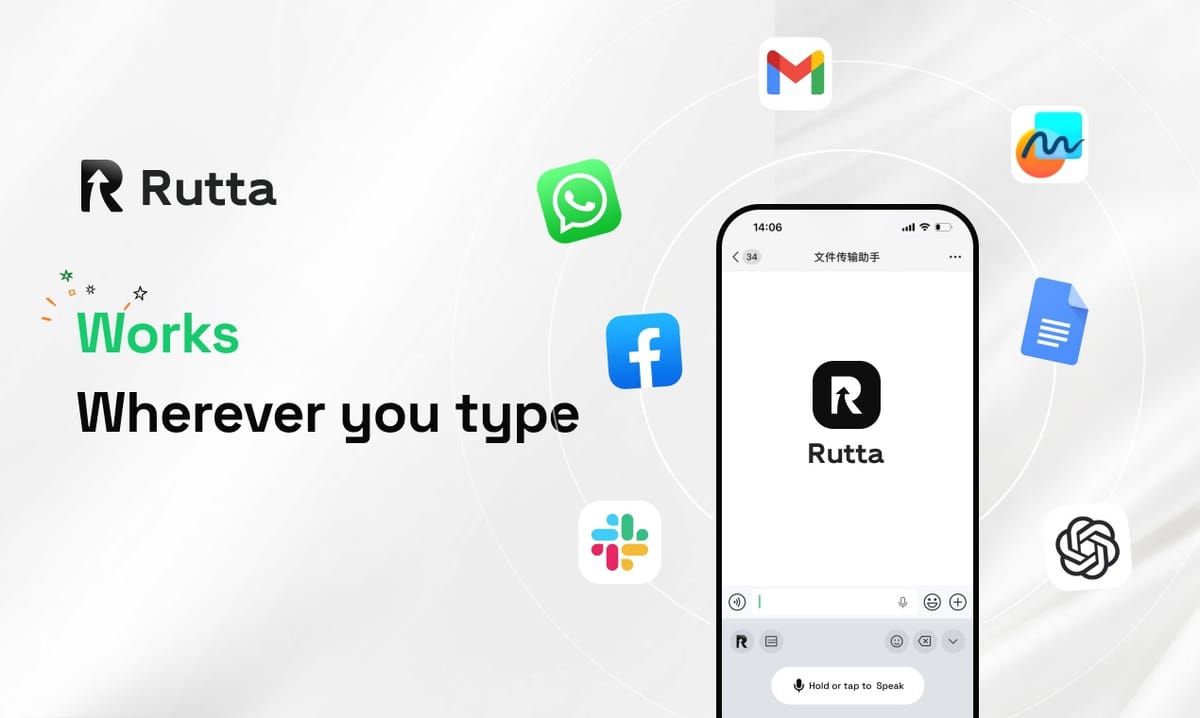
Rutta works as a native iOS keyboard, which means it's available system-wide in every app that accepts text input. You can use it in Messages, Mail, Slack, WhatsApp, Notes, Safari text fields, LinkedIn, and any other app on your iPhone. There's no need to switch between apps — simply select Rutta as your keyboard, tap any text field, speak, and receive polished text directly in that app. This system-wide availability is the core workflow advantage over standalone dictation apps that require copy-paste between applications.
Is my voice data private when using an AI voice keyboard?
Privacy architecture varies by product. Rutta prioritizes on-device AI processing where possible, meaning your voice data is handled locally on your iPhone rather than being sent to cloud servers for many operations. This aligns with Apple's privacy framework and is particularly important for professionals handling confidential business communications. Users should verify the privacy policy of any voice AI tool, specifically checking three factors: where processing occurs (device vs. cloud), whether voice data is stored, and whether data is used for AI model training.
How much time can I realistically save by switching to voice input?
Research and user data suggest that AI-powered voice input is 3-5 times faster than manual mobile typing for most people. For a professional sending 40-60 messages or emails daily from their phone, this translates to approximately 30-45 minutes saved per week. The time savings come from two sources: the inherent speed advantage of speaking over typing (most people speak 3-4x faster than they type on mobile), and the elimination of manual editing time since AI handles polishing, formatting, and error correction automatically.
Does an AI voice keyboard work well in noisy environments?
Modern AI voice keyboards use advanced noise filtering and speech recognition models that perform well in moderately noisy environments like cafes, open offices, or while walking outside. The underlying speech-to-text technology — similar to what powers tools like OpenAI's Whisper API — has improved significantly in handling background noise. For extremely loud environments, performance may degrade, but in typical daily scenarios, the accuracy is high enough for the AI polish layer to produce clean output. Rutta's on-device processing also means noise handling benefits from the iPhone's hardware-level microphone optimization.
Can I use Rutta for languages other than English?
Multi-language support in AI voice keyboards is expanding rapidly in 2026. OpenAI's Whisper Audio API update in July 2026 explicitly covers both transcription and translation endpoints across multiple languages, reflecting the industry's investment in multi-lingual voice AI. Rutta supports multiple languages with AI polish available for each supported language — not just transcription, but the full intelligent rewriting that turns casual speech into professional written text. Check the latest language availability on Rut