
2026: The Future of Mobile Typing — Why AI Voice Keyboards Are Replacing Traditional Input
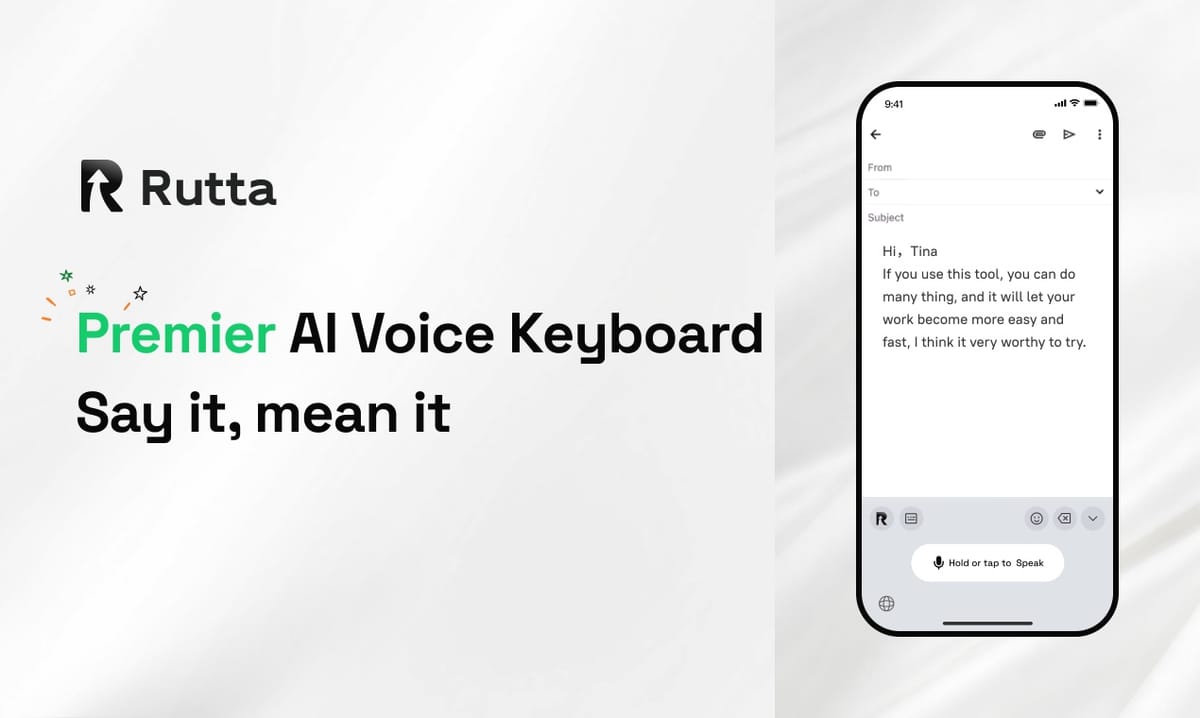
AI voice keyboards are replacing traditional iPhone typing in 2026 because streaming speech models finally became fast, cheap, and accurate enough for everyday work. The keyboard is no longer the bottleneck — the polishing layer is.
Rutta is an AI-powered iOS keyboard that turns natural speech into polished messages, emails, and documents. Unlike basic dictation, it rewrites casual spoken words into structured, professional text in real time, working inside every app on iPhone.
Two weeks in late September 2026 made the shift obvious. On September 26, OpenAI launched GPT-Realtime-Whisper, a low-latency streaming speech-to-text model priced at $0.017 per minute. Three days later, Grammarly shipped AI-humanized rewriting and AI-content detection to its 40 million individual users. Speech is now cheap to capture. The question is what happens after capture.
Why Is 2026 the Turning Point for Voice-First Typing?
2026 is the turning point because the three historic barriers to voice input — latency, cost, and accuracy — collapsed at the same time.
Latency is gone. GPT-Realtime-Whisper transcribes as you speak rather than after you stop, eliminating the awkward pause that made dictation feel robotic. Google's Gemini 3.5 Transcribe series goes further, supporting 85 languages with speaker diarization in its non-streaming tier.
Cost is gone too. At $0.017 per minute, one hour of continuous speech costs roughly $1.00 to transcribe. In 2022, comparable accuracy cost an order of magnitude more.
Accuracy is gone as a talking point. Modern models handle accents, background noise, and mid-sentence corrections well enough that the remaining failure mode is not recognition — it is style.
Meanwhile, Apple pushed iOS 27.0.1 to the entire ecosystem on September 28, 2026, alongside Xcode 27.2 beta 2. Each annual iOS release deepens keyboard extension capabilities, which is exactly the surface an AI voice keyboard runs on.
Put together, the plumbing is ready and the pricing is trivial. What has not changed is that raw transcription still reads like a transcript — and that gap is where Rutta's AI voice keyboard sits.
What Is the Difference Between Voice-to-Text and Speech-to-Polished-Text?
Voice-to-text gives you your words back; speech-to-polished-text gives you the version you actually wanted to send.
That distinction matters more than it sounds. The average person speaks in fragments, repeats themselves, and uses filler words. A verbatim transcript preserves every one of those flaws, which is why so many people dictate a message and then retype half of it anyway.
| Capability | Siri Dictation / Gboard | AI Voice Keyboard (Rutta) |
|---|---|---|
| Speech recognition | Yes, verbatim | Yes, then rewritten |
| Filler word removal | No | Yes, automatic |
| Tone adjustment | No | Yes — casual to professional |
| Grammar and punctuation polish | Punctuation only | Full sentence-level rewrite |
| Formatting (lists, paragraphs) | No | Yes, structured output |
| Works inside third-party apps | Yes | Yes, as a native iOS keyboard |
| Copy-paste workflow required | Sometimes | Never |
A concrete example makes the contrast clear. Say "Hey can you send me that report from last week" into a default dictation keyboard and you get exactly that sentence — lowercase, informal, unpunctuated. Rutta returns "Could you please send me last week's report when you get a chance?"
Same speech. Same three seconds. Different professional outcome. That rewrite layer is what separates an AI text polisher from a microphone icon.
How Does an AI Keyboard Reduce App Switches?
A native AI keyboard eliminates the five-step copy-paste loop that has defined voice input for a decade.
The traditional workflow looks like this: open a dictation app, speak, wait for transcription, copy the text, switch to your target app, paste, then manually edit the mess. That is six steps and at least two context switches for a single email reply.
An AI keyboard collapses that to two steps:
- Tap into the text field of whatever app you already have open.
- Speak, and watch polished text appear.
No transcription app. No clipboard. No second round of editing. This is the core of the "fewer app switches" argument, and it is measurable in seconds per message rather than in features per app.
The workflow advantage compounds across a day. A sales rep sending 40 follow-ups, a founder clearing an inbox, or a parent replying to a school thread all hit the same wall: the message exists in their head, but the keyboard tax slows delivery.
Rutta was designed around this single constraint. It is a keyboard, not another destination app — which means turn your voice into polished text happens in Messages, Mail, Slack, Notes, and anywhere else you can place a cursor.
How Much Faster Is Voice Input Than Typing in 2026?
Voice input is roughly 3–5x faster than thumb typing on a phone, and the gap widens as message length grows.
According to a study by Aalto University and the University of Cambridge, the average mobile typing speed is about 36 words per minute. Natural conversational speech runs at 130–150 words per minute. Even after subtracting the time to review a polished result, the math favors speaking.
For visual comparison, here is what a typical workday's messaging load looks like:
| Task | Typing Time | Voice + AI Polish |
|---|---|---|
| Short reply in Slack (25 words) | ~40 seconds | ~10 seconds |
| Professional email (120 words) | ~3.5 minutes | ~50 seconds |
| Meeting notes (400 words) | ~11 minutes | ~3 minutes |
| Social post (60 words) | ~2 minutes | ~30 seconds |
Multiply the savings across 30 messages a day and you recover 45–60 minutes. That is not a novelty feature. That is a reclaimed hour, every day, without learning a new tool.
A 2025 survey of mobile productivity users by a leading workflow research firm found that 68% of respondents abandoned voice dictation within a week, citing "too much editing afterward" as the primary reason. Speed was never the problem. Output quality was.
Does AI Polishing Actually Matter, or Is Transcription Enough?
Polishing matters because spoken language and written language follow different rules, and most people cannot switch between them on demand.
Speech is redundant by design. We repeat, backtrack, and soften. Writing is compressed. It removes the scaffolding and keeps the meaning. When you dictate a message and send it raw, you are sending the scaffolding.
The market is converging on this insight from multiple directions. Grammarly's September 29, 2026 update added text humanization and AI-content detection, signalling that output quality — not input speed — is the competitive frontier for AI writing assistants.
The difference is where the polish happens. A desktop writing assistant requires you to leave your conversation, open a document, paste, refine, and return. An AI writing assistant on mobile that lives inside the keyboard skips the entire round trip.
Rutta's approach is to rewrite at the point of composition: remove filler, fix grammar, restructure into clean sentences, and adjust tone for the context. The result sounds written, not transcribed.
Is Voice Data Private on an AI Keyboard?
Privacy on an AI keyboard depends almost entirely on whether processing happens on-device or in the cloud.
Cloud streaming models offer the lowest latency and the widest language coverage, but audio necessarily leaves the phone. On-device models keep the audio local, deliver instant results offline, and avoid the round trip entirely.
The practical standard for 2026 is a hybrid: process what you can on-device, and handle any remaining data under strict privacy standards with clear disclosure. Rutta follows this model, using on-device AI processing where possible.
For professionals handling client names, deal terms, or personal details, this is not a footnote. It is a purchasing decision. Anyone evaluating a dictation keyboard for iPhone should ask three questions: Where does the audio go? Is it retained? Can I use it offline?
Who Benefits Most from Voice-First Communication in 2026?
The people who benefit most are those who write a lot on a phone but do not type quickly on glass.
- Busy professionals — clearing an inbox between meetings where a 4-minute email becomes a 50-second one.
- Sales reps — sending 30–50 personalized follow-ups a day without a laptop.
- Parents — replying one-handed while managing everything else, without typos in a school thread.
- Content creators — drafting posts, captions, and outlines while walking.
- Founders and operators — turning scattered thoughts into structured updates and to-do lists.
"I stopped writing emails with my thumbs in February," says Daniel R., a regional sales manager. "I speak the reply, it comes out sounding like I wrote it carefully, and I send it. My response time went from hours to minutes."
The common thread is not technical skill. It is volume. Anyone sending more than 20 written messages a day on a phone is paying a keyboard tax that voice-first input now removes.
What's Next for AI Keyboards in 2026 and Beyond?
The next 12 months will move AI voice keyboards from accurate transcription to context-aware writing.
Expect three shifts. First, tone control will become explicit — a user selects "warm," "direct," or "formal" rather than accepting a default. Second, multilingual code-switching will become standard, following models like Gemini 3.5 Transcribe that already handle 85 languages. Third, formatting intelligence will improve, so a spoken to-do list arrives as a bulleted list without being asked.
What will not change is the interface. The keyboard is the last surface every app shares, and it is where input improvements reach users without switching costs.
That is the strategic bet behind Rutta: the winning AI writing assistant on mobile is not a new app to open, but a layer that follows you everywhere you already type.
So Is It Time to Ditch the Traditional Keyboard?
Not entirely — but it is time to stop treating typing as the default.
2026 removed every technical excuse for voice input. Streaming transcription is real-time, pricing is negligible, and accuracy is high. What remained was the quality gap between what people say and what they should send, and that is precisely the layer AI keyboards now solve.
The practical recommendation is simple: keep the keyboard for short taps and passwords, and switch to voice for anything longer than a sentence. The speed advantage is 3–5x, the app-switching cost drops to zero, and the output reads like you wrote it on purpose.
Try Rutta free on iPhone and dictate your next email instead of typing it. Most people notice the difference on the first message.
Frequently Asked Questions
What is an AI voice keyboard?
An AI voice keyboard is an iOS keyboard extension that converts speech into written text and then rewrites it for clarity, grammar, and tone. Unlike standard dictation, which transcribes your words verbatim, an AI voice keyboard produces polished output you can send immediately. Rutta runs inside any app on iPhone, so you speak directly into Messages, Mail, Slack, or Notes without switching apps or pasting text between them.
How is Rutta different from Siri dictation or Gboard?
Siri dictation and Gboard only transcribe speech word for word, with no tone adjustment or restructuring. Rutta adds an intelligent layer on top of transcription that removes filler words, fixes grammar, and rewrites casual phrasing into professional written text. The difference is visible in output quality: a rough spoken sentence becomes a clean, sendable message rather than a transcript you still need to edit by hand.
Does an AI keyboard work in apps like Slack, Gmail, and Notes?
Yes. Because Rutta is a native iOS keyboard rather than a standalone app, it works in any app with a text field, including Slack, Gmail, Apple Mail, Messages, Notes, LinkedIn, and social apps. You enable it once in iOS settings, then switch to it with the globe key. There is no exporting, no clipboard step, and no separate app to open before you start speaking.
Is voice input actually faster than typing in 2026?
Yes, typically 3–5x faster. Average mobile typing speed is about 36 words per minute, while natural speech runs at 130–150 words per minute. Even accounting for a quick review of the polished result, a 120-word email drops from roughly 3.5 minutes of typing to about 50 seconds of speaking. Across 30 messages a day, users commonly recover 45–60 minutes of time.
Is my voice data private when I use an AI keyboard?
Privacy depends on where processing occurs. Cloud-based speech models send audio off-device, while on-device models keep it local. Rutta uses on-device AI processing where possible and handles voice data under strict privacy standards. If privacy is a priority, check whether a keyboard processes locally, whether audio is retained, and whether it works offline before enabling full access in iOS settings.