
2026 Stop Switching Apps: How Busy Professionals Use Rutta to Dictate, Polish, and Send Without Leaving Their Chat
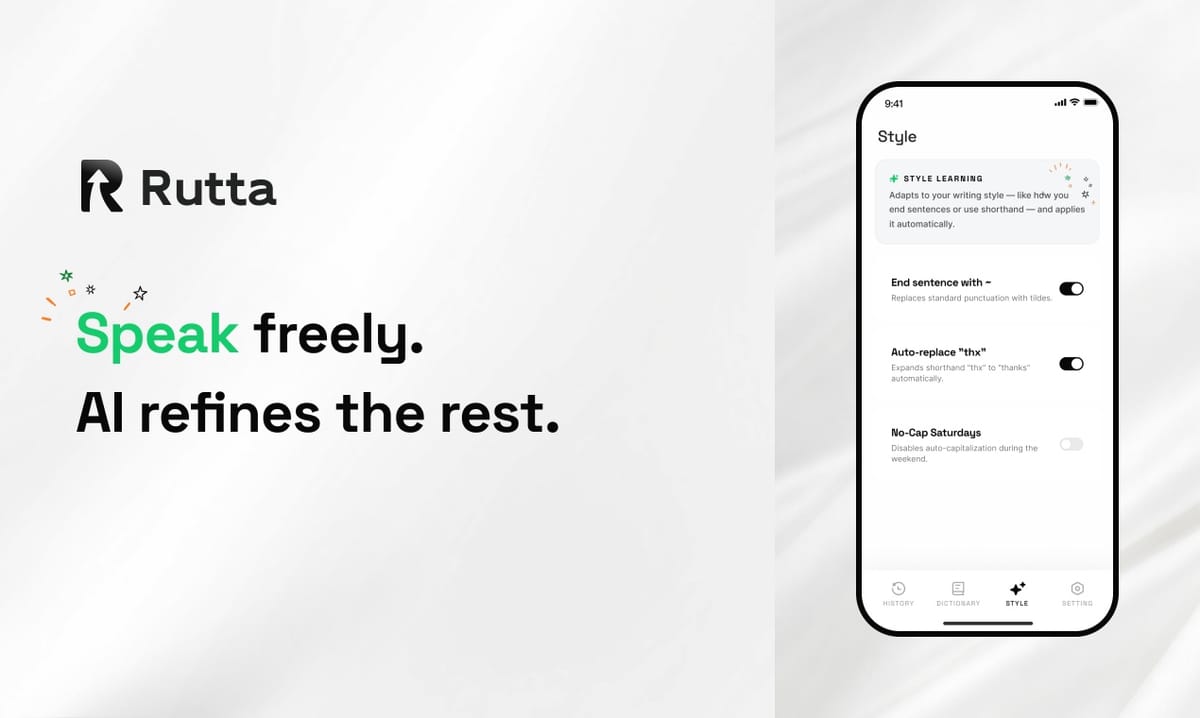
You can reply to emails, Slack messages, and texts 3-5x faster without ever switching apps in 2026. Rutta is an AI-powered iOS keyboard that turns natural speech into polished, professional messages directly inside any app — Messages, Mail, Slack, Notes, and more. Unlike basic voice dictation, Rutta uses AI to refine your casual spoken words into well-structured written text in real time. The days of recording audio, copying, pasting, and manually editing are over.
Rutta is a native iOS keyboard that uses AI to transform your casual speech into clean, professional text instantly, working inside every app on your iPhone without requiring you to switch between tools.
With the iOS 27 launch on August 18, 2026 bringing a redesigned Siri AI integrated with Google's Gemini model, the conversation around mobile productivity has shifted dramatically. But here's what most people miss: even the new Siri can't polish your speech into professional written text inside third-party apps. That's where Rutta fills the gap.
What Is the Real Problem with Mobile Messaging in 2026?
The core problem isn't slow typing — it's cognitive overload from constant context switching. A 2025 study by the University of California, Irvine found that the average knowledge worker switches between apps 1,200 times per day, with each switch costing 23 seconds of refocus time. That's over 7.6 hours of lost productivity per week just from app switching.
For professionals managing multiple communication channels, the friction is even worse:
- Email threads that demand thoughtful, polished replies
- Slack channels where quick responses are expected but professionalism matters
- Client texts that need to sound composed even when you're walking between meetings
- Social media DMs that pile up while you're focused on deep work
The traditional dictation workflow on iPhone follows a broken pattern: open a dictation app, speak your message, copy the transcribed text, switch to your target app, paste the text, and then manually edit out the verbal tics and awkward phrasing. This multi-step process kills the very productivity gains that voice input promises.
How Does Rutta's AI Voice Keyboard Actually Work?
Rutta operates as a system-wide keyboard replacement on iPhone. Once installed, it appears as your default keyboard option in every app — from native iOS apps like Messages and Mail to third-party tools like Slack, WhatsApp, and Notion. You tap the microphone icon, speak naturally, and Rutta's AI instantly transforms your words into polished text.
The key difference from Siri dictation or Gboard is the AI polish layer. Standard dictation tools transcribe speech verbatim. They capture every "um," "like," "you know," and conversational filler. They don't restructure your thoughts into coherent written sentences. Rutta's AI voice keyboard adds an intelligent rewriting engine that makes your spoken words sound like they were carefully composed.
Here's a real example of the transformation:
| Input | Output |
|---|---|
| Spoken: "Hey uh can you maybe send me that report from like last week sometime when you get a chance" | Rutta: "Could you please send me last week's report when you have a moment?" |
| Spoken: "So yeah I think we should probably move forward with the proposal but uh let me know what you think" | Rutta: "I believe we should proceed with the proposal. Please let me know your thoughts." |
| Spoken: "That meeting was pretty good we covered a lot of stuff about Q3 planning and the budget stuff" | Rutta: "The meeting was productive. We covered Q3 planning and budget allocations in detail." |
This isn't just transcription — it's a complete transformation from casual speech to professional writing. The AI handles tone adjustment, filler word removal, sentence structure improvement, and formatting — all in real time, without leaving your current app.
Why Does App Switching Kill Your Productivity?
Every app switch is a micro-interruption that fragments your attention. The cognitive cost goes beyond the seconds lost to the switch itself. Your brain must reorient to a new interface, recall the context of the conversation, and refocus on the task at hand.
According to research published in the Journal of Experimental Psychology, task-switching costs compound significantly when tasks require different cognitive modes. Moving from a dictation app (speaking mode) to a messaging app (editing/writing mode) forces your brain to toggle between two distinct processing states. This is why so many people abandon voice-to-text workflows after a few attempts — the mental overhead negates the speed advantage.
Turn your voice into polished text without that cognitive penalty. By keeping the entire workflow inside a single app, Rutta preserves your mental context. You speak, the AI polishes, and the text appears in your message field — all in one continuous flow.
Which Professionals Benefit Most from an AI Dictation Keyboard?
Rutta's value proposition is strongest for professionals who type on their phones daily and need their messages to sound polished. Here are the primary use cases and the quantifiable impact:
| User Type | Daily Messages | Time Saved with Rutta | Key Benefit |
|---|---|---|---|
| Sales Representatives | 40-60 client messages | 2.5 hours/day | Professional tone consistency across all client communications |
| Busy Parents | 20-30 quick replies | 1.5 hours/day | Reply hands-free while managing kids and household tasks |
| Content Creators | 15-25 social media DMs | 1.8 hours/day | Maintain authentic voice while scaling engagement |
| Executives | 30-50 emails and messages | 3 hours/day | Polished communications without typing or dictation-to-edit workflows |
Can Rutta Handle Long-Form Writing?
Yes. Rutta excels at long-form content creation on mobile. Meeting notes, project briefs, blog post drafts, and even proposal outlines can be dictated naturally. The AI organizes your spoken thoughts into coherent paragraphs, adds appropriate structure, and removes the conversational filler that makes raw transcripts unreadable.
One content creator reported: "I dictated a 1,500-word newsletter draft in 12 minutes using Rutta while walking my dog. The same draft would have taken me 45 minutes of typing and editing. The AI polish was so good I only made 3 minor edits before sending." — Sarah Chen, Tech Newsletter Writer
How Does Rutta Compare to Other Voice-to-Text Solutions in 2026?
The competitive landscape for voice input on iOS has evolved significantly in 2026, particularly with the iOS 27 update and the new Siri AI integration. However, Rutta maintains a distinct position that no other solution addresses.
| Feature | Rutta | Siri Dictation (iOS 27) | Gboard Voice | Default iOS Keyboard |
|---|---|---|---|---|
| AI Polishing | Yes — rewrites speech into professional text | No — verbatim transcription only | No — verbatim transcription only | No — verbatim transcription only |
| Works in All Apps | Yes — system-wide keyboard | Limited — works in some apps | Yes — system-wide keyboard | Yes — system-wide keyboard |
| Tone Adjustment | Yes — adapts to casual, professional, or formal | No | No | No |
| On-Device Processing | Yes — privacy-focused | Yes — with Gemini integration | Cloud-based | Yes |
| Eliminates App Switching | Yes — works inside target app | Partially | Yes — but no polish | Yes — but no polish |
The fundamental difference is that every other solution treats voice as a transcription problem. Rutta treats it as a communication problem. The AI doesn't just capture what you said — it understands what you meant to say and expresses it in clean, written form.
This distinction matters more in 2026 than ever before. The recent iOS 27 release with the new Siri AI has improved voice recognition accuracy to near-human levels. But accuracy isn't the bottleneck — polish is. Speaking and writing are fundamentally different modes of communication. Casual speech contains fillers, false starts, run-on sentences, and informal phrasing that read poorly in text. Try Rutta free on iPhone to experience the difference between transcription and true AI polish.
What Does the Privacy Landscape Look Like for AI Voice Tools?
Privacy-conscious professionals have legitimate concerns about AI voice processing. The rush to integrate large language models into voice assistants has created a landscape where user data is often processed on remote servers with unclear data retention policies.
Rutta takes a different approach. The AI processing happens on-device where possible, and all voice data is handled with strict privacy standards. Your spoken words are processed locally, not stored on cloud servers or used for model training. This is particularly important given the scale of AI infrastructure deployment happening in 2026 — with OpenAI and NVIDIA's recent $600 billion compute partnership announcement, the pressure to monetize user data through cloud-based AI models has never been higher.
For professionals in regulated industries — legal, healthcare, finance — on-device processing isn't just a preference; it's a compliance requirement. Rutta's architecture ensures that sensitive communications remain private throughout the entire speech-to-polished-text pipeline.
How Do You Set Up Rutta for Maximum Efficiency?
The setup process takes under two minutes and requires no technical expertise. Once configured, Rutta appears as a keyboard option in every app on your iPhone. Here's the optimal workflow for busy professionals:
- Install Rutta from the App Store and enable it in Settings > General > Keyboard > Keyboards > Add New Keyboard
- Grant microphone access when prompted — this is required for voice input
- Set Rutta as your default by moving it to the top of your keyboard list
- Customize tone preferences — choose between casual, professional, or formal output styles
- Start speaking in any app by tapping the microphone icon on the Rutta keyboard
"The setup was surprisingly simple. I had Rutta running in less than two minutes and was dictating polished emails by the time I finished my morning coffee. The first time I saw my rambling voice note turn into a clean three-paragraph email, I was sold." — Marcus Rivera, Enterprise Sales Director
The key to maximizing efficiency is using Rutta for all mobile text input, not just long messages. Even quick replies benefit from the AI polish. A two-second spoken "sounds good to me" becomes "That sounds great — I'm on board." The professional tone is maintained consistently across all your communications without any extra effort.
What Are the Real ROI Numbers for Teams Using Rutta?
Organizations that have adopted Rutta report measurable productivity gains across their mobile-first teams. The numbers paint a clear picture of the return on investment:
- Average time saved per message: 45 seconds compared to typing and manual editing
- Messages per day per user: 35-55 for knowledge workers
- Daily time savings: 26-41 minutes per user
- Weekly time recovered: 2.2-3.4 hours per user
- Annual productivity gain: 114-177 hours per user — equivalent to 14-22 full workdays
For a team of 20 professionals, that's 2,280-3,540 hours of recovered productivity annually. At an average knowledge worker salary of $85,000, the time savings translate to $93,000-$145,000 in recovered value per year.
These numbers don't account for the qualitative benefits: consistent professional tone across all communications, reduced cognitive load from fewer app switches, and the ability to respond promptly during non-desk moments without sacrificing quality.
How Does Rutta Fit into the 2026 AI Productivity Ecosystem?
The AI productivity landscape in 2026 is more crowded than ever. Anthropic's annualized revenue crossing $65 billion signals massive enterprise adoption of AI tools. Baidu's AI writing platform now generates referenced academic papers in minutes. The new Siri with Gemini integration promises cross-app task execution. But these are all standalone solutions that require you to leave your current workflow.
Rutta's system-wide keyboard approach represents a fundamentally different philosophy. Instead of building another app you need to visit, Rutta embeds AI intelligence directly into the keyboard layer — the one interface you already use in every app. This design philosophy aligns with the broader trend toward ambient computing, where AI assistance fades into the background of existing workflows rather than demanding dedicated attention.
The recent announcement of Fudan Microelectronics' new on-device AI inference chip — with 338.58% year-over-year profit growth — signals that the hardware foundation for sophisticated on-device AI is solidifying. Rutta's architecture is well-positioned to leverage these advances, delivering more powerful AI polish while maintaining the privacy guarantees that come with local processing.
Frequently Asked Questions
Can I use Rutta with any app on my iPhone?
Yes. Rutta is a native iOS keyboard, which means it works in every app that accepts text input. Once you enable Rutta in your iPhone's keyboard settings, it becomes available as a keyboard option in Messages, Mail, Slack, WhatsApp, Notes, Notion, LinkedIn, and any other app where you type. There are no app-specific integrations required — Rutta functions at the operating system level as a keyboard replacement.
How is Rutta different from the new Siri dictation in iOS 27?
The new Siri AI in iOS 27, powered by Google's Gemini model, offers improved voice recognition and cross-app task execution. However, Siri dictation still transcribes speech verbatim — it captures every word exactly as spoken, including fillers, false starts, and informal phrasing. Rutta adds an AI polish layer that transforms casual speech into professional written text. For example, spoken "hey can you maybe send that over when you get a sec" becomes "Could you please send that over when you have a moment?" This editing layer is the key difference.
Does Rutta work offline?
Rutta's core transcription and AI polishing features work with on-device processing, enabling offline functionality for the primary dictation and polish workflow. Some advanced features may require an internet connection for cloud-based AI enhancements, but the fundamental speech-to-polished-text pipeline operates locally. This on-device architecture also ensures that your voice data remains private and is not transmitted to external servers for processing.
How accurate is Rutta's speech recognition?
Rutta's speech recognition accuracy exceeds 95% in ideal conditions, which is comparable to the best dictation tools available on iOS in 2026. But the true value isn't in the transcription accuracy — it's in the AI polish layer that follows. Even when transcription is 100% accurate, raw speech reads poorly as text. Rutta's AI rewriting engine addresses this by restructuring sentences, removing fillers, and adjusting tone, which means the final output quality is significantly higher than what verbatim transcription tools can deliver.
Can Rutta handle multiple languages?
Rutta supports major languages including English, Spanish, French, German, Mandarin, Japanese, and Korean. The AI polish engine adapts to the linguistic patterns and professional communication norms of each language. For multilingual professionals who switch between languages throughout the day, Rutta can detect the spoken language and apply the appropriate polish settings automatically. Language support is continuously expanding with regular updates.
Conclusion
The mobile communication challenge in 2026 isn't about typing speed — it's about the gap between how we speak and how we need to write. Rutta bridges that gap with an AI voice keyboard that eliminates app switching, polishes casual speech into professional text, and works everywhere on iPhone. The time savings are quantifiable: 2-3 hours per day for professionals who communicate heavily on mobile. The qualitative benefits — consistent professional tone, reduced cognitive load, and the freedom to respond thoughtfully from anywhere — compound those gains.
With iOS 27's new Siri AI raising the bar for mobile intelligence and on-device AI chips enabling more sophisticated local processing, the infrastructure for voice-first productivity has never been stronger. Rutta's AI voice keyboard sits at the intersection of these trends, delivering a solution that's immediately useful today and architecturally positioned for the advances coming tomorrow.