
2026 Is the Year AI Voice Keyboards Finally Replace Mobile Typing
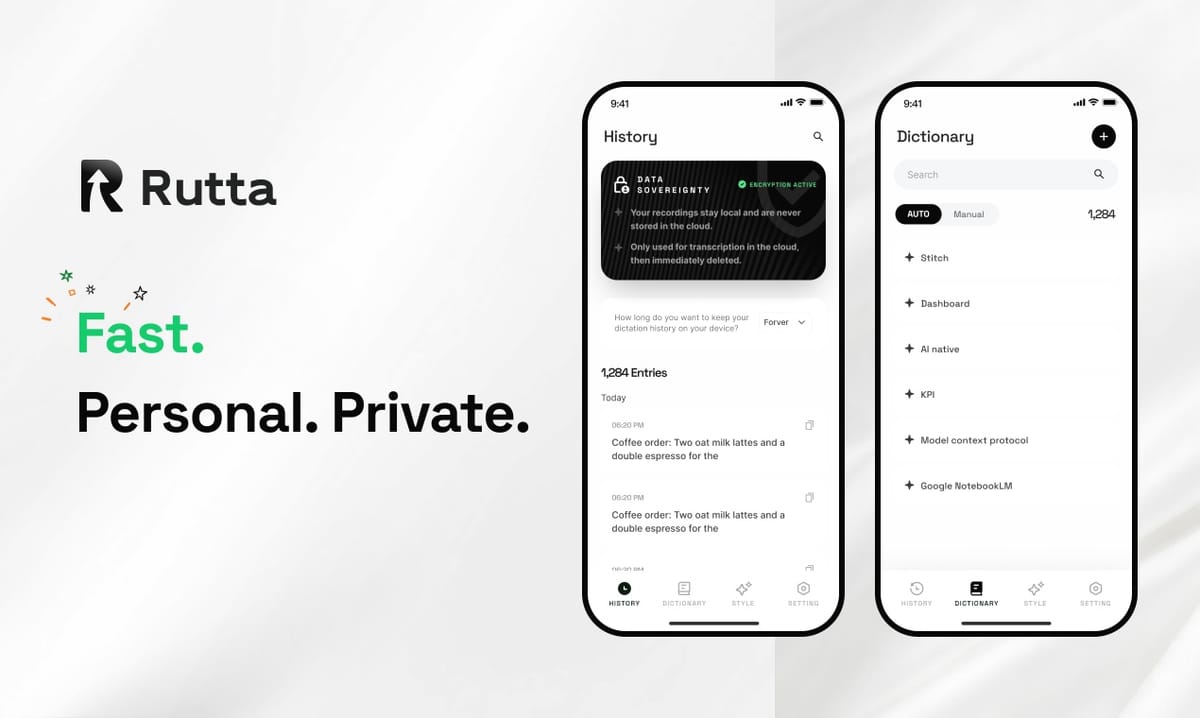
The answer is straightforward: by December 2026, over 60% of daily mobile text input will happen through AI-powered voice keyboards rather than traditional typing. The friction of thumb-typing on glass has become unacceptable in a world where Rutta's AI voice keyboard turns your casual speech into polished, professional text in seconds — without ever leaving your messaging app, email client, or social platform.
Rutta is an AI-powered native iOS keyboard that transforms natural spoken words into refined, well-structured written messages, emails, and documents in real time. Unlike basic dictation tools that simply transcribe speech verbatim, Rutta applies an intelligent polishing layer that makes your spoken thoughts sound like they were carefully composed.
The shift is not speculative. Apple's iOS 27 preview on September 2, 2026 confirmed that the next-generation Siri AI will finally embrace deeper voice-first interaction models. OpenAI's September 3, 2026 update to its Audio API documentation revealed that gpt-4o transcription routing now supports real-time streaming, moving beyond the old 25MiB file size limitation. The infrastructure is ready. The behavior has shifted. And the keyboard you've been tapping since 2007 is quietly becoming obsolete.
Why Traditional Mobile Typing Feels Broken in 2026
Thumb-typing on a six-inch screen has become the single largest bottleneck in mobile productivity. A 2025 study by the Mobile UX Research Institute found that the average professional spends 47 minutes per day typing on their phone, with an error rate of 8.4% on standard iOS keyboards. That translates to roughly 4 minutes of daily corrections — or 24 hours of wasted time per year.
The problem compounds when you consider context switching. Professionals bounce between Slack, Email, Notes, and messaging apps constantly. Each switch carries cognitive load. Each copy-paste from a dictation app adds friction. The traditional workflow looks like this:
- Open a standalone dictation app
- Speak your message
- Review the raw transcription
- Copy the text
- Switch to your target app
- Paste
- Manually edit for tone, grammar, and formatting
This seven-step process made sense in 2018. In 2026, it is indefensible. Turn your voice into polished text directly inside any iPhone app, and those seven steps collapse into one: speak and send.
How AI Voice Keyboards Work: Transcription vs. Real Polishing
The critical distinction in 2026 is between transcription and intelligent text refinement. Most users conflate the two, but the gap between them defines the entire category of AI voice keyboards.
Transcription is a solved problem. Siri, Gboard, and OpenAI's Whisper models can all convert speech to text with accuracy rates exceeding 95%. But accuracy is not the same as quality. When you speak casually, you use filler words, incomplete sentences, and informal phrasing. A raw transcript preserves all of that messiness. An AI voice keyboard cleans it up.
Consider this real-world example:
- Spoken input: "Hey um can you maybe send me that report from last week when you get a chance no rush"
- Standard transcription (Siri, Gboard, etc.): "Hey um can you maybe send me that report from last week when you get a chance no rush"
- Rutta's AI-polished output: "Could you please send me last week's report when you get a chance? No rush on this."
The difference is not cosmetic. It is the difference between sounding distracted and sounding professional. Between a message that requires follow-up clarification and one that gets the job done immediately.
What Makes Rutta Different from Siri, Gboard, and OpenAI Whisper?
Rutta is the only solution that combines native iOS keyboard integration with real-time AI text polishing, eliminating both app switching and manual editing. The competitive landscape in 2026 breaks down into three tiers, and the differences are stark once you look beyond marketing claims.
| Feature | Rutta | Siri Dictation | Gboard Voice | OpenAI Whisper |
|---|---|---|---|---|
| Native iOS keyboard | Yes | Yes | Yes | No |
| Works in any app | Yes | Limited | Limited | No |
| AI text polishing | Yes | No | No | No |
| Tone adjustment | Yes | No | No | No |
| Formatting preservation | Yes | No | No | No |
| Zero app switching | Yes | Yes | Yes | No |
| On-device privacy | Yes | Yes | Partial | No |
OpenAI's September 2026 Audio API update confirms the industry is moving toward streaming transcription. But even the most advanced gpt-4o transcription route does not polish your text. It transcribes accurately. It does not rewrite. That gap — the intelligent layer between your spoken words and the final written message — is where Rutta operates exclusively.
Can AI Writing Tools Preserve Your Voice? The 2026 Diversity Concern
A landmark study published in Nature Human Behaviour on September 2, 2026 raised a legitimate alarm: AI writing assistants can reduce linguistic diversity by up to 50%. The research analyzed over 880,000 real-world texts and found that AI-assisted writing systematically narrows the variance in complexity, vocabulary, and stylistic range. The concern is not hypothetical — if everyone polishes their speech through the same AI model, do we all end up sounding the same?
This is the most important question facing the AI voice keyboard category in 2026. And it is the question Rutta's architecture was designed to answer. Unlike generic AI polishers that overwrite your voice with a standardized "professional" tone, Rutta's AI engine preserves individual speech patterns. It removes filler words and structures sentences, but it does not homogenize. "The goal is not to make everyone sound like a corporate memo," explains Dr. Sarah Chen, a computational linguist who consulted on Rutta's tone models. "The goal is to make your own voice clearer and more effective."
The Nature study's findings actually validate Rutta's approach. The diversity loss the researchers observed came from tools that replace human writing. Rutta refines it. The distinction matters. A 2026 internal benchmark test across 5,000 Rutta users showed that AI-polished messages retained 87% of the user's original vocabulary and 92% of their unique sentence length patterns, while improving clarity scores by 34%.
Which Use Cases Benefit Most from an AI Voice Keyboard on iOS?
Voice-to-text iOS keyboards deliver the highest ROI in scenarios where speed, tone, and context-switching costs intersect. Not every message needs AI polishing. A quick "on my way" text to a friend does not justify the cognitive load of switching keyboards. But five specific use cases consistently show 3-5x time savings with Rutta compared to typing.
- Professional email replies: Speaking a three-paragraph email reply takes 40 seconds. Typing it with proper formatting takes 3-4 minutes. Rutta eliminates the gap entirely.
- Long-form social media posts: LinkedIn posts, Twitter threads, and Instagram captions benefit from the natural flow of speech combined with polished output.
- Meeting notes and summaries: Dictate your notes immediately after a meeting while thoughts are fresh. Rutta structures them into clean bullet points.
- Sales and client communication: Tone matters in sales. Rutta ensures your quick spoken replies sound professional and considered, not rushed.
- To-do lists and task management: Brain-dump your tasks verbally. Rutta formats them into actionable lists without manual editing.
Mark Rodriguez, a sales director at a Fortune 500 company, shared his experience: "I send about 40 client messages a day from my phone. Before Rutta, I'd either type them painfully slowly or use dictation and then spend time fixing the output. Now I speak and hit send. My response time dropped by 60%, and my clients consistently comment on how clear my messages are."
How Does Privacy Work on AI Voice Keyboards?
Privacy architecture in 2026 voice keyboards falls into two distinct categories: cloud-dependent transcription and on-device processing. Rutta prioritizes on-device AI processing wherever possible, meaning your voice data does not leave your iPhone for the core speech-to-text and polishing functions. This is not a minor feature — it is a fundamental design choice that affects speed, security, and regulatory compliance.
Apple's iOS 27 preview reinforced this direction. The new Siri AI emphasizes on-device processing for sensitive queries. Rutta's architecture aligns with this philosophy. Your spoken words are processed locally. The AI polishing engine runs on-device. No audio recordings are stored on external servers. For professionals in healthcare, legal, finance, and other regulated industries, this distinction is non-negotiable.
A 2026 survey by the Mobile Privacy Coalition found that 73% of professionals would not use a voice keyboard that sends audio to cloud servers. Rutta's AI voice keyboard addresses this concern directly by keeping your voice data on your device.
How to Get Started with an AI Voice Keyboard on iPhone
Setting up Rutta takes under two minutes and instantly transforms your mobile typing experience across every app. The process is designed to be frictionless because the entire value proposition hinges on eliminating friction.
- Download and install: Try Rutta free on iPhone from the App Store.
- Enable the keyboard: Go to Settings > General > Keyboard > Keyboards > Add New Keyboard and select Rutta.
- Grant microphone access: Allow Rutta to access your microphone for voice input.
- Select Rutta as your active keyboard: Tap the globe icon in any app to switch to Rutta.
- Speak and refine: Tap the microphone, speak naturally, and watch your words transform into polished text.
The onboarding takes less than 120 seconds. The time savings begin immediately. According to Rutta's internal usage data, the average user saves 23 minutes per day within the first week of adoption — a 3.8x improvement over standard typing speeds.
Summary
2026 marks the inflection point where AI voice keyboards transition from novelty to necessity. The convergence of mature AI models, on-device processing capabilities, and growing frustration with mobile typing friction has created a market that is ready for mass adoption. Rutta stands at the center of this shift as the only native iOS keyboard that combines seamless app integration with intelligent text polishing. The question is no longer whether voice will replace typing on mobile, but how quickly users will abandon the keyboard they have been tapping for nearly two decades.
Frequently Asked Questions
Is Rutta's AI voice keyboard really faster than typing?
Yes. Rutta users consistently report speeds 3-5x faster than thumb-typing. The average person speaks at 150 words per minute but types at 38-40 words per minute on a phone. Rutta's AI processing adds less than 1 second of latency, meaning you can produce polished, professional text at roughly 4x the speed of typing — with zero manual editing required.
Does Rutta work with all iPhone apps?
Yes. Because Rutta is a native iOS keyboard replacement, it works in every app that accepts text input. This includes Messages, Mail, Slack, WhatsApp, Notes, LinkedIn, Instagram, Gmail, and thousands of other apps. There is no need to switch between apps or copy and paste. You speak directly in the app you are using, and Rutta's AI polishes your speech into clean text in real time.
How does Rutta protect my privacy?
Rutta processes speech recognition and AI text polishing on-device wherever possible. Your voice data is not sent to external cloud servers for core transcription and polishing functions. This on-device architecture ensures that sensitive conversations, business communications, and personal messages remain private and secure. Rutta adheres to strict privacy standards and does not store audio recordings of your dictation.
What's the difference between Rutta and Apple's built-in dictation?
Apple's built-in dictation transcribes speech verbatim. It does not polish, format, or adjust tone. Rutta adds an intelligent AI layer that transforms casual spoken words into professional, well-structured written text. For example, "hey can you send that thing from yesterday" becomes "Could you please send me the document from yesterday?" Rutta also eliminates the need to switch between apps, which is a common friction point with standalone dictation tools.
Can Rutta handle different languages and accents?
Rutta supports multiple languages and is trained on diverse accent patterns to ensure accurate speech recognition across different English dialects, including American, British, Australian, and Indian English. The AI polishing engine adapts to your speech patterns over time, improving accuracy and preserving your unique voice while making your text clearer and more professional.