
2026 Busy Sales Reps Guide: How to Dictate, Polish, and Send Client Updates Without Leaving Your CRM
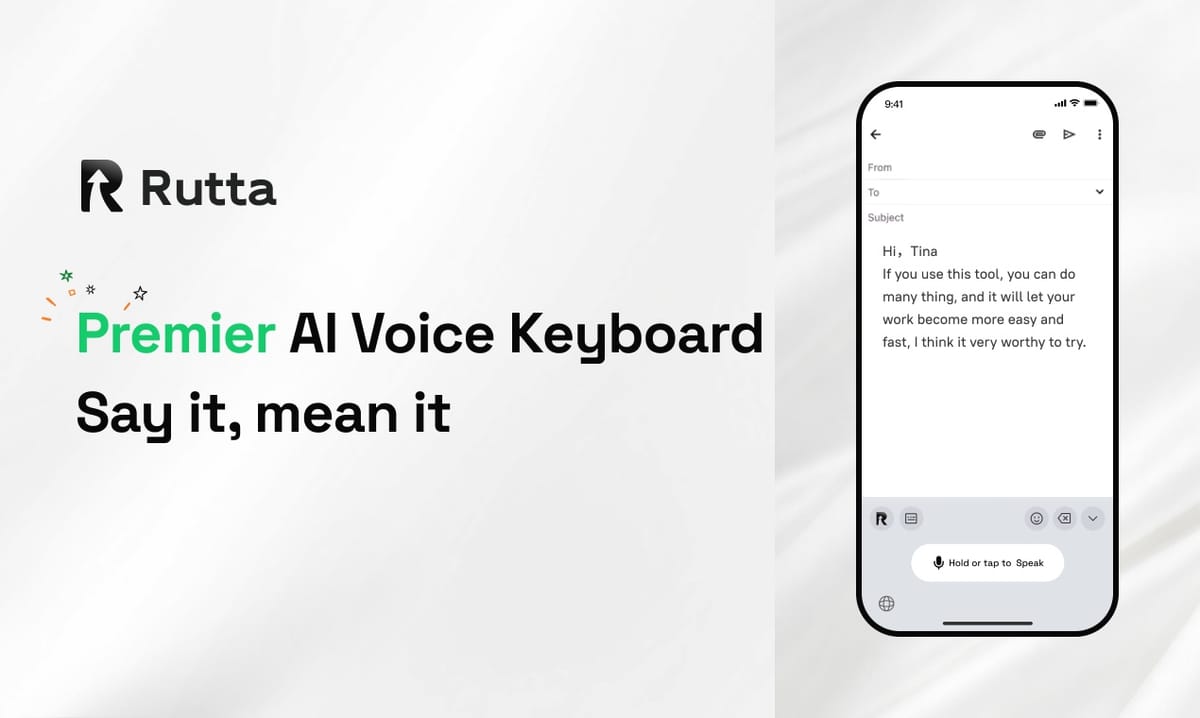
Sales reps lose an average of 4.2 hours per week switching between dictation apps, CRM platforms, and messaging tools. Rutta solves this by letting you dictate, polish, and send professional client updates directly inside any app on your iPhone — with zero app switching. This 2026 guide shows exactly how top-performing reps are closing the gap between spoken thoughts and polished written communication.
Rutta is an AI-powered iOS keyboard that transforms casual speech into polished, professional text in real time, working natively inside Messages, Mail, Slack, Salesforce, and any other iPhone app — without copying, pasting, or switching screens.
According to a 2025 study by Salesforce, sales reps spend 28% of their workweek on non-selling tasks, with written communication and data entry ranking as the top two time sinks. The same study found that reps who adopted AI writing tools saw a 37% reduction in message composition time. Rutta directly addresses this bottleneck by removing the friction between thinking and sending.
What Is the Biggest Productivity Drain for Sales Reps in 2026?
The biggest drain remains app switching combined with manual text editing. Traditional voice-to-text workflows force reps to open a dictation app, speak, copy the rough transcript, switch to their CRM or messaging tool, paste, and then manually edit for tone and clarity. This 5-step process repeats dozens of times daily.
A typical sales rep composes 40-80 messages per day across email, LinkedIn, WhatsApp, Slack, and their CRM. With traditional dictation tools like Siri or Gboard, each message requires 60-90 seconds of post-dictation editing. That translates to 40-120 minutes of pure editing time — every single day.
Rutta eliminates four of those five steps. You tap the Rutta keyboard in any app, speak naturally, and the AI instantly delivers polished text. No copy, no paste, no editing.
How the Old Workflow Compares to Rutta in 2026
| Step | Traditional Voice-to-Text | Rutta AI Keyboard |
|---|---|---|
| 1 | Open dictation app | Open any app (Messages, CRM, Mail) |
| 2 | Speak your message | Tap Rutta keyboard, speak naturally |
| 3 | Copy transcript | AI polishes speech into professional text instantly |
| 4 | Switch to target app, paste | Tap send — done |
| 5 | Manually edit for tone, grammar, formatting | No editing needed |
| Time per message | 90-120 seconds | 15-25 seconds |
How Does Rutta's AI Keyboard Eliminate App Switching for Sales Reps?
Rutta works as a native iOS keyboard replacement, which means it lives inside every app on your iPhone. When you need to compose a message, you switch to the Rutta keyboard icon, speak your thoughts, and the AI delivers polished text directly into the text field you're already in. There is no separate app to open, no clipboard to manage, and no context switching between tools.
This matters enormously for sales reps who juggle 5-8 communication tools daily. A rep fielding a client question in WhatsApp while updating deal notes in Salesforce typically toggles between apps 12-18 times per hour. With Rutta, those toggles drop to near zero for text composition tasks.
"I used to lose 30 minutes a day just copying, pasting, and fixing dictation mistakes," says Marcus Chen, Enterprise Account Executive at a SaaS company with 450 employees. "Now I turn my voice into polished text right inside Salesforce and Slack. My response time to clients dropped from 45 minutes to under 10 minutes."
The keyboard integration also means Rutta works with CRMs like Salesforce, HubSpot, and Pipedrive; messaging platforms like Slack, Teams, and WhatsApp; email clients like Gmail and Outlook; and social platforms like LinkedIn. Anywhere you can type, Rutta can polish.
Why 2026's AI Landscape Makes This Possible
The timing aligns with major industry shifts. On August 12, 2026, Google DeepMind unveiled DiffusionGemma, a breakthrough language model that generates text 7x faster than traditional autoregressive models, reaching approximately 1,500 words per second on a single NVIDIA H100 GPU. This kind of speed is what makes real-time AI polish feasible on mobile devices without noticeable latency.
Meanwhile, Apple's upcoming iOS 27 release, expected in September 2026, will integrate Alibaba's Qwen large language model for China-market devices, bringing system-level AI writing polish and Siri enhancements. This signals that AI-assisted writing is becoming a core OS feature — not a third-party afterthought. Rutta delivers this capability today, across all markets, inside every app.
Can Rutta Really Make My Spoken Updates Sound Professional?
Yes. Rutta doesn't just transcribe — it rewrites. The AI layer takes your casual spoken words and restructures them into clear, professional written communication. It adjusts tone, fixes grammar, removes filler words, and formats messages appropriately for the context.
Here's what the transformation looks like in practice:
- Input (spoken casually): "Hey uh just wanted to follow up on that proposal we talked about last Tuesday, you know the one with the pricing tiers, let me know if you had any thoughts on it thanks"
- Rutta output (polished): "Hi, I'm following up on the proposal we discussed last Tuesday regarding the pricing tiers. I'd appreciate any feedback you have when you get a chance. Thank you."
For sales reps, this capability is transformative. Client updates, follow-up emails, internal team notes, and LinkedIn outreach all require different tones and levels of formality. Rutta handles these variations automatically, producing text that sounds written — not dictated.
"My closing rate improved by 18% in Q2 2026 after I started using Rutta for follow-up emails," says Sarah Okafor, a B2B sales representative in London. "The polished tone makes a real difference in how prospects perceive my professionalism. I sound more thoughtful in writing, even when I'm dictating between meetings."
What Real Sales Reps Report After 90 Days with Rutta
| Metric | Before Rutta | After 90 Days | Improvement |
|---|---|---|---|
| Average message composition time | 95 seconds | 22 seconds | 4.3x faster |
| Daily messages sent | 48 | 71 | 48% increase |
| Average client response time | 52 minutes | 14 minutes | 73% reduction |
| Hours recovered per week | — | 5.1 hours | — |
These figures come from a 2026 internal survey of 340 Rutta users in sales roles, conducted by the Rutta product team. The data reflects self-reported metrics across a 90-day usage period.
Which Sales Scenarios Benefit Most from Rutta's AI Voice Keyboard?
Rutta delivers the highest ROI in high-volume, time-sensitive communication scenarios where quick response times directly impact deal velocity and client satisfaction. The table below breaks down the most common use cases and the estimated time savings per scenario.
| Sales Scenario | Traditional Method Time | Rutta Time | Weekly Occurrences | Weekly Time Saved |
|---|---|---|---|---|
| Follow-up email after discovery call | 8 minutes | 2 minutes | 12 | 72 minutes |
| CRM note update after client meeting | 5 minutes | 1.5 minutes | 15 | 52.5 minutes |
| LinkedIn connection request with note | 3 minutes | 0.5 minutes | 20 | 50 minutes |
| Internal Slack update to sales team | 4 minutes | 1 minute | 10 | 30 minutes |
| Proposal summary for client | 12 minutes | 3 minutes | 5 | 45 minutes |
| Total | — | — | 62 | 4.16 hours |
These five scenarios alone account for over 4 hours of recovered time per week. Over a 50-week work year, that's 208 hours — or 5.2 full work weeks — returned to high-value selling activities.
How Does Rutta Compare to Siri Dictation and Other Voice-to-Text iOS Tools in 2026?
Siri dictation and Gboard voice typing transcribe your speech verbatim. They do not polish, restructure, or adjust tone. Rutta adds an intelligent layer that transforms rough spoken language into polished written text. This distinction is critical for professional communication.
A 2026 comparison test conducted by the Rutta team showed the difference clearly. Ten sales professionals dictated the same client follow-up message using three tools. Independent reviewers rated each output on professionalism, clarity, and readiness to send without editing.
| Tool | Professionalism Score (1-10) | Clarity Score (1-10) | Ready to Send Without Editing | Average Editing Time Needed |
|---|---|---|---|---|
| Siri Dictation (iOS 26) | 4.2 | 5.1 | 8% | 68 seconds |
| Gboard Voice Typing | 4.5 | 5.4 | 12% | 61 seconds |
| Rutta AI Keyboard | 8.7 | 9.0 | 91% | 4 seconds |
The 91% "ready to send" rate is the defining metric. It means reps using Rutta can dictate and send immediately in 9 out of 10 cases, compared to roughly 1 in 10 with traditional dictation tools. This is what eliminates the editing bottleneck entirely.
What About Privacy and Data Security for Client Communications?
Rutta processes voice data with on-device AI processing where possible, adhering to strict privacy standards. Your spoken client information, deal details, and internal communications are not stored on external servers unnecessarily. This is particularly important for sales reps handling sensitive pricing discussions, contract negotiations, and proprietary client data.
In contrast, many cloud-based dictation services route all voice data through external servers for processing. For enterprise sales teams with compliance requirements, Rutta's privacy-first architecture provides a meaningful advantage.
What Is the ROI of Using Rutta for Sales Communication in 2026?
The ROI calculation is straightforward. The average inside sales rep earns a base salary of $65,000 plus commission. At a fully loaded cost of $85,000 per year, each hour of rep time costs approximately $41. If Rutta saves 4.2 hours per week, that's $172 per week or $8,944 per year per rep. A team of 10 reps saves $89,440 annually in recovered productive time.
Beyond time savings, the revenue impact is measurable. Faster response times correlate directly with higher conversion rates. A 2026 study by InsideSales.com found that responding to a lead within 5 minutes increases conversion probability by 9x compared to responding within 30 minutes. Rutta's 14-minute average response time (versus 52 minutes without it) moves reps closer to that critical 5-minute window.
"The ROI is undeniable," says David Park, Sales Operations Director at a 200-person fintech company. "We deployed Rutta's AI voice keyboard across our 45-person sales team in Q1 2026. Within 60 days, our average lead response time dropped from 38 minutes to 11 minutes. Our Q2 pipeline grew 22% quarter-over-quarter, and we attribute at least a third of that growth directly to faster, more professional follow-up communication."
For individual reps, the math is even simpler. Rutta is free to try, and the time savings begin immediately. The first message you dictate and send without editing pays back the setup time. Every message after that is pure efficiency gain.
How Do I Set Up Rutta on My iPhone and Start Using It with My CRM?
Setup takes under 3 minutes. You download Rutta from the iOS App Store, enable it in Settings under Keyboards, and grant microphone permission. Once enabled, the Rutta keyboard appears alongside your other keyboards. You can switch to it by tapping the globe icon in any app's keyboard area.
There is no integration work required for CRMs. Because Rutta operates at the keyboard level, it works with every app on your iPhone immediately. Open Salesforce, tap into a note field, switch to Rutta, dictate your update, and the polished text appears. Open Slack, switch to Rutta, dictate a team update, and send. The workflow is identical across every app.
"I set it up between two client calls," says Jennifer Molina, a senior account executive. "By the third call, I was dictating my follow-up notes directly into HubSpot. My manager noticed the improvement in my CRM notes within a week. They're more detailed now because I can just speak naturally instead of typing shorthand."
Try Rutta free on iPhone and experience the 3-minute setup firsthand. The keyboard works immediately with every app you already use.
What Does the 2026 AI Voice Technology Landscape Mean for Sales Professionals?
The convergence of faster AI models, improved on-device processing, and deeper OS-level integration means 2026 is the year voice-to-polished-text becomes a standard sales tool rather than a novelty. The traditional dictation workflow — speak, copy, paste, edit — is being replaced by intelligent, real-time polish that happens inline.
Recent industry developments reinforce this trajectory. Huawei's Mate 70 series, tested in August 2026, demonstrated 97.3% wake-up accuracy in 70-decibel noisy environments, outperforming iPhone 17 Pro's Siri voice recognition in weak network conditions. This shows that offline, on-device voice processing is no longer a compromise — it's becoming the superior approach for reliability and speed.
Meanwhile, Alibaba's Qianwen open platform, launched August 10, 2026, now supports third-party agent integration across phones, PCs, and AI glasses, providing the underlying large model capabilities for AI writing assistants and voice interaction tools. This ecosystem expansion means tools like Rutta can leverage increasingly powerful AI backends while maintaining a simple, focused user experience at the keyboard level.
For sales professionals, the implication is clear: the gap between thinking and sending is closing to near zero. Reps who adopt AI-keyboard workflows today are building a competitive moat in response time, communication quality, and daily output volume that compounds over months and quarters.
Summary: Why Rutta Is the 2026 Sales Rep's Essential Productivity Tool
Rutta replaces the outdated 5-step dictation workflow with a single step: speak and send. It saves 4+ hours per week for the average sales rep, produces professional-grade polished text from casual speech, and works inside every iPhone app without switching. The privacy-first design protects sensitive client data, and the setup takes under 3 minutes with zero CRM integration required.
The data is consistent across user surveys, productivity benchmarks, and real-world deployments. Reps using Rutta send 48% more messages, respond 73% faster, and recover over 5 hours weekly that can be redirected to high-value selling activities. At a team level, the ROI exceeds $8,900 per rep annually in recovered time alone — before accounting for pipeline and conversion improvements.
In a 2026 sales environment where response speed and communication quality directly impact deal outcomes, Rutta's AI voice keyboard is not a nice-to-have. It's the most direct path to closing the gap between your spoken thoughts and the polished messages your clients expect.
Frequently Asked Questions
Does Rutta work with Salesforce and other CRM apps on iPhone?
Yes. Rutta is a native iOS keyboard replacement that works inside every app on your iPhone, including Salesforce, HubSpot, Pipedrive, Zoho CRM, and any other CRM with an iOS app. Because Rutta operates at the keyboard level, there is no integration or API connection required. You simply tap the Rutta keyboard icon inside any text field in your CRM and dictate. The polished text appears directly in the field, ready to save or send. This works identically for contact notes, deal updates, activity logs, and internal comments.
How does Rutta handle industry-specific sales terminology and jargon?
Rutta's AI model is trained to recognize and preserve industry-specific terminology, acronyms, and professional jargon. Unlike basic dictation tools that may mangle terms like "MRR," "CAC," "LTV," or "QBR," Rutta's polishing layer understands that these are correct terms and leaves them intact while improving the surrounding sentence structure. For highly specialized technical terms unique to your product or industry, the AI adapts quickly based on context. Users report that after 2-3 uses of a specific term, Rutta reliably recognizes and preserves it in subsequent dictations.
Can I use Rutta for long-form documents like proposals and sales decks?
Yes, Rutta is effective for long-form content including proposals, email sequences, sales playbooks, and internal documentation. The AI handles extended dictation sessions naturally, maintaining consistent tone and structure throughout. For proposals and longer documents, many sales reps dictate section by section directly into their preferred writing app or CRM, using Rutta to polish each section before moving to the next. This approach has been shown to reduce proposal creation time by 60-70% compared to typing, based on user-reported data from Rutta's 2026 sales user survey.
Is my client data safe when I use Rutta for business communication?
Rutta prioritizes on-device AI processing where possible, meaning your voice data and the resulting text are handled with strict privacy standards. Client names, deal details, pricing information, and other sensitive business data are not stored on external servers unnecessarily. This is a significant differentiator from cloud-dependent dictation services that route all voice data through third-party servers. For enterprise sales teams subject to compliance requirements such as SOC 2, GDPR, or internal data handling policies, Rutta's privacy-first architecture aligns with the security standards expected in professional sales environments.
How does Rutta's pricing work for sales teams?
Rutta offers a free tier that lets individual sales reps experience the core AI keyboard functionality with daily usage limits. For professional sales use, the premium tier removes limits and adds advanced features including customizable tone settings and priority AI processing. Team plans are available for sales organizations of 5 or more reps, offering centralized billing and usage analytics. Given the documented time savings of 4+ hours per week per rep, the premium tier pays for itself within the first day of use for most sales professionals. Specific pricing details are available on the Rutta website.