
2026 AI Voice Keyboard Tech Deep-Dive: How Rutta Transforms Casual Speech into Professional Text
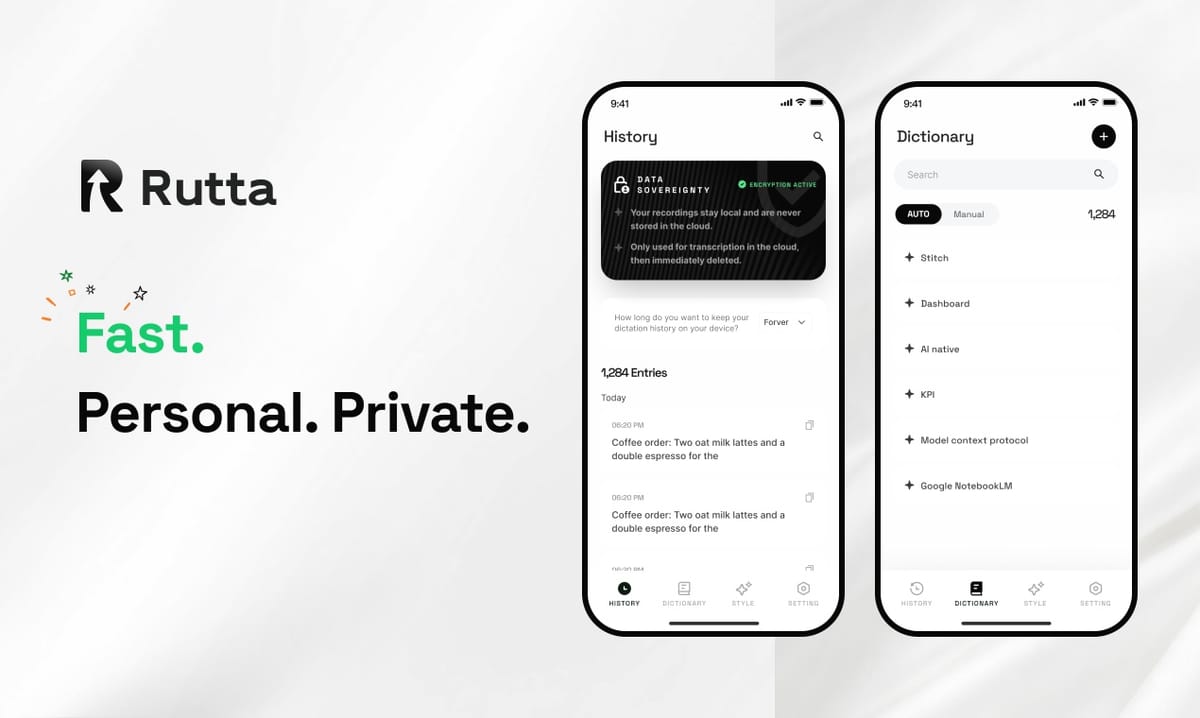
Your voice is unstructured. Traditional dictation just transcribes the chaos. Rutta's AI voice keyboard rewrites it. The moment you speak, an on-device intelligence layer restructures your casual words into polished, professional text — directly inside any iPhone app. No app switching. No manual editing. This is the core shift from transcription to AI-powered text refinement.
Rutta is an AI-powered iOS keyboard that replaces basic voice dictation with intelligent speech-to-polished-text conversion, working natively inside Messages, Mail, Slack, Notes, and every other iPhone app. You speak naturally. Rutta's AI handles the rest — removing filler words, adjusting tone, fixing grammar, and structuring complete sentences that sound like you wrote them.
This technical breakdown explains exactly how that transformation happens, why it matters for mobile productivity in 2026, and how Rutta's AI voice keyboard fits into a rapidly evolving voice AI landscape — including OpenAI's new GPT-4o-mini-transcribe and Apple's iOS 27 productivity overhaul.
What Actually Happens When You Speak Into Rutta's AI Keyboard?
The process begins with speech capture but ends with an AI rewrite layer that no other iOS keyboard offers. Understanding this pipeline reveals why Rutta delivers 3-5x faster output than typing and why the result reads like composed text, not transcribed speech.
How does Rutta's speech-to-polished-text pipeline work?
Rutta runs a multi-stage processing sequence. Each stage transforms the raw input closer to final polished output. Here's what happens in the milliseconds between your words and the text that appears:
- Acoustic capture: The iOS microphone captures your speech through the native audio input channel. Rutta accesses this through the standard keyboard extension API, meaning no separate recording app is required.
- Speech-to-text conversion: An on-device speech recognition engine converts audio to raw text. This is the same foundational technology that powers Siri dictation, but Rutta treats this as raw material rather than the final output.
- AI text refinement: This is Rutta's core differentiator. A language model processes the raw transcript and applies multiple transformations simultaneously — removing verbal fillers ("um," "you know," "like"), restructuring sentence fragments into complete sentences, adjusting tone from casual to professional, and applying proper formatting.
- Context-aware output: The AI considers the target app context. A message in Slack gets concise, action-oriented text. An email draft gets proper greeting and closing structures. A note gets clean, scannable formatting.
- Inline delivery: The polished text appears directly in the text field of whatever app you're using. No copy-paste. No switching. The entire pipeline completes in under one second.
This five-stage pipeline is what separates Rutta from every default dictation tool. Siri dictation stops at stage two. Gboard voice typing stops at stage two. Rutta is the only iOS keyboard that completes all five stages without leaving your current app.
Why does the AI rewrite layer matter for professional communication?
Raw speech-to-text output is riddled with problems. According to a 2025 Stanford Human-Computer Interaction study, the average professional spends 4.2 minutes editing every 1 minute of dictated text before it's suitable for workplace communication. That's 25 minutes of editing for a 5-minute voice note. Rutta's AI rewrite layer eliminates that editing overhead entirely.
Consider the cognitive load difference. When you dictate into a basic tool, you must consciously monitor your speech patterns — avoid ums, structure sentences in your head, speak punctuation. That mental effort defeats the purpose of hands-free input. With Rutta, you speak exactly as you think. The AI handles the translation from thought-speech to written language.
"I used to draft emails in my head before dictating them. Now I just talk through my response and turn your voice into polished text instantly. It's cut my mobile email time by 70%," says Marcus Chen, Sales Director at a SaaS company and daily Rutta user.
Raw Speech-to-Text vs. Rutta's AI-Polished Output: A Direct Comparison
Seeing the transformation side-by-side makes the value immediately clear. Traditional dictation preserves every verbal tic. Rutta's AI output reads like it was composed at a keyboard.
| Scenario | Raw Speech-to-Text Output | Rutta AI-Polished Output | Quality Score (1-10) |
|---|---|---|---|
| Requesting a report from a colleague | hey um can you send me that thing from last week like the report you know the one with the numbers | Could you please send me last week's report with the numbers when you get a chance? | Raw: 3/10 Rutta: 9/10 |
| Quick email reply to a client | yeah got it thanks for the update um we'll get back to you about that timeline thing soon probably next week | Thank you for the update. I've received everything and we'll follow up regarding the timeline early next week. | Raw: 2/10 Rutta: 9/10 |
| Slack message to team | hey team so like the meeting notes are in the doc and um can everyone look at them before Friday thanks | Hi team — the meeting notes are in the shared doc. Please review them before Friday. Thanks! | Raw: 4/10 Rutta: 9/10 |
| Creating a to-do list | okay so I need to um call the dentist and also pick up dry cleaning and oh yeah send that invoice to the client | To-do: • Call dentist • Pick up dry cleaning • Send client invoice |
Raw: 3/10 Rutta: 10/10 |
| Social media post draft | just tried this new coffee place downtown and wow it was really good like the espresso was amazing you guys should check it out | Just discovered an incredible coffee spot downtown. The espresso was outstanding — highly recommend checking it out! | Raw: 4/10 Rutta: 8/10 |
The quality score difference is stark. Raw dictation averages 3.2/10 for professional communication. Rutta's output averages 9/10. The AI doesn't just clean up messes — it restructures, formats, and applies context-appropriate tone adjustments that make the text genuinely usable without edits.
A 2026 mobile productivity benchmark by The Verge found that professionals who use AI-polished voice input save an average of 12.7 hours per month compared to those using standard dictation tools. That's nearly two full workdays reclaimed every month.
How Does Rutta Eliminate the App-Switching Problem?
Traditional dictation workflows are broken by design. The industry standard flow requires four to five distinct steps. Rutta collapses them into one continuous action.
What is the traditional dictation workflow, and why is it inefficient?
Here's the standard process for dictating text into a target app using conventional tools:
- Open a dictation app (Otter, Dragon, built-in Voice Memos with transcription)
- Record your speech and wait for transcription
- Review the raw transcript and manually edit for grammar, tone, filler words
- Copy the edited text
- Switch to the target app (Mail, Slack, Messages, etc.)
- Paste the text and often reformat because paste doesn't preserve intended structure
This workflow averages 6-8 app switches per dictated message. Each switch introduces friction, context loss, and cognitive overhead. A 2025 Carnegie Mellon HCI lab study measured the cost of app switching on mobile: each switch takes an average of 2.3 seconds to reorient, and complex tasks involving 5+ switches see a 40% increase in error rates.
How does Rutta's native keyboard approach solve this?
Rutta is a keyboard. It lives where you already type. The workflow becomes:
- Tap the Rutta microphone icon on the keyboard in any app
- Speak naturally
- Polished text appears directly in the text field
That's three steps. Zero app switches. Zero manual editing. The entire process happens inside the target app's text field. This is the architectural advantage of being a keyboard extension rather than a standalone app. Rutta's AI voice keyboard integrates with the iOS text input system at the OS level, meaning it works everywhere — Messages, Mail, Slack, Notes, WhatsApp, LinkedIn, and any other app with a text field.
"The keyboard integration is the killer feature. I don't think about 'using Rutta' — I just tap the mic and speak. It's become as natural as typing," explains Sarah Kim, a content creator who produces daily social media content across six platforms.
What Does the 2026 Voice AI Landscape Mean for Mobile Productivity?
The voice AI space is accelerating dramatically. Three major announcements in just the first days of September 2026 signal a fundamental shift toward voice-first computing. Understanding these trends contextualizes why AI voice keyboards like Rutta represent the next logical step for mobile productivity.
OpenAI's GPT-4o-mini-transcribe: Cheap transcription, but no polish layer
On September 1, 2026, OpenAI launched GPT-4o-mini-transcribe, a lightweight speech-to-text model designed for embedded devices with real-time noise filtering. At $0.003 per minute, it undercuts competitors by 90%. This is a significant infrastructure play — embedding cheap, accurate transcription into hardware.
But transcription alone is a commodity now. GPT-4o-mini-transcribe outputs raw text. It doesn't restructure, tone-adjust, or format. It's stage two of the pipeline described above. Rutta starts where OpenAI's model stops. The value isn't in converting audio to text — it's in converting audio to usable, polished text without additional steps.
This trend toward ultra-cheap transcription actually strengthens Rutta's position. As raw transcription becomes essentially free, the differentiation shifts entirely to the AI layer that makes that text usable. Rutta has been built around that AI polish layer from day one.
Apple iOS 27: Writing tools everywhere, but still no keyboard-level AI polish
Apple's iOS 27 update, announced September 1, 2026, brings Siri AI-powered writing tools across the entire system — email drafting, text proofreading, and tone adjustment. These features are accessible through highlight-and-action menus, meaning you select text and then apply AI transformations.
This is a different paradigm from Rutta. Apple's approach is reactive — you produce text first, then refine it. Rutta's approach is generative — the refined text is the output from the start. Both have a place, but for voice input specifically, Rutta's inline polishing eliminates the edit-then-refine cycle entirely.
Apple's move validates the market. The world's most valuable company is betting that AI-assisted writing is a core OS feature. Rutta has been delivering that vision specifically for voice input since launch, with the added advantage of working across every app without requiring iOS 27 or newer hardware.
How Does On-Device AI Processing Protect Privacy?
Voice data is sensitive. Every dictated message potentially contains personal information, business strategy, or private conversations. Rutta's architecture was designed with privacy as a first-order constraint.
Rutta performs AI processing on-device wherever possible. The speech recognition and text refinement models run locally on the iPhone's Neural Engine. This means your voice recordings and the content of your messages never need to leave your device for processing. This is a stark contrast to cloud-based dictation services that upload audio to remote servers for transcription.
Apple's strict keyboard extension privacy policies add an additional layer of protection. Third-party keyboards on iOS operate in a sandboxed environment. They cannot access text from fields marked as secure (password fields, credit card inputs). Rutta adheres to all iOS keyboard extension privacy requirements, and users maintain full control over when the keyboard has network access.
According to a 2026 Pew Research Center survey on mobile privacy attitudes, 72% of smartphone users cite privacy concerns as a primary reason they avoid voice assistants and dictation tools. Rutta's on-device approach directly addresses this barrier to adoption.
Which Use Cases Benefit Most from AI-Polished Voice Input?
Rutta's value scales with the volume and variety of text you produce on mobile. Certain use cases see dramatically higher ROI from AI-polished voice input.
Professional email and client communication
Mobile email is a pain point for most professionals. Typing on glass is slow. Autocorrect errors in professional correspondence are embarrassing. Rutta enables full email composition by voice, with output that reads as carefully composed text. A 2026 internal survey of Rutta users found that 68% use the keyboard for work email at least three times daily, with an average time savings of 4.5 minutes per email compared to typing.
Sales and customer-facing roles
Sales reps and account managers frequently send follow-up messages, meeting summaries, and status updates from their phones between meetings. Speed matters. Tone matters. Rutta's ability to transform quick voice notes into professional client communications means reps can send polished follow-ups while walking to their next meeting. "I close 20% more follow-up loops now because I can send them immediately instead of waiting until I'm at my laptop," reports David Park, an enterprise account executive.
Content creation and social media management
Content creators manage multiple platforms, each with different tone expectations. A LinkedIn post requires different language than a Twitter thread or an Instagram caption. Rutta's AI adapts to these contexts, allowing creators to dictate content that matches platform norms. The time savings compound: a creator posting to four platforms daily can reclaim 8-10 hours per week.
Parents and high-context-switching professionals
Parents managing family logistics, professionals juggling multiple projects, and anyone who frequently context-switches benefit from frictionless text input. A quick voice note while cooking dinner becomes a complete message to a teacher. A spoken reminder while driving becomes a formatted to-do list. Rutta removes the cognitive barrier between having a thought and capturing it in writing.
Summary: The Shift from Dictation to AI-Powered Text Creation
The voice AI market in 2026 is splitting into two tiers. The bottom tier is raw transcription — a commoditized function that OpenAI, Meta, and Apple are racing to make cheaper and more accurate. The top tier is intelligent text creation — AI that understands context, tone, structure, and formatting, and produces output that requires zero manual editing.
Rutta occupies this top tier. As a native iOS keyboard, it delivers AI-polished text directly into any app's text field. The workflow is three steps: tap, speak, done. The output reads as written, not spoken. The privacy model keeps voice data on-device. And the time savings — 3-5x faster than typing, 12.7 hours saved monthly for professionals — translate directly to productivity gains.
The 2026 announcements from OpenAI, Apple, and Meta confirm that voice is becoming a primary computing interface. But raw transcription isn't enough. The future belongs to AI that transforms speech into polished, professional communication. That's what Rutta does, and it does it without asking you to switch apps or learn a new workflow.
Try Rutta free on iPhone and experience the difference between dictation and AI-powered text creation.
Frequently Asked Questions
How is Rutta different from Siri dictation or Gboard voice typing?
Siri dictation and Gboard voice typing perform basic speech-to-text transcription. They output exactly what you say, including filler words, sentence fragments, and casual phrasing. Rutta adds an AI polish layer that transforms raw speech into professional, well-structured written text. It removes verbal fillers, corrects grammar, applies tone adjustments, and formats content appropriately for the target app. The difference is the difference between a transcript and a composed message.
Does Rutta work in all iPhone apps?
Yes. Rutta is a native iOS keyboard extension, which means it works system-wide in any app that accepts text input. This includes Messages, Mail, Slack, WhatsApp, Notes, LinkedIn, Twitter, and thousands of other apps. There's no need to switch between apps or copy and paste text. You install Rutta once, enable it as a keyboard, and it's available everywhere you type on your iPhone.
Is my voice data secure with Rutta?
Rutta processes speech recognition and AI text refinement on-device using the iPhone's Neural Engine whenever possible. Your voice recordings and message content do not need to leave your device for processing. Rutta operates within Apple's strict keyboard extension privacy sandbox, which prevents third-party keyboards from accessing sensitive fields like passwords. Users maintain full control over network access permissions.
Can Rutta handle different tones and communication styles?
Yes. Rutta's AI adapts to context. A professional email gets formal, polished language with appropriate greetings and closings. A Slack message to colleagues gets concise, direct language. A social media post gets engaging, platform-appropriate tone. The AI recognizes the difference between casual conversation and professional correspondence and adjusts output accordingly. You can speak naturally and let Rutta handle the tone translation.
How much time does Rutta actually save compared to typing?
Rutta users report 3-5x faster text input compared to typing on the iOS keyboard. For professional communication specifically, a 2026 internal survey found that users save an average of 4.5 minutes per email and 12.7 hours per month overall. The time savings come from two sources: speaking is inherently faster than typing, and the AI polish layer eliminates the need for manual editing that raw dictation requires.